

Description
Ultimate Twitter Feeds is a lightweight plugin to display Twitter feeds. Fetch profiles, lists, or single tweets with customizable size, language.
An inside look:
Why should you choose Ultimate Twitter Feeds among the many other plugins?
- Light weight & easy to configure.
- Configuration options like show Tweets from Twitter User Profile, User List and Single Tweet.
- Supports Light and Dark theme.
- Additional options like Width, Height and Language.
- WordPress Block support.
- Fast & helpful support.
Recommended Plugins
The following plugins are recommended for users:
-
WP Power Cache – A high-performance static page caching engine that generates HTML snapshots of your WordPress site for near-instant loading times.
-
Calculate Page Execution Time – Track page execution time easily. Just activate and view page source to see the loading time at the bottom. No configuration needed for WordPress.
-
Facebook Page Feeds Widget – With Facebook Page Feeds Widget, you can display your Facebook Page feeds on your website quickly.
Privacy Notices
With the default configuration, this plugin, in itself, does not:
- use cookies.
- track users by stealth.
- write any user personal data to the database.
- send any data to external servers.
X API Setup (Client ID / Secret)
- Sign in to X Developer Portal: https://developer.x.com/
- Create a Project and App (or open your existing App).
- Enable OAuth 2.0 for the App.
- Add this redirect URI in your X App settings:
https://YOUR_SITE/wp-admin/admin-post.php?action=utfeed_x_oauth_callback - Copy your App Client ID and Client Secret.
- In WordPress admin go to
Settings -> Ultimate Twitter Feeds, paste Client ID/Secret, and clickSave Settings. - Click
Connect with Xand approve access.
Recommended scopes: tweet.read users.read offline.access
Screenshots
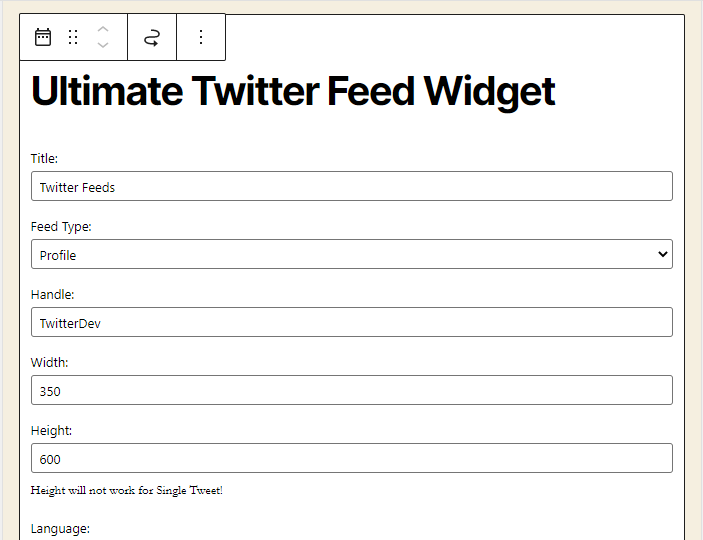
Widget settings to display Feeds from Twitter User Profile 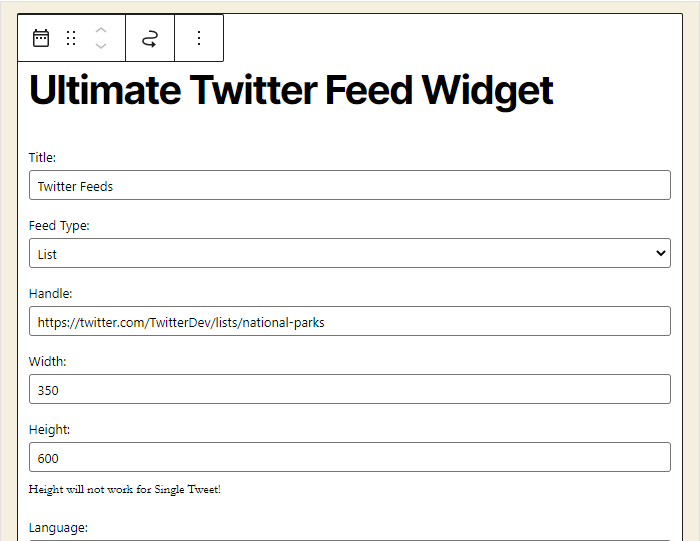
Widget settings to display Feeds from Twitter User List 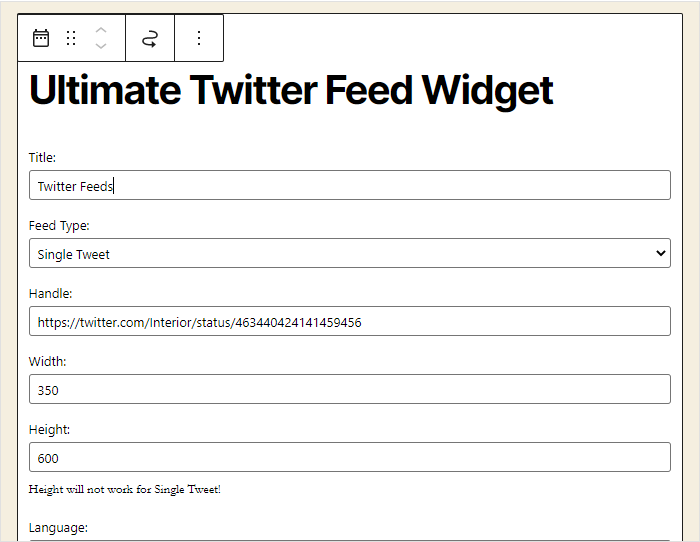
Widget settings to display Single User Tweet 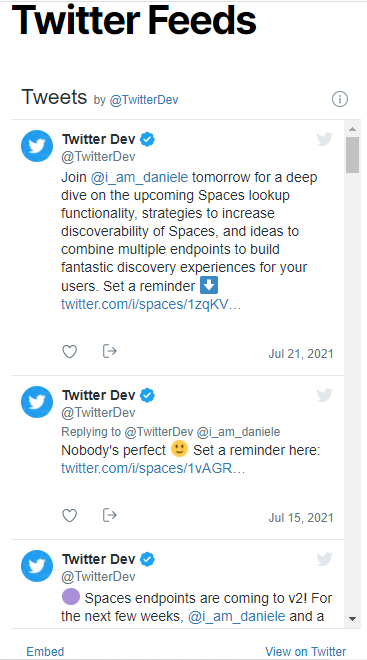
Displays User Tweets with Light Theme 
Displays User Tweets with Dark Theme 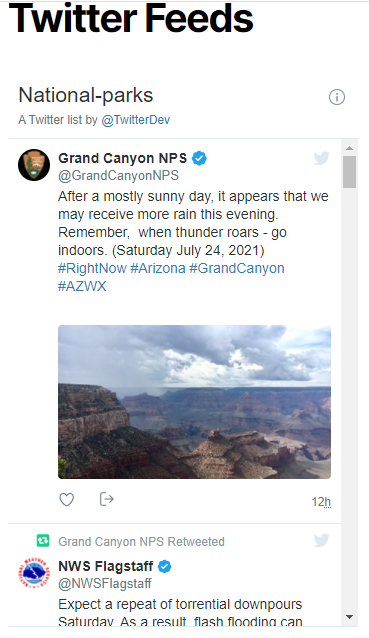
Displays User List Tweets with Light Theme 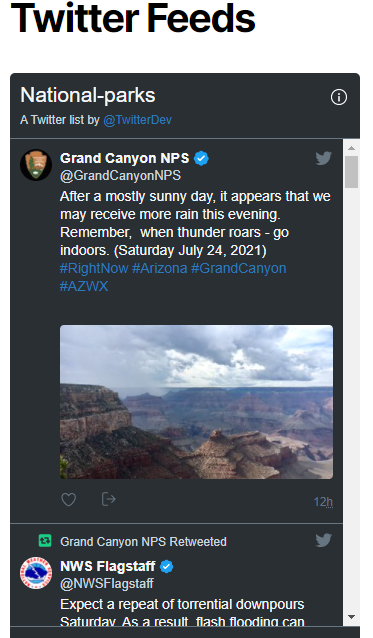
Displays User List Tweets with Dark Theme 
Displays Single User Tweet with Light Theme 
Displays Single User Tweet with Dark Theme
Blocks
This plugin provides 1 block.
- Ultimate X Feed
Installation
- Extract the zip file and just drop the contents in the wp-content/plugins/ directory of your WordPress installation and then activate the Plugin from Plugins page. Go to widgets page and add \”Ultimate Twitter Feed Widget\” into sidebar and/or footer.
For more details,
https://codex.wordpress.org/Managing_Plugins
Reviews

Contributors & Developers
“Ultimate Twitter Feeds” is open source software. The following people have contributed to this plugin.
Contributors

Translate “Ultimate Twitter Feeds” into your language.
Interested in development?
Browse the code, check out the SVN repository, or subscribe to the development log by RSS.
Changelog
0.1
- Initial release.
0.2
- Updated Twitter (X) API.
0.3
- Fixed Twitter (X) API bugs.