Description
The Easiest Way to Create & Display a Seating Chart in WordPress!
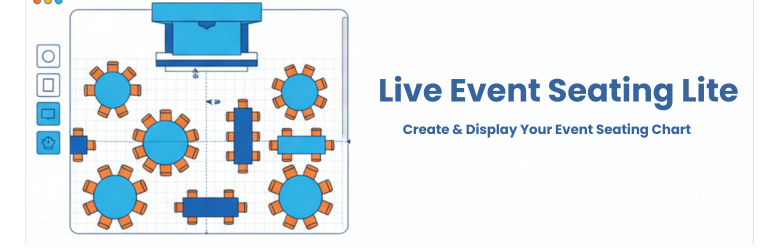
Are you trying to create a visual seating chart for an upcoming event? Building a custom venue map or an interactive floor plan in WordPress can be a challenge. Live Event Seating Lite is the solution. It provides a powerful, intuitive, drag-and-drop builder to create a detailed seating plan for any occasion without touching a single line of code.
🎥 See It In Action (Video Tutorials)
Want to see how easy it is to build a venue and sell tickets? Check out our quick video tutorials:
How to Create a Seating Chart
How to Connect Seats to WooCommerce
Advanced Venue Builder Features
🆓 Live Event Seating LITE (Free Version)
The Lite version is perfect for displaying a visual floor plan or seating arrangement on your website.
* Visual Drag & Drop Builder: Create your seating chart right inside the WordPress admin area.
* Multiple Elements: Add circle tables, rectangle tables, seat rows, stages, images, and freeform polygon shapes.
* Intuitive Controls: Easily move, duplicate, and delete elements with smart snapping guides.
* Simple Display: Use a shortcode [event_seating_plan id="YOUR_EVENT_ID"] to display your chart on the frontend.
* Responsive & Interactive: Users can pan and zoom the displayed seating chart on any device.
🚀 Ready to Sell Tickets? Upgrade to Premium!
The Lite version is a display-only tool. If you want customers to click on seats, add them to their cart, and checkout, you need to upgrade! Connect your seating chart directly to WooCommerce and keep 100% of your ticket profits (0% per-ticket commission fees!).
👉 View Premium Plans & Start Selling Tickets
🏆 Which Version is Right For You?
1. LITE VERSION (Free)
Best for: Displaying a visual floor plan without selling tickets.
* Drag-and-drop visual builder
* Add basic tables, rows, and stages
* Frontend panning and zooming
* Display via shortcode
2. STARTER VERSION
Best for: A single venue or personal website (1 Website).
* Sell Tickets with WooCommerce: Link seats to WooCommerce products.
* 0% Ticket Fees: Keep all of your profits.
* Tiered Pricing: Charge different prices for VIP vs. Standard seats.
* Whole Table Booking: Allow corporate sponsors to buy a whole table with one click.
* Real-time Seat Summary: Live cart updating to prevent double-bookings.
* Advanced Builder Tools: Includes full Undo/Redo (Ctrl+Z), 360° rotation tools, curved seat rows, block/kill individual seats, and advanced alphabetic seat numbering.
3. BASIC VERSION
Best for: Freelancers & agencies getting started (5 Websites).
* Includes all features from the Starter Version, expanded for use on up to 5 websites!
4. PRO VERSION
Best for: Power users, client work, and complex venues (Unlimited Websites).
* Everything in Starter & Basic, plus:
* QR Code Ticket Scanner: Scan tickets at the door using any smartphone camera.
* Sections Mode: Build complex venues with multiple sections (Balconies, Orchestra pits, etc.).
* General Admission (GA) Areas: Sell standing-room or unreserved area tickets.
* Booking Manager: Centralized dashboard to view and manage all attendees.
* Import/Export Layouts (JSON): Save your venue as a template for future events.
* Integration Support: Native, seamless integration with The Events Calendar and Events Manager plugins.
* Premium Support.
🏆 Feature Comparison: Lite vs Premium
Wondering which version is right for you? Here is a quick breakdown:
Screenshots

Lite vs Pro Comparison 
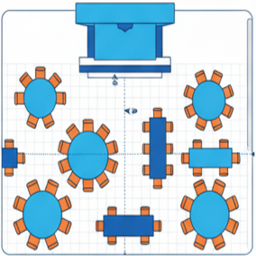
The intuitive drag-and-drop seating chart builder (Free & Premium). 
The intuitive drag-and-drop seating chart builder 2 (Free & Premium). 
[PREMIUM] Frontend interactive seat selection for your customers. 
[PREMIUM] Link your seating chart to WooCommerce products with Tiered Pricing. 
[PRO] Build complex venues with Sections Mode and General Admission (GA) areas. 
[PREMIUM] Ticket with QR Code 
[PRO] Built-in QR Code ticket scanner for fast event-day check-ins.
Installation
- Upload the
live-event-seating-litefolder to the/wp-content/plugins/directory. - Activate the plugin through the ‘Plugins’ menu in WordPress.
- Go to Seating Charts > Add New.
- Use the “Seating Plan Builder” to create your chart.
- Copy the shortcode from the “Event Seating Settings” box.
- Paste the shortcode into any page or post to display your seating chart.
FAQ
-
Can I sell tickets and accept payments with the Lite version?
-
No. The Lite version is designed for building and displaying a seating chart only. To allow users to click a seat, add it to their cart, and pay via WooCommerce, you will need to upgrade to our Starter, Basic, or Pro versions.
-
Does this plugin take a percentage of my ticket sales?
-
Absolutely not! Unlike third-party platforms like Eventbrite or Ticketmaster, we charge 0% per-ticket commission. You pay a simple yearly flat fee for the Premium plugin and keep 100% of your ticket revenue.
-
Do I need WooCommerce?
-
If you upgrade to Starter, Basic, or Pro to sell tickets, yes, you must have the free WooCommerce plugin installed. Our plugin acts as a bridge, mapping your visual seats to WooCommerce products for a secure checkout experience.
-
How do I scan tickets at the door?
-
The Pro version includes a built-in QR Code generation and scanning system. Every customer gets a QR code on their ticket. Your staff can use any smartphone camera logged into your WordPress admin to scan the ticket and check them in instantly!
-
Does this work with The Events Calendar?
-
Yes! The Pro version has a native, seamless integration with The Events Calendar and Events Manager, allowing you to attach seating charts directly to your existing calendar events.
Reviews
There are no reviews for this plugin.
Contributors & Developers
“Live Event Seating Lite” is open source software. The following people have contributed to this plugin.
Contributors
“Live Event Seating Lite” has been translated into 1 locale. Thank you to the translators for their contributions.
Translate “Live Event Seating Lite” into your language.
Interested in development?
Browse the code, check out the SVN repository, or subscribe to the development log by RSS.