

Description
Leanpay for WooCommerce lets customers pay in monthly installments.
Features include:
- Installment payment option on checkout
- Installment display on catalog and product pages
- Support for Slovenia and Romania
- Sandbox mode for testing
- WooCommerce Blocks compatibility
- Admin tools for installment plan updates and order delivery confirmation
External services
This plugin relies on the Leanpay external service to provide installment payments.
What the service is and what it is used for
Leanpay is a third-party payment gateway service used to:
- retrieve available installment plans,
- generate payment tokens,
- redirect customers to Leanpay checkout,
- confirm order delivery,
- retrieve verification information for transactions.
What data is sent and when
- Installment plans update: merchant API key is sent when plans are updated manually or by schedule (
/vendor/installment-plans). - Token creation at checkout: order details (order ID, total amount, redirect URLs) and billing data (name, phone, address, postal code, city) are sent when customer selects Leanpay (
/vendor/token). - Checkout redirect: customer browser is redirected to Leanpay hosted checkout (
/vendor/checkout). - Delivery confirmation: merchant API key and transaction ID are sent when admin confirms delivery (
/transaction/delivery). - Verification lookup: merchant API key and transaction ID may be sent for verification document status (
/api/verification-document/get).
The plugin connects to Leanpay domains based on selected market and mode, for example:
app.leanpay.si, stage-app.leanpay.si, app.leanpay.ro, test-app.leanpay.ro.
Service provider terms and privacy
Service provider: Leanpay d.o.o.
- Terms of use: https://nbg1.your-objectstorage.com/leanpay/documents/Terms_and_conditions_08.07.2025.pdf?AWSAccessKeyId=YD5H3O5Y2IQQT0ZF0R8G&Signature=A8pHaBTlkuspM17fpHqzDt7TAM8%3D&Expires=1775662940
- Privacy policy: https://nbg1.your-objectstorage.com/leanpay/documents/Privacy_policy_20260209.pdf?AWSAccessKeyId=YD5H3O5Y2IQQT0ZF0R8G&Signature=tqxSlHJZNJVPFAG3XXBmrcaNRjg%3D&Expires=1775662940
Screenshots

Plugin settings page 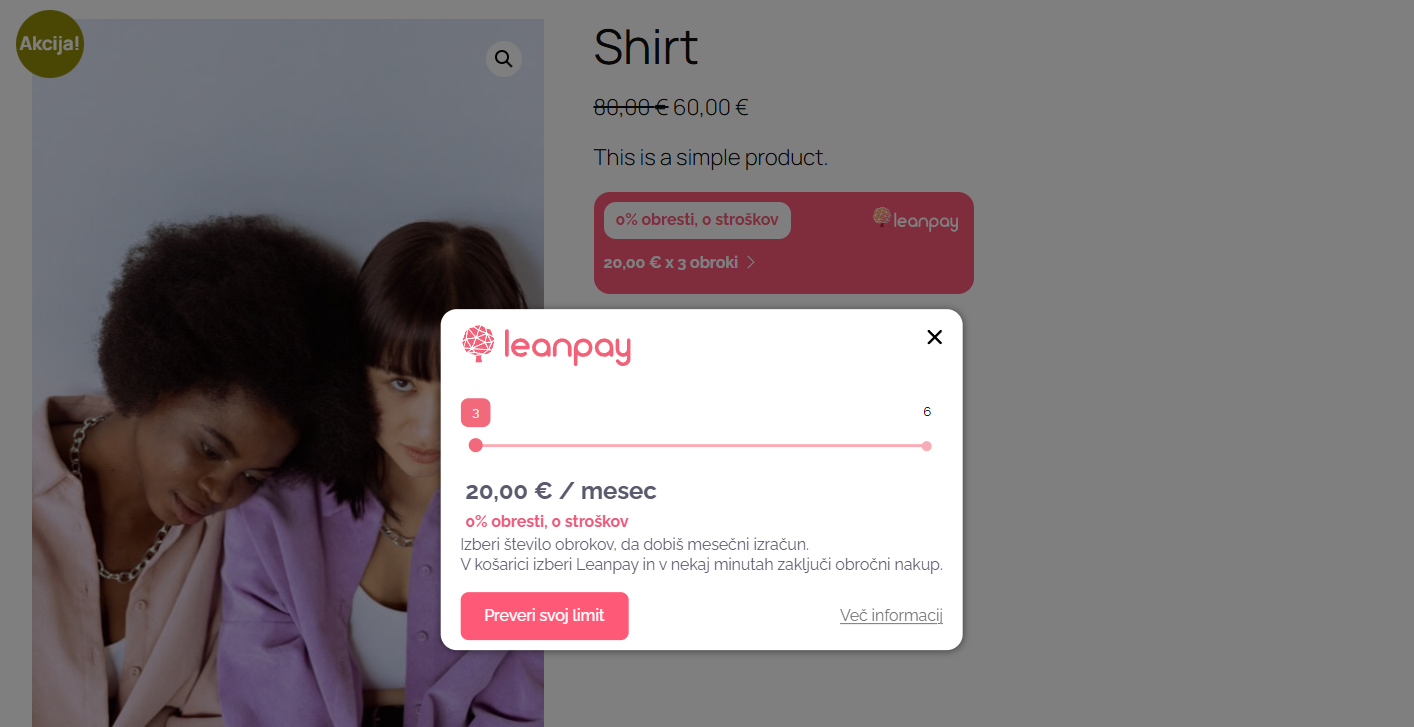
Installment display on product page 
Checkout with Leanpay payment option 
Admin order details with transaction status
Installation
- Upload the plugin files to the
/wp-content/plugins/wc-leanpaydirectory, or install the plugin through the WordPress plugins screen. - Activate the plugin through the ‘Plugins’ screen in WordPress.
- Go to WooCommerce -> Settings -> Payments.
- Open “Leanpay – instalment purchases”.
- Enter your Leanpay API credentials.
- Configure display and payment settings.
- Save changes.
FAQ
-
Where do I get API credentials?
-
From your Leanpay merchant account.
-
Can I test before going live?
-
Yes. Enable Sandbox mode in plugin settings.
-
Does it support WooCommerce Blocks?
-
Yes.
-
Which markets are supported?
-
Slovenia and Romania.
Reviews
There are no reviews for this plugin.
Contributors & Developers
“Leanpay for WooCommerce” is open source software. The following people have contributed to this plugin.
Contributors

“Leanpay for WooCommerce” has been translated into 1 locale. Thank you to the translators for their contributions.
Translate “Leanpay for WooCommerce” into your language.
Interested in development?
Browse the code, check out the SVN repository, or subscribe to the development log by RSS.
Changelog
6.1.0
- Major redesign of front-end Leanpay widgets (catalog, product, and checkout).
- Added configurable placement for the Leanpay block on single product pages (Settings tab), including hooks around the price, add to cart area, summary, meta, and an optional product tab.
- Added configurable placement for the Leanpay block in catalog/shop loops (before or after title; before or after the add to cart link).
- Removed unused legacy gateway options (legacy color and installment font-size keys) that were no longer exposed in settings.
- Fixed a bug where saving payment settings could clear other gateway options when the custom settings-tab nonce was not present on POST (panel detection now works on save).
- Admin: show/hide position fields when catalog or product display toggles are off; clearer labels for placement options.
- Admin: clearer display of automatic price update schedule (last successful update, next cron run, queued manual update).
- Tested with WooCommerce 10.6.2.
- Updated translations.
6.0.4
- Removed Croatia and Hungary market options; only Slovenia (SI) and Romania (RO) are supported.
- Removed the “Double price” setting and all related front-end logic.
- Added market-specific 0% interest price threshold (Romania does not support 0% interest rate); exposed to leanpay.js via localized params.
- Enqueued JS for reliable cache busting.
- Variable products: fixed AJAX HTML for Leanpay block (banner + modal), nonce security, and locale switching so translated strings load on variation change.
6.0.3
- WordPress.org release version.
- Updated readme/changelog packaging and release metadata for WordPress.org distribution.
6.0.2
- Removed plugin-managed Custom CSS injection option and related setting.
- Removed deprecated
load_plugin_textdomain()call for WordPress.org-hosted translations. - Updated naming/prefixing to improve WordPress coding standards compliance.
- Improved database query annotations and safety notes for custom table usage.
- Updated plugin documentation for external services disclosure.
For the complete changelog of all versions, see changelog.txt in the plugin directory.