

Description
CodeDE Table Import/Export for Excel & CSV lets you upload Excel (.xlsx, .xls) and CSV files and display them as clean, responsive HTML tables on your WordPress site — no coding required.
Features
- Upload .xlsx, .xls, and .csv files
- Display all rows — no artificial limits
- Unlimited tables
- Responsive horizontal scroll on mobile
- Column sorting with multiple sort-style options
- Live search bar
- Column dropdown filters
- Pagination (rows per page)
- Visual Design Generator (colors, fonts, borders)
- Excel cell formatting (colors, fonts, alignment)
- Custom CSS field per table for individual styling
- Export tables back to CSV or XLSX
- Border editor (outer, all cells, custom color & width)
- Simple shortcode:
[cdtv id="X"] - Lightweight — no jQuery-heavy libraries, no bloat
- Available in 5 languages: English, German, Spanish, French, Portuguese (Brazil), Indonesian
Language Support
The plugin ships with built-in translations for:
- 🇺🇸 English (default)
- 🇩🇪 German — Deutsch
- 🇪🇸 Spanish — Español
- 🇫🇷 French — Français
- 🇧🇷 Portuguese (Brazil) — Português
- 🇮🇩 Indonesian — Bahasa Indonesia
WordPress automatically loads the correct language based on your site’s language setting. No configuration needed.
Pro Version
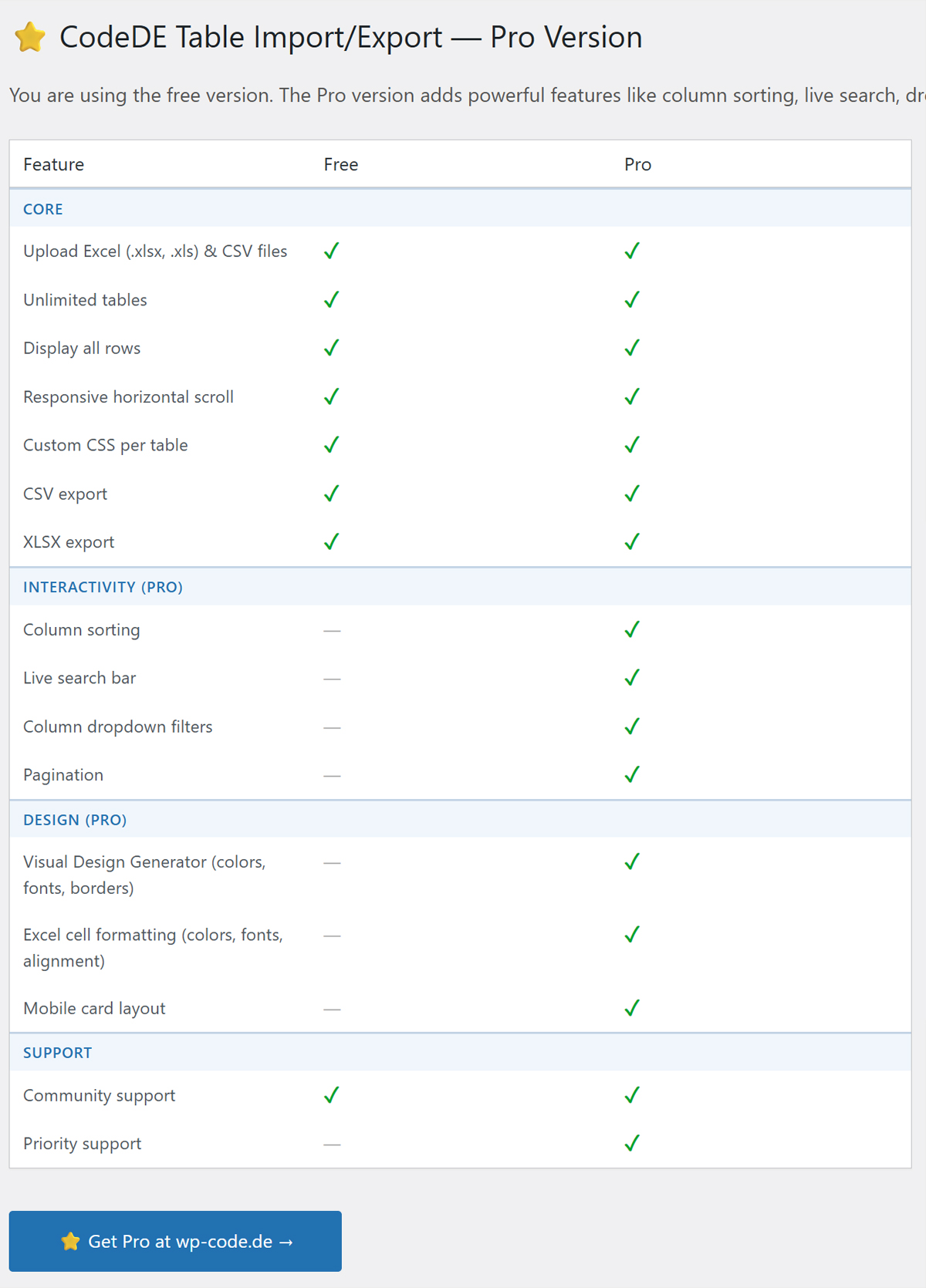
Looking for priority support or have a feature request? Visit wp-code.de to learn about the Pro version with priority support.
Screenshots
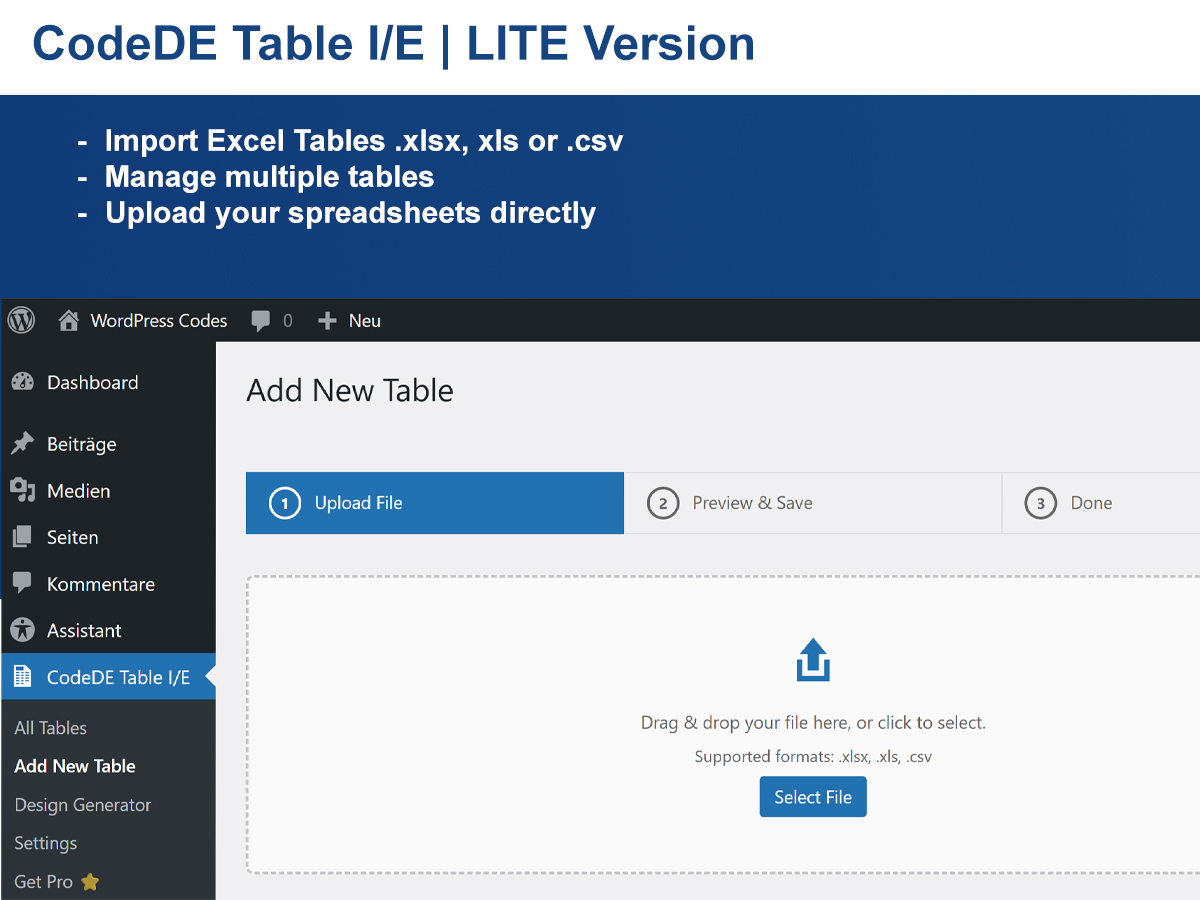
Table list in the admin panel. 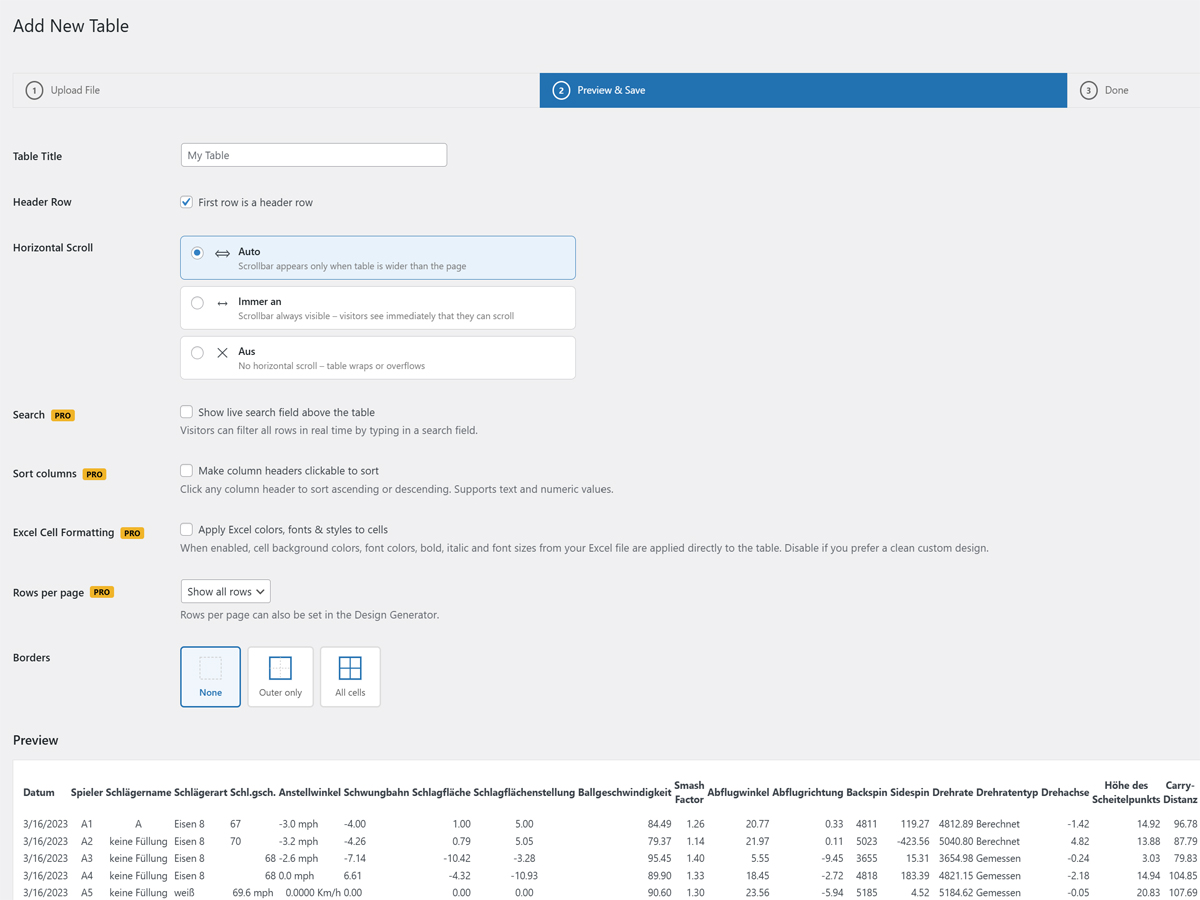
Upload wizard — step 1. 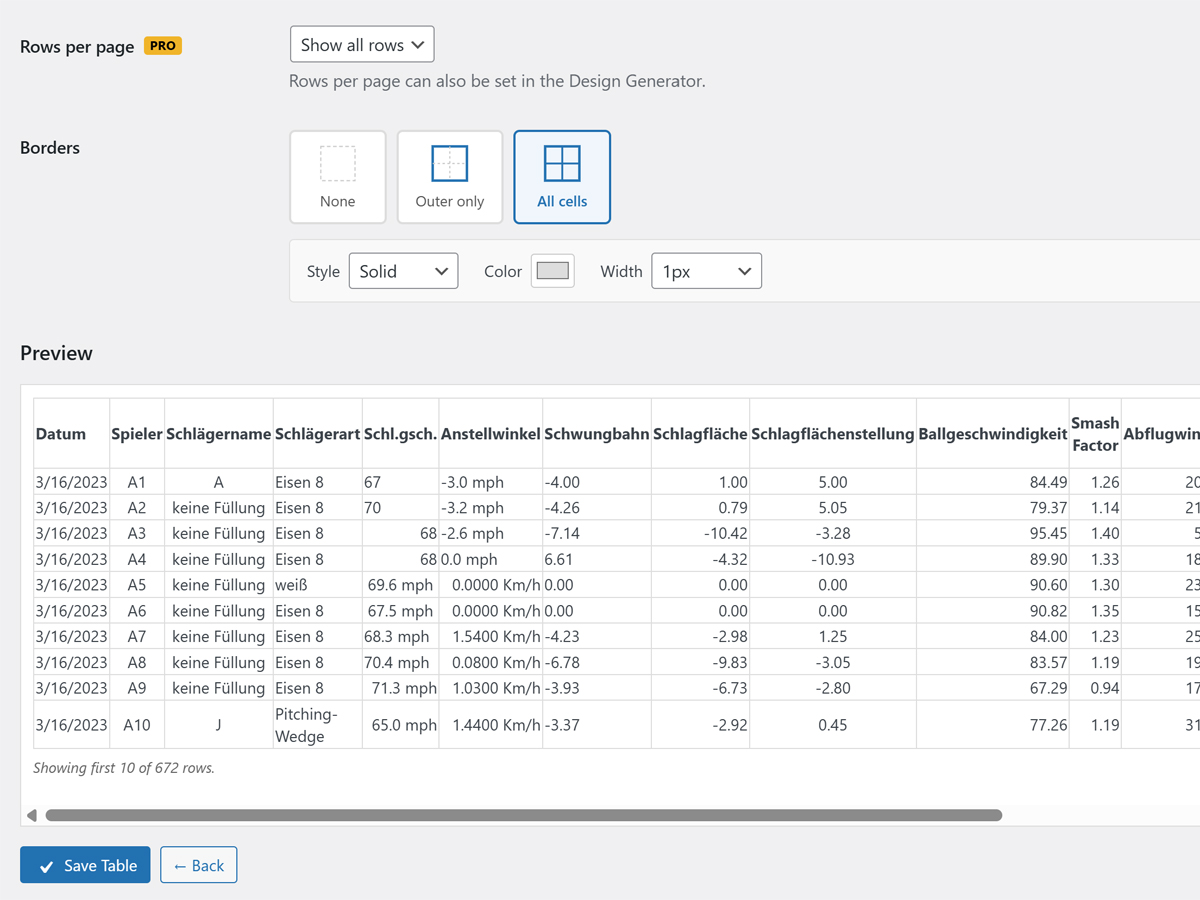
Upload wizard — step 2 (preview & options). 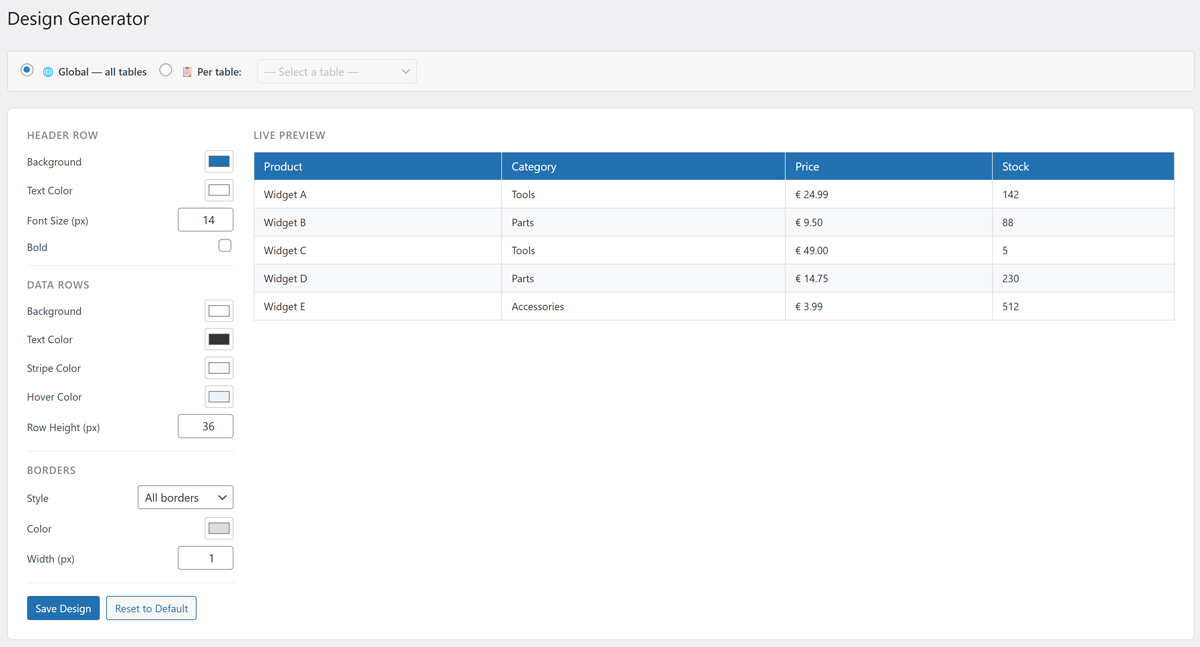
Frontend table display. 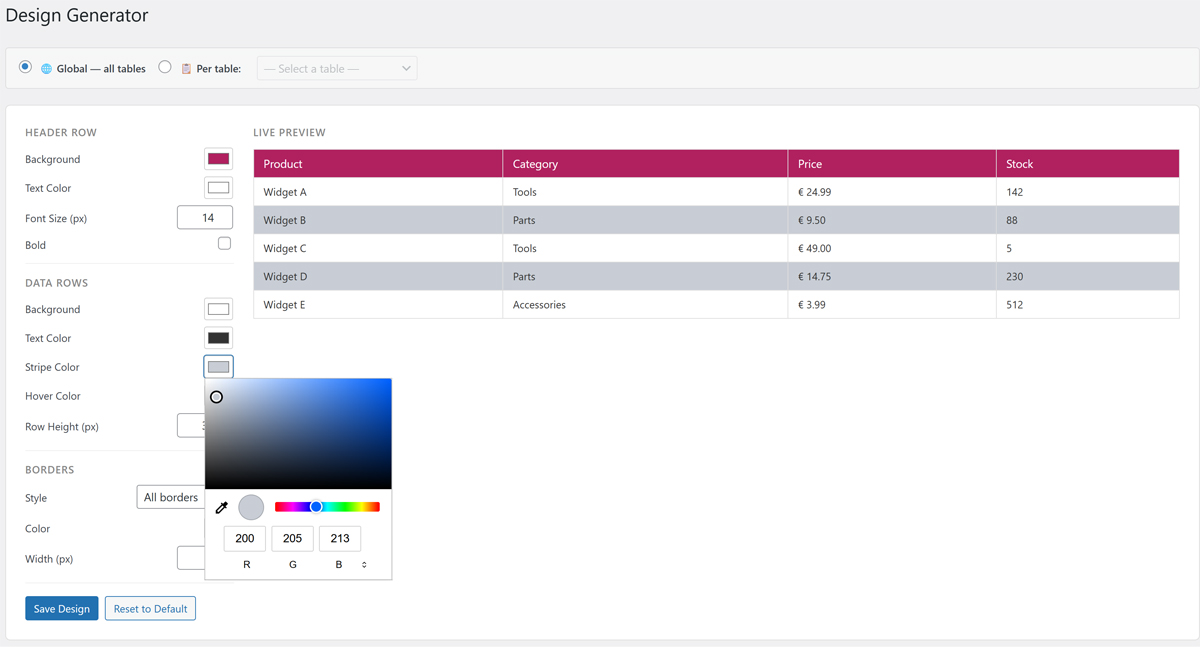
Design Generator. 
Installation
- Upload the plugin folder to
/wp-content/plugins/. - Activate the plugin via the Plugins menu in WordPress.
- Go to CodeDE Table I/E Add New Table and upload your file.
- Copy the shortcode and paste it into any post or page.
FAQ
-
Which file formats are supported?
-
.xlsx, .xls, and .csv files are supported.
-
How do I display a table?
-
After uploading and saving a table, use the shortcode
[cdtv id="X"]where X is the table ID shown in the table list. -
Can I style the table?
-
Yes! Each table has a Custom CSS field where you can write CSS rules. Use
.cdtv-tableto target the table element. You can also use the built-in Design Generator for a visual editor. -
Is there a limit on the number of rows or tables?
-
No — the plugin displays all rows and supports unlimited tables.
-
Does it support sorting and filtering?
-
Yes! The plugin includes column sorting, live search, and dropdown filters — all built in.
Reviews

Contributors & Developers
“CodeDE Table Import/Export for Excel & CSV” is open source software. The following people have contributed to this plugin.
Contributors
Translate “CodeDE Table Import/Export for Excel & CSV” into your language.
Interested in development?
Browse the code, check out the SVN repository, or subscribe to the development log by RSS.
Changelog
1.8.5
- Added: Built-in translations for Spanish, French, Portuguese (Brazil), and Indonesian.
- Fixed: Border design settings now always applied correctly via inline CSS, regardless of page builder used.
1.8.4
- Added: German translation (.po/.mo) via load_plugin_textdomain().
- Added: YouTube channel link in plugin list and settings page.
- Added: “German & English language support” row in Free/Pro comparison table.
- Improved: Free/Pro comparison table updated with correct feature names.
1.8.3
- Added: Decimal separator now also applied to numeric values with unit suffixes (e.g. “-3.0 mph”).
- Improved: Replaced phantom cdtv_language option with proper WordPress i18n.
1.8.2
- Added: Download tables as .xlsx and .csv directly from the admin.
- Added: Border editor (outer, all cells, custom color, style & width).
- Added: Visual Design Generator (colors, fonts, borders, row height).
1.8.1
- Fixed: Removed arbitrary Custom CSS field to comply with WordPress.org review guidelines.
- Fixed: Decimal separator setting now only allows “.” or “,” (stricter whitelist).
- Fixed: Inline and tags replaced with wp_enqueue_* functions.
1.8.0
- All features are now fully available in the free version — no license required.
- Removed third-party license management (Freemius SDK).
- Simplified plugin to comply with WordPress.org guidelines.
1.7.1
- Fix: Upsell banner no longer shown when Pro license is active.
1.7.0
- Integrated Freemius for Pro license management and checkout.
- Replaced custom license key system with Freemius SDK.
1.6.0
- Fixed PHPCS warnings: wp_unslash() and absint() for all POST fields.
- Fixed readme.txt Stable tag and Tested up to version.
1.0.0
- Initial release.