
Description
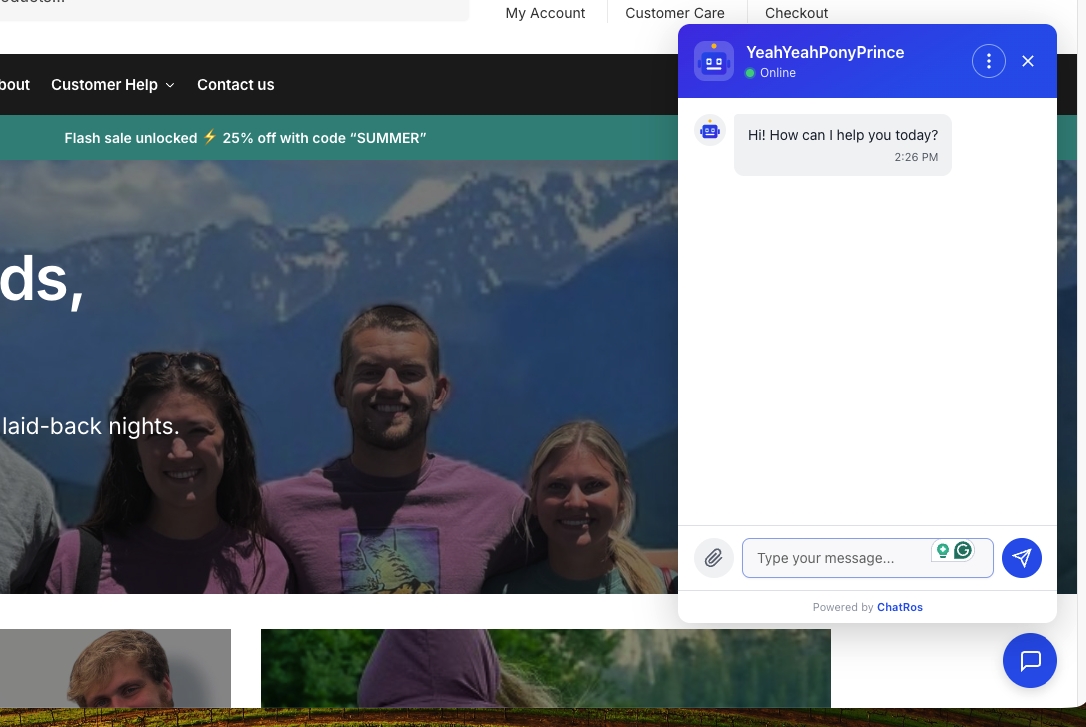
ChatRos adds an AI chat agent to your WordPress site. Visitors get instant answers in a chat widget that appears automatically once you connect your agent — no theme edits, no code.
If WooCommerce is active, ChatRos does more: the agent looks up your products and order status live from your store, so shoppers can ask “is this in stock?” or “where’s my order?” and get real answers.
You configure and train the agent in the ChatRos dashboard at https://chatros.com. This plugin connects that agent to your site.
Features
- AI chat widget on every page, added automatically after you connect.
- Works on any WordPress site — WooCommerce is optional.
- With WooCommerce: live product lookup and order-status answers.
- Read-only WooCommerce access — ChatRos never writes to your store.
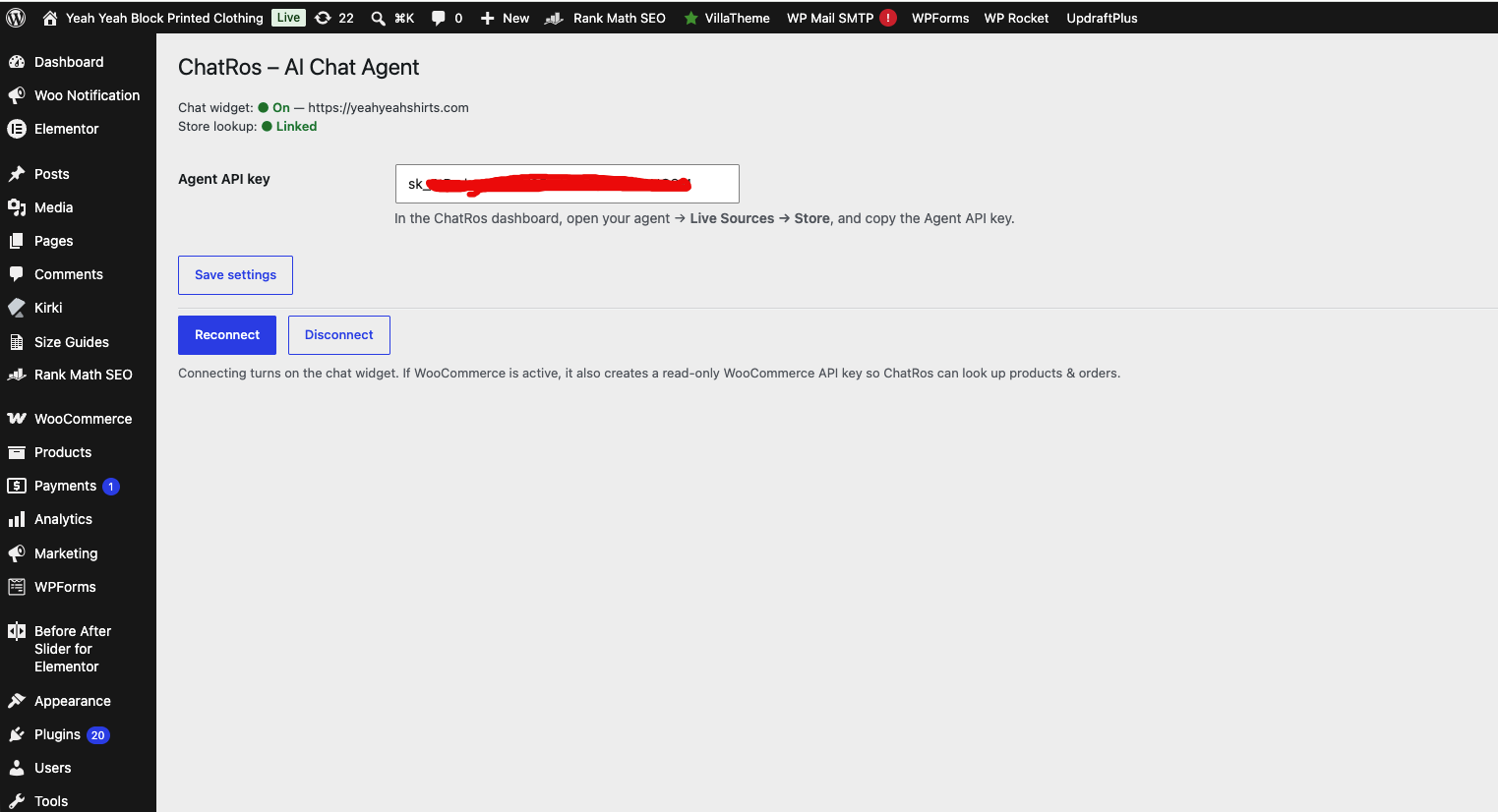
- One-click connect and disconnect from Settings ChatRos.
External services
This plugin connects your site to ChatRos, a third-party service, to provide the AI chat agent. Your agent is created and managed at https://chatros.com and the plugin will not function without a ChatRos account and an Agent API key.
What the plugin sends, and when:
- When you click Connect (admin): your site URL is sent to
https://api.chatros.com/api/plugin/connect, and your Agent API key is sent as a bearer token tohttps://api.chatros.com/api/plugin/statusto verify the connection. If WooCommerce is active, the plugin generates a read-only WooCommerce REST API key (consumer key and secret) and sends it to the same endpoint so the agent can read products and orders. If WooCommerce is not active, no store credentials are sent. - When you click Disconnect (admin): a request is sent to
https://api.chatros.com/api/plugin/disconnectto stop ChatRos from using your store, and the read-only WooCommerce key is deleted. - On the front end (visitors): the chat widget script is loaded from
https://chatros.com/widget.min.js, and the widget communicates withhttps://api.chatros.comto power the conversation. Chat messages a visitor sends are processed by ChatRos to generate replies.
By using this plugin you agree to the ChatRos Terms of Service and Privacy Policy:
- Terms of Service: https://chatros.com/terms
- Privacy Policy: https://chatros.com/privacy
Screenshots
Installation
- Install and activate ChatRos – AI Chat Agent from the Plugins screen.
- Go to Settings ChatRos.
- In the ChatRos dashboard, open your agent Live Sources Store, copy the Agent API key, and paste it into Agent API key.
- Click Save settings, then Connect.
The chat widget now loads on your site. If WooCommerce is active, product and order lookup is linked automatically.
FAQ
-
Do I need WooCommerce?
-
No. The chat widget works on any WordPress site. WooCommerce is only required for live product and order-status lookup — if it is active, ChatRos links to it automatically.
-
Is my store data safe?
-
Yes. When WooCommerce is active, the plugin creates a read-only WooCommerce REST API key. ChatRos can read products and orders to answer questions but can never modify your store. Disconnecting deletes that key.
-
Where do I get an Agent API key?
-
Create and train an agent in the ChatRos dashboard at https://chatros.com, then open the agent’s Live Sources Store section and copy the Agent API key.
-
How do I remove the widget?
-
Go to Settings ChatRos and click Disconnect. The widget turns off immediately and ChatRos stops using your store.
Reviews
There are no reviews for this plugin.
Contributors & Developers
“ChatRos – AI Chat Agent” is open source software. The following people have contributed to this plugin.
Contributors
Translate “ChatRos – AI Chat Agent” into your language.
Interested in development?
Browse the code, check out the SVN repository, or subscribe to the development log by RSS.
Changelog
1.1.0
- Now works on any WordPress site — WooCommerce is optional and auto-detected.
- Chat widget enqueued the WordPress way; connection verified via the ChatRos API.
- Read-only WooCommerce key is now revoked on disconnect.
- Internationalized; added translation template.
- First WordPress.org release.
1.0.0
- Initial release (WooCommerce only).