

Description
Start free. Enter your email in the plugin’s settings screen and your site gets its own AI chat assistant answering up to 5 visitor questions a day, forever — no card, no account to create by hand, no catalog required. It indexes your homepage and up to 10 pages (refreshed weekly) and answers only from your real content.
Need more? Paid plans unlock more daily answers, a full WooCommerce product feed (with sales and attributes) for product recommendations, and document/catalog indexing — public, flat pricing: Web EUR 49/month, Store EUR 99/month, Knowledge EUR 149/month (VAT excl., no lock-in, cancel from your panel). The plugin itself is always free either way.
What the assistant does on your site:
- Answers your visitors 24/7 with your real content — it never invents pages or prices.
- Free plan: up to 5 answers a day, forever, from your homepage and up to 10 pages.
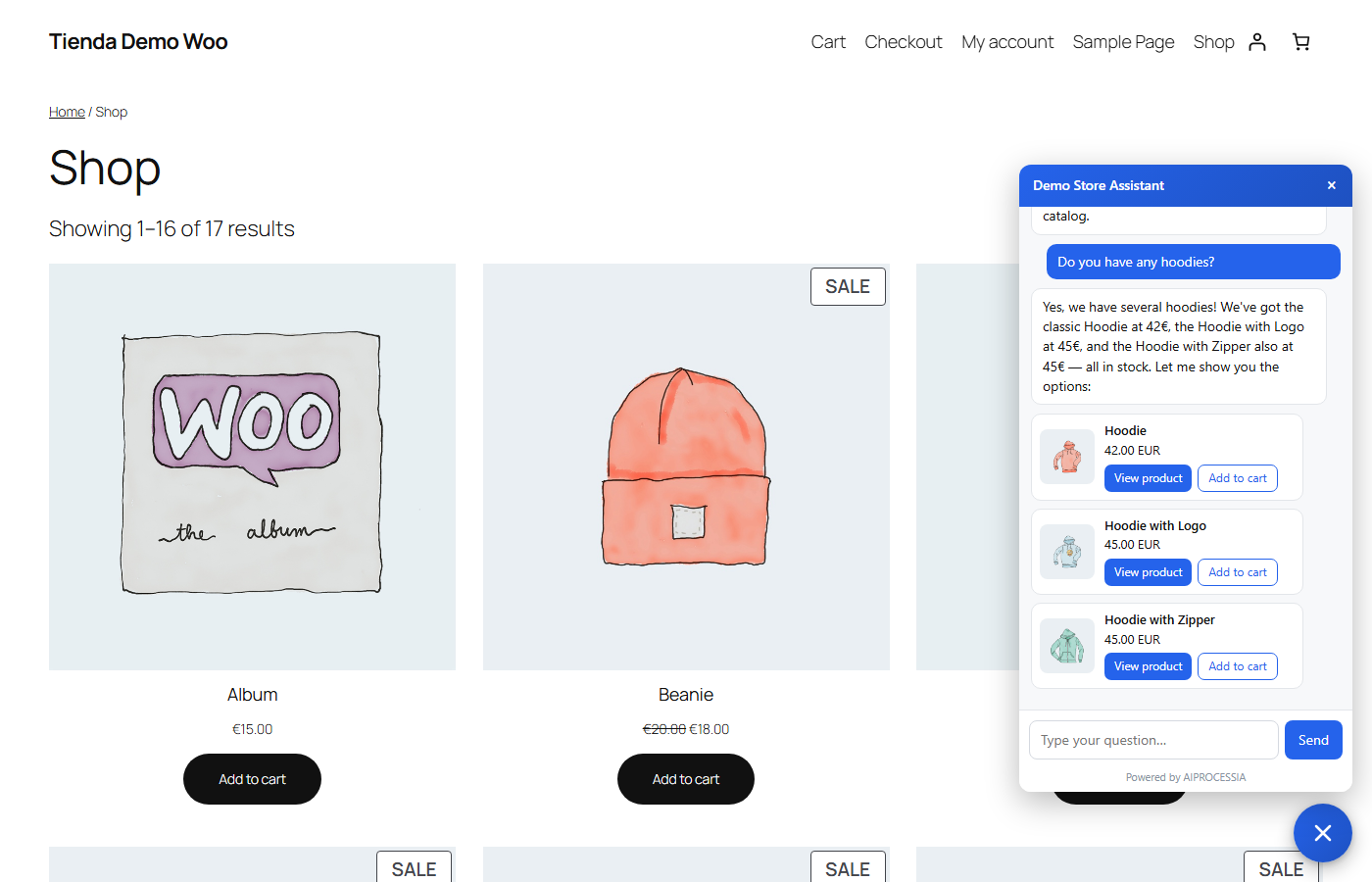
- Paid Store plan adds product cards (photo, real price, link), an add-to-cart button, and recommendations from your actual best sellers.
- Knows which product page the visitor is on (“how much is this one?”) — Store plan.
- Captures leads: when a visitor shows buying interest, you get their contact details by email instantly.
- Works in the visitor’s language (built natively in Spanish and English).
What this plugin does technically:
- Adds a “Activate my free plan” form to Settings AIPROCESSIA Assistant: your email, your site address, a required consent checkbox and an optional, unticked one for update notices and a free SEO+GEO report. One click activates the free plan and shows your usage (queries used today, visitors your assistant could not answer, indexed pages) right there in wp-admin.
- Injects the AIPROCESSIA chat widget (a ~14 KB deferred script) — only after a token exists (free plan or paid).
- Exposes a token-protected endpoint AIPROCESSIA uses to verify your site is reachable and to index its content. If WooCommerce is active and you enable the catalog toggle (paid Store plan), the very same endpoint serves a full product feed (Google Shopping XML) with attributes (data sheet) and units sold instead.
- Without WooCommerce, or on the free plan, the assistant works in website-chat mode (it learns from your site content).
External services (disclosure). This plugin connects to AIPROCESSIA (Softnet Sistemas SL, Spain — EU-hosted infrastructure, France). Every call below happens only after an explicit action by the site owner in wp-admin — never triggered by a site visitor:
- Activating the free plan (Settings screen, “Activate my free plan” button, consent checkbox required): ONE request to https://aiprocessia.com/cuenta/documentos/gratis/alta/ with the email and site address you entered, this site’s verification token, the plugin version and your consent. AIPROCESSIA replies with a widget token and sends a verification email (valid 48h) to the address you entered; the free plan pauses (with a notice to visitors) if it is not verified in time.
- Checking your plan status (Settings screen, loaded automatically or via its “Refresh” button, cached for 1 hour): a request to https://aiprocessia.com/cuenta/documentos/gratis/estado/ with your widget token, to show today’s usage and indexing status in wp-admin.
- The visitor’s browser loads the chat widget script from the aiprocessia.com domain (path /cuenta/documentos/widget/) and sends chat messages, by POST, to the AIPROCESSIA chat API on the same domain (path /cuenta/documentos/ask/ — an API endpoint, not a web page). This only happens once a token exists.
- AIPROCESSIA servers periodically fetch this site’s feed/verification endpoint (token-protected) to confirm it is reachable, to index its content (free plan: homepage + up to 10 pages, weekly) and, only with WooCommerce and the catalog toggle enabled, to read the full product feed (paid Store plan).
- Optional update notices and free SEO+GEO report (opt-in, unchecked by default). A checkbox — inside the free-plan form, and in the settings screen for sites that are not signed up there — asks whether you want plugin update notices, support and a free SEO+GEO report of your site. Only if you tick it, ONE request is sent to https://aiprocessia.com/cuenta/modulos/registro/ containing: your site domain, the email you entered in the form (or the site admin email when ticked from the settings screen), the platform (WordPress/WooCommerce and its version), this plugin’s version and your language. AIPROCESSIA then sends a confirmation email to that address; nothing is activated until you confirm via its single-use link, and every email includes an unsubscribe link. If you leave the box unticked, this request is never made.
- Service terms and privacy: Legal notice · Privacy policy · Pricing
Screenshots

Installation
- Install and activate the plugin — you land on its settings screen automatically.
- Free plan: enter your email, confirm your site address, tick the consent checkbox and press “Activate my free plan”. Check your inbox for the verification email (valid 48h). Done — the chat appears on your site.
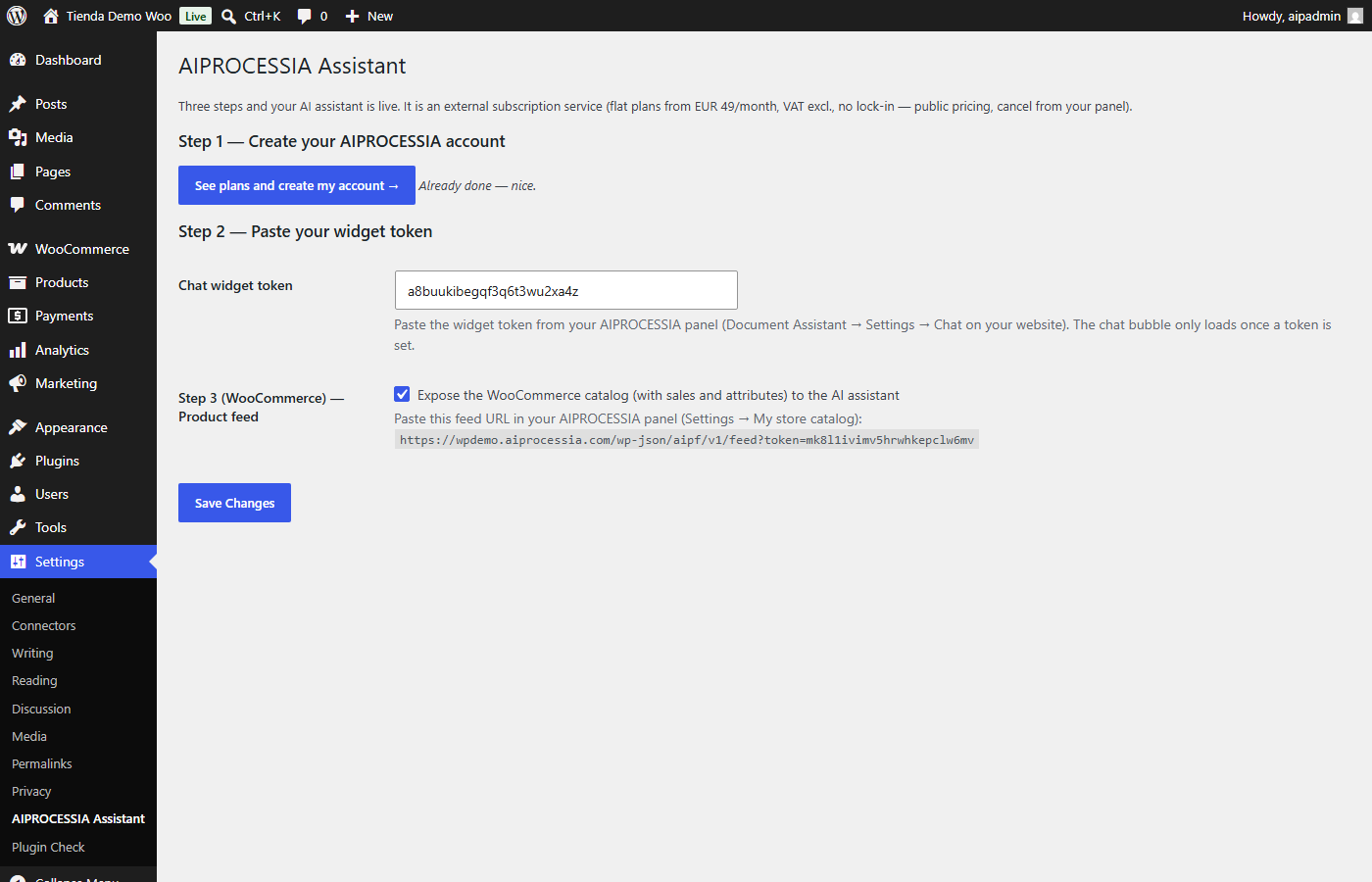
- Paid plan: create your account at aiprocessia.com, get your widget token (panel Document Assistant Settings Chat on your website) and paste it under “Advanced — manual widget token”.
- (WooCommerce, paid Store plan) Enable the product feed and paste the feed URL shown into your AIPROCESSIA panel (Settings My store catalog).
FAQ
-
Is the free plan really free, forever?
-
Yes. 5 AI answers a day for your visitors, indefinitely, with no card and no account to create by hand — just your email and consent. It indexes your homepage and up to 10 pages (refreshed weekly). No catalog or document indexing on the free plan.
-
What happens after the 5th free answer of the day?
-
Your visitor sees a friendly notice pointing to your contact page, and you (the site owner) see the day’s usage in wp-admin along with a link to the paid plans if you want to raise the limit. The count resets daily.
-
Do I need to verify my email?
-
Yes, within 48 hours of activating the free plan (one link, one click). Until then — or if it lapses — the assistant pauses and shows a “please verify” notice instead of answering.
-
Is the plugin free?
-
The plugin is always free, and now includes a free AI plan. Paid plans (from EUR 49/month + VAT, flat — no per-conversation or per-user fees, no lock-in) unlock more daily answers, the full product feed and document/catalog indexing. Public pricing: https://aiprocessia.com/en/ai-shopping-assistant/
-
Does it work without WooCommerce?
-
Yes — the free plan does not need WooCommerce at all. Without WooCommerce the assistant works in website-chat mode: it learns your site content and captures leads. Product cards and best-seller features need WooCommerce and a paid Store plan.
-
Will it slow my site down?
-
No. The widget is a ~14 KB script loaded with
defer, and nothing loads at all until a token exists (free plan or paid). -
Can the AI make up prices or products?
-
No. It only answers with your own content (and, on the Store plan, your real catalog); prices shown are always your store’s real prices, and when it does not know something it says so and offers a human contact.
-
Where is my data stored?
-
On EU servers (France), with each customer’s data isolated. Your content is never used to train AI models. You can delete your data from your panel at any time.
Reviews
There are no reviews for this plugin.
Contributors & Developers
“AIPROCESSIA – AI Sales Assistant & Product Feed” is open source software. The following people have contributed to this plugin.
Contributors
Translate “AIPROCESSIA – AI Sales Assistant & Product Feed” into your language.
Interested in development?
Browse the code, check out the SVN repository, or subscribe to the development log by RSS.
Changelog
1.3.1
- The “visitors unattended” admin notice now says which period it is talking about: today’s figures when the daily cap has been reached today, and a separate weekly notice (“This week: N visitors unattended”) when it has not.
- The update notices / free SEO+GEO report opt-in is now a single unticked checkbox inside the free plan form, instead of a second form asking for the same email and domain. Sites that already opted in keep their registration untouched and simply see the date it was made.
- New screenshot of the free plan activation screen.
1.3.0
- New: free plan — activate 5 AI answers a day for your visitors, forever, from the settings screen (email + consent, no card, no account to create by hand). Verification email (48h), daily usage and “visitors unanswered” shown in wp-admin with a link to paid plans.
- New: the feed/verification endpoint now also answers a lightweight 200 for sites without an enabled WooCommerce catalog (used to confirm the site is reachable before activating the free plan); the full product feed for paid Store plans is unchanged.
- Fix: settings success/error notices (including the 1.2.0 site registration ones) were never displayed after saving — the redirect back to the settings screen lacked
settings-updated=true, so WordPress discarded them. Fixed; after a failed activation the form also keeps what you typed. - Readme rewritten to open with the free plan; External services section updated with the two new endpoints; privacy link and labels localized (ES/EN).
1.2.0
- New: optional site registration (checkbox, unchecked by default, email double opt-in) to receive plugin update notices, support and a free SEO+GEO report. Fully disclosed under External services; uninstall removes the registration flags.
1.1.1
- Readme: clarified the external service description (the chat API endpoint is documented as an API, not linked as a page).
1.1.0
- Frictionless onboarding: after activation you land on a 3-step setup screen, and a reminder notice shows until the assistant is connected. The signup link carries your site domain so the AIPROCESSIA panel can pre-fill your widget domains.
1.0.0
- Initial release: chat widget injection (token-gated), WooCommerce product feed with attributes (data sheet) and units sold, settings page, feed cache with automatic invalidation.