

Description
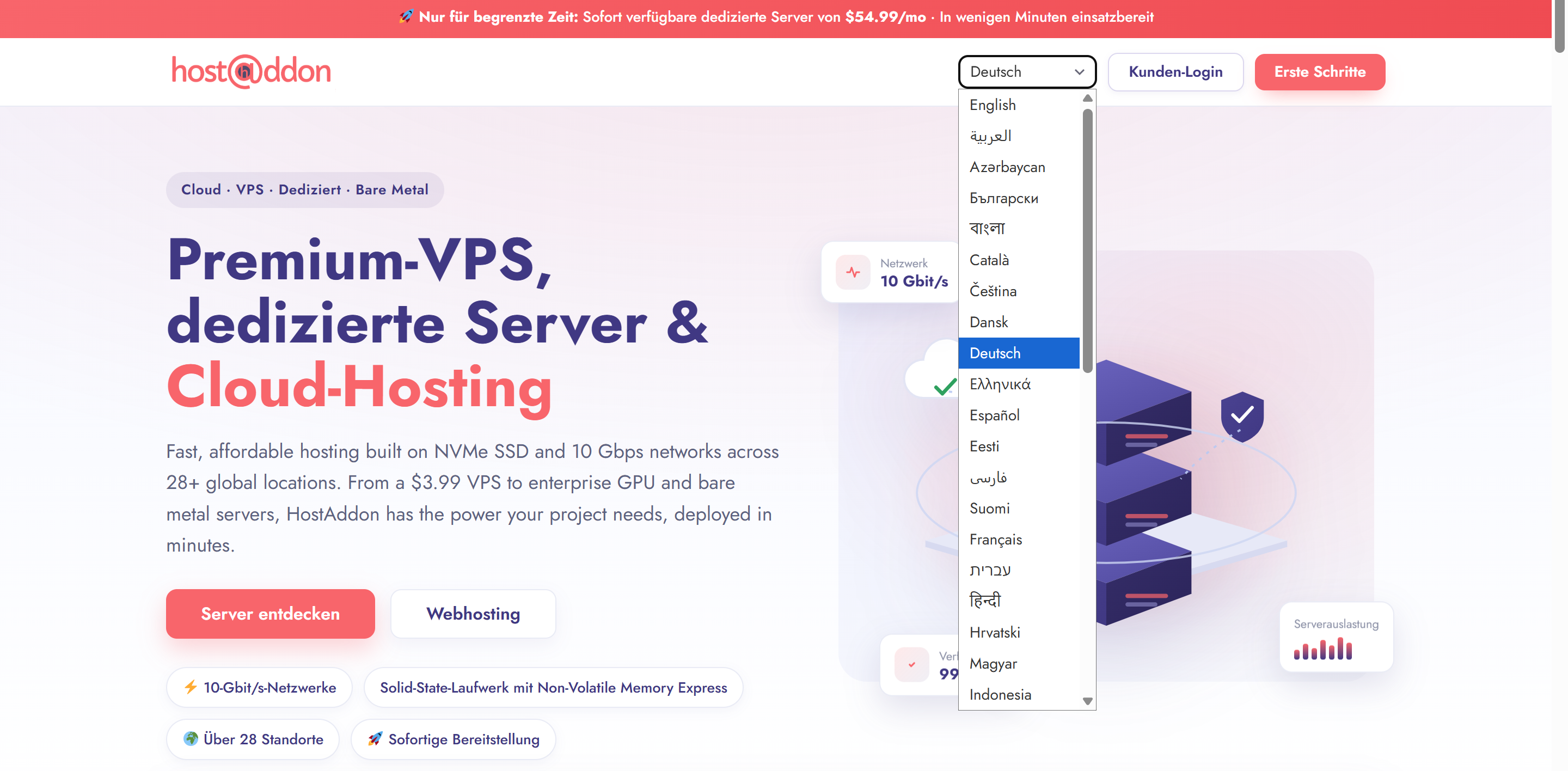
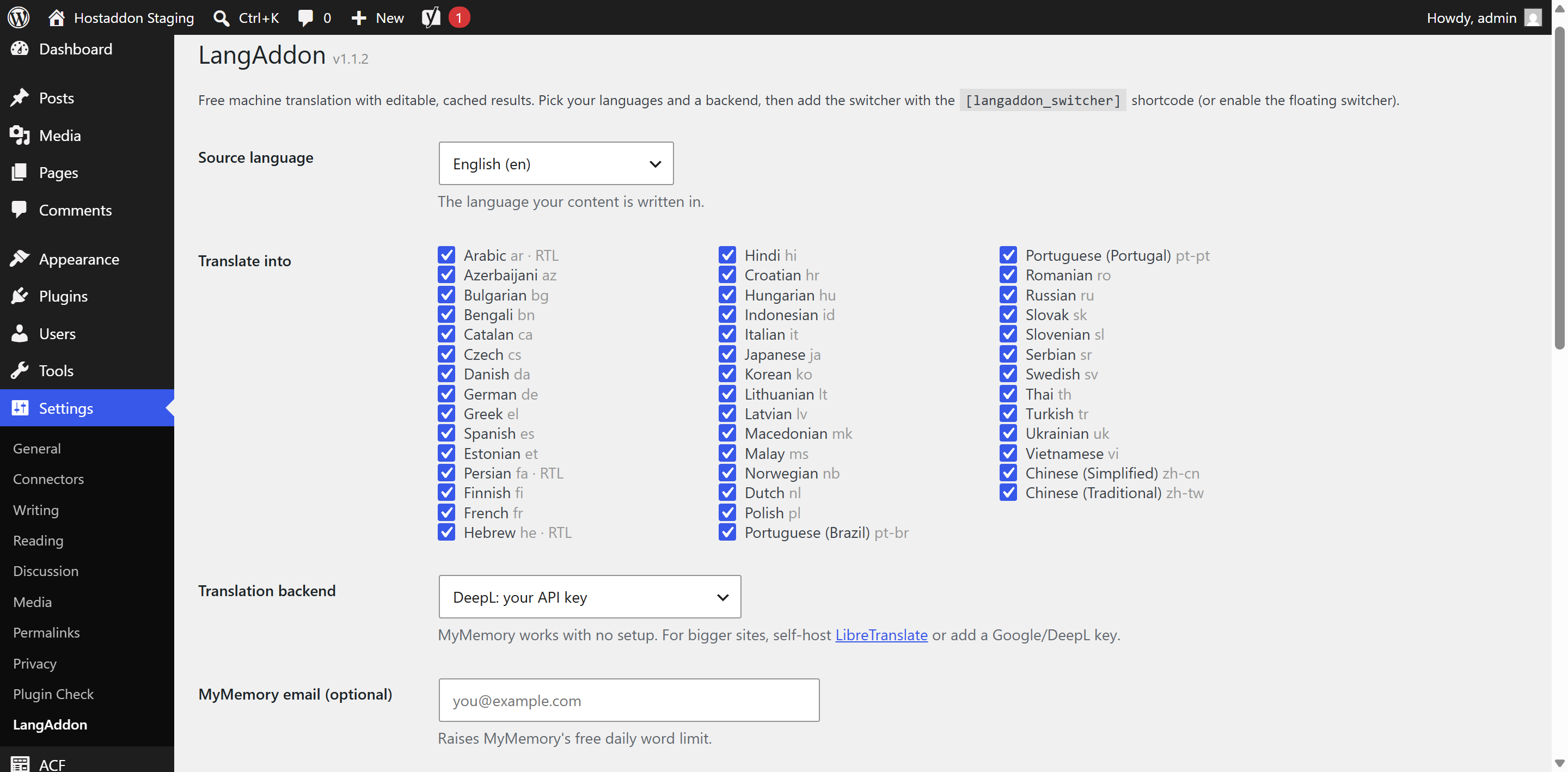
LangAddon makes any WordPress site multilingual for free. It machine-translates your pages using free backends (MyMemory or a self-hosted LibreTranslate) or your own Google/DeepL key, caches every translation in your own database (so repeat views are instant and each string is translated only once), and lets you edit translations. Includes a language switcher, right-to-left support and hreflang tags.
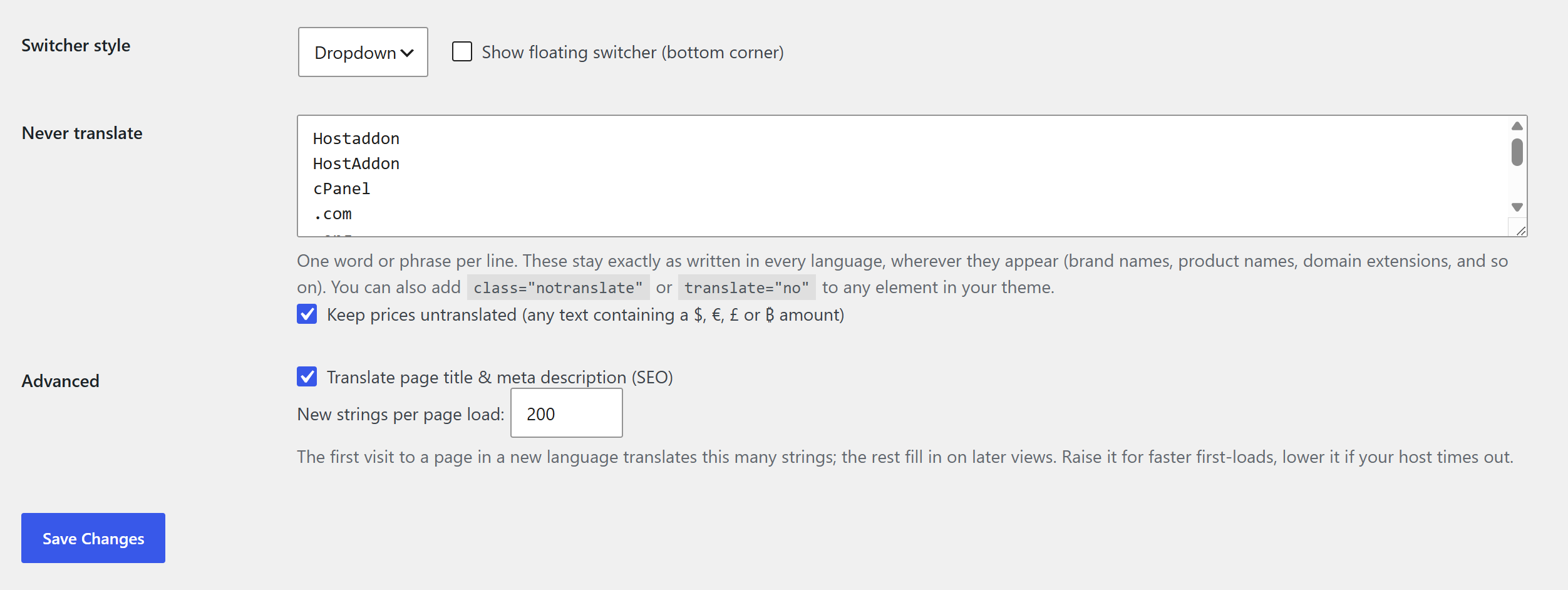
You can also keep chosen words untranslated everywhere: brand names, product names, domain extensions, code, and optionally anything that contains a price. See the “Never translate” question below.
No subscription. No third-party lock-in. Your translations stay in your database. Free for anyone to use, fork, and build on.
Highlights
- 40+ languages including RTL (Arabic, Farsi, Hebrew)
- Free backends (MyMemory, LibreTranslate) or your own Google/DeepL key
- Self-hosted, cached, editable translations
- Never-translate list for brand and product names, domains, and code, plus an optional price guard
- Language switcher shortcode
[langaddon_switcher], floating widget, or theme slot - hreflang tags + translated title/meta description
External services
To translate text, LangAddon sends the strings on the page being viewed to the translation backend you select in Settings LangAddon. Nothing is sent until you choose a backend and a target language, and results are cached in your own database so each string is sent only once. No data is sent to HostAddon.
Depending on your choice, text is sent to one of these services:
- MyMemory (default): sends the text to be translated, plus your email only if you add one to raise the free limit. Service by Translated. Terms and privacy: https://mymemory.translated.net/terms-and-conditions
- LibreTranslate (optional): sends the text to the LibreTranslate server URL you configure, which may be your own self-hosted server or a public one. Project: https://libretranslate.com/ . Terms and privacy depend on the server you point to; self-hosting keeps all text on your own infrastructure.
- Google Cloud Translation (optional): sends the text and your API key to Google. Terms: https://cloud.google.com/terms/ , privacy: https://policies.google.com/privacy
- DeepL (optional): sends the text and your API key to DeepL. Terms: https://www.deepl.com/pro-license , privacy: https://www.deepl.com/privacy
Screenshots
Installation
- Upload the plugin to
/wp-content/plugins/langaddonor install the zip via Plugins Add New Upload. - Activate.
- Go to Settings LangAddon, choose your languages and a backend, and save.
- Add
[langaddon_switcher]where you want the switcher, or enable the floating switcher.
FAQ
-
Is it really free?
-
Yes. The default MyMemory backend needs no key. For volume, self-host LibreTranslate (also free) or add your own Google/DeepL key.
-
Can I stop certain words from being translated?
-
Yes. Under Settings LangAddon Never translate, add one word or phrase per line (brand names, product names, domain extensions like .org, and so on). They stay exactly as written in every language, even in the middle of a sentence. You can also turn on the price guard to leave any text containing a currency amount untranslated, or mark elements in your theme with class=”notranslate” or translate=”no”.
-
Are translations good for SEO?
-
It outputs hreflang tags and translates titles/meta descriptions. Pretty sub-directory URLs are on the roadmap for stronger SEO.
-
Can I edit a translation?
-
Yes, cached translations are stored in your database and can be edited (a front-end editor is on the roadmap).
Reviews
There are no reviews for this plugin.
Contributors & Developers
“LangAddon Multilingual Translation” is open source software. The following people have contributed to this plugin.
Contributors
Translate “LangAddon Multilingual Translation” into your language.
Interested in development?
Browse the code, check out the SVN repository, or subscribe to the development log by RSS.
Changelog
1.1.9
- Removed the unprefixed [language-switcher] shortcode alias so every registered name uses the langaddon prefix. Use [langaddon_switcher].
1.1.8
- Renamed the plugin to “LangAddon Multilingual Translation”.
- Fixed a broken link in the external services list, and the page output buffer is now closed explicitly on shutdown.
1.1.7
- Fixed: the target-language checkboxes emit their checked state inline, clearing the last Plugin Check output-escaping error. No functional changes.
1.1.6
- Fixed: escaped one settings-screen label flagged by Plugin Check. No functional changes.
1.1.5
- Fixed: the language switcher can now switch back to the source language (selecting it previously left the last language’s cookie in place, so the page stayed translated).
- Improved: on translated pages the Open Graph locale is now localised (for example de_DE, tr_TR, ar_AR) for better social-share previews.
1.1.4
- Added a Screenshots section to the readme. No code changes.
1.1.3
- Hardening for the WordPress.org review: escaped all settings-screen output, guarded the database calls on the plugin’s own cache table, sanitized the language query variable earlier, and dropped the deprecated text-domain loader. No functional changes.
1.1.2
- SEO: the page title and meta description (and Open Graph title/description) now translate on the first view of a page, instead of waiting behind the per-page translation budget.
1.1.1
- SEO: translated pages now set a self-referencing canonical (and og:url) so search engines index each language instead of folding it back to the source URL.
1.1.0
- New: “Never translate” list to keep chosen words and phrases identical in every language, even inside sentences.
- New: optional price guard that leaves any text containing a currency amount untranslated.
1.0.0
- Initial release.