Description
AI Product Tools is a comprehensive AI suite designed to automate your WooCommerce operations and enhance customer experience. It combines high-volume bulk product content generation with a store-aware AI Shop Assistant, providing a complete infrastructure for both backend management and frontend sales support.
The plugin offers versatile workflows to suit any store management style:
* AI Bulk Product Content Generators: Trigger mass updates for Descriptions, Titles, Tags, Taxonomies, and FAQs.
* AI Bulk SEO Meta Generator: Support your search visibility with AI-generated Meta Titles & Descriptions compatible with major SEO plugins.
* AI Shop Assistant (Chatbot): A 24/7 intelligent sales agent that uses your catalog and store policies to assist visitors.
* Automation Jobs: Schedule automated background tasks (“set and forget”).
* Single Product Metabox: Fine-tune content directly inside the WooCommerce edit screen.
It integrates seamlessly with leading AI providers, giving you full control over model selection (OpenAI, Gemini, Claude, OpenRouter), prompts, and generation strategies.
🤖 Key Features
- AI Shop Assistant: An intelligent chatbot with a mobile-first tabbed interface that answers queries, recommends products, and integrates with WhatsApp.
- AI Bulk SEO Generator: Generate optimized Meta Titles & Descriptions for Yoast, Rank Math, AIOSEO, and more.
- Smart FAQ Display System (New): Automatically display generated FAQs on product pages with customizable themes, accordion animations, and built-in SEO Schema markup.
- Resilient Generation & Retry: Never restart a bulk job due to a single error. Easily retry failed generations on a per-product basis with one click.
- Prompt Management: Create, save, and reuse custom Prompt Templates, or discover and import optimized prompts from the Community Prompt Library (Pro).
- AI Brand Voice: Define your store’s persona and tone settings globally to ensure the AI writes in your brand’s unique voice.
- Example Content Learning: Paste an example of your preferred product description, and the AI will mimic its structure and style (Pro).
- Unified AI Dashboard: Centralized control center to manage all generation tools from a single interface.
- Mass Product Content Generation: Bulk process Descriptions, Titles, Tags, Taxonomies, FAQs, and SEO Metadata for thousands of products.
- Multi-Provider Support: Connect with leading AI models including OpenAI (GPT-5.4, GPT-4.1, O3/O4), Google Gemini (3.1, 2.5), Anthropic Claude (Opus 4.6, Sonnet 4.6, Haiku 4.5), and OpenRouter (300+ models).
- Smart Context Analysis: The AI analyzes product categories, attributes, prices, and stock status to create factual, relevant content.
- SEO & HTML Formatting: Automatically structures content with HTML markup and keywords. Includes custom HTML tag selection.
- Advanced Multi-Language System: Auto-detects visitor language from 42+ options with smart fallback support.
🛍️ AI Shop Assistant (Chatbot)
Transform your visitor experience with a store-aware AI agent. Unlike standard support bots, this assistant is integrated with your WooCommerce catalog and features a modern interface.
- Mobile-First Design: Features a tabbed layout (“Home” & “Messages”) and collapsible product cards, providing an optimal experience on all devices.
- Knowledge Pages: Teach your chatbot beyond just products by indexing specific store pages (e.g., About Us, Shipping Guides, FAQs) so it can assist customers with store-wide information.
- WhatsApp Integration: Includes a direct “Chat on WhatsApp” button, allowing customers to easily switch from the bot to your personal support channel.
- Store Policy & Context: Define your store’s context (shipping, returns, brand voice). The AI uses this to answer general inquiries accurately.
- Intelligent Message Queue: If the AI cannot reply for any reason, messages are instantly saved to the admin panel. You can reply manually, and the user receives the answer in the chat window.
- Full Customization (Free): Customize Bot Name, Greeting Message, Launcher Icon (presets), Profile Picture, Animations, Colors, Typography, and Position.
- Pro Customization & Themes: (Pro) users gain access to Chatbot Themes, can rename/translate all UI text labels, and upload Custom Hero Background images.
- Optimized Performance: Uses server-side language detection to minimize frontend payload size.
- Product Recommendations: Displays “View Product” buttons for recommended items based on user queries.
- Visibility Control: Option to hide on specific WooCommerce pages or devices (Mobile/Desktop).
- Advanced Actions: “Add to Cart” button directly in chat and Custom Icon Uploads are available in (Pro).
📦 AI Store Indexing Technology
To ensure the Chatbot provides accurate recommendations, the plugin uses a native indexing system that creates a compressed “knowledge base” of your products.
- Smart Cataloging: Scans and indexes standard product data (Titles, Prices, Short Descriptions, Categories, Stock Status).
- Performance Focused: Uses data compression (GZIP) and batch processing to handle large catalogs efficiently.
- Filtering: Configure Date Filters and Stock Status filters to control which products are indexed.
- Advanced Data: Indexing of SKU, Full Descriptions, Tags, Attributes, and Stock Quantity is available in (Pro).
- Automation: Scheduled Automatic Index Updates and Multi-Index Profiles are available in (Pro).
🚀 AI Automation Jobs
Transform manual work into automated workflows using the built-in job scheduler.
* Set & Forget: Configure your prompt settings and start the bulk process.
* Smart Filtering: Filter by price range and specific product IDs. Supports AND/OR logic for precise targeting.
* Resilient State Management: Tracks job status with auto-resume functionality.
* Real-time Monitoring: View accurate progress bars and estimated completion times.
* Cost Control: Options to auto-pause generation to manage API usage effectively.
* Safety: Automatic Content Backup before generation (Pro).
* Advanced Filtering: Filter by category, stock status, product status, and tags (Pro).
⚡ Dual Bulk Description System
The toolkit offers two distinct bulk modes for product descriptions:
1. Standard Bulk Generator (Basic)
* Unlimited usage. Note: AI provider API usage (tokens) is billed separately by your chosen provider.
* Generates clean, plain text output.
* Smart Retry: If a generation fails, click “Retry” on that specific product without restarting the entire bulk job.
* Fast and efficient for simple bulk operations.
* Full Content Preview: Review generated text instantly before saving.
* Supports Tone/Style settings and Custom Prompts.
2. Advanced Bulk Generator (Professional)
* Rich Output: Generates HTML content with structured markup.
* Optimization Requests vs. Tokens: Advanced generation uses our proprietary AI Smart Parameters™ technology, consuming Optimization Requests. AI provider API usage (tokens) is billed separately by your chosen provider.
* Smart Retry: If a generation fails, click “Retry” on that specific product without restarting the entire bulk job.
* AI Smart Parameters™: Automatically configures model settings based on content type.
* Custom Fields Integration: Map existing custom fields to variables (e.g., {custom1}).
* Edit Before Approve: Review and modify content in bulk before it goes live.
* Content Improvement: Option to enhance existing descriptions (rewrite/expand) rather than overwriting them.
🎯 Specialized Bulk Tools
Bulk AI Taxonomy Generator (New)
Enhance your store’s SEO and navigation by bulk generating context-aware descriptions for categories, tags, and custom taxonomies.
* Smart Context Gathering: The AI analyzes product names, price ranges, tags, and existing descriptions within the taxonomy to create highly relevant, data-driven content.
* Split-Panel Interface: Navigate seamlessly with a draggable split-screen workspace featuring your term list on the left and a review/settings panel on the right.
* Rich Text Editing: Review and refine the generated descriptions using the built-in rich text editor before applying them.
* Write Modes: Choose between overwriting existing taxonomy descriptions or appending the new AI-generated content to the end.
* Session Persistence: Your generated results are safely preserved even if you refresh the page.
* Advanced Context Sources: Utilize full product descriptions and custom attributes as reference context for richer category descriptions (Pro).
* Custom Purpose & Prompts: Define Custom Purposes and add Additional Prompt instructions to guide the AI, with the ability to set global prompt templates (Pro).
* Adjustable Context Limits: Control the exact number of product samples the AI analyzes per term (up to 20) (Pro).
Bulk AI SEO Meta Generator
Enhance search visibility with AI-generated SEO titles and descriptions. Seamlessly integrates with Yoast SEO, Rank Math, All in One SEO, SEOPress, The SEO Framework, and Squirrly SEO.
* Live SERP Preview: Visualize exactly how your product will look on search engines before publishing.
* SEO Scoring: Built-in analysis provides optimization suggestions and scores.
* Focus Keywords: Incorporate focus keywords for relevance.
* Smart Length Constraints: Ensures content fits within pixel limits.
* Bulk Workflow: Generate, review, and approve meta tags for thousands of products in clicks.
Bulk AI Product Title Generator
Create SEO-friendly product titles for thousands of products at once.
* Generation Mode: Default “Rewrite” mode using product data.
* Length Control: Set custom character or word limits.
* Tone Selection: Standard SEO-optimized tone.
* Data Sources: Uses product descriptions as the source.
* Advanced Modes: “Improve Title” mode and Specialized Tones (Professional, Urgent, Luxury) (Pro).
* Keyword Targeting: Enforce specific focus keywords in titles (Pro).
* Custom Sources: Custom data source integration (Pro).
* Customization: Additional System Prompt options (Pro).
Bulk AI Product FAQ Generator (Now with Display System)
Automatically generate and beautifully display Questions and Answers based on your product data.
* Automatic Display: Instantly show generated FAQs on your WooCommerce product pages in a sleek accordion format.
* Live Customizer: Choose from 6 ready-made themes (Minimal, Bordered, Dark, Elegant, etc.) and customize colors, typography, borders, and icons with real-time live preview.
* SEO Schema Markup: Automatically adds proper FAQPage Schema.org structured data to your products for Google rich snippets.
* Shortcode Support: Use [aipt_faq] to place FAQs anywhere on your site, or target specific products using [aipt_faq product_id="123"].
* Output: Generates complete “Question + Answer” pairs stored safely in structured meta fields.
* Quantity Control: Set custom number of FAQs per product.
* Contextual Analysis: Uses product descriptions as the reference source.
* Advanced Modes: Separate “Question Only” / “Answer Only” modes and “Rewrite” mode (Pro).
* Advanced Context: Advanced source selection (Pro).
* Custom Targeting: Saving to specific Custom Fields (Pro).
* Customization: Additional System Prompt options (Pro).
Bulk Smart Product Tag Generation
Analyze product data to generate relevant tags for better internal search and discoverability. Includes bulk generation and history tracking.
🛠 Toolkit Dashboard & Integration
Centralized Control Center
Access all tools (Automation, Bulk Generators, Title, FAQ, SEO, Taxonomies) from a single dashboard. Includes quick settings access and store insights.
Prompt Management System
Streamline your workflow by creating and saving Prompt Templates for recurring generation tasks. Access the Community Prompt Library (Pro) to discover, import, and use optimized prompts shared by other store owners.
Large Catalog Support
Includes a custom pagination system allowing users to jump to any page instantly and control the number of products displayed per page (10, 25, 50, 100+).
Acknowledgments
Thank you for choosing AI Product Tools to enhance your WooCommerce store with AI-powered solutions. We appreciate your trust in us and are committed to helping you streamline your workflow.
🔒 Privacy & Third-Party Services
This plugin utilizes external services to provide AI content generation and chatbot features.
1. AI Content Providers (Bring Your Own Key)
You must connect your own API key to use this plugin. Product data and chat messages are sent directly to your selected provider. API provider API usage (tokens) is billed by your chosen AI provider and is not included in the plugin subscription.
* OpenAI: Terms | Privacy
* Google Gemini: Terms | Privacy
* Anthropic Claude: Terms | Privacy
* OpenRouter: Terms | Privacy
2. AI Smart Parameters™ (Advanced Generator Only)
Connects to our external service to optimize AI generation settings.
* Data Sent: Site URL, admin email, plugin version, and usage statistics.
* Policies: Our Privacy Policy | Terms
Security Note: Your third-party API keys are stored encrypted locally in your WordPress database and are never shared with us.
Screenshots
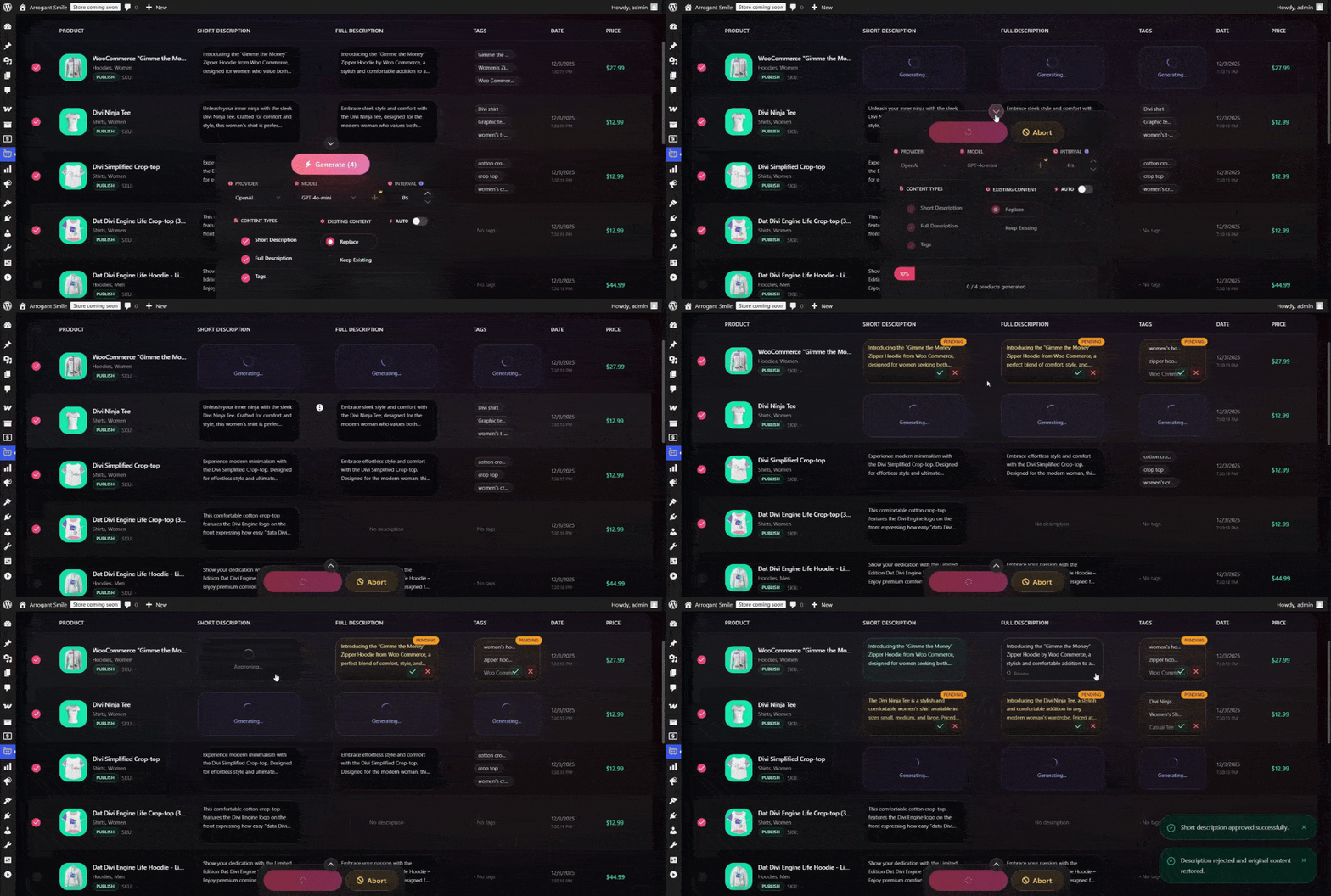
AI Content Generation Process in Action 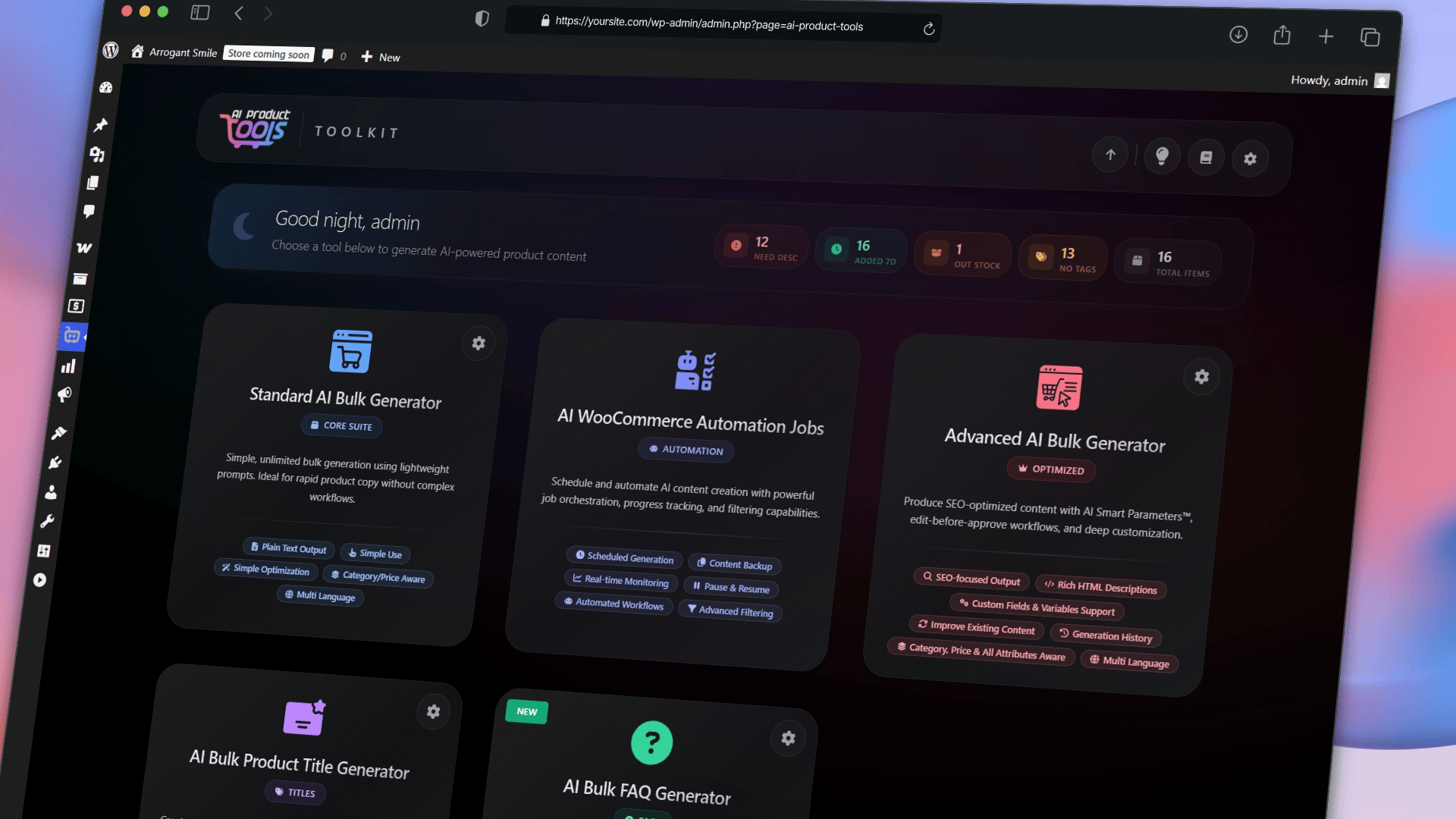
Unified AI Toolkit Dashboard 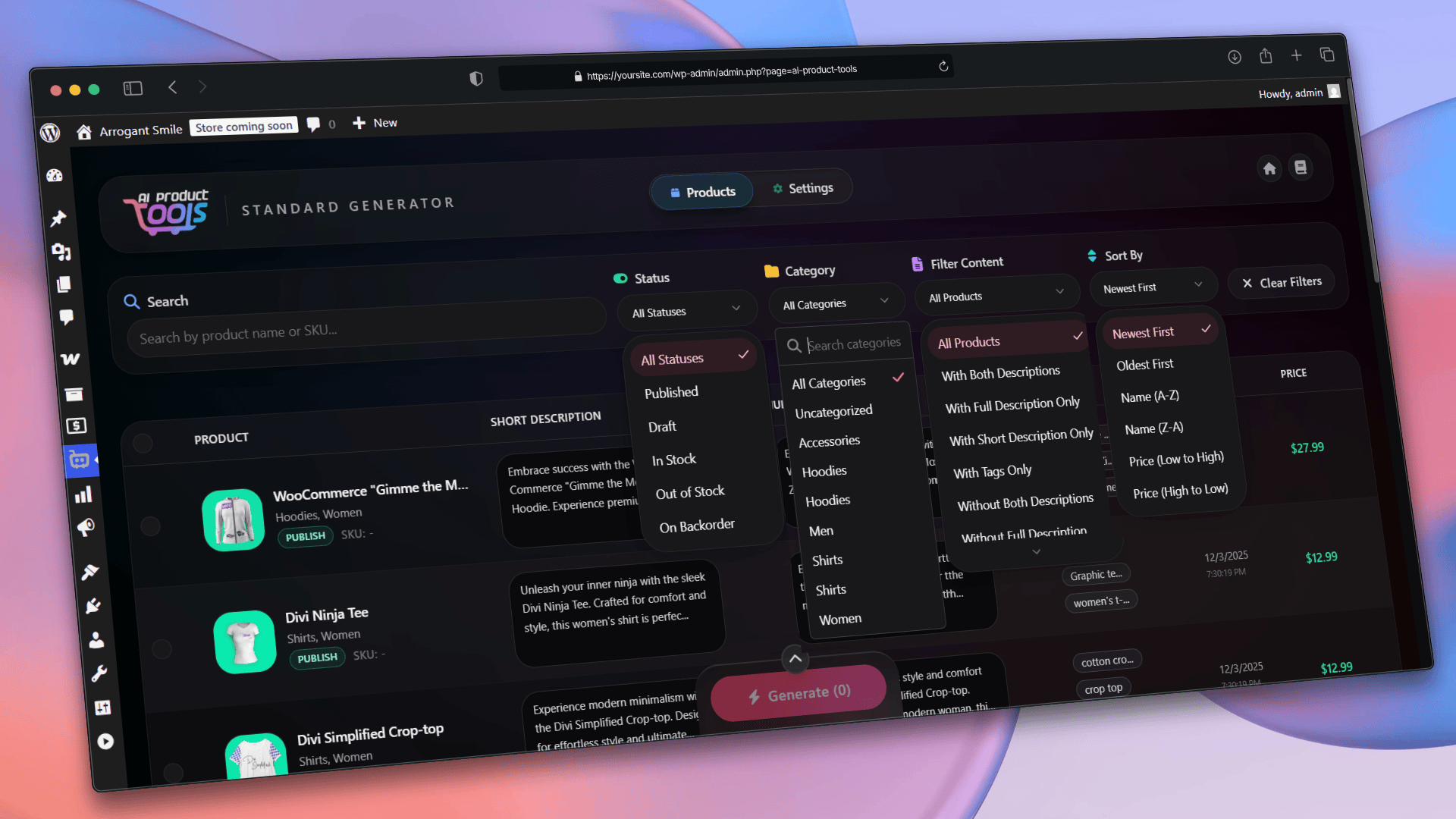
Advanced Product Filtering Options 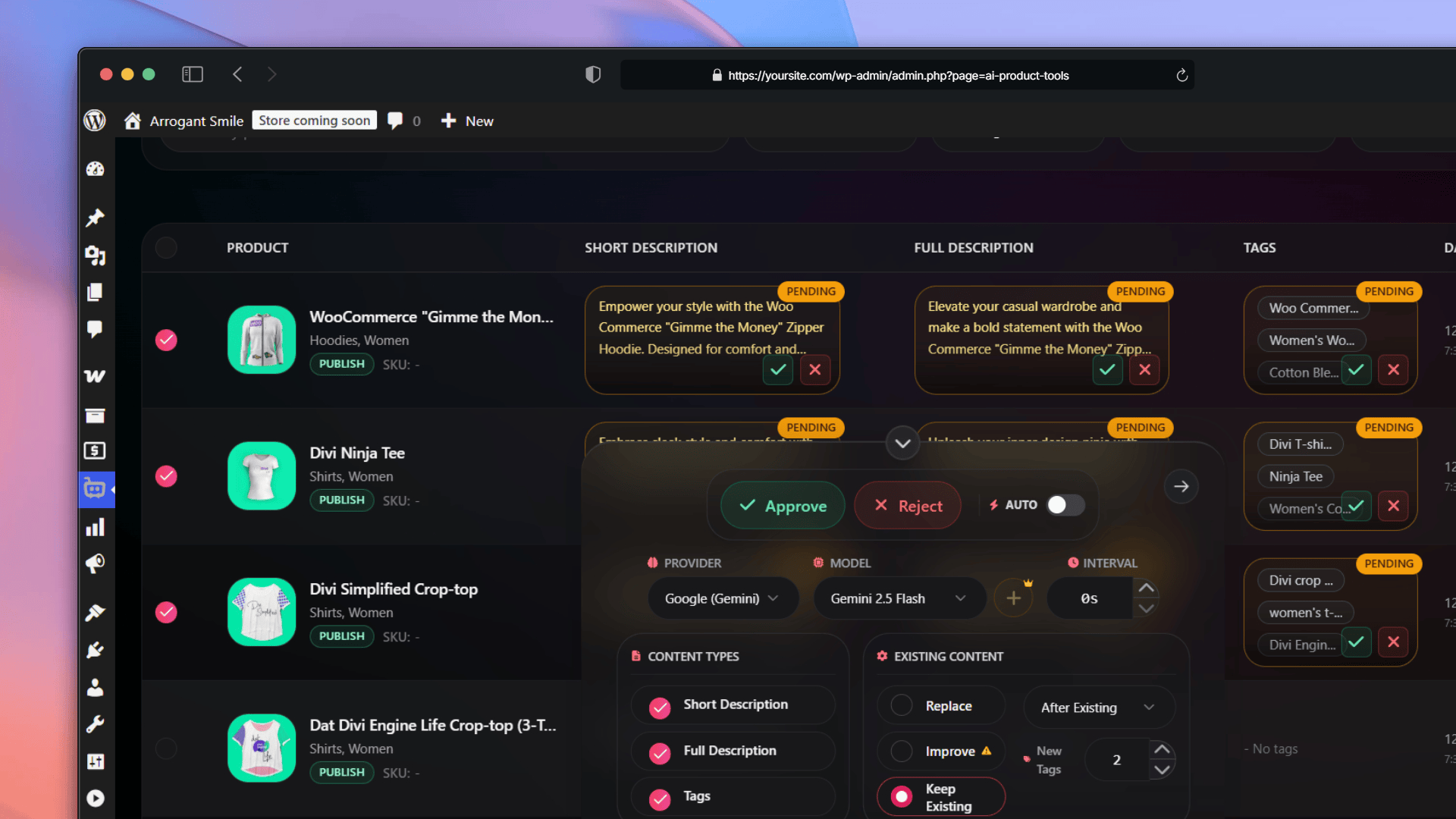
Standard Description Generator: Content Pending Approval 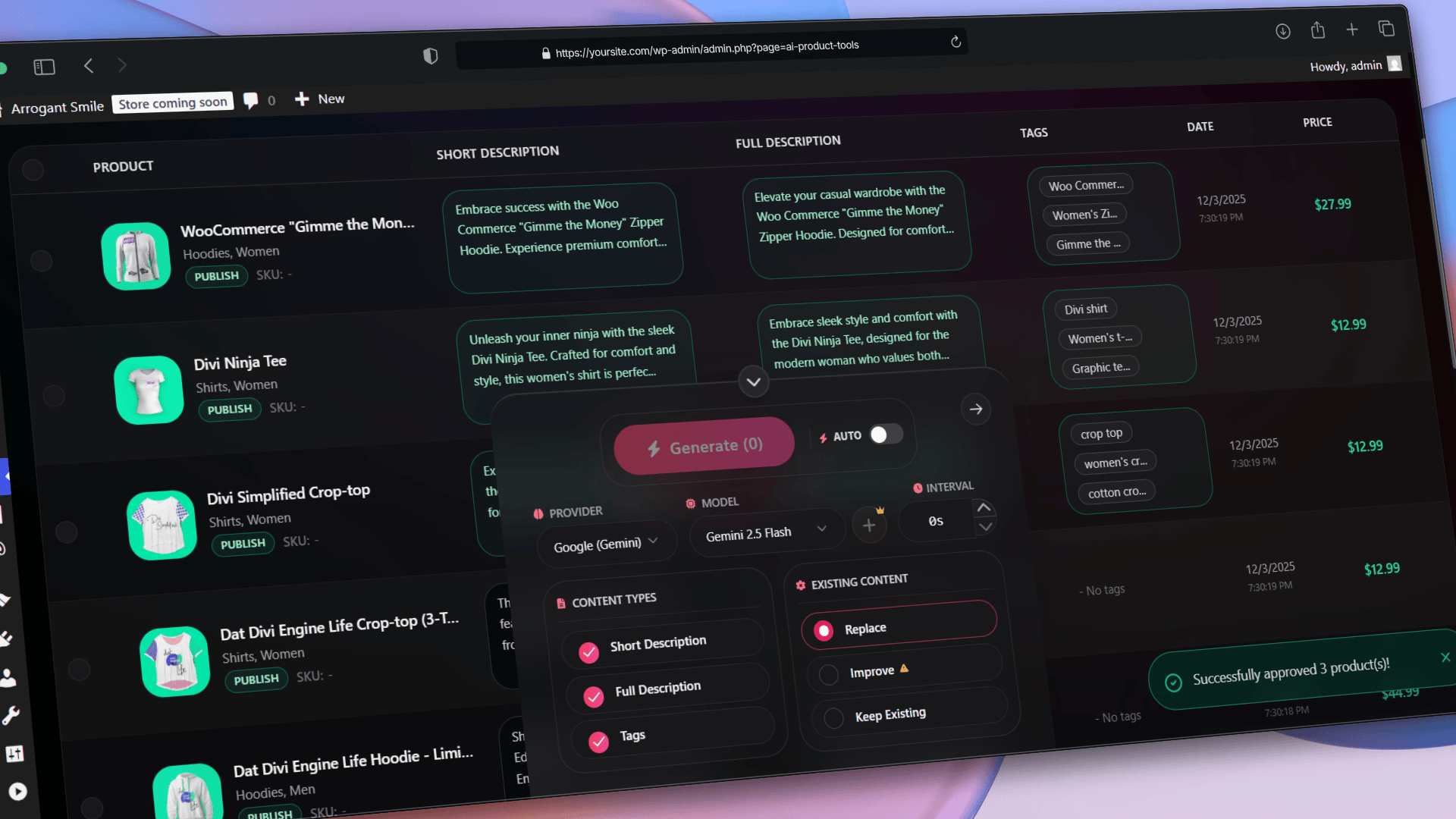
Standard Description Generator: Bulk Approval Action 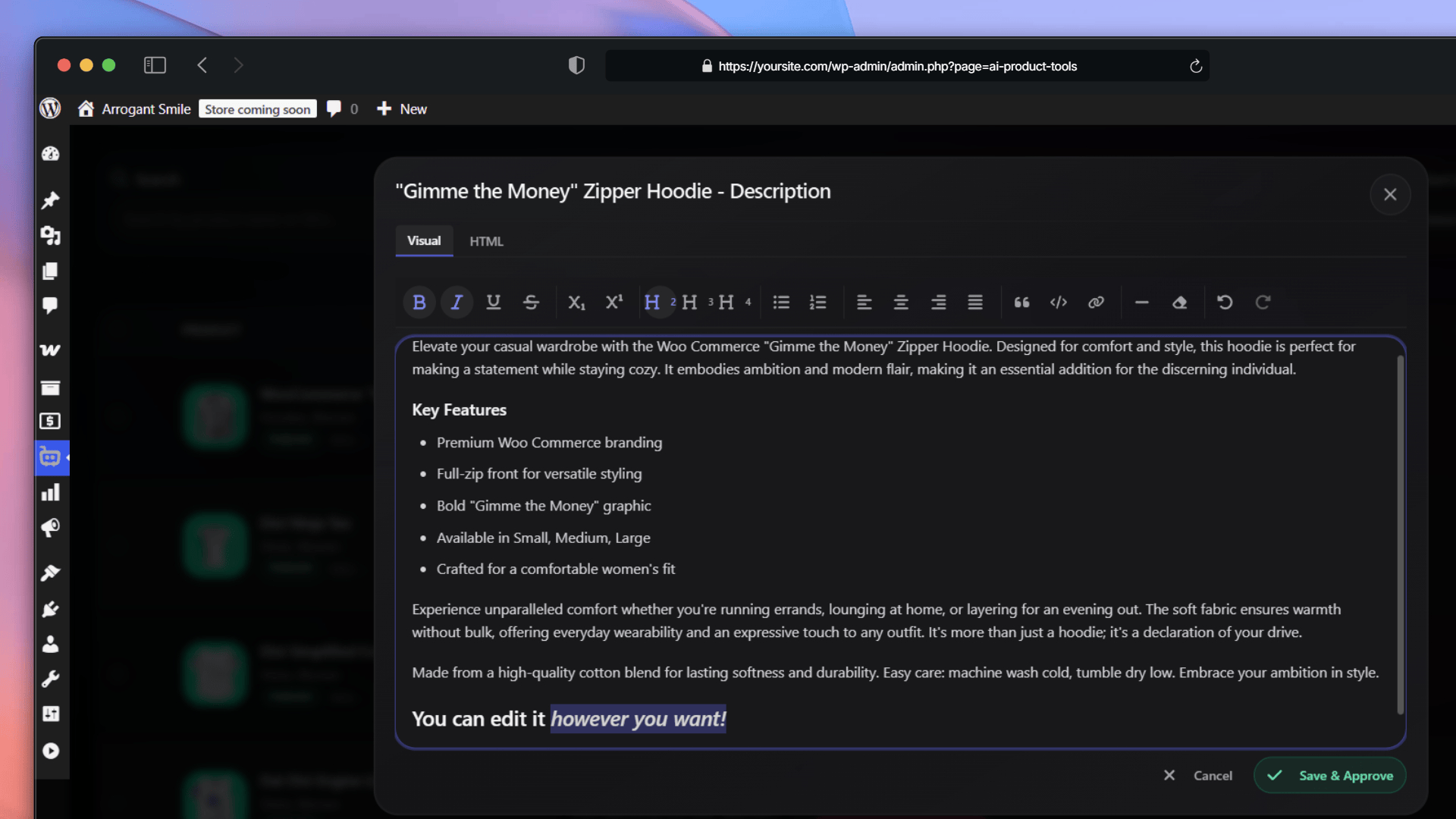
Standard Description Generator: Edit Before Approve Interface 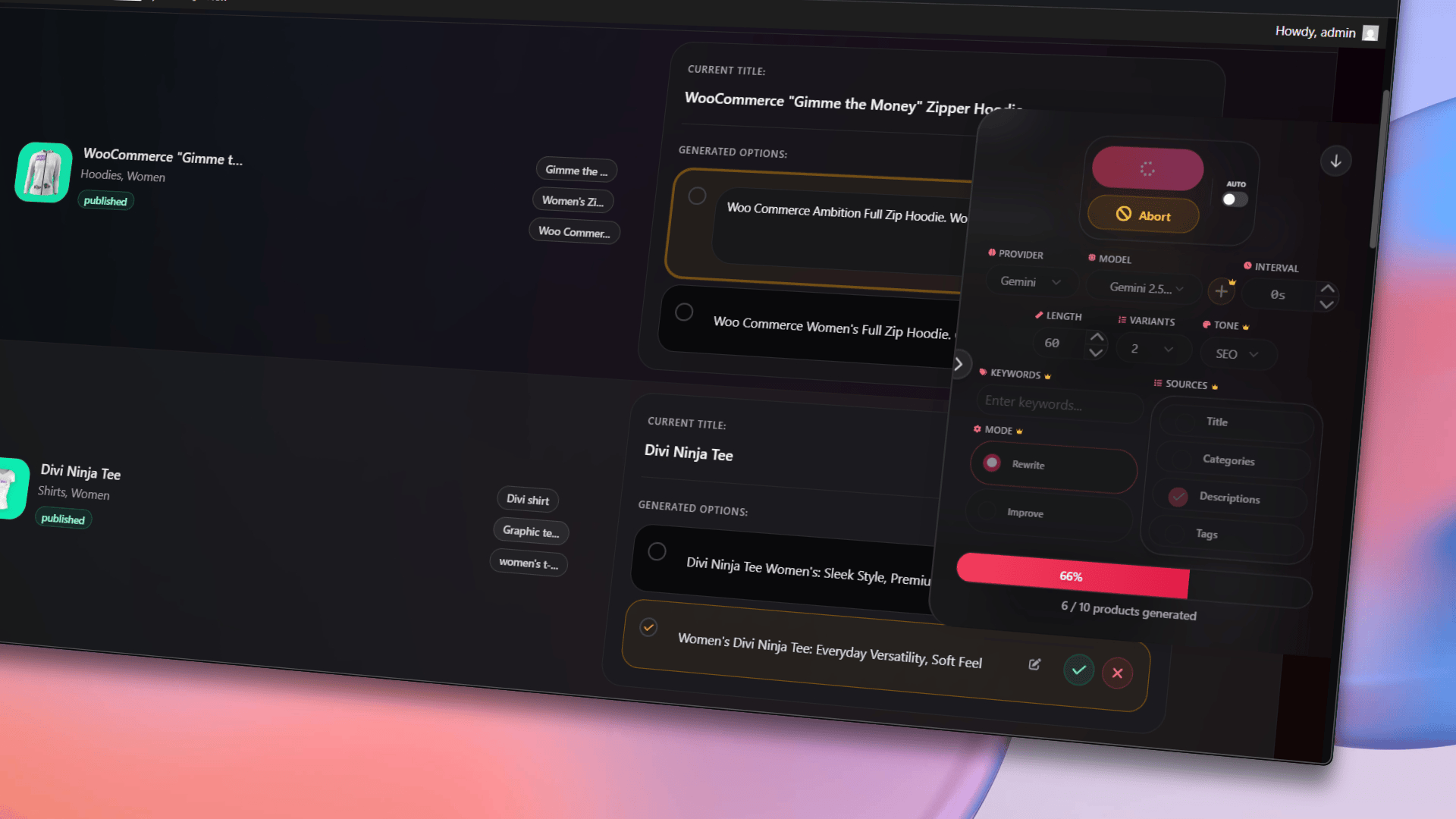
Bulk AI Product Title Generator: Generation and Editing 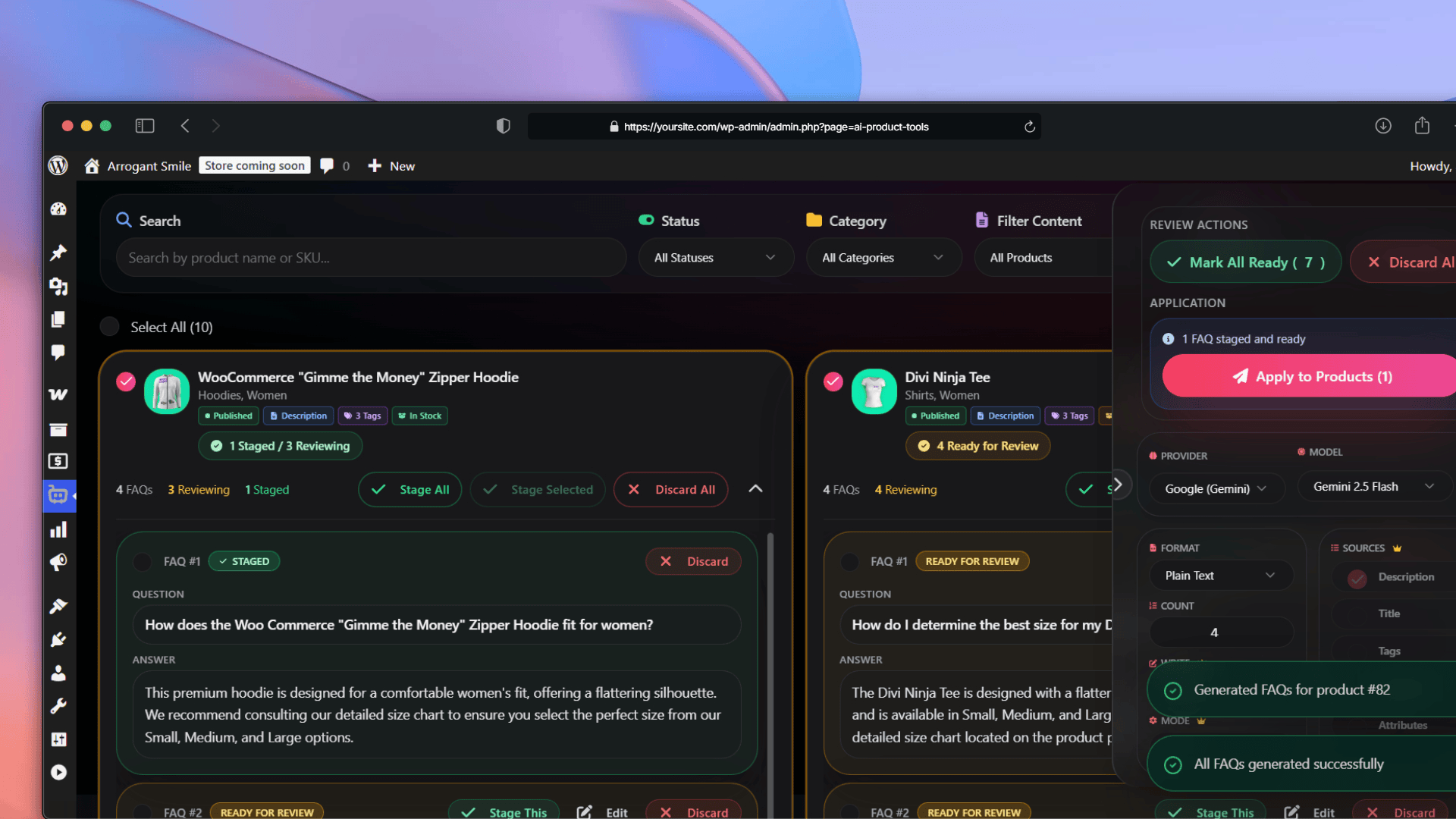
Bulk AI Product FAQ Generator Interface 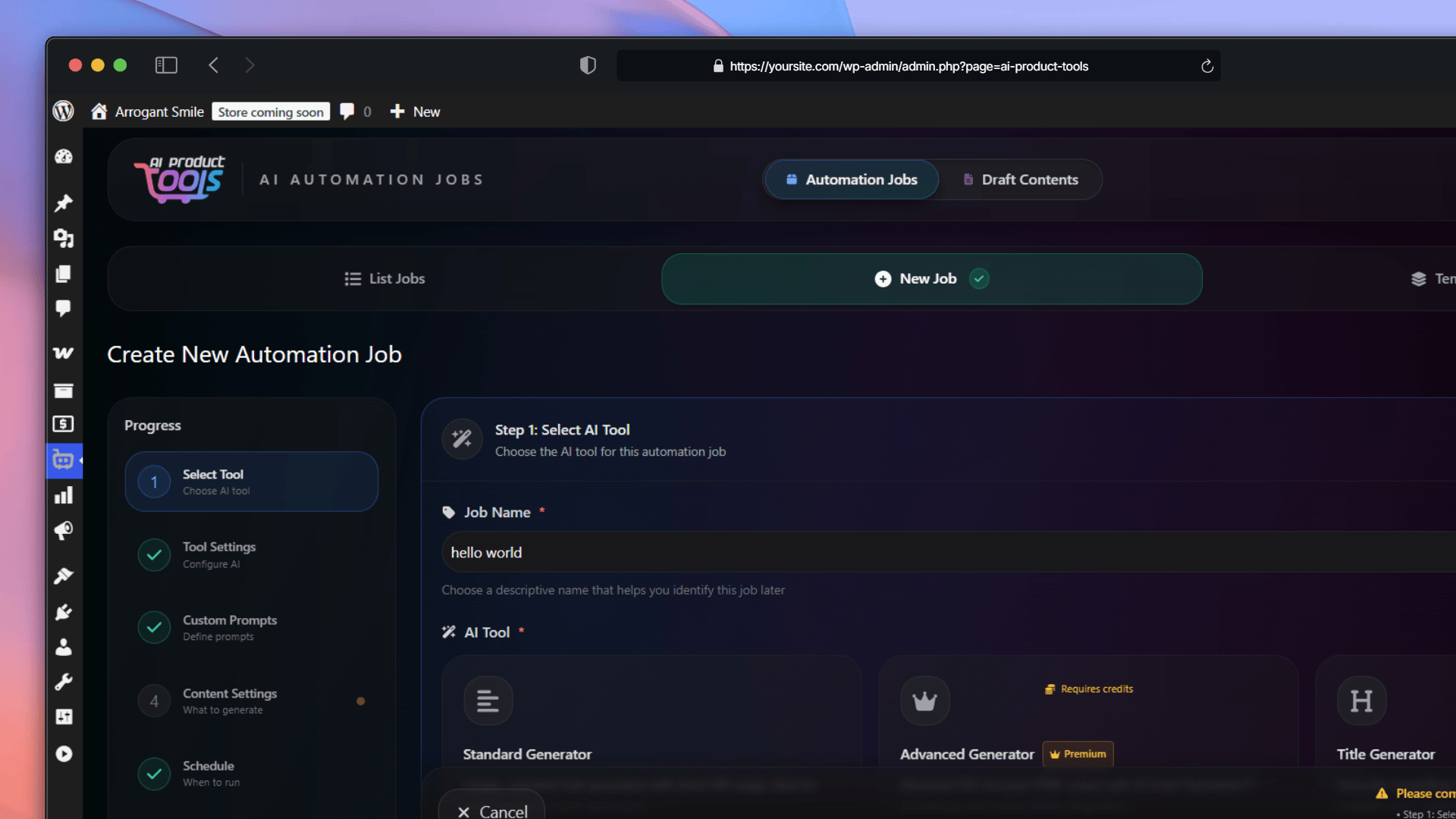
Automation Jobs: Selecting the AI Tool 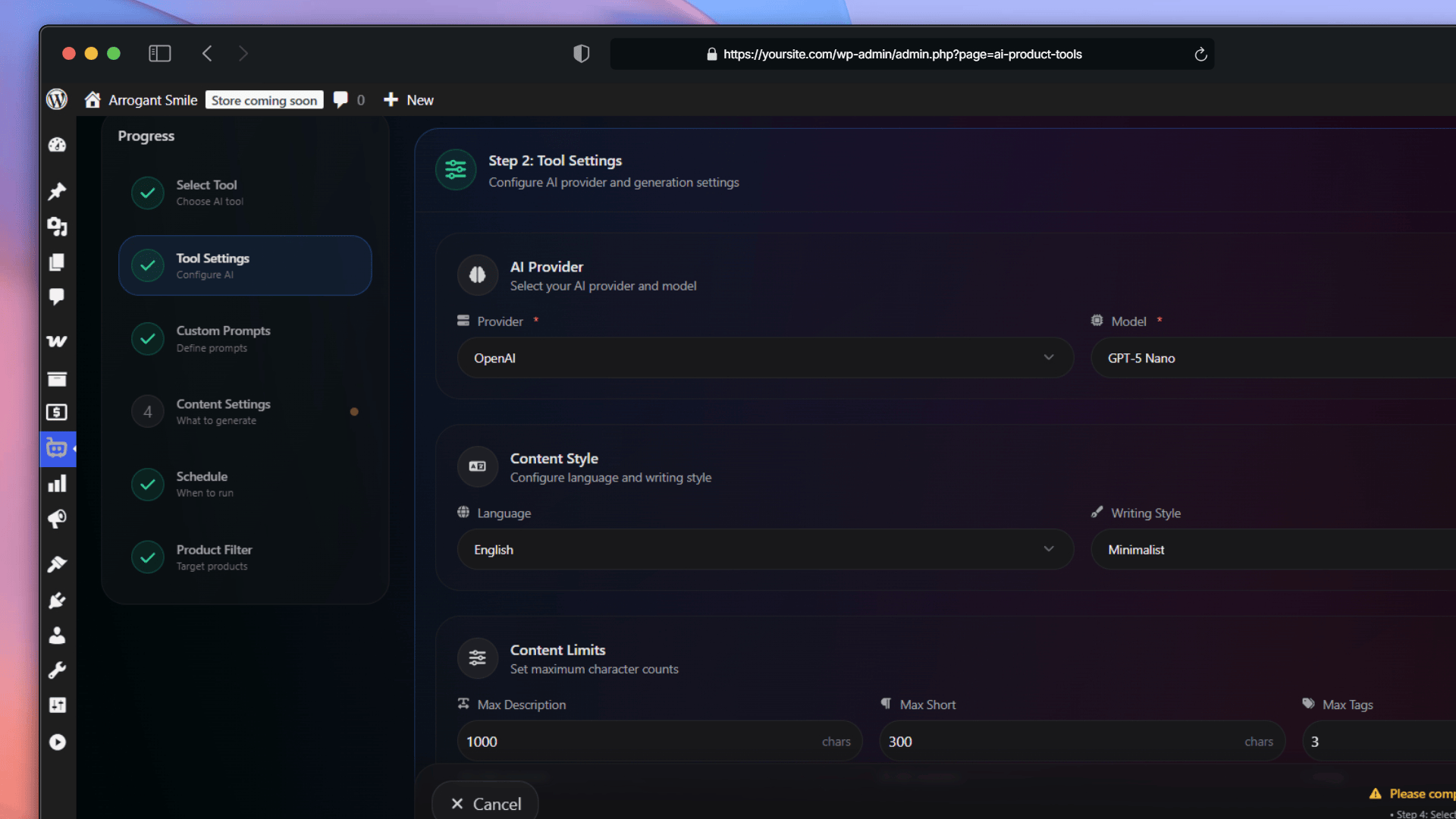
Automation Jobs: Configuring AI Tool Settings 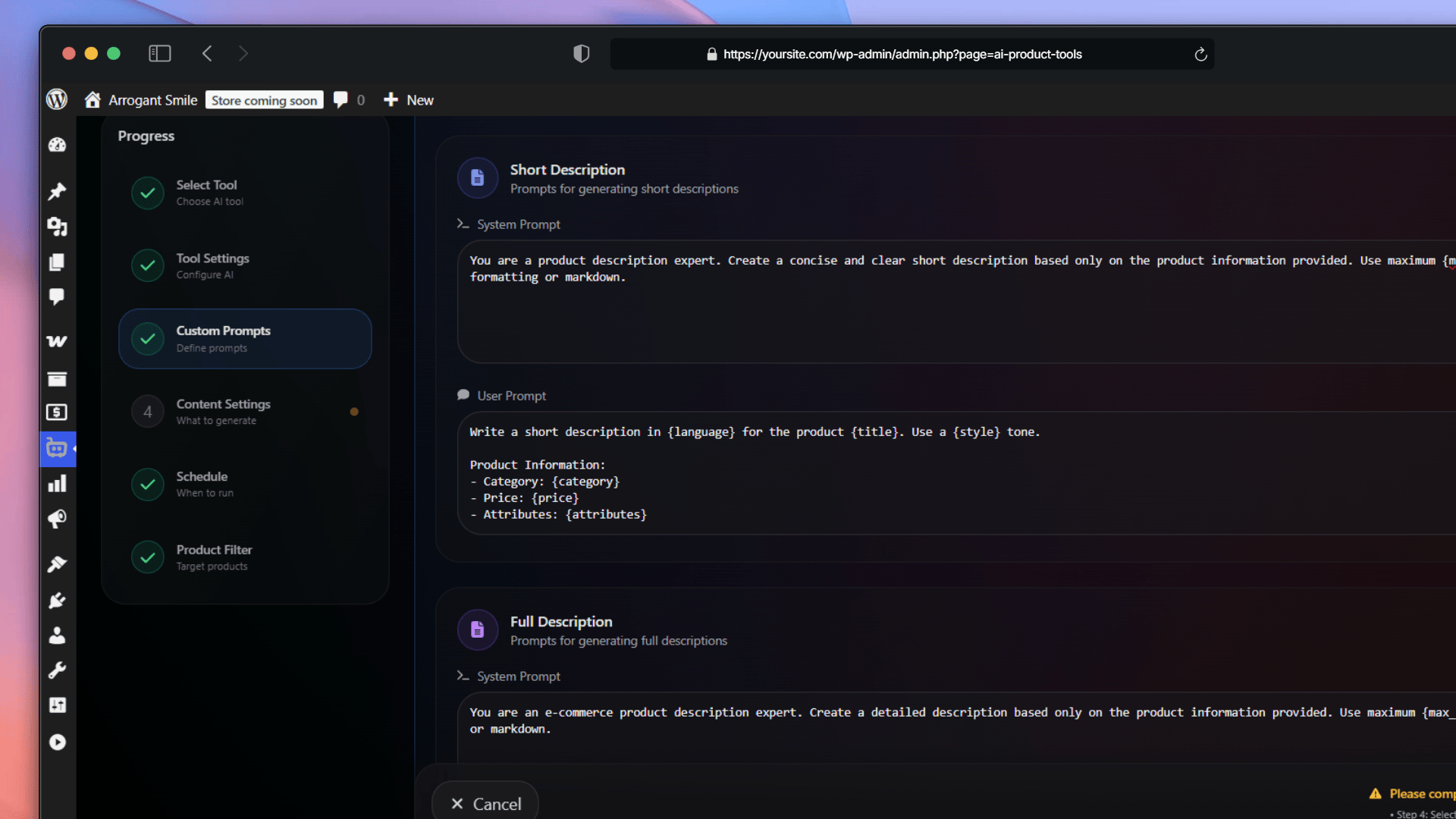
Automation Jobs: Configuring Custom Prompts 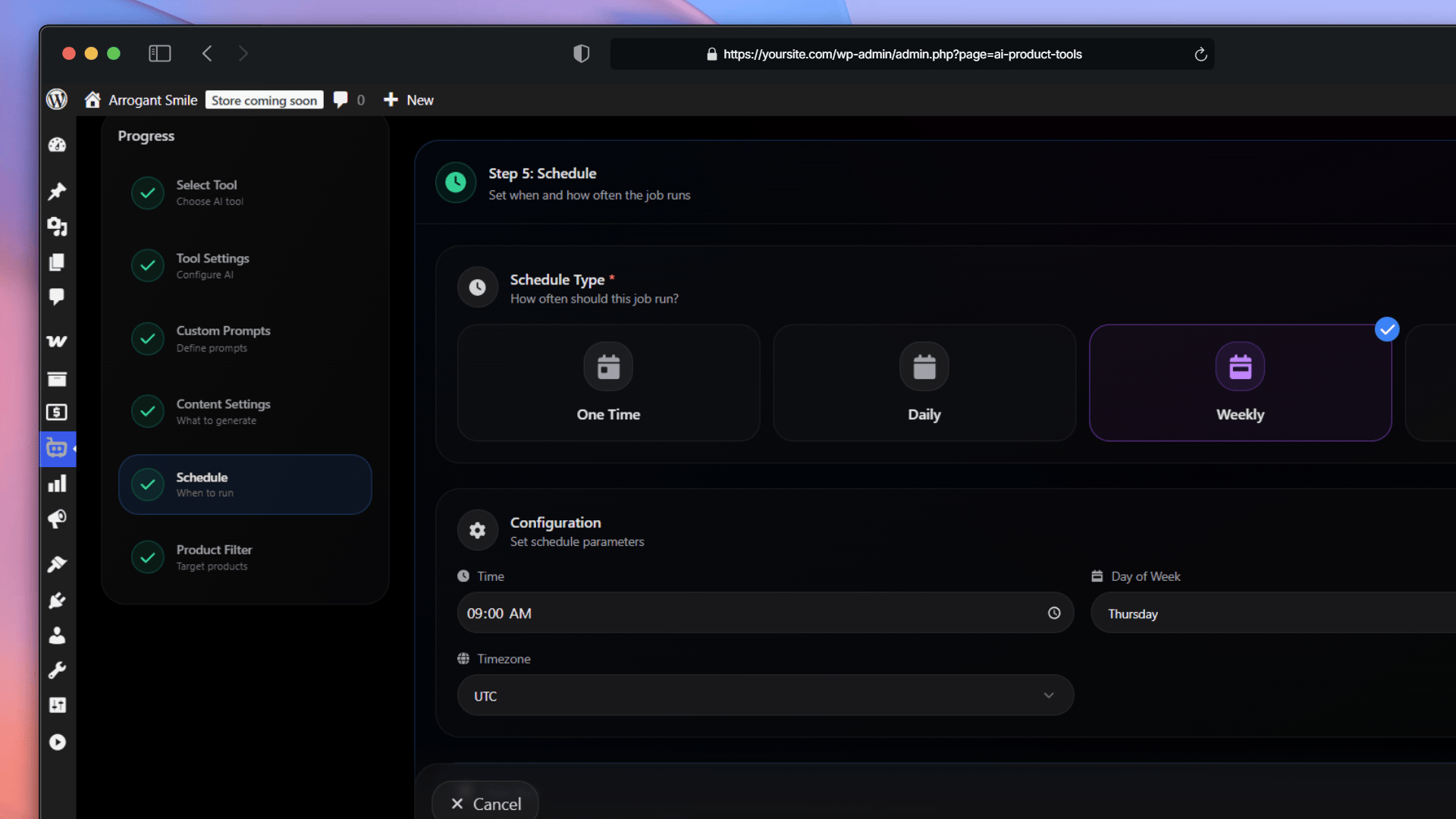
Automation Jobs: Scheduling Settings 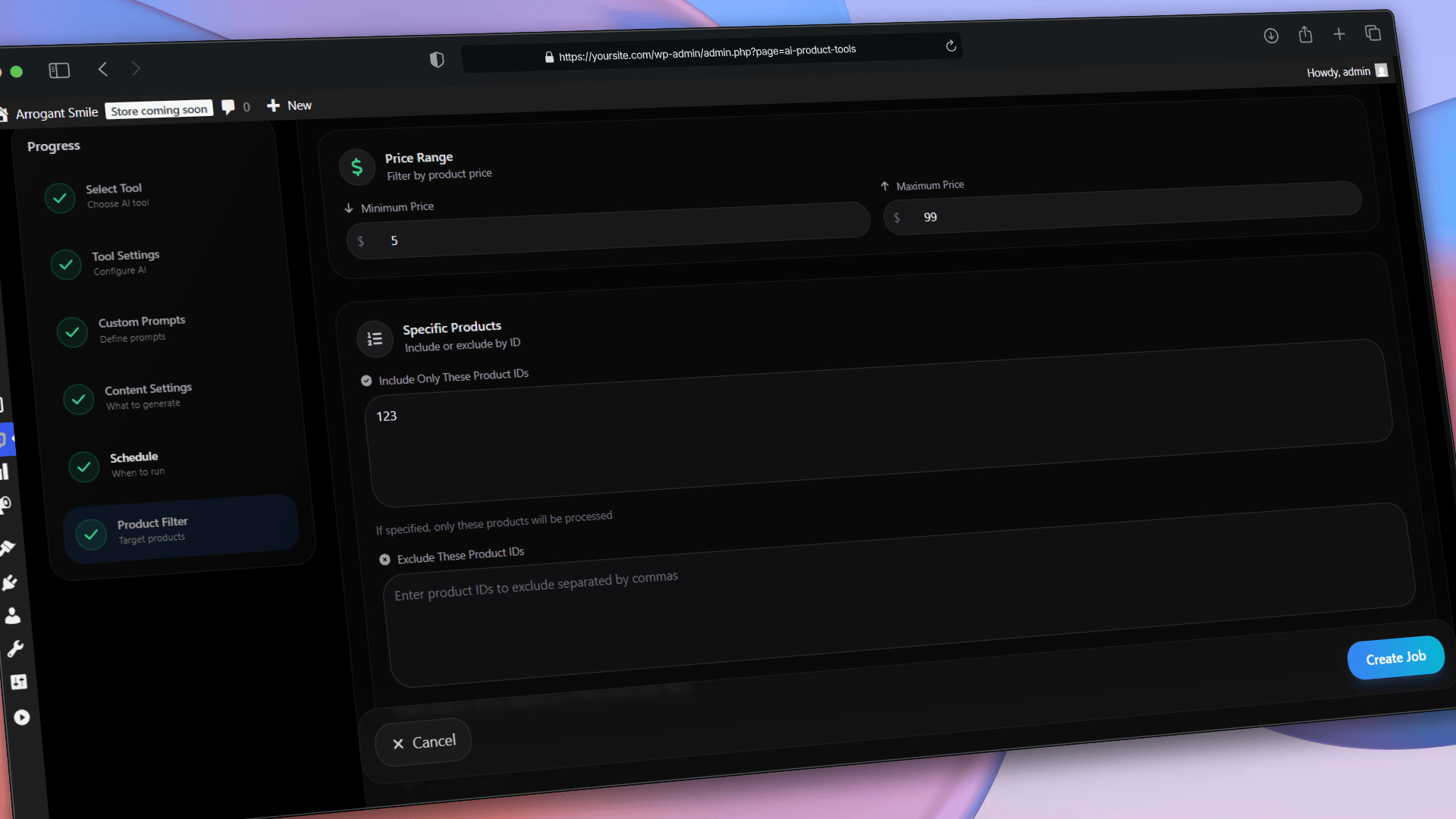
Automation Jobs: Smart Product Filtering 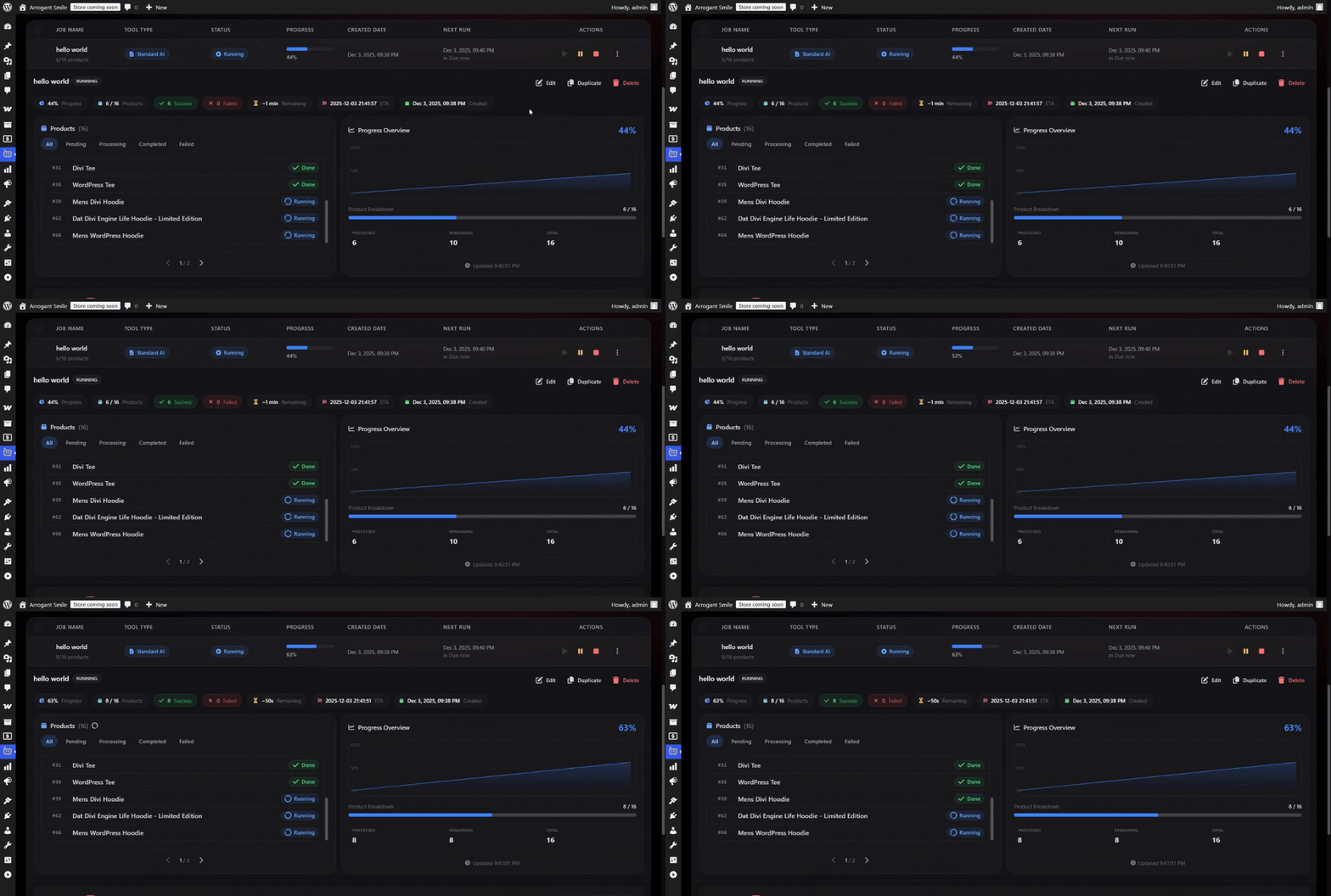
Automation Jobs: Real-Time Progress Monitoring 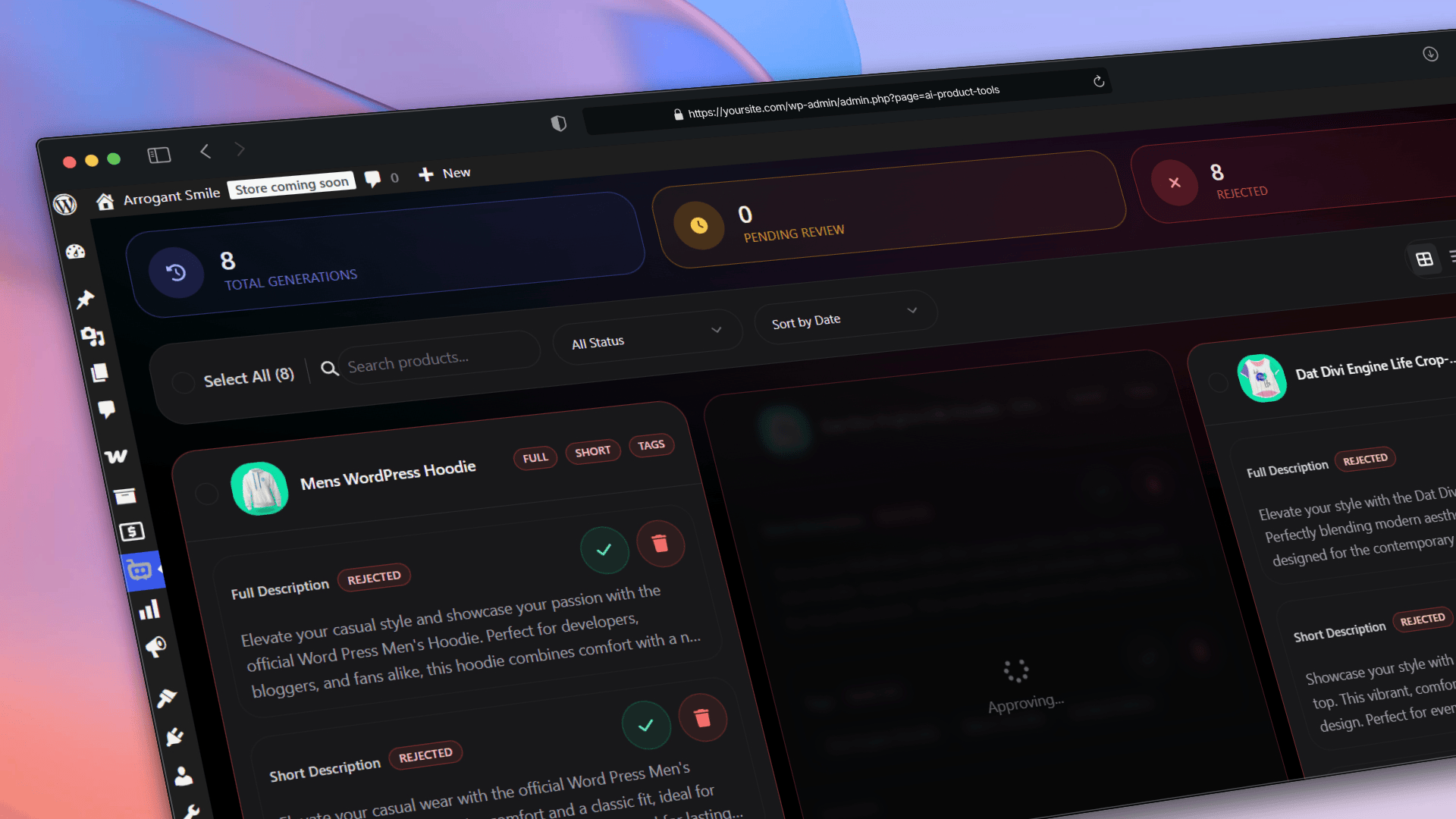
Advanced Generator: Generation History Log 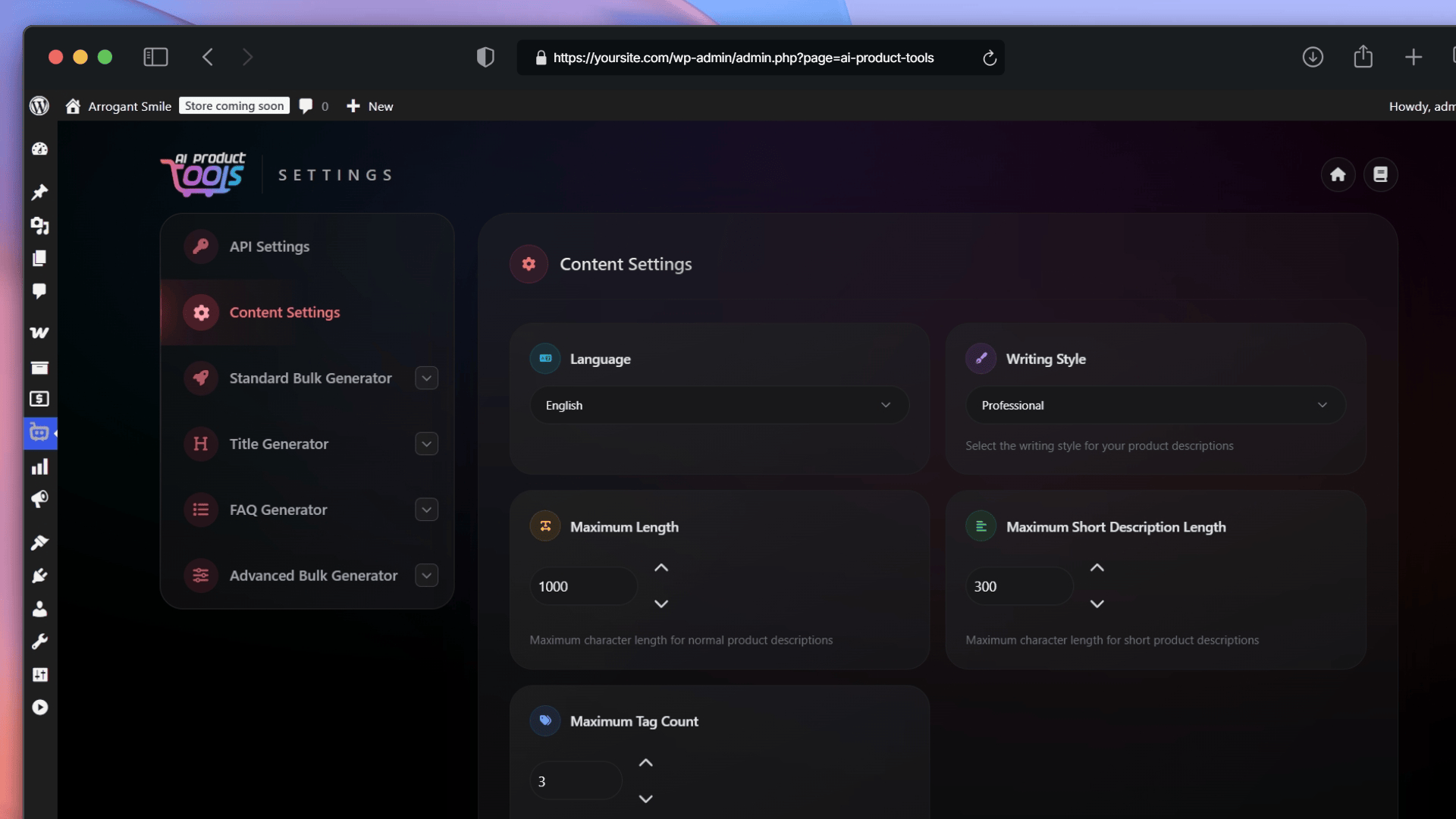
General Content Settings 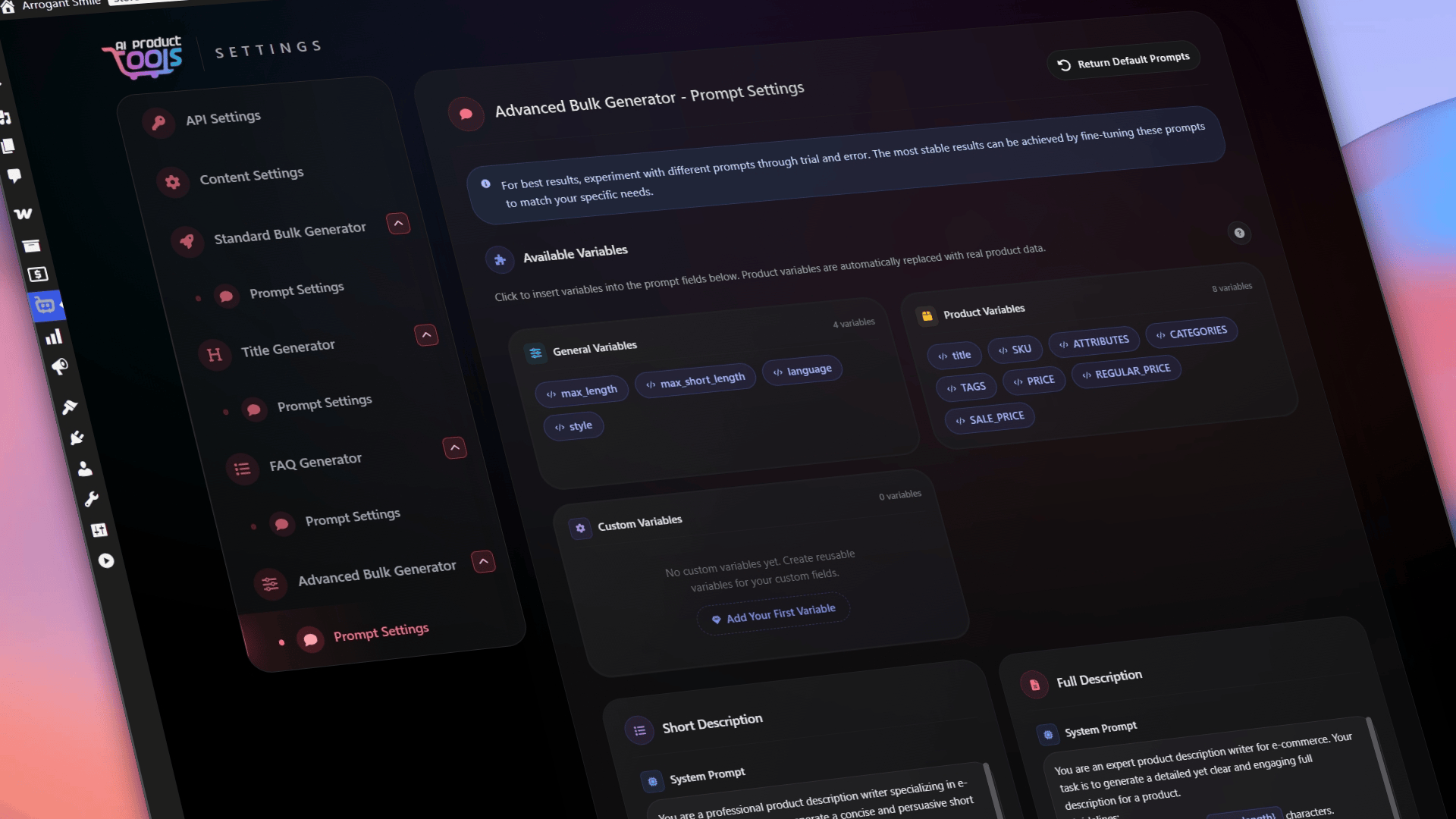
Prompt Customization Settings 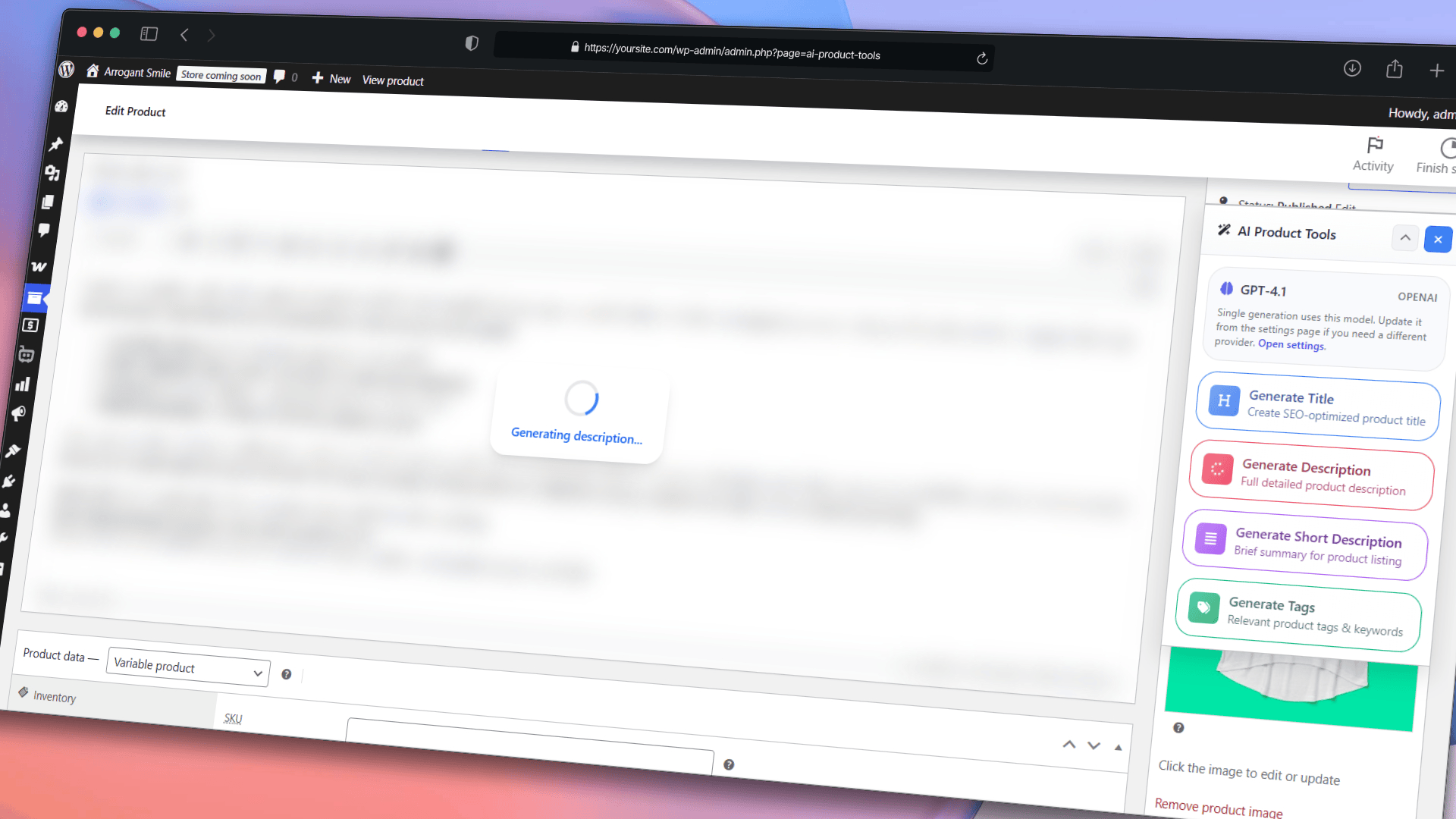
Single Product Metabox: Content Generation
Installation
- Upload ‘ai-product-tools.zip’ to your ‘/wp-content/plugins/’ directory
- Activate AI Product Tools from the ‘Plugins’ menu
- Complete the onboarding wizard by selecting your preferred AI provider (OpenAI, Gemini, Claude or OpenRouter) and entering your API key (you can also configure these later via Settings)
- Visit the Toolkit Dashboard to explore available tools
- Customize your prompt settings and generation preferences
- Start using the plugin to generate and enhance your product content
FAQ
-
Is AI Product Tools free to use?
-
The plugin offers extensive functionality in the free version:
* AI Shop Assistant: Free chatbot with full appearance customization, multi-language support, and product recommendations (View Product button).
* Standard Bulk Generator: Unlimited plugin usage.
* Title, FAQ & SEO Generators: Free generation with standard settings.
* Automation Jobs: Free scheduling with basic filtering.
Pro plans unlock advanced chatbot features (“Add to Cart” button, Custom CSS, Scheduled Indexing, Chatbot Themes), advanced bulk generation, Community Prompt Library, and more. (Remember: Provider API tokens are billed separately). -
Do I have to pay for AI API usage? (Bring Your Own Key)
-
Yes. We deliberately chose a “Bring Your Own Key” (BYOK) model to give you complete freedom. This means you connect your own OpenAI, Gemini, or Claude API key and pay the provider directly for the tokens you use. This ensures you get the lowest wholesale pricing with zero markup from us, and you can switch between AI providers anytime. Alternatively, you can connect OpenRouter to access various 100% free AI models.
-
What is the difference between Optimization Requests and API Tokens?
-
To ensure absolute clarity:
* API Tokens: You pay your chosen AI provider (OpenAI, Claude, etc.) directly for the raw AI processing.
* Optimization Requests: The “Optimization Requests” (e.g., 5,000/month or Unlimited) in our premium plans are exclusively for our proprietary AI Smart Parameters™ service. This service optimizes your prompt parameters before sending them to the AI to ensure high-quality HTML output.
Note: Business plans with “Unlimited Optimization Requests” are subject to a standard fair use policy to prevent automated abuse. -
How does the AI Chatbot know about my products?
-
The plugin uses the AI Store Index feature. It scans your product titles, prices, categories, and stock status to create a compressed data file. The AI uses this index to find and recommend relevant products during a conversation.
-
Does the Chatbot slow down my site?
-
No. It utilizes an efficient server-side language detection system that reduces the frontend payload. It loads asynchronously and uses a compressed index structure (GZIP).
-
Can I customize the Chatbot’s appearance?
-
Yes. The free version allows extensive customization including Bot Name, Welcome Message, Colors, Typography, Position, and built-in Launcher Icons. The Pro version unlocks advanced visual controls, including Chatbot Themes, Custom Hero Background images, Custom Icon uploads, and the ability to rename or translate all UI text labels.
-
What is the difference between Standard and Advanced Generators?
-
- Standard: Unlimited usage, plain text output, supports tone settings and custom prompts. Ideal for quick, simple descriptions.
- Advanced: Generates HTML content with structured markup. It features custom fields integration, history tracking, content improvement mode, and utilizes the external AI Smart Parameters™ system for automatic optimization (consumes Optimization Requests).
-
Can I edit content before publishing?
-
Yes. All generation tools (Standard, Advanced, Title, FAQ, SEO, and Taxonomies) include an “Edit Before Approve” workflow. This allows you to review, modify, and polish the AI-generated content in bulk before saving it to your live products.
-
How do Custom Fields work?
-
You can map existing WooCommerce custom fields (compatible with Advanced Custom Fields / ACF plugin) to variables like
{custom1}. These variables can be inserted into your prompt templates, allowing the AI to include specific data points (materials, dimensions, internal codes) in the generated text. Note: Custom Field mapping is available in Advanced Generator, Title, and FAQ tools. -
How does the AI Smart Parameters™ technology work?
-
Available in the Advanced Generator, this external optimization service automatically configures technical AI settings (temperature, top_p, presence penalty) based on the specific model and content type being generated. This eliminates the need for manual configuration.
-
Does this plugin work with large catalogs?
-
Yes. The plugin includes a custom pagination system for navigating thousands of products and uses WP-Cron for background processing. This prevents server timeouts and ensures stability even when processing massive product lists.
-
What is OpenRouter and why should I use it?
-
OpenRouter is an AI gateway that allows you to access hundreds of models beyond just OpenAI. It includes many free-to-use models (like Qwen, DeepSeek, Llama, Mistral, etc.) which allow you to generate content at zero cost. It also supports premium models like Claude Sonnet and Grok. You can connect your OpenRouter key directly in the plugin settings.
-
Is my data secure?
-
Yes. We prioritize security:
1. Local Storage: API keys are encrypted in your database.
2. Direct Transmission: Data goes directly to the AI Provider (OpenAI, Gemini, etc.).
3. Zero Access: We do not have access to your product content or chat logs.
Reviews


Contributors & Developers
“AI Product Tools – Bulk Product Content Generator & AI Toolkit for WooCommerce” is open source software. The following people have contributed to this plugin.
Contributors
Interested in development?
Browse the code, check out the SVN repository, or subscribe to the development log by RSS.
Changelog
2.5.12
- ADDED: Support for latest AI models — OpenAI GPT-5.4 series (GPT-5.4, GPT-5.4 Mini, GPT-5.4 Nano), Google Gemini 3.1 Pro, and Anthropic Claude Opus 4.6 & Claude Sonnet 4.6.
- IMPROVED: Updated OpenRouter free model selection with current popular models including Gemma 3, DeepSeek R1, and Llama 3.3.
- IMPROVED: Fresh visual design with a modern color scheme across all plugin pages, including buttons, cards, filters, and form elements.
- IMPROVED: Redesigned Toolkit dashboard with cleaner card layouts and better navigation.
- IMPROVED: Enhanced product lists, pagination, and filter components for a smoother workflow.
- ADDED: Full internationalization (i18n) support — the plugin is now fully translatable into your language.
- REMOVED: Deprecated AI models that are no longer available from their providers (Gemini 3 Pro Preview, Claude 3.5 Haiku, and legacy OpenRouter models).
2.5.11
- NEW: FAQ Display System – Automatically display AI-generated FAQs on your WooCommerce product pages using beautiful, customizable accordions.
- NEW: Live FAQ Customizer – Fully personalize your FAQ appearance with 6 ready-made themes (Minimal, Elegant, Dark, etc.), custom colors, typography, borders, and icons with real-time preview.
- NEW: SEO Schema Integration – The plugin now automatically injects
FAQPageSchema.org structured data into your product pages to boost rich snippet eligibility in Google search results. - NEW: Single Product Retry – If a bulk generation job fails for a specific product, you can now click a single “Retry” button on the error card instead of restarting the entire list. Supported across all generators.
- NEW: Universal Shortcode Support – Use
[aipt_faq]to embed FAQs on any page, post, or builder, with support for specific product IDs[aipt_faq product_id="123"]. - IMPROVED: Intelligent Error Handling – API and generation errors are now displayed in readable, human-friendly error cards, gracefully handling request limits and connection timeouts.
- IMPROVED: Safe Data Storage – Generated FAQs are now stored safely as structured JSON in dedicated meta fields, preventing them from mixing with standard product descriptions.
- IMPROVED: UI & Theme Synchronization – Dark/Light mode preferences now sync perfectly across all plugin panels and live preview screens.
- IMPROVED: Increased Rate Limits – Optimized bulk processing speed and API limits to handle massive catalogs without interruption.
- ADDED: Support for WordPress 6.9+ Abilities API, making AI tools discoverable via the command palette.
- FIXED: Resolved “false positive” success messages during the FAQ application process.
2.5.10
- NEW: Bulk Taxonomy Generator – AI-powered description generation for categories, tags, and custom taxonomies.
- NEW: Smart Context Gathering – AI analyzes product names, price ranges, and tags within a category to create highly relevant, data-driven descriptions.
- NEW: Split-Panel UI – Navigate efficiently with a resizable split-screen workspace and built-in rich text editor for taxonomy descriptions.
- IMPROVED: Polylang Compatibility – Fixed critical filtering issues where translated categories/tags were duplicated or incorrectly filtered across different languages.
- IMPROVED: Quick Start Tour – Added internationalization (i18n) support, a new “Content Settings” step, and optimized spotlight tracking performance.
- FIXED: Notification text color visibility issues when using the Light Mode theme.
- FIXED: Technical optimizations including centralized taxonomy fetching logic and cleaned up database migration processes.
2.5.9
- New: Full Light Mode / Dark Mode support with animated theme switch across all plugin pages
- New: Theme-aware logo that adapts to current color scheme
- Fix: Product filtering now works correctly with Polylang multilingual plugin
- Fix: SEO Meta Generator properly includes price and SKU data in AI prompts
- Fix: Long error messages no longer overflow product cards in FAQ and SEO Meta generators
2.5.8
- FIXED: CSS display inconsistencies across product pages.
2.5.7
- NEW: Prompt Templates – Create, save, and reuse custom prompt templates across all generators.
- NEW: Community Prompt Library – Browse and import prompt templates shared by other users (Premium).
- NEW: AI Prompt Improver – Optimize your prompts with one-click AI suggestions (Premium).
- NEW: QuickStart Tour – Interactive guided walkthrough to help new users get started quickly.
- NEW: Chatbot Themes – Premium appearance themes for the AI chatbot widget (Premium).
- NEW: Chatbot Knowledge Pages – Teach your chatbot about specific store pages beyond products.
- IMPROVED: API Settings – Redesigned provider selection with clearer card layout and better visual feedback.
- IMPROVED: Onboarding – Refreshed setup wizard with smoother steps and confetti celebration on completion.
- IMPROVED: Free & Premium Coexistence – Automatic conflict resolution when both plugin versions are installed.
- IMPROVED: Chatbot Customization – Enhanced appearance and behavior settings with premium upgrade paths.
- IMPROVED: Database Performance – Optimized autoloaded options and added automated log/orphan cleanup.
- IMPROVED: Store Index – Better profile management, status display, and field selection UI.
- IMPROVED: WordPress Coding Standards – Additional security hardening and direct access guards.
- FIXED: SEO Meta Generator bulk generation flow not completing correctly.
- FIXED: FAQ Generator process failing mid-generation.
- FIXED: Cache issue causing stale settings data after saving.
- FIXED: SKU not displaying correctly in product listings.
- FIXED: REST API errors in certain server configurations.
- FIXED: Custom Variables modal failing to load field data.
- FIXED: CSS display inconsistencies across admin pages.
2.5.6
- NEW: SEO Meta Generator – Bulk generate AI-powered Meta Titles & Descriptions.
- NEW: SEO Integration – Supports Yoast, Rank Math, AIOSEO, SEOPress, The SEO Framework, Squirrly SEO.
- NEW: Automation Review – Dedicated review step before running automation jobs.
- ADDED: Anthropic Claude Integration – Support for Claude 3.5 Sonnet, Opus, and Haiku models.
- IMPROVED: Product Filtering – Enhanced category, tag, and attribute filtering options.
- IMPROVED: API Settings – Better UX with clearer validation and visual organization.
- IMPROVED: Toolbar Consistency – Unified styling across all bulk operation tools.
- FIXED: Display issues in bulk generator toolbars.
- FIXED: Error handling for failed API calls and variant product operations.
2.5.5
- FIXED: Automation Jobs performance issues.
- FIXED: AI Chatbot Recommendations issues.
- FIXED: In AI Store Index for missing products index.
2.5.4
- NEW: AI Brand Voice – Define your store’s persona for consistent on-brand content.
- NEW: Example Content – Provide a “Gold Standard” example, and the AI will replicate its style (Pro).
- NEW: HTML Tag Control – Select specific HTML tags for the AI to use in output.
- IMPROVED: Filtering System – Completely overhauled with new “AND/OR” logic for precise targeting.
- ADDED: Support for latest models: GPT-5.2 and Gemini 3.
- IMPROVED: Hybrid XML Prompts – Default system prompts optimized for higher quality output.
- FIXED: Automation Jobs performance issues on slower server environments.
- FIXED: CSS conflicts where theme styles affected Chatbot appearance.
- FIXED: Chatbot language setting bugs and Generation History retention issues.
2.5.3
- NEW: Complete Chatbot UI Overhaul – Redesigned with a modern, mobile-first “Home” and “Messages” tab layout.
- IMPROVED: Massive Performance Boost – New server-side language detection reduces script payload by 99% for lightning-fast loading.
- ADDED: Advanced Language System – Support for 42+ languages with smart auto-detection and fallback language options.
- ADDED: WhatsApp Integration – Option to add a direct WhatsApp contact button within the chatbot.
- ADDED: (Pro) Custom Labels & Visuals – Full control to rename/translate all UI text elements and upload Custom Hero Backgrounds.
- IMPROVED: User Experience – Product recommendation cards are now collapsible and cleaner (max 5 items).
- FIXED: Chatbot rendering reliability on various themes (wp_body_open priority).
2.5.2
- HOTFIX: Resolved an issue where the chatbot was not visible on the frontend
2.5.1
- HOTFIX: Robust fallback system for reliable indexing on all environments.
- IMPROVED: First batch runs synchronously for instant progress.
- ADDED: Page leave warning to prevent interruptions during indexing.
- FIXED: Pre-flight storage checks and enhanced error logging.
2.5.0
- NEW: AI Shop Assistant – Added entire-store aware AI Chatbot for frontend.
- NEW: AI Store Index – Added intelligent product indexing system for AI context.
- ADDED: Option to update product slug automatically in Title Generator.
- FIXED: Product filtering issues in bulk generator pages.
- FIXED: Resolved job interruption issues in Automation Jobs.
- FIXED: CSS style loading issues for fresh installations.
- FIXED: Various minor bug fixes and performance improvements.
- IMPROVED: General performance and database optimization.
2.4.5
- IMPROVED: Settings infrastructure improvements.
- COMPLIANCE: Updated plugin name and readme to align with directory guidelines.
2.4.4
- ADDED: Search functionality for category filters.
- ADDED: Metabox collapse and toggle feature.
- IMPROVED: Internationalization (i18n) updates.
- IMPROVED: Version separation and compatibility handling.
- IMPROVED: Backend stability and performance.
- FIXED: Security vulnerabilities patched.
- FIXED: Opt-in modal display issues.
- UPDATED: Plugin documentation and readme files.
2.4.3
- ADDED: Google Gemini 3 Pro model support.
- IMPROVED: FAQ Generator usability and interface.
- IMPROVED: Performance optimizations across all modules.
- IMPROVED: AI Automation Jobs creation flow.
- IMPROVED: Onboarding API key setup flow.
- FIXED: Single generator HTML product content generation issues.
- FIXED: Opt-in modal display issues.
2.4.1
- ADDED: AI Bulk FAQ Generator.
- ADDED: Toolkit welcome dashboard.
- ADDED: Store insights panels.
- ADDED: Modern notification system.
- ADDED: Foundation for upcoming features.
- IMPROVED: Complete UI/UX overhaul.
- IMPROVED: AI Automation Jobs reliability.
- IMPROVED: Product Metabox redesign.
- IMPROVED: Frontend architecture.
- IMPROVED: Admin notice positioning.
- FIXED: Critical user experience issues across all tools.
- FIXED: Automation job processing stability and timeout handling.
- FIXED: Various UI inconsistencies and interaction bugs.
- FIXED: Toolkit notice display positioning and overlap issues.
2.3.1
- IMPROVED: AI Automation Jobs performance optimizations.
- IMPROVED: UI & style refinements.
2.3.0
- ADDED: AI Automation Jobs with scheduling and state management.
- ADDED: Real-time Monitor (Low-Impact).
- ADDED: Secure, auditable logs.
- ADDED: Complete theme overhaul.
- IMPROVED: Performance & stability.
- IMPROVED: Smarter Custom Variables & Attributes.
- IMPROVED: UX polish.
- FIXED: Minor bug fixes and stability improvements.
2.2.9
- ADDED: GPT-5 integration.
- ADDED: Feature request system.
- ADDED: Auto-apply feature to title generator.
- FIXED: Title generator bulk approval UI update issue.
- FIXED: Setup wizard flow issue.
- FIXED: Minor bug fixes and stability improvements.
- IMPROVED: New style structure arrangements implemented.
2.2.8
- FIXED: Critical fix, API keys not saving error.
2.2.7
- IMPROVED: Setup Wizard refactored and converted to enhanced onboarding system.
- IMPROVED: Auto-approval feature enhanced.
- FIXED: Minor bug fixes and stability improvements.
2.2.6
- FIXED: OpenRouter integration compatibility issues.
- FIXED: Multi-provider selection bug resolved.
- ADDED: Complete Setup Wizard redesign.
- FIXED: Minor UI/UX improvements and bug fixes.
2.2.5
- FIXED: AI model connection stability issues.
- FIXED: Memory optimization bugs in bulk operations.
- FIXED: UI consistency improvements.
- FIXED: Mobile responsiveness issues.
- FIXED: Error handling improvements.
2.2.4
- FIXED: Hotfix for minor bugs.
2.2.3
- ADDED: OpenRouter Integration.
- ADDED: Custom AI model support.
- ADDED: AI Title Generation.
- ADDED: Premium Title Features.
- ADDED: Enhanced Metabox.
- ADDED: Custom pagination.
- ADDED: Advanced page navigation.
- ADDED: FREE model showcase.
- IMPROVED: Multi-provider AI support.
- IMPROVED: Large catalog management.
- IMPROVED: User experience with flexible product display options.
- IMPROVED: Workflow efficiency.
- IMPROVED: Premium title generation.
- FIXED: Performance optimizations for large product collections.
- FIXED: Enhanced navigation for massive catalogs.
2.2.2
- IMPROVED: UI/UX design with minor changes.
- FIXED: Hot fix for minor bugs.
2.2.1
- IMPROVED: Enhanced stability and performance optimizations.
- FIXED: Minor UI consistency improvements.
- FIXED: Important Bugs.
2.2.0
- ADDED: Centralized Toolkit Dashboard.
- ADDED: Standard Bulk Generator.
- ADDED: Tool comparison cards.
- ADDED: Auto-approval system.
- ADDED: Interactive terms modal.
- ADDED: Quick settings access.
- ADDED: Advanced cache management.
- IMPROVED: Mobile-responsive design.
- IMPROVED: Accessibility compliance.
- IMPROVED: Error handling.
- IMPROVED: Security with multi-layer validation.
- FIXED: Memory optimization.
- FIXED: UI consistency.
- FIXED: Cache-first approach.