

Description
Your all-in-one solution for intelligently optimizing the WordPress Heartbeat API.
This plugin stabilizes server load and improves the browsing experience during traffic spikes by dynamically controlling the Heartbeat interval based on real site conditions. Instead of relying on outdated manual tuning or fixed settings, it continuously analyzes factors such as user activity, server environment, and page complexity to determine the most efficient configuration for your website.
Designed to work seamlessly alongside most performance and caching plugins, it introduces an adaptive approach that helps your WordPress installation operate at its full potential without adding unnecessary server overhead.
Once activated, the plugin begins optimizing immediately—no configuration required in most cases. It intelligently adjusts the Heartbeat interval in real time, responding to changes in traffic and workload to maintain stability, responsiveness, and optimal performance.
Features:
✅ Dynamically optimizes the WordPress Heartbeat API using real-time site conditions
✅ Smart automation with optional manual control when you need it
✅ Custom intervals for the Admin Dashboard and Editor environments
✅ Option to completely disable Heartbeat with a single click
✅ Advanced real-time decision making with minimal server overhead that completely prioritises user experience and website speed
✅ One-click database cleanup to remove unnecessary clutter
✅ Works alongside most caching and performance plugins
✅ Multisite compatible
✅ Install, activate, done — performance improvements begin immediately
For optimal results, it is recommended to use this plugin alongside a caching solution and properly optimized pages (minified CSS and JavaScript, compressed and optimized images, etc.).
Additional Important Information:
Some caching plugins provide manual control over the WordPress Heartbeat API. For best results, allow this plugin to manage the heartbeat intervals automatically. You may continue using other performance features from those plugins, but avoid enabling their manual heartbeat controls.
GDPR-friendly design: The plugin may set a lightweight cookie used solely for visitor counting and abuse prevention (rate limiting). No personal data is collected, tracked, or shared with third parties.
Rigorously tested to maintain reliable performance during high-traffic spikes and under constrained server resources.
Screenshots
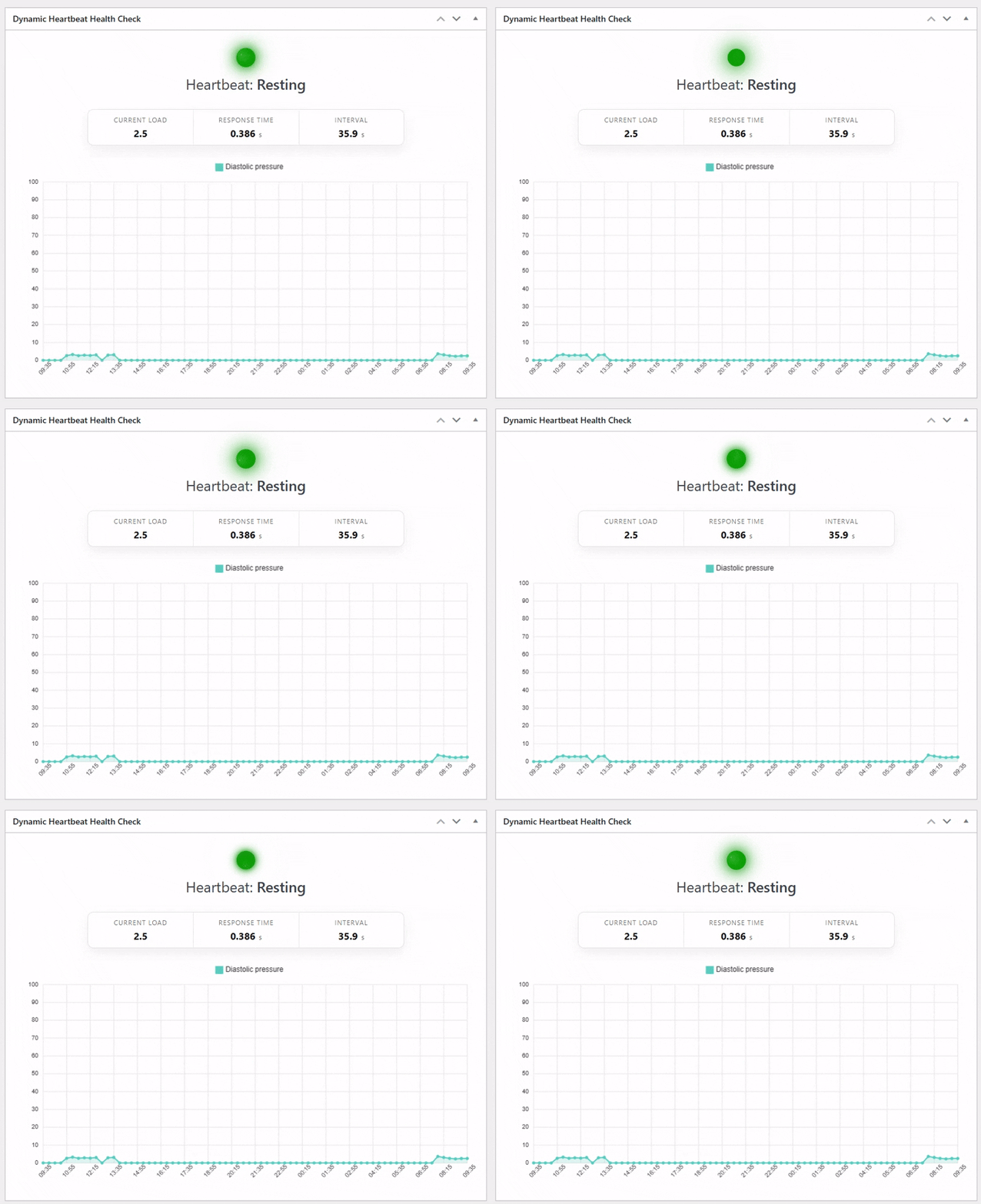
Dashboard status widget 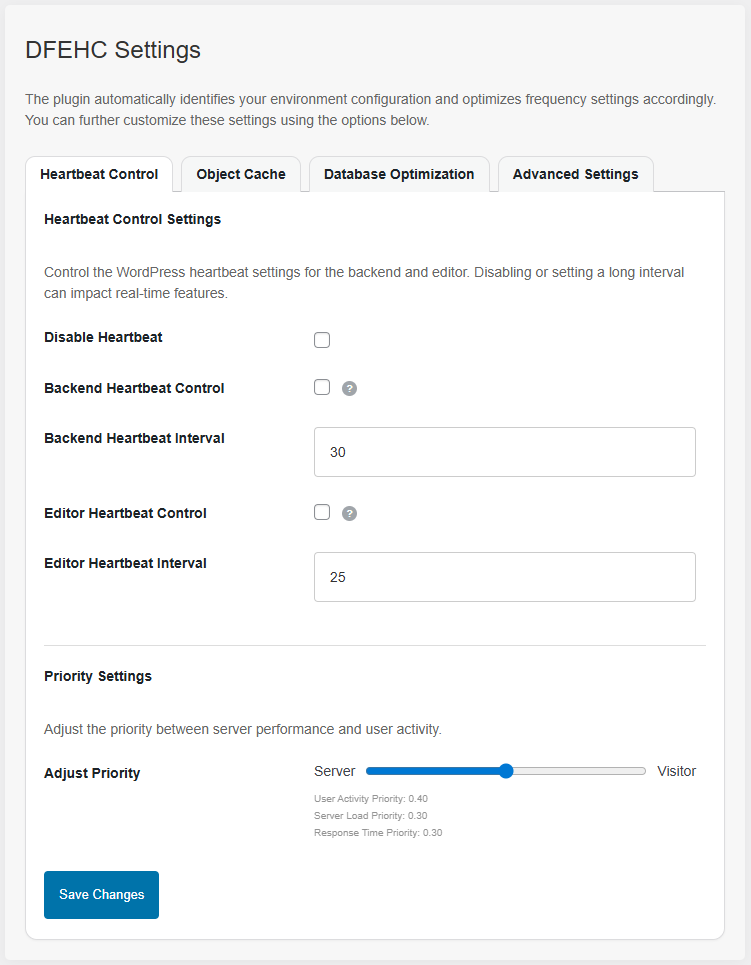
Settings > DFEHC
Installation
- Upload the plugin from WordPress or extract it inside the “/wp-content/plugins/” directory.
- Activate the plugin from the Plugins menu in the WordPress admin dashboard.
- You can access the plugin’s features and settings under Settings > DFEHC in the WordPress admin.
FAQ
-
How is this different from setting a manual frequency?
-
A manual heartbeat frequency is a fixed value chosen to fit your general usage scenario. However, this static setting isn’t always ideal for every front-end visitor at the moment they access your site, which can result in longer and unnecessary load times.
With a dynamic heartbeat frequency, your website can consistently operate at optimal performance. This is especially valuable for sites in highly competitive niches where every metric affects search rankings, ad performance, and even hosting costs. A real-time adaptive frequency ensures each visitor receives the most efficient heartbeat interval, reducing response times, improving page load speed, and minimizing unnecessary server load.
-
How do I configure the plugin on my website?
-
The plugin automatically delivers the most optimal heartbeat frequency by analyzing your hosting environment, website size, and real usage patterns. In most cases, no user intervention is required after activation.
You can access Settings DFEHC in the WordPress admin to view available configuration options, such as setting a manual heartbeat frequency or disabling the heartbeat entirely. For advanced users working on specific or unusual projects, the plugin also provides several filters that allow fine-tuning and precise control over the heartbeat pace.
-
I have existing performance and SEO optimization plugins. Will this plugin cause any conflicts?
-
Not at all. This plugin is built to enhance your website’s performance and is fully compatible with all major performance and SEO tools. The only potential overlap is that some of these plugins may include an option to set a manual heartbeat frequency. This is the only area where settings can compete.
Even if both are enabled, your website will not crash. However, to ensure the heartbeat frequency remains dynamically managed, avoid enabling or configuring manual heartbeat frequency settings in other caching or performance plugins while using this plugin.
Reviews


Contributors & Developers
“Dynamic Front-End Heartbeat Control” is open source software. The following people have contributed to this plugin.
Contributors
Translate “Dynamic Front-End Heartbeat Control” into your language.
Interested in development?
Browse the code, check out the SVN repository, or subscribe to the development log by RSS.
Changelog
1.2.998.1
- Performance upgrade.
1.2.998
- Small adjustments.
- Settings page update.
1.2.997
- General enhancements.
1.2.996.2
- Improved cron scheduling.
1.2.996.1
- Redeclared dfehc_server_load_ttl adjustment.
1.2.996
- General enhancements.
1.2.995
- Improved multisite support.
- Increased resilience and reliability under high-traffic loads and limited server resources.
- Enhanced overall compatibility and security.
1.2.99
-
Applied final tune-ups for seamless continuity in the upcoming branch; the current plugin version is performing at its best to date. The plugin was subjected to rigorous stress tests—far beyond the traffic levels most websites will ever face.
-
Plugin update recommended to benefit from these improvements.
1.2.98
- Improved code quality and structure.
- Added self-healing spike load calibration and enhanced resilience under high concurrency.
- Comprehensive under-the-hood overhaul.
1.2.97
- General enhancements.
- Improved database health and load estimation logic.
1.2.95
- Improved filtering and average calculation accuracy.
- Reduced JS overhead.
- Added additional safety guards.
1.2.9
- Minor updates on optimization features.
- Minor improvements on compatibility for the upcoming major update.
1.2.8
- Added database optimization feature on the DFEHC settings page to help with database bloat and unoptimized or dead-end tables.
- Minor improvements.
1.2.7
- Improved server load and response time retrieval functions to address potential issues on certain hosting environments where the functions might get blocked. Thanks to user Tom M for notifing this isssue.
1.2.6
- Efficiency improvements.
1.2.5
- Performance improvements and bug fixes.
- Localized chart.js file
1.2.4
- Settings page update.
1.2.3
- Code structure upgrade.
- Added the ability to manually control back-end heartbeat as well as editor heartbeat intervals.
- Now you can adjust the resource priority from WP Admin Dashboard > Settings > DFEHC
1.2.2
- Efficiency improvements.
1.2.1
- Enhanced Unix server load detection.
- Added a new setting in the plugin’s settings DFEHC page that allows users to completely disable the WordPress Heartbeat API.
1.2.0
- Efficiency improvements.
1.1.9
- Improved object caching calling method.
- Other small code and visual adjustments.
1.1.8
- Added Heartbeat Health widget in the admin dashboard.
- Performance & security improvements.
1.1.6
- Small code improvements.
1.1.5
- Persistent Storage Support: Added support for Redis and Memcached as persistent storage options for efficient data handling and improved performance.
- Settings Page: Added a dedicated settings page to configure Redis and Memcached settings, providing flexibility in specifying server and port information. In the event the user does not have persistent storage support options, the plugin will fallback to regular caching. Update the settings only if they are needed from your WP Admin dashboard > Settings > DFEHC
- Improved Load-Based Recommendations: Calculate the recommended heartbeat interval based on server load average and response time to optimize performance
- Made various updates to improve compatibility with different server configurations and enhance overall performance.
- Improvements in error reporting.
1.1.4
- Reliability improvements.
1.1.3
- Implemented an asynchronous heartbeat determination feature, ensuring that the plugin operates seamlessly within any WordPress setup without compromising performance. By offloading the heartbeat calculation to a separate asynchronous process, the plugin remains non-invasive and minimizes any potential impact on the overall performance of your website.
- Small corrections and code minification.
1.1.2
- Fixed compatibility issues with some older versions of server-side programs.
1.1.1
- Minor corrections.
- Performance improvements.
1.1.0
- The plugin has undergone extensive improvements to ensure seamless integration and optimal performance across various WordPress configurations. With its new enhanced compatibility, it can seamlessly adapt to different themes, plugins, and hosting environments, providing a reliable solution for all types of WordPress websites.
- Added more complex reasoning behind determing the best recommended heartbeat inteval.
- Set the grounds for easier future updates.
1.0.8
- Added a new way of calculating heartbeat accuracy.
- Improved compatibility with shared hosting environments where users have no control over the server load.
- Hearbeat is now taken into account on pages that can only be accesible to visitors.
- Now caching the frequently used DOM elements to avoid unnecessary reselection and improve performance.
- Various realiability improvements.
1.0.5
- Updated heartbeat structure to incorporate heartbeat caching. Recommended heartbeat caching will automatically be disabled when it doesn’t make sense anymore. For example the website is crowded.