

Description
Dynamic Tags for Elementor enables 110+ custom dynamic tags in Elementor Free, organized into purpose-built groups. With v1.2.0, we’ve significantly improved performance with intelligent caching and request-scoped optimization:
Performance Enhancements — Advanced caching system with request-scoped memoization for repeated field lookups and product queries, transient-based admin caching with smart invalidation, and lightweight file glycol discovery. These improvements deliver faster page rendering and reduced database queries.
Post (DTE) — Post title, date, content, categories, comments, and post conditions (Is 404, Is Home, etc).
Archive (DTE) — Archive titles, descriptions, and archive-page URLs.
Site (DTE) — Site title, URL, tagline, and site metadata.
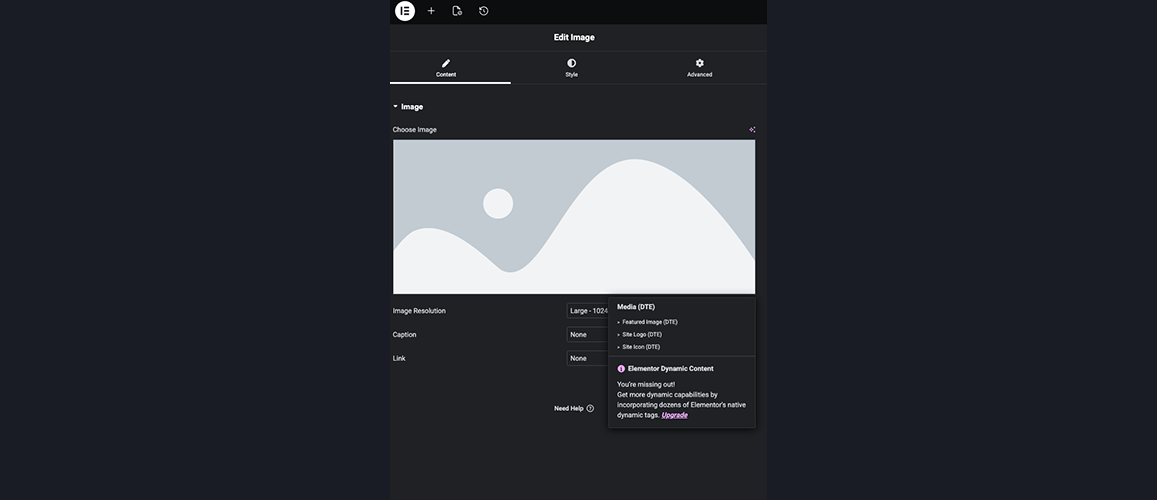
Media (DTE) — Featured images, galleries, site logo and icon.
Author (DTE) — Author name, bio, profile picture, and author URLs.
User (DTE) — Current user ID, display name, email, role, and capabilities.
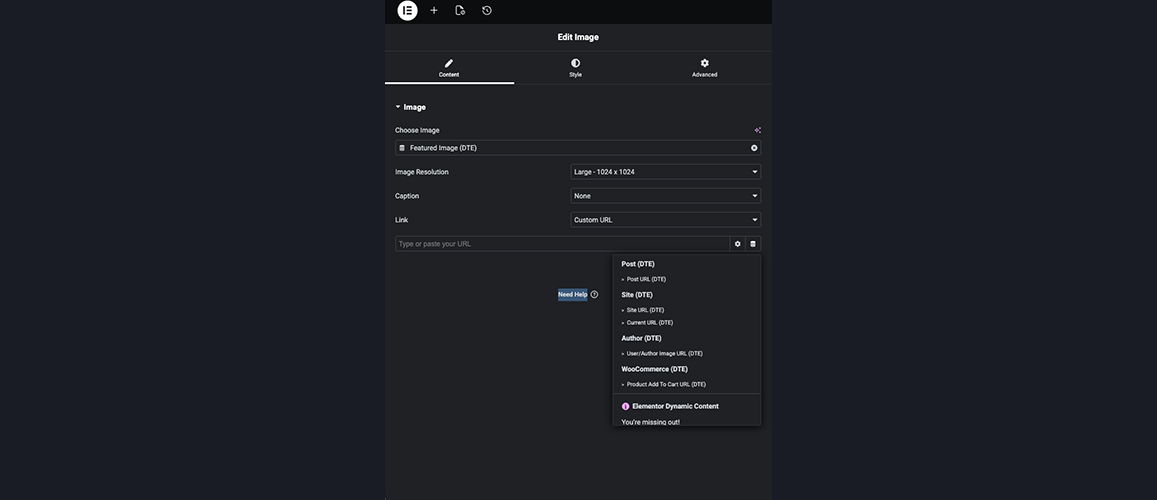
Actions (DTE) — Dynamic URLs for buttons, links, lightboxes, and off-canvas content.
Comments (DTE) — Comments URL and comment counts.
Taxonomy (DTE) — Current term names, descriptions, and term images.
WooCommerce (DTE) — Product price, SKU, stock status, categories, and ratings.
ACF (DTE) — 13 ACF field tags with multi-format output options.
SCF (DTE) — 13 Secure Custom Fields tags with ACF-compatible APIs.
Use for dynamic text, URLs, images, and conditional outputs in any Elementor Free widget.
Before Getting Started
For multilingual sites using WPML or Polylang, all dynamic URL tags (Site URL, Post URL, Archive URL, Author URL, Internal URL, and Reload Page) automatically apply language-aware filters to generate correct language prefix URLs and translated slugs.
- Upload plugin files to
/wp-content/plugins/dynamic-tags-for-elementor. - Activate via Plugins menu.
- Open Elementor editor click Dynamic Tags icon on any supported field choose a tag.
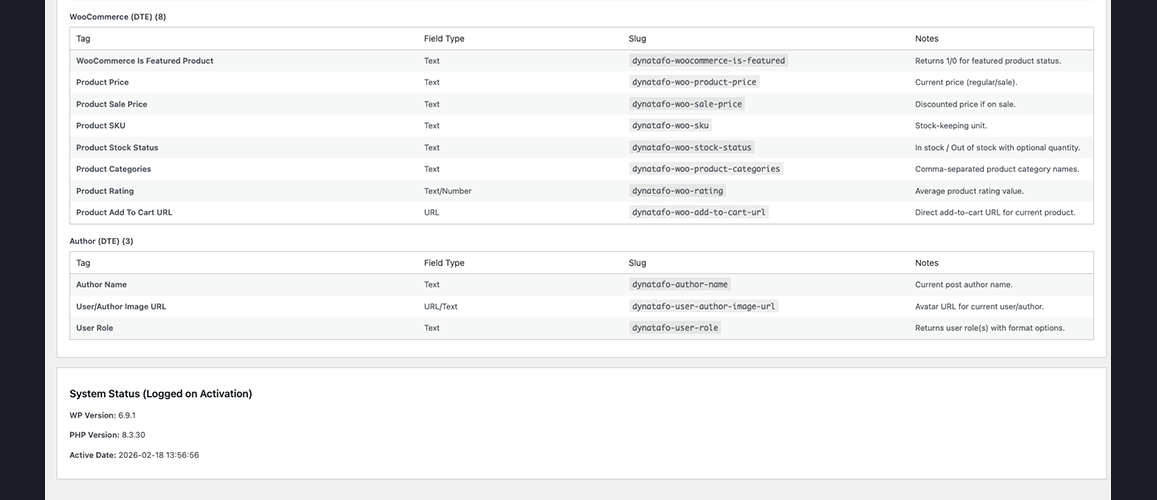
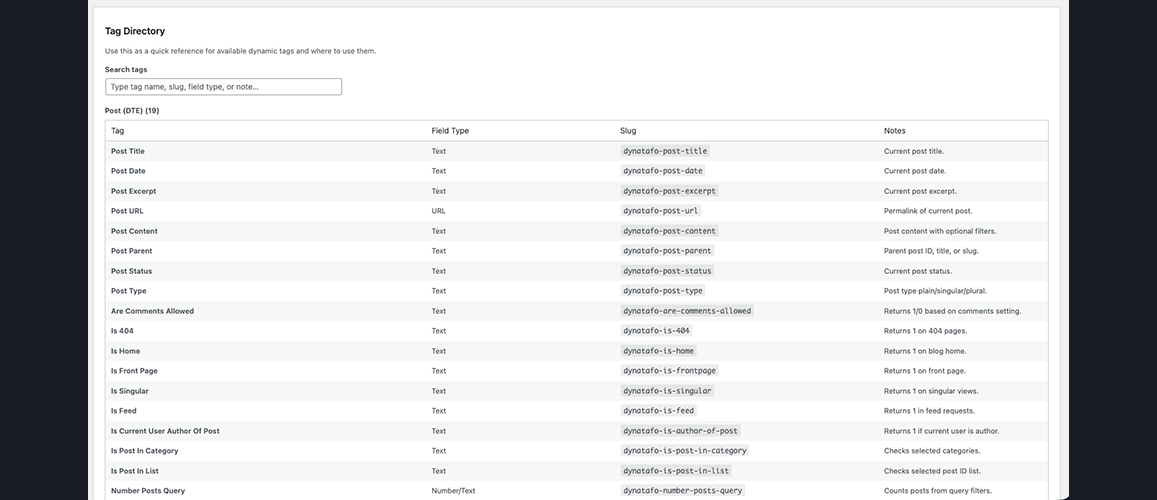
For quick tag discovery, go to WP Admin Dynamic Tags Tag Directory.
Dependencies
- Required: Elementor
- Optional: Advanced Custom Fields (ACF), Secure Custom Fields (SCF), WooCommerce, WPML, Polylang
Screenshots


FAQ
-
Does this require Elementor Pro?
-
No. This plugin works exclusively with Elementor Free. All 110+ dynamic tags are designed for Elementor Free and do not require a Pro license.
-
No. DTE tags are registered in separate DTE (Dynamic Tags for Elementor) groups and coexist peacefully with Elementor Pro tags. If you later upgrade to Pro, both tag sets remain available without conflicts or duplicates.
-
Default Tags — Core post, archive, site, and user tags that work on any WordPress site (31 Post tags, 14 Site tags, 13 Author tags, etc). That is available through Elementor Pro plugin.
Advanced Tags — Extended integrations with popular plugins:
* WooCommerce tags (8 tags) — Product price, SKU, stock status, categories, ratings, and add-to-cart URLs. Requires WooCommerce plugin.
* ACF tags (13 tags) — Advanced Custom Fields, Repeater, Gallery, Relationship, Taxonomy, Date Formatted, and more. Requires ACF plugin.
* SCF tags (13 tags) — Secure Custom Fields with feature parity to ACF. Requires SCF plugin.Advanced tags auto-detect their respective plugins and only appear if installed.
-
Does this support WooCommerce?
-
Yes. If WooCommerce is active, 8 product-specific tags automatically appear:
* Product Price — Current or sale price with currency
* Product Sale Price — Discounted price (only if on sale)
* Product SKU — Stock-keeping unit
* Product Stock Status — In stock / out of stock with optional quantity
* Product Categories — Comma-separated category names with optional links
* Product Rating — Star rating value and count
* Product Add To Cart URL — Direct add-to-cart link
* Is Featured Product — Returns 1/0 for featured statusUse these tags to build dynamic product descriptions, pricing displays, inventory indicators, and checkout flows without leaving Elementor.
-
Does this support ACF (Advanced Custom Fields)?
-
Yes. If ACF is active, 13 field-type tags become available:
* ACF Field — Generic field output with multi-format support (text, URL, number, image, etc.)
* ACF Repeater — Loop through repeater field data
* ACF Gallery First Image, ACF Relationship First Post Title — Common ACF patterns
* ACF Taxonomy Term, ACF Date Formatted, ACF True/False, ACF Choice, ACF File, ACF Link URL, ACF Link Text, ACF Image Data, ACF Link AttributeAll ACF tags support flexible output formatting and custom meta key selection.
-
What about SCF (Secure Custom Fields)?
-
Yes. Secure Custom Fields is fully supported with 13 tags matching ACF’s feature set:
* SCF Field — Generic field output with multi-format support
* SCF Repeater, SCF Gallery First, SCF Relationship First Title, SCF Taxonomy Term, SCF Date Formatted, SCF True/False, SCF Choice, SCF File, SCF Link URL, SCF Link Text, SCF Image Data, SCF Link AttributeSCF tags provide complete parity with ACF, allowing you to use either plugin interchangeably.
-
Does this work with WPML or Polylang?
-
Yes. Full multilingual support is built-in for both WPML and Polylang:
* Language-aware URLs — All URL tags (Site URL, Post URL, Archive URL, Author URL, Internal URL, Reload Page) automatically apply language filters for correct language prefixes/domains.
* Translated slugs — Posts and taxonomy URLs reflect translated slugs for each language.
* Current Language tag — Outputs the current language code (WPML/Polylang-aware).
* Automatic detection — Detects WPML/Polylang automatically; no configuration needed.Perfect for building multilingual sites in Elementor Free.
-
How do I find a specific tag quickly?
-
Go to WP Admin Dynamic Tags Tag Directory. Features include:
* Searchable list of all 110+ tags
* Grouped by category (Post, Site, Author, WooCommerce, ACF, SCF, etc.)
* Field type indicators (Text, URL, Image, Number, etc.)
* Tag slug for reference
* Helpful notes and use-case hintsSearch by tag name, keyword, or feature to find exactly what you need.
-
Most widgets with text, URL, or image fields support dynamic tags (indicated by the small Dynamic Tag icon next to the field). Supported field types include:
* Text fields (headings, paragraphs, badges)
* URL fields (buttons, links, images)
* Image fields (image widgets, background images)
* HTML/Code fields
* Repeater fields (for advanced layouts)If a field shows the Dynamic Tag icon, you can use DTE tags.
-
Yes. All tags render live in the Elementor editor and frontend. Conditional tags (Is 404, Is Home, Are Comments Allowed, etc.) show properly based on current page context.
-
Are there any performance concerns?
-
No. DTE tags use efficient WordPress APIs and query caching where applicable. Each tag is optimized for minimal overhead. Extensive queries (e.g., searching posts in Internal URL tag) use pagination and lazy-loading to prevent slowdowns.
-
Yes. DTE provides hooks for third-party developers:
*dynatafo_dynamic_tag_groups— Add custom tag groups
*dynatafo_dynamic_tag_definitions— Register custom tags
*dynatafo_register_dynamic_tags— Direct tag registration via actionSee the plugin code for examples and best practices.
-
Does this work with page builders other than Elementor?
-
No. DTE is designed exclusively for Elementor (Free and Pro). It will not work with other page builders (Divi, Gutenberg, etc.).
-
Where do I report bugs or request features?
-
Visit the plugin support forum to report issues, share feedback, and request new features.
-
Is this plugin maintained and updated?
-
Yes. DTE is actively maintained with regular updates for compatibility, new features, and bug fixes. Follow the plugin page for the latest release notes and updates.
Reviews

Contributors & Developers
“Dynamic Tags for Elementor” is open source software. The following people have contributed to this plugin.
Contributors
Translate “Dynamic Tags for Elementor” into your language.
Interested in development?
Browse the code, check out the SVN repository, or subscribe to the development log by RSS.
Changelog
1.2.0
- Added: Advanced caching and performance optimization system for significantly faster tag rendering.
- Added: Request-scoped memoization for repeated field lookups (ACF, SCF) and WooCommerce product queries within single page render.
- Added: Intelligent transient-based caching for admin-side file I/O with filemtime-based cache invalidation for tag directory and changelog parsing.
- Added: Version-scoped admin notice manager with modular file-based notice definitions for extensible, maintainable release notifications.
- Added: Two new dismissible admin notices: version-updated notice for release announcements and whats-new notice with feature highlights.
- Enhanced: Improved performance for tag directory retrieval, changelog version parsing, and plugin dependency detection via persistent caching.
- Improved: Reduced database queries and file system operations through intelligent request-scoped and persistent caching strategies.
- Added: Comprehensive performance helpers in shared functions library for consistent caching patterns across all dynamic tags.
- Fixed: Optimized memory usage during tag rendering by eliminating redundant field/product API calls.
1.1.1
- Added: Comprehensive WPML/Polylang multilingual support with language-aware URL filtering.
- Added: New DYNATAFO_WPML utility class for centralized language detection and URL translation.
- Enhanced: All URL-related tags now apply WPML’s wpml_permalink and wpml_home_url filters for language-aware links (Site URL, Post URL, Archive URL, Author URL, Internal URL, Reload Page).
- Enhanced: Current Language tag now uses centralized WPML/Polylang detection for consistency.
- Improved: Language-specific URLs now respect WPML domain/prefix language configuration settings.
- Fixed: Ensure translated post slugs and taxonomy term URLs are correctly output in different languages.
- Added: Translator comments for all language-aware operations to guide translators.
1.1.0.1
- Fix: Fatal error causing with elementor pro
1.1.0
- Added: Full SCF (Secure Custom Fields) support with 13 parity tags.
- Added: ACF Field, True/False, Choice, File, Link URL, Link Text, Image Data, and Link Attribute tags for complete ACF coverage.
- Improved: Reorganized dynamic-tags folder into logical group subdirectories for better maintainability.
- Enhanced: Free/Pro compatibility layer for robust coexistence.
1.0.9.1
- Updated: Blueprint for WordPress.org Live Preview support.
See full changelog in changelog.txt.