

Description
GMB Club Connect is the official WordPress plugin for GMB Club, the all-in-one platform to manage your online presence: Google Business Profile, social media, AI content, and customer reviews.
Turn your Google reviews into a trust machine and automate your content strategy — all from one place.
Showcase your Google Reviews
Your happy customers already left great reviews on Google. Now display them on your WordPress site with 8 gorgeous, mobile-friendly layouts:
- Slider — Smooth carousel with autoplay, swipe support, and 3 header styles
- Grid — Beautiful card grid that adapts to any screen size
- List — Clean vertical list with “Show more” expansion
- Badge — Compact rating badge, perfect for sidebars
- Horizontal Badge — Sleek inline badge for your header or footer
- Floating Widget — Fixed corner widget that visitors can open anytime
Every layout is fully customizable: colors, star filters, profile photos, owner replies, review count, name format, and more. Just drop a shortcode and you’re live:
[gmbclco_reviews layout="grid" max="6" min_stars="4"]
Publish AI-Generated Articles
Connected to GMB Club’s powerful AI engine, this plugin lets you publish SEO-optimized articles directly to WordPress — no copy-pasting, no manual formatting.
Here’s what happens behind the scenes on GMB Club:
- AI researches your topic using real-time web data
- Generates a full article (1,000–2,000+ words) with proper H2 structure, FAQ, and CTA
- Creates a featured image using AI image generation
- Adds SEO metadata (Yoast SEO compatible: meta title & description)
- Publishes to your WordPress site in one click — or schedules it for later
You can also use the REST API with n8n, Make, Zapier, or your own scripts for full automation.
But GMB Club Does Way More
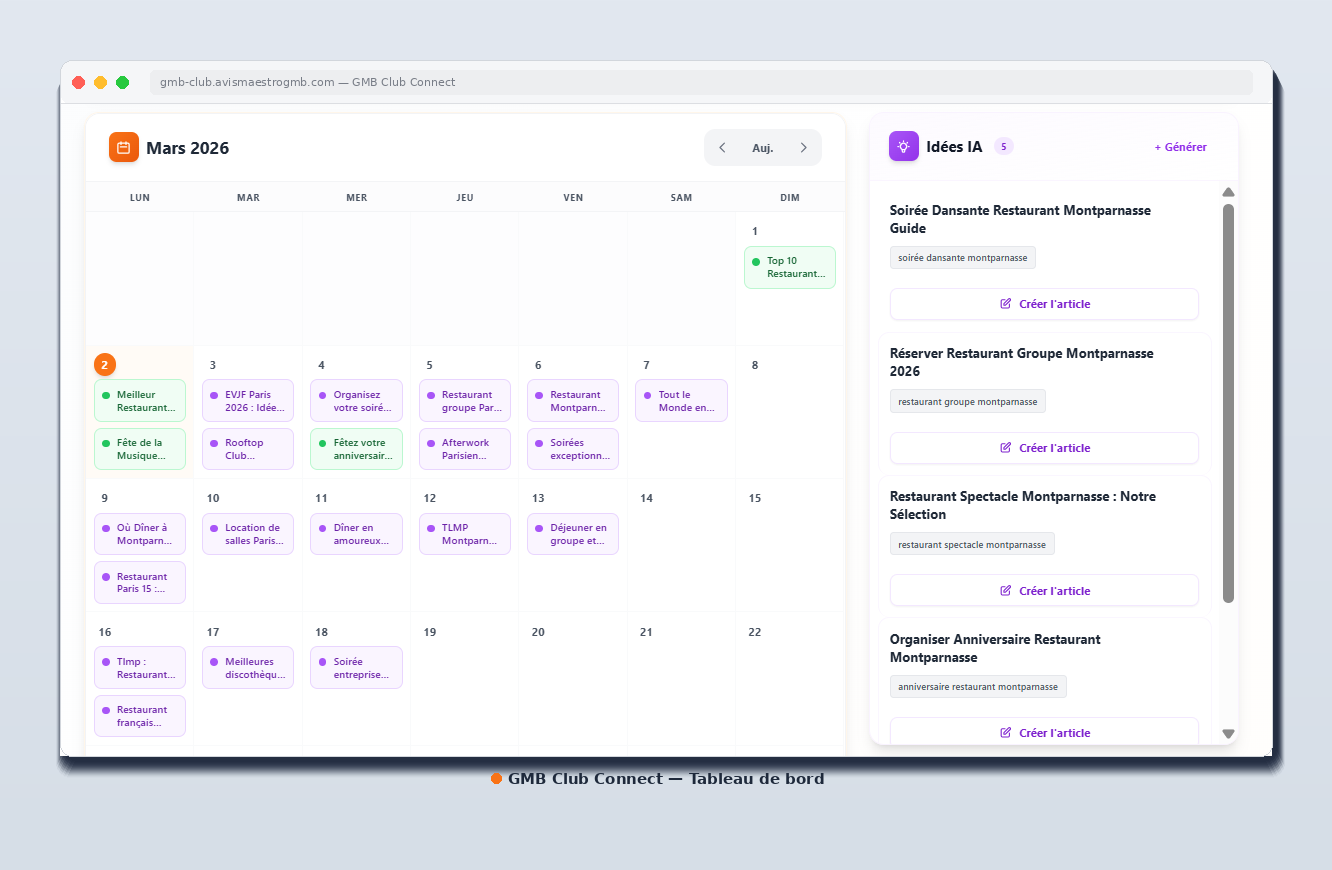
This plugin is your gateway to the full GMB Club platform. Here’s everything you can do from the dashboard:
Social Media Publishing — 6 platforms, one click:
- Facebook Pages
- LinkedIn (Pages & Profiles)
- TikTok
- Snapchat (Stories & Spotlight)
Create a post once, customize it per platform, schedule it, and let GMB Club publish everywhere. Supports images, carousels, videos, and platform-specific features like TikTok privacy levels and Instagram hashtags.
AI-Powered Content Creation:
- Enhance your posts with AI-driven copywriting
- Generate article ideas based on your niche and keywords
- Full SEO keyword research built in
- AI image generation for social posts and articles
Google Reviews Management:
- Respond to reviews directly from the dashboard
- AI auto-response with customizable tone and signature
- Track your response rate, average rating, and trends
- Bulk review management across all locations
Review Acquisition Campaigns:
- Send SMS & email requests to your customers
- CSV bulk import for customer lists
- Customizable templates per establishment
- Track campaign performance
QR Codes:
- Generate branded QR codes linked to your Google review page
- Custom colors, logo, and tracking
- Scan analytics and statistics
Local SEO Visibility Tracking:
- Monitor your Google Maps rankings for target keywords
- Track competitors in your area
- Visibility score and geographic grid analysis
Multi-Location Management:
- Manage dozens of locations from a single dashboard
- Organize by brand (Sphere) and establishment (Bulle)
- Settings inheritance — configure once at brand level, override per location
- Role-based access for team members
Why Choose GMB Club Connect?
- 8 review layouts — more than any competing plugin
- AI article publishing — not just reviews, but full content automation
- 6 social media platforms — publish everywhere from one place
- Multi-location ready — built for franchises and agencies
- Lightweight plugin — the heavy lifting happens on GMB Club servers
- Developer-friendly — full REST API with rate limiting, IP whitelist, and logs
- Yoast SEO compatible — meta titles and descriptions included
- No jQuery dependency — fast, vanilla JavaScript
External Services
This plugin connects to the following external services:
GMB Club API
This plugin connects to the GMB Club API to fetch and display Google Business Profile reviews on your website.
- Service URL: https://gmb-club.avismaestrogmb.com/api
- Purpose: Fetches Google reviews data associated with your business profile to display on your WordPress site
- Data sent: Your API key and fiche (business) ID
- When: Each time the reviews shortcode or widget is loaded (with caching to reduce API calls)
- Terms of Service: https://gmb-club.avismaestrogmb.com/terms
- Privacy Policy: https://gmb-club.avismaestrogmb.com/privacy
License Server
This plugin connects to a license server to validate your subscription and enable premium features.
- Service URL: https://license.a2z-automation.com/api
- Purpose: Validates your license key and retrieves subscription information
- Data sent: License key, site URL, site name, WordPress version, PHP version, plugin version
- When: On license activation, daily heartbeat check, and license deactivation
- Terms of Service: https://a2z-automation.com/terms
- Privacy Policy: https://a2z-automation.com/privacy
Screenshots


Installation
- Upload the plugin to
/wp-content/plugins/or install directly from WordPress - Activate via the Plugins menu
- Go to GMB Club > Google Reviews and enter your API key
- Use
[gmbclco_reviews]anywhere on your site to display reviews - To enable article publishing, activate your license in GMB Club > License
Quick Start
- Create a free GMB Club account
- Connect your Google Business Profile
- Copy your API key from Settings
- Paste it in the plugin settings
- Add
[gmbclco_reviews]to any page — done!
FAQ
-
How do I get my API key?
-
Sign up or log in at gmb-club.avismaestrogmb.com, then go to Settings > API to generate your key.
-
Is it free?
-
The plugin is free. Displaying Google reviews is included with your GMB Club account. Advanced features like AI article publishing and social media management require a subscription.
-
How do I customize the review display?
-
Use shortcode parameters to control everything:
layout— slider-1, grid, list, badge, badge-horizontal, floatingmax— number of reviews (default: 10)min_stars— minimum rating filter (default: 4)show_photos— show reviewer avatars (true/false)show_replies— show owner replies (true/false)autoplay— carousel auto-rotation (true/false)
Example:
[gmbclco_reviews layout="floating" max="8" min_stars="5" position="left"] -
Yes! Use the GMB Club Reviews widget in Appearance > Widgets, or use the shortcode in any widget area.
-
Does it work with Yoast SEO?
-
Yes. When publishing articles via the API, you can include
yoast_titleandyoast_descriptionfields for full SEO control. -
Can I automate article publishing?
-
Absolutely. The REST API works with n8n, Make (Integromat), Zapier, Python scripts, or any tool that can make HTTP requests. Combine it with GMB Club’s AI to fully automate your content pipeline.
-
Does it support multiple locations?
-
Yes. GMB Club is built for multi-location businesses. Each location (Bulle) can have its own Google reviews, social accounts, and WordPress site. The plugin connects to whichever location you configure.
-
Is my data secure?
-
API keys use timing-safe validation. The article API supports IP whitelisting, rate limiting (configurable), and detailed request logging. All connections use HTTPS.
Reviews
There are no reviews for this plugin.
Contributors & Developers
“GMB Club Connect” is open source software. The following people have contributed to this plugin.
Contributors
Translate “GMB Club Connect” into your language.
Interested in development?
Browse the code, check out the SVN repository, or subscribe to the development log by RSS.
Changelog
1.5.2
- Store Locator: custom marker logo support (synced from GMB Club dashboard)
- Single location page: map marker now displays the brand logo when configured
- Archive & category pages: service area fallback when no address is set
1.1.3
- Responsive: all layouts now fully mobile-friendly (320px-480px)
- Headers stack vertically on small screens
- Reduced avatar, badge, padding sizes on mobile
- Grid forces single column on small screens
- Added word-break for long review text
1.1.2
- New: visibility option (desktop/mobile/both) now works on ALL layouts, not just floating
- Fix: visibility uses inline style injection (cache-proof)
1.1.0
- Fix: mobile bottom spacing uses inline tag with widget ID — works with any cache plugin
1.0.9
- Fix: mobile bottom spacing now works independently from desktop (CSS variable approach)
1.0.8
- New: visibility option — show floating widget on desktop only, mobile only, or both
- Fix: shortcode accepts both floating_position and position (same for all floating options)
- Fix: removed CSS that could break some themes
1.0.6
- Fix: floating widget now immune to CSS transform conflicts from themes and page builders
- New: separate bottom spacing settings for desktop and mobile (floating widget)
- Floating widget is moved to body root via JS to prevent positioning issues
1.0.5
- Security improvements: proper escaping and sanitization
- Updated prefix to meet WordPress.org guidelines
- Moved inline styles to proper enqueue
- SQL queries now use prepared statements
- Documented external services
- License validation moved to server-side (serviceware model)
1.0.0
- Initial release
- Google reviews display with 8 layouts
- REST API for article publishing
- Integrated license system
- Admin interface with tabs