
Description
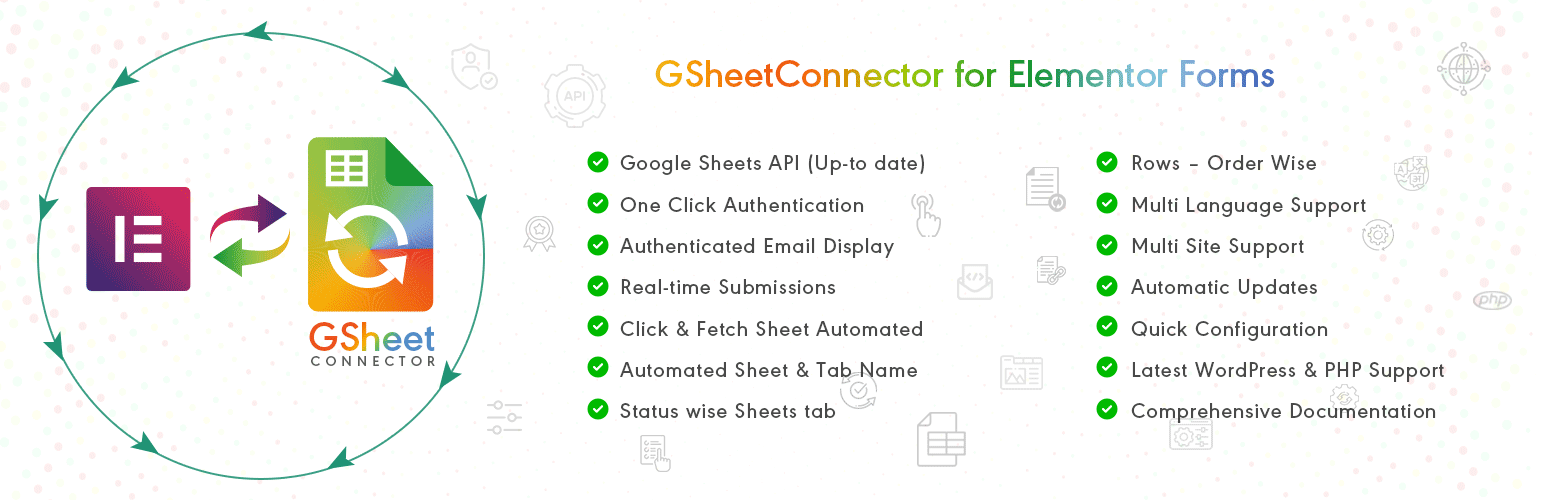
GSheetConnector for Elementor Forms is a powerful Elementor Google Sheets integration plugin that connects Elementor Forms and MetForm directly to Google Sheets.
GSheetConnector acts as a secure bridge between your WordPress site, Elementor Pro Forms or MetForm, and Google Sheets — enabling real-time form submission sync and automated spreadsheet management without manual exports.
Automatically sync Elementor form submissions to Google Sheets in real-time and eliminate manual exports, CSV downloads, or copy-paste workflows. Every submission is securely transferred to your selected Google Spreadsheet instantly after form submission.
Whether you collect leads, contact inquiries, bookings, registrations, or customer data, GSheetConnector ensures reliable Google Sheets sync and structured spreadsheet management directly from your WordPress site.
Built specifically for Elementor Pro Forms and MetForm, this plugin delivers seamless Google Sheets integration with secure authentication and automatic data synchronization.
Why Choose GSheetConnector?
✔ Sync Elementor Forms to Google Sheets instantly
✔ Direct Google Sheets integration without third-party automation tools like Zapier
✔ Support for Elementor Pro and MetForm
✔ Secure Google OAuth 2.0 authentication
✔ Lightweight, fast, and performance optimized
Built specifically for Elementor Pro Forms and MetForm users who need secure, real-time Google Sheets integration and reliable form submission sync.
How Elementor to Google Sheets Sync Works
When a visitor submits an Elementor Form (Elementor Pro) or MetForm (Free or Pro), GSheetConnector automatically syncs the form submission to Google Sheets in real-time by creating a new row in your connected Google Spreadsheet.
All standard and advanced form field types are supported. Submission date is recorded automatically, with extended metadata available in the Pro version.
Secure Google OAuth authentication ensures safe data transfer without complex API configuration.
Core Features (Free Version)
Real-Time Elementor Forms to Google Sheets Sync
Automatically sync Elementor Forms and MetForm submissions to Google Sheets in real-time.
One-Time Google Authentication
Authenticate once and enable continuous automatic form submission sync.
Field & Column Mapping
Map Elementor form fields directly to Google Sheet columns.
Submission Date Capture
Automatically record submission date with every form entry.
View Connected Google Spreadsheet
Access your linked Google Sheet directly from plugin settings.
Secure Google OAuth Authentication
Includes one-click Google authentication using official Google APIs.
Full Compatibility
Works with Elementor Pro Forms, MetForm (Free & Pro), latest WordPress versions, and modern PHP environments.
🛠️ How to Send Elementor Forms Entries to Google Sheets
After installing and activating GSheetConnector:
Step 1: Authenticate with Google
Use the one-click Google authentication button to securely connect your WordPress site to your Google Sheets account.
Step 2: Configure Sheet Details
Enter your Google Sheet Name, Sheet ID, Tab Name, and Tab ID inside plugin settings or within the Elementor Form editor under “Actions After Submit” select “GSheetConnector”.
Step 3: Match Form Fields with Sheet Columns
Ensure your Google Spreadsheet has column headers in the first row that match your Elementor form field labels.
Save and submit a test form — your data will sync to Google Sheets in real-time.
🚀 Pro Features
Upgrade to Elementor Forms Google Sheets Connector PRO for advanced automation and enhanced control.
Automatic Header Creation
Generate Google Sheet column headers automatically from form fields.
Synchronize Existing Entries
Sync previously submitted Elementor or MetForm entries.
Advanced Field & Column Management
Edit, reorder, enable, or disable specific form fields before syncing.
Extended Submission Metadata
Capture submission time, IP address, browser info, and additional metadata.
Freeze Header Rows
Freeze header rows in Google Sheets for better readability.
Header & Row Styling
Customize header colors and alternate row styling.
Manual API & Service Account Authentication
Supports manual Google API configuration and Service Account authentication.
Live Demo & Resources
Homepage | Documentation | Support | Demo | Premium Version
🌟 About GSheetConnector
Part of the GSheetConnector suite, supporting over 80,000 WordPress users worldwide across multiple Google Sheets integrations.
GSheetConnector provides Google Sheets integrations for popular WordPress forms and WooCommerce, helping automate data syncing without writing code.
Important Notes
Ensure your Google Sheet Name, Sheet ID, Tab Name, Tab ID, and Column Headers match exactly with the values entered in plugin settings.
• Use exact form field labels as column headers
• Avoid special characters in column names
• Keep column headers consistent with form field labels
Proper formatting ensures accurate real-time Elementor to Google Sheets synchronization.
Screenshots
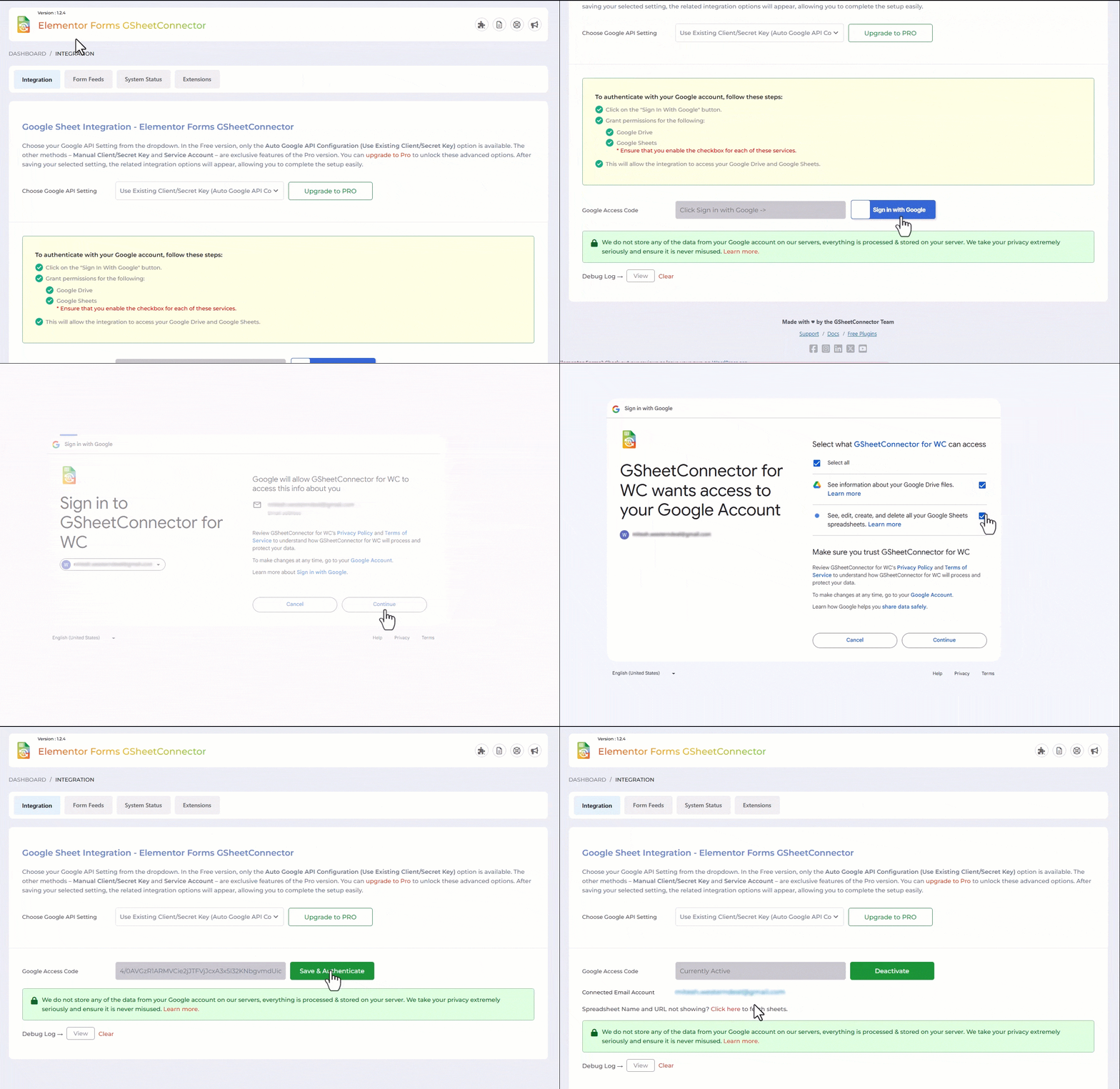
Google Sheet Integration Shown with Authentication along with Permissions. 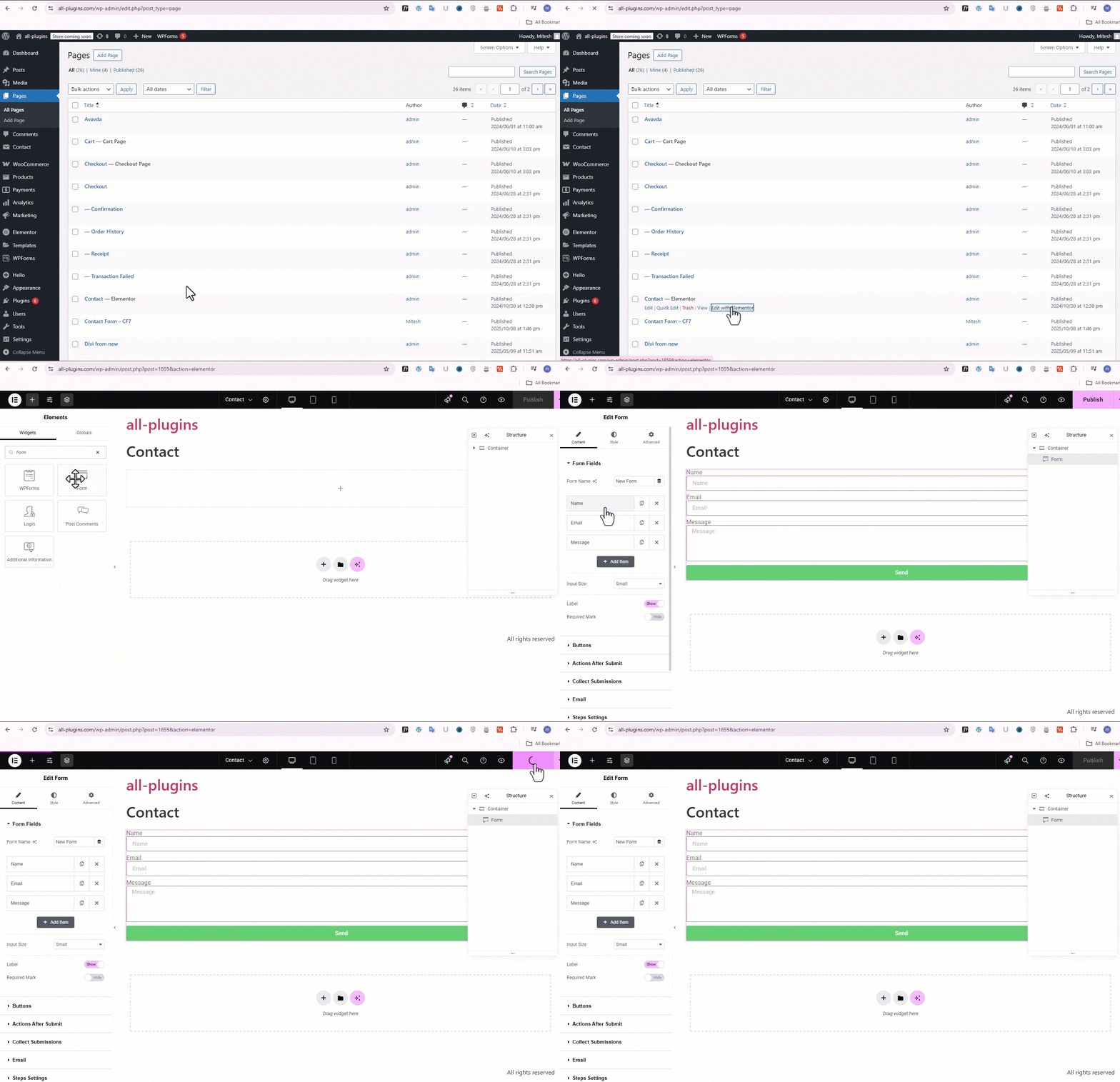
Create a form. 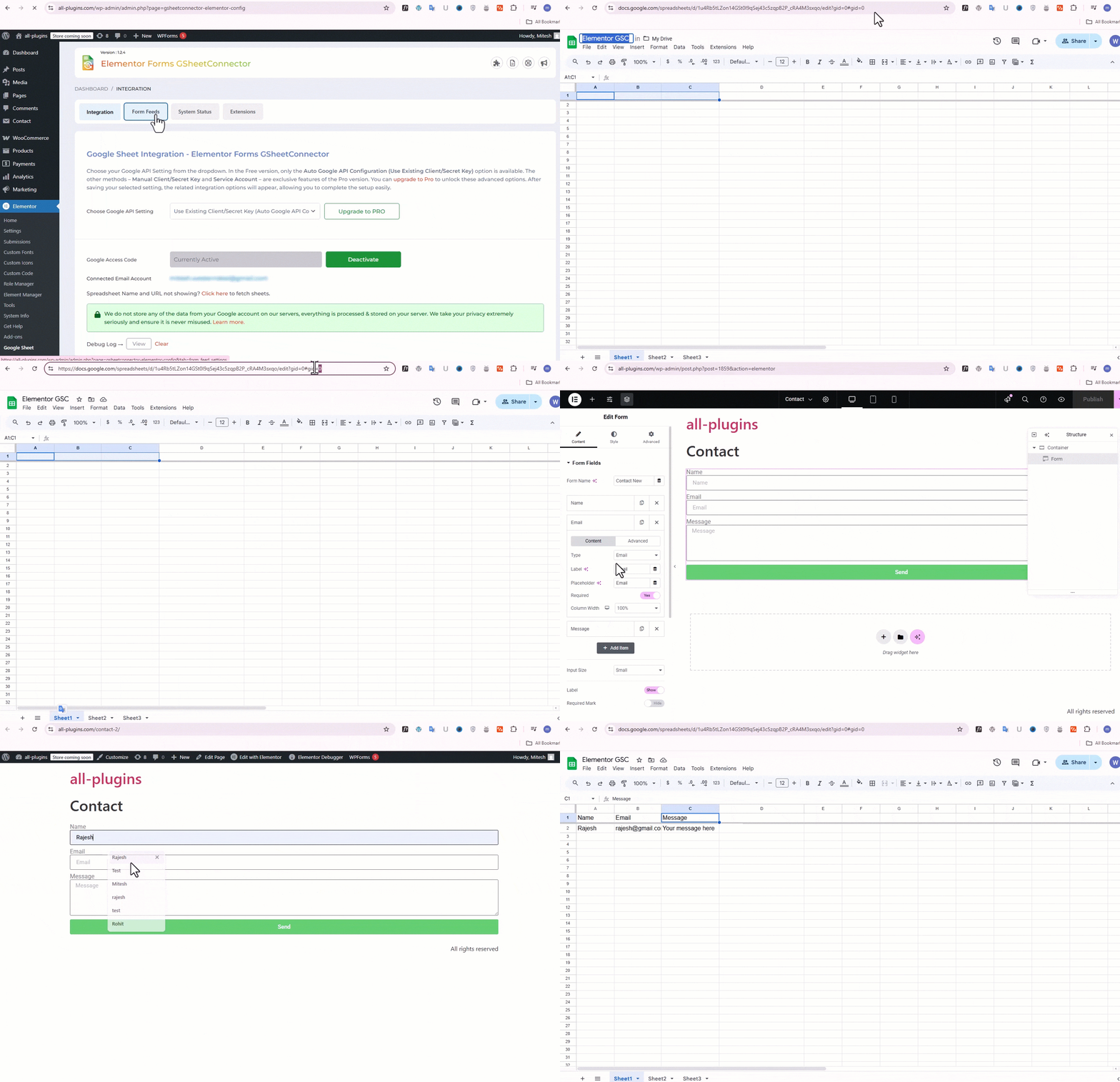
How to create feeds and display the Sheet name and Tab name and Entering the Field Header Names Manually in the Connected Sheet and Submitting the form. 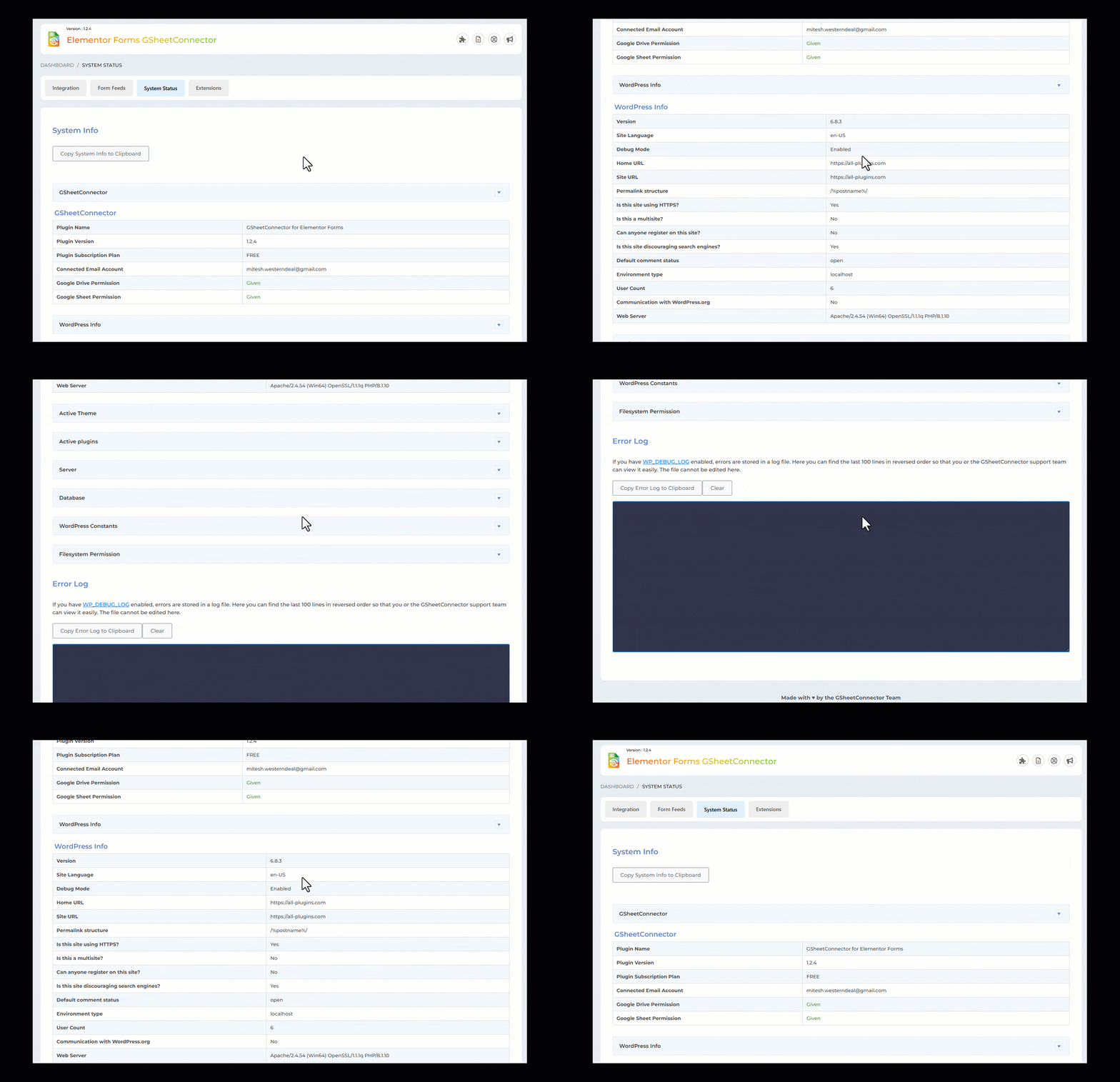
System Status. 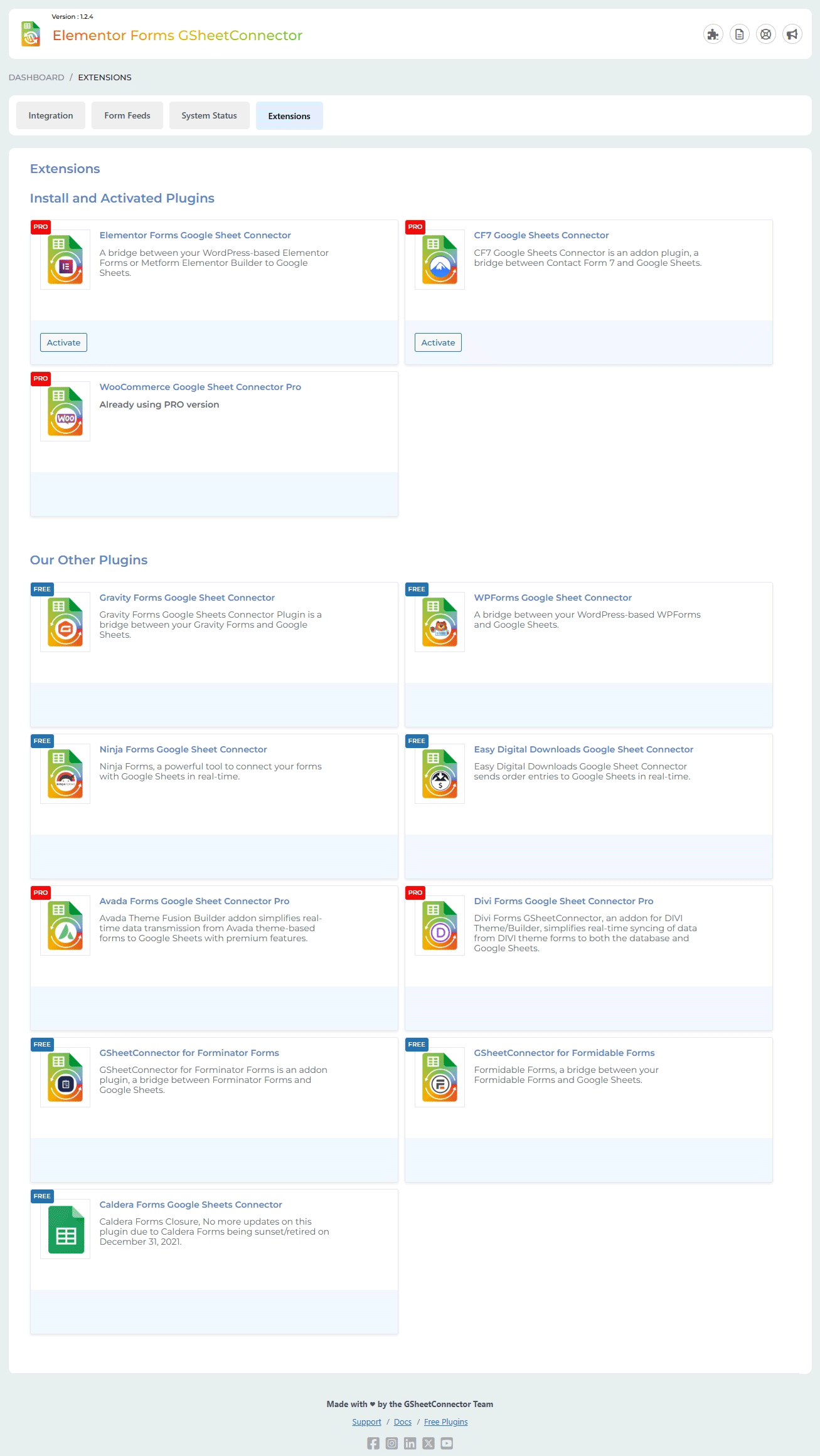
Extensions.
Installation
- Upload
gsheetconnector-for-elementor-formsto/wp-content/plugins/or install via Plugins screen. - Activate the plugin.
- Navigate to Elementor Form Google Sheets.
- Integration Tab – Authenticate your Google account and configure sheet details.
Alternatively, open the Elementor editor select the Form widget enable “Actions After Submit” choose “GSheetConnector” enter your sheet details.
Your Elementor Forms and MetForm submissions will now sync automatically.
FAQ
-
Why is my Elementor form submission spinning and not sending data to Google Sheets?
-
Check the Integration tab and click “View Debug Log” for error details.
Ensure WordPress debugging is enabled:
https://www.gsheetconnector.com/docs/general/how-to-enable-debugging-in-wordpressConfirm your authenticated Google email is visible under Integration settings.
If issues persist, send error logs to helpdesk@gsheetconnector.com.
-
I configured the plugin, but entries are not syncing to Google Sheets. What should I check?
-
Verify:
- Google authentication is valid
- Sheet Name, Sheet ID, Tab Name, and Tab ID are correct
- Column headers match Elementor form field labels exactly
Avoid using dynamic mail tags as column headers.
-
Can I sync multiple Elementor forms to different Google Sheets?
-
Yes. Each form can connect to a different Google Spreadsheet.
Pro version supports multiple feeds per form. -
Does this plugin work with Elementor Free?
-
No. Elementor Pro is required for the Form widget.
-
Is MetForm supported?
-
Yes. MetForm (Free & Pro) is supported.
-
Why do I see “This app isn’t verified”?
-
This appears when using custom API credentials (Pro).
Free version uses simplified one-click authentication. -
Why do I see “Range exceeds grid limits”?
-
Increase rows or columns in your Google Sheet.
-
Is manual API configuration required?
-
No. Free version supports one-click authentication.
Manual API and Service Account options are available in Pro.
Reviews


Contributors & Developers
“GSheetConnector for Elementor Forms – Sync Elementor Forms to Google Sheets” is open source software. The following people have contributed to this plugin.
Contributors


“GSheetConnector for Elementor Forms – Sync Elementor Forms to Google Sheets” has been translated into 2 locales. Thank you to the translators for their contributions.
Interested in development?
Browse the code, check out the SVN repository, or subscribe to the development log by RSS.
Changelog
1.2.9 (25-02-2026)
- Added: Compatibility for Elementor Landing Pages in the Feed Settings dropdown.
1.2.8 (20-02-2026)
- Fixed: Compatibility issues with GSheetConnector for Elementor Free and Pro.
1.2.7 (16-02-2026)
- Fixed: Data not being saved to the Google Sheet if sheet settings are done under Elementor Page -> Form -> GSheetConnector ( Action After Submit ).
1.2.6 (24-12-2025)
- Fixed: An issue where special characters (such as &, “, and ‘) were being encoded when syncing form data. Input values are now properly sanitized before saving to Google Sheets.
1.2.5 (21-11-2025)
- Fixed: Responsive CSS.
1.2.4 (24-09-2025)
- Added: Extensions tab.
- Updated: Readme file updated.
- Fixed: UI improvements.
1.2.3 (05-09-2025)
- Fixed: security issue while fetching sheet details on Integration page and Elementor editor.
1.2.2 (07-08-2025)
- Fixed : After selecting a sheet and a tab name in the Elementor widget, the tab name selection disappears (gets removed) after some time — possibly after page reload or re-render.
- Fixed : MetForm compatibility for form feeds.
1.2.1 (21-07-2025)
- Fixed: Solved Licensing/Trademark issues in main plugin file and readme.
- Removed direct links to 5-star reviews to comply with WordPress plugin guidelines.
- Updated “Tested Up To” value to reflect compatibility with the latest WordPress version.
- Replaced static and tags with wp_enqueue_script and wp_enqueue_style for proper asset loading and dependency management.
- Eliminated all remote file inclusions to improve security and meet WordPress repository requirements.
- Removed plugin folder write operations and any instructions requiring users to manually edit/write files inside the plugin directory.
- Escaped all variables and options before outputting to the frontend or admin interface.
- Replaced generic function/class/constant/option names with properly prefixed versions to avoid naming collisions.
- Corrected text domain to match the plugin slug for consistent internationalization support.
- Blocked direct file access by adding appropriate file-level checks (e.g., defined( ‘ABSPATH’ ) || exit;).
- Implemented proper nonce verification and security best practices throughout AJAX and form submissions.
- Passed Plugin Check review with all critical issues resolved.
1.0.25
(17-06-2025)
* Improved: MetForm settings are now organized under the “Form Feed Settings” section for better accessibility.
* Added: Manual sheet configuration options are now available within the Elementor form’s Page Settings panel.
* Added: Date and time fields are now included in MetForm submissions.
* Enhanced: A new section showcasing MetForm PRO features has been added.
* Added: Date and time fields are now included in elementor form submissions.
* Added: “Run Activation” button to resolve the “Something went wrong!” error if it appears.
1.0.24
(21-04-2025)
* Added: Moved saving of credentials to database for Auto API Integration.
1.0.23
(05-02-2025)
* Fixed : Minor UI changes.
1.0.22
(03-02-2025)
* Fixed : Uncaught fatal error (json_decode).
1.0.21
(27-01-2025)
* Fixed : Minor UI changes.
1.0.20
(04-01-2025)
* Added PRO showcase: Date Filter for Sync – Added a date filter option to streamline syncing for users handling large data entries.
* Added: Advanced Feed Settings – Introduced an improved configuration system for better usability.
* Added: The “Copy Log” button has been added.
* Deprecated: Manual Client/Secret Key – Replaced with Google API Configuration for enhanced security and simplicity.
* Fixed: Enhanced Form Feed Settings UI – Upgraded the user interface for improved design and usability.
* Fixed: Addressed various CSS issues and made small adjustments for a smoother experience.
* Fixed: CF7 GSheetConnector Conflict Resolved – Fixed compatibility issues for seamless integration.
* Fixed: Undefined error when clicking the “Copy to Clipboard” button in the System Info tab.
* Fixed: The issue with the Debug Log view and the close button has been fixed.
* Fixed: Dashboard widget formatting has been improved.
1.0.19
(21-08-2024)
* Fixed : Google hasn’t verified this app error.
1.0.18
(15-07-2024)
* Fixed: Some fields to show in sheet, while Enabling Manual Adding Headers for Fields entering into the Google Sheet.
* Added: UI changes for showcasing PRO Features.
1.0.18-beta1
(01-07-2024)
* Compatibility : Compatible with PRO Elements Plugin.
1.0.17
(04-05-2024)
* Fixed : undefined array key issues.
1.0.16
(12-04-2024)
– UI Changes.
1.0.15
(07-03-2024)
* UI and Add links for support,docs,upgrade to pro.
* Changed UI of MetForm Settings Page.
1.0.14
(12-01-2024)
* Fixed data saving issue when both free and pro versions are active.
* Fixed plugin not getting activated for multisite setup.
1.0.13
(30-12-2023)
* Fixed validate parent plugin exists or not then show alert message display issue.
1.0.12
(18-12-2023)
* Compatible with metform to send metforms submissions to google sheet, option given in Elementor –> Google Sheet, Metform Tab will be seen if Metforms is installed.
1.0.11
(26-10-2023)
- Updated Google API Client Library to Version-2.12.6
- Redesigned plugin Debug log, System Status and WordPress debug log view for improved functionality and user experience.
- Developed a streamlined mechanism of Debug Log View And Close.
- For users without Google Drive and Google Sheets permissions for Authentication displayed an alert with a message.
- Fixed plugin not getting activated for multisite setup.
1.0.10
(14-08-2023)
- Fixed Vulnerability to ensure data security.
- UI Changes.
- Added system status tab to assists in troubleshooting.
1.0.9
(05-07-2023)
* Updated Freemius SDK version to 2.5.10
1.0.8
(17-05-2023)
* compatible with pro-element plugins.
1.0.7
(27-04-2023)
* Fixed : Vulnerabilities issue resolved.
1.0.6
(16-03-2023)
* Fixed : New tabs are not showing in google sheet tab drop-down.
1.0.5
(06-03-2023)
* Fixed : Solved compatiblity issue with Elementor Forms Google Sheet Connector Pro plugins with header of google sheet.
* Fixed : Permission validation displayed with authentication of google, if not given permissions.
1.0.4
(30-11-2022)
* Fixed : Solved compatiblity issue with Elementor Forms Google Sheet Connector Pro plugins.
1.0.3
(10-11-2022)
* Fixed : undefined class issues.
1.0.2
(31-10-2022)
* Freemius Integration.
1.0.1
(29-10-2022)
* Added Screenshot
1.0.0
- First public release
- Integrated Elementor Form with Google sheets.