
Description
Smart WordPress media library cleanup. Detect unused, orphaned & broken media safely with advanced live scanning.
The Intelligent Way to Clean & Optimize Your WordPress Media Library
Orphanix Media Cleanup is a powerful WordPress media management plugin designed to detect unused files, identify broken media references, and safely reclaim valuable server space.
Unlike basic cleanup tools, Orphanix performs both database-level analysis and live frontend verification — ensuring accurate detection without risking important content used by themes, page builders, or plugins.
Whether you manage a blog, WooCommerce store, agency website, or a large media-heavy platform, Orphanix helps you maintain a clean, optimized, and reliable media library.
Key Benefits
✔ Free up server storage by removing unused media
✔ Prevent broken images and layout issues
✔ Improve website performance and reliability
✔ Protect dynamically loaded media from accidental deletion
✔ Clean large media libraries safely and efficiently
Core Features
🔍 Media Library Scan
• Detect unused and orphaned media files
• Identify unattached media items
• Scan uploads directory for unmatched assets
• Filter by file type (images, videos, PDFs, documents)
🛠 Broken Media Detection
• Find missing image references in content
• Detect corrupted or unreachable media files
• Identify broken URLs affecting layout or SEO
🌐 Live Site Scan (Advanced)
• Scan actual frontend output
• Detect dynamically loaded images
• Verify usage across templates and builders
• Prevent accidental deletion of active media
⚡ Deep Compatibility Detection
• Analyze post content and metadata
• Scan custom fields (ACF supported)
• Detect WooCommerce product image usage
• Identify references in widgets and menus
🛡 Safe Trash & Restore System
• Move files to a secure plugin trash folder
• Restore deleted files anytime
• Permanent deletion only after confirmation
📊 Analytics & Reporting
• View scan summaries
• Track storage savings
• Review categorized results
• Monitor cleanup history
🚀 Performance Optimized
• Batch-based scanning engine
• Designed for large websites
• Memory-efficient processing
• No server overload during scans
Easy 3-Step Cleanup Process
- Run a Media Scan, Broken Media Scan, or Live Site Scan.
- Review detailed scan results and verify usage.
- Safely delete or restore files using the built-in trash system.
Simple. Safe. Accurate.
Why Choose Orphanix Media Cleanup?
• Dual Scan Engine (Database + Live Verification)
• Advanced builder compatibility detection
• Safe trash workflow before permanent deletion
• Designed for small blogs to large enterprise sites
• Clean interface with real-time scan tracking
Orphanix goes beyond simple “unused file detection” by validating real usage across your entire website.
Perfect For
• Bloggers and content creators
• WooCommerce store owners
• Agencies managing multiple sites
• Developers handling large media libraries
• Portfolio and media-rich websites
Privacy
Orphanix Media Cleanup runs entirely on your server.
No data is sent to external services.
No tracking. No telemetry.
Full control and privacy.
Screenshots
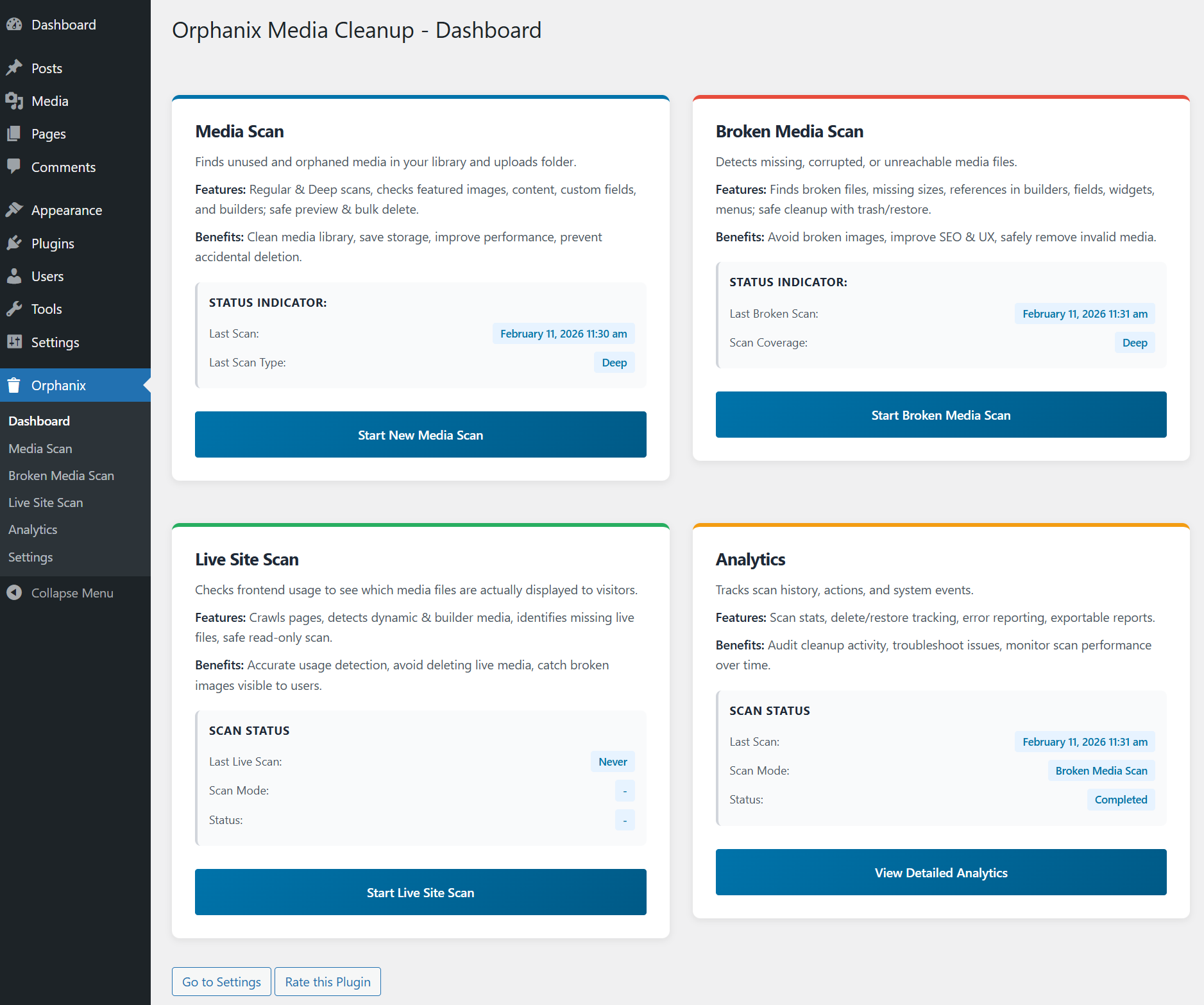
Orphanix Media Cleanup Dashboard – Overview of the media management panel with quick access to orphan file scans and cleanup tools.
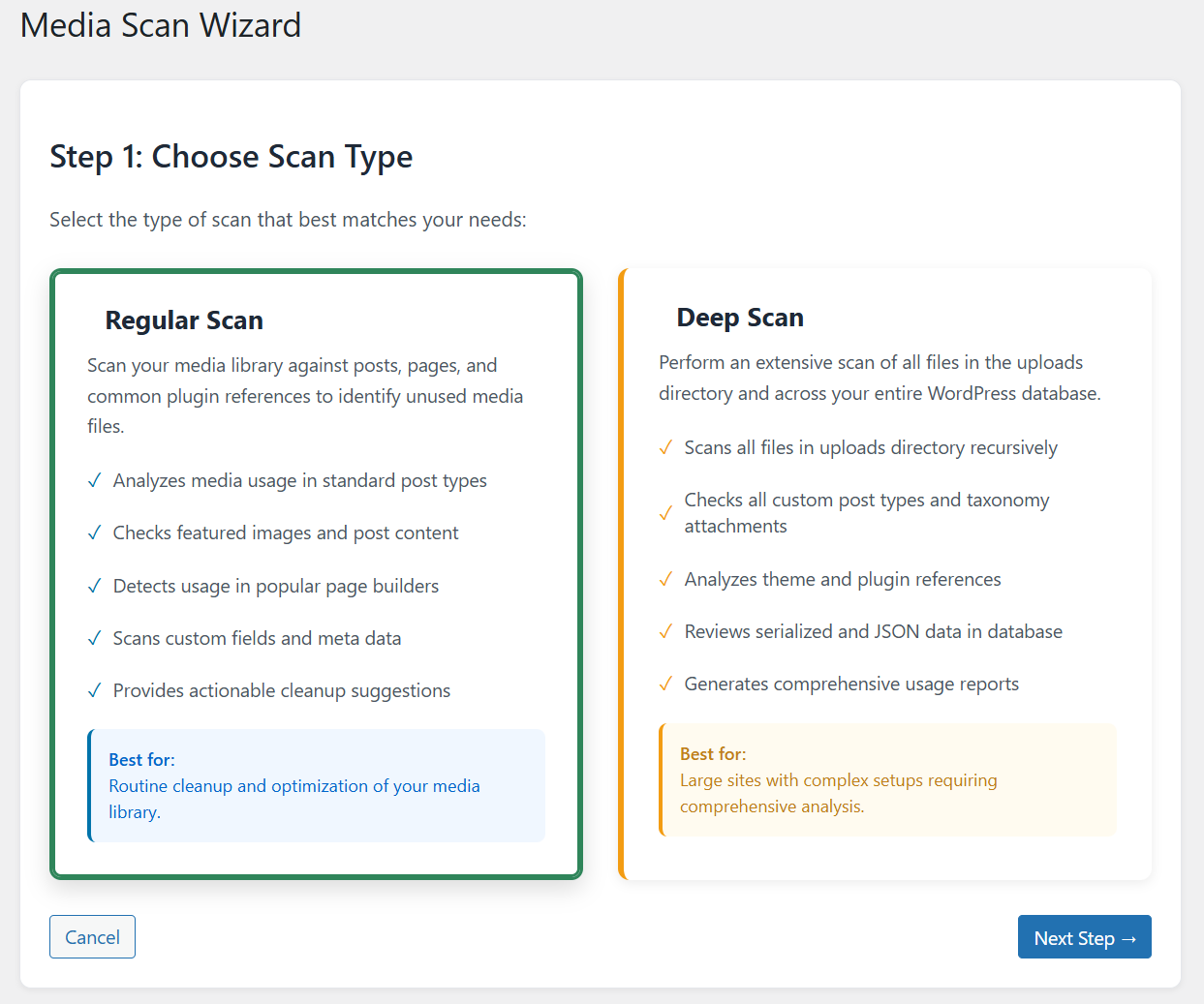
Media Scan Wizard – Step 1: Choose Scan Type for detecting unused media files, orphan attachments, or broken media references.
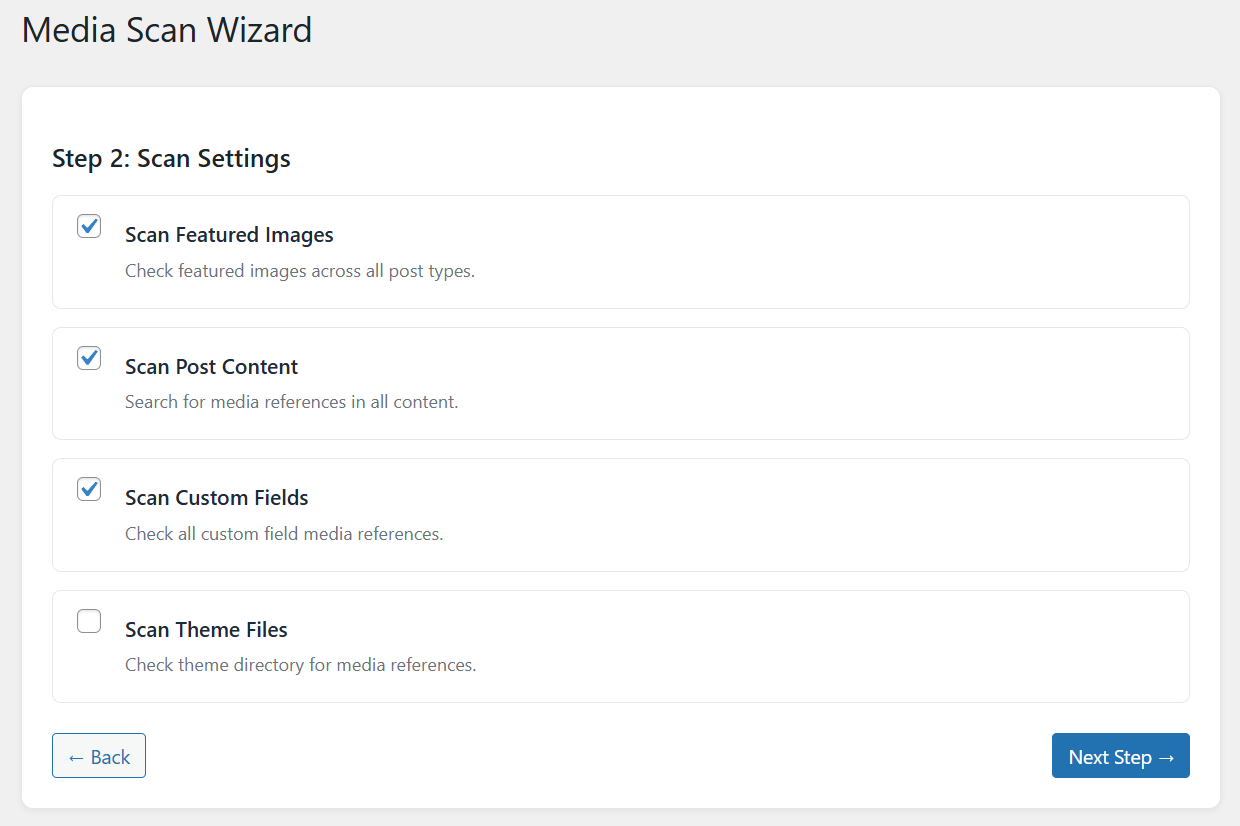
Media Scan Wizard – Step 2: Configure advanced scan settings including deep file usage detection and database analysis.
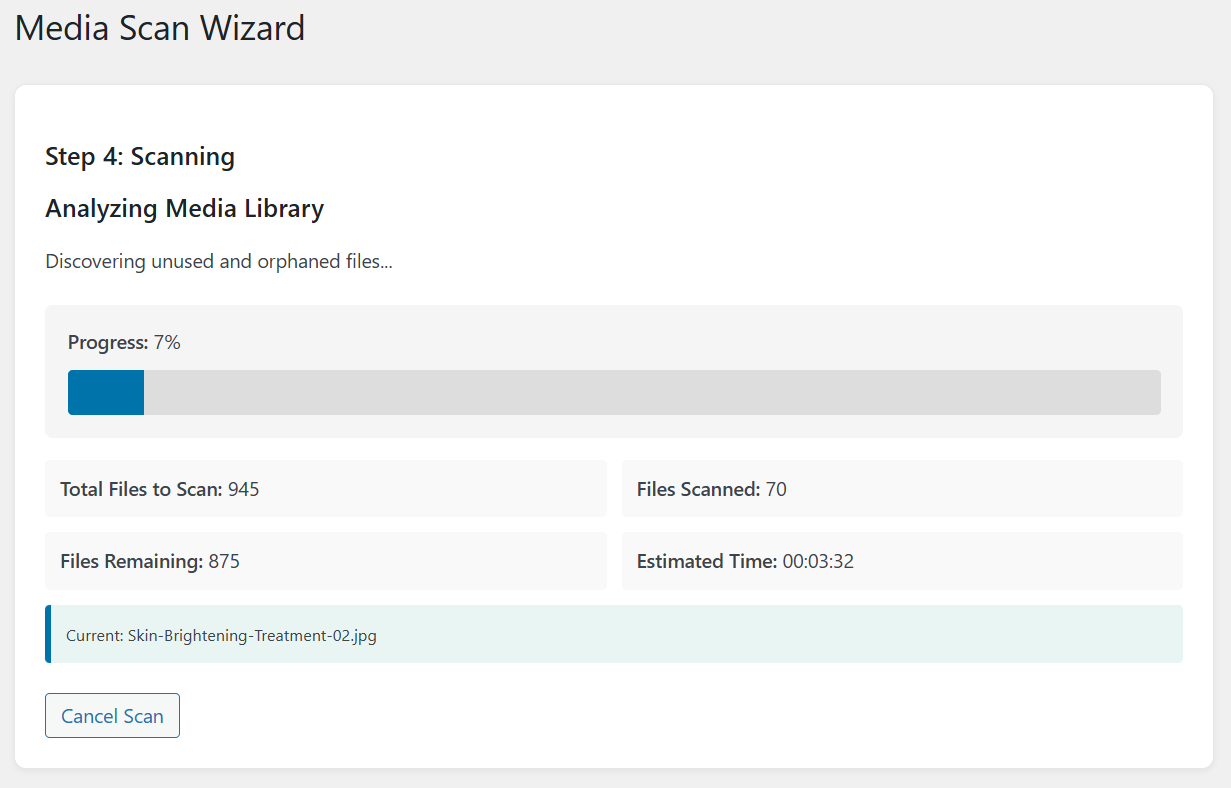
Media Scan Wizard – Step 4: Real-time scanning process with live progress indicators and background media analysis.
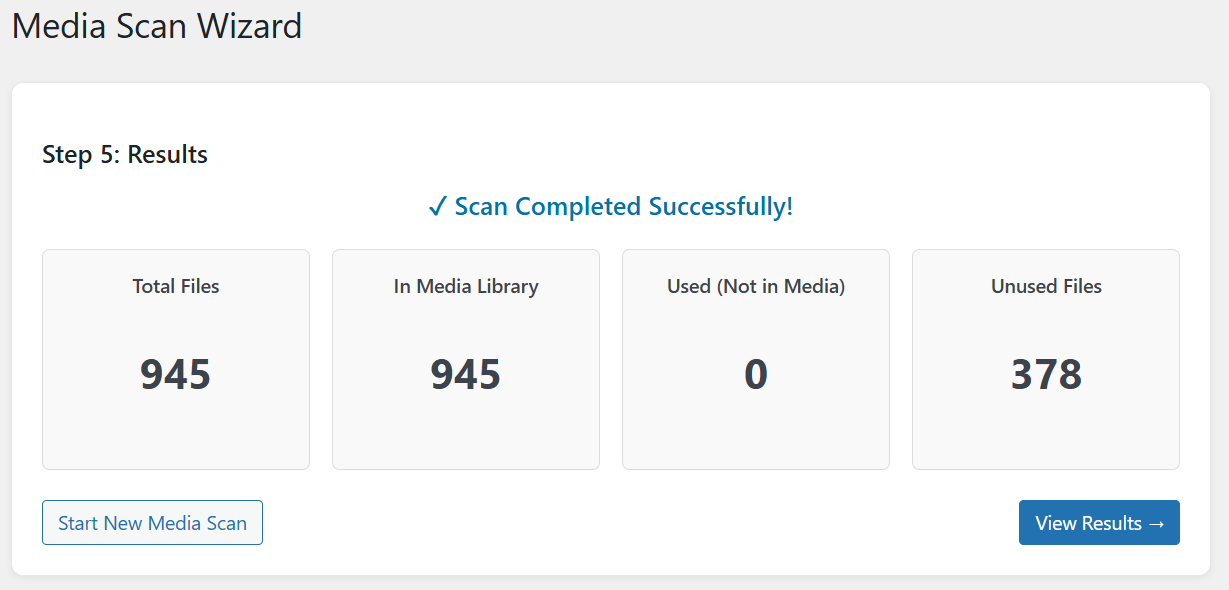
Media Scan Wizard – Step 5: Final scan results summary showing detected orphan files and unused media items.
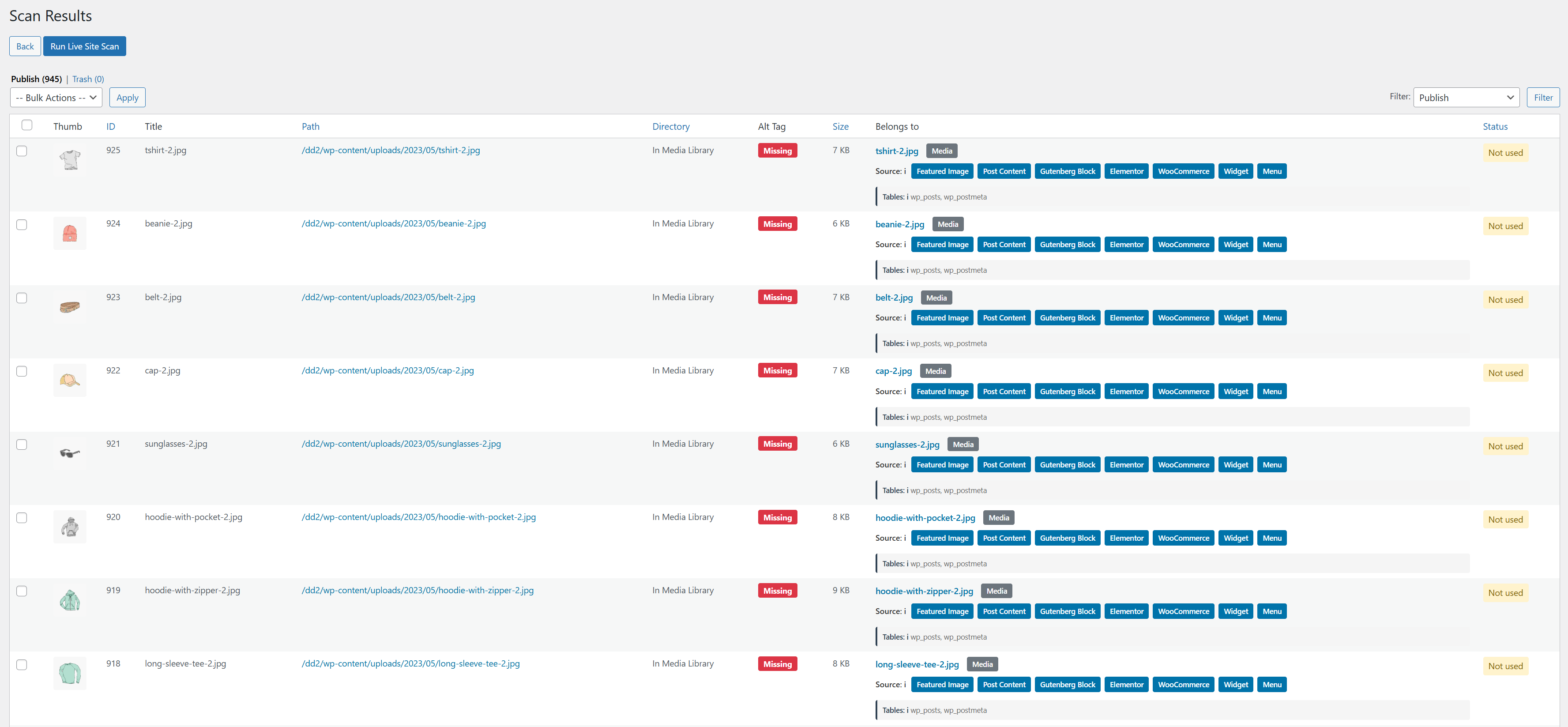
Detailed Scan Results – Complete list of unused media files with usage references and safe deletion options.
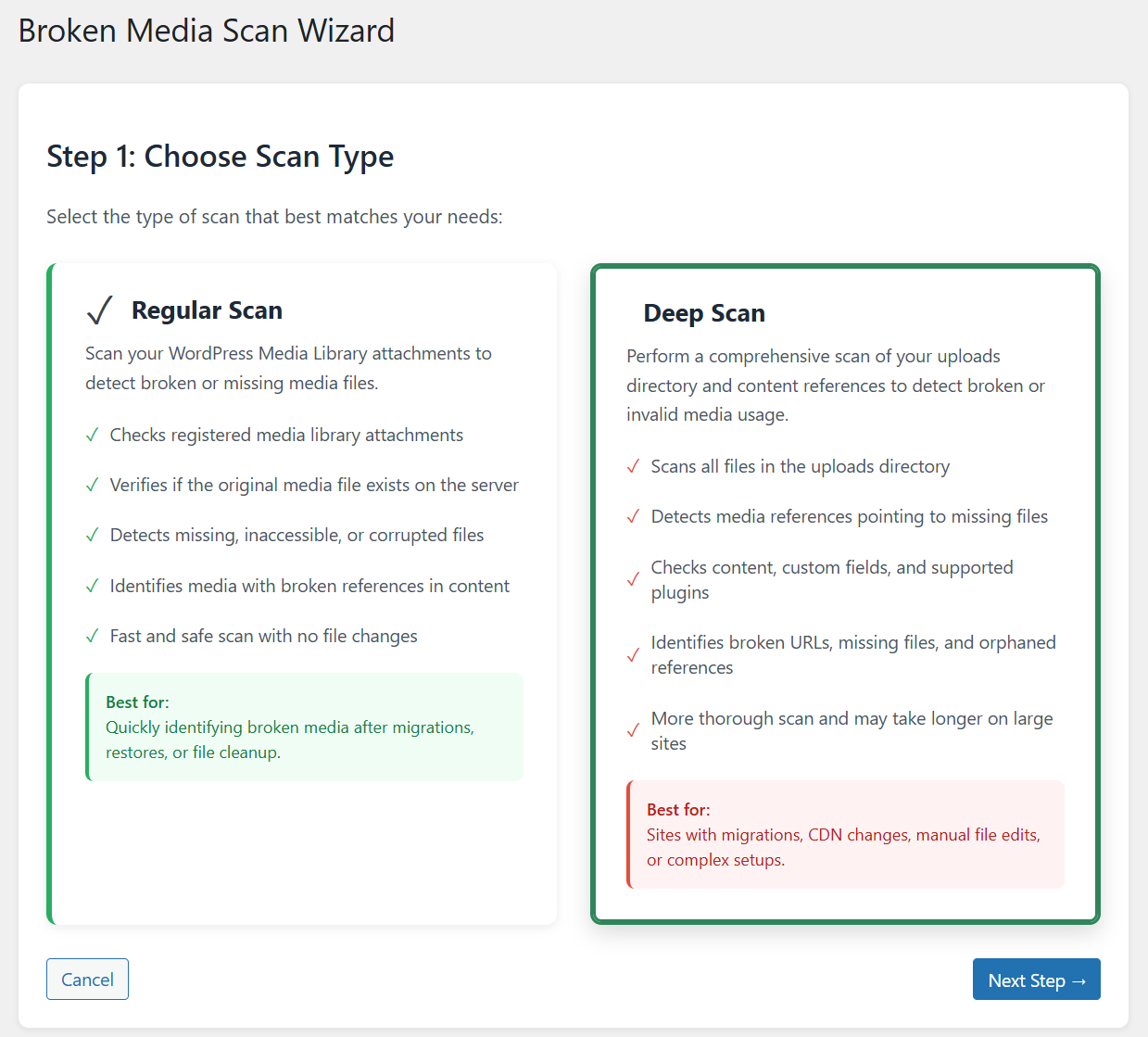
Broken Media Scan Wizard – Step 1: Select scan type to detect broken image links and missing attachments in WordPress.
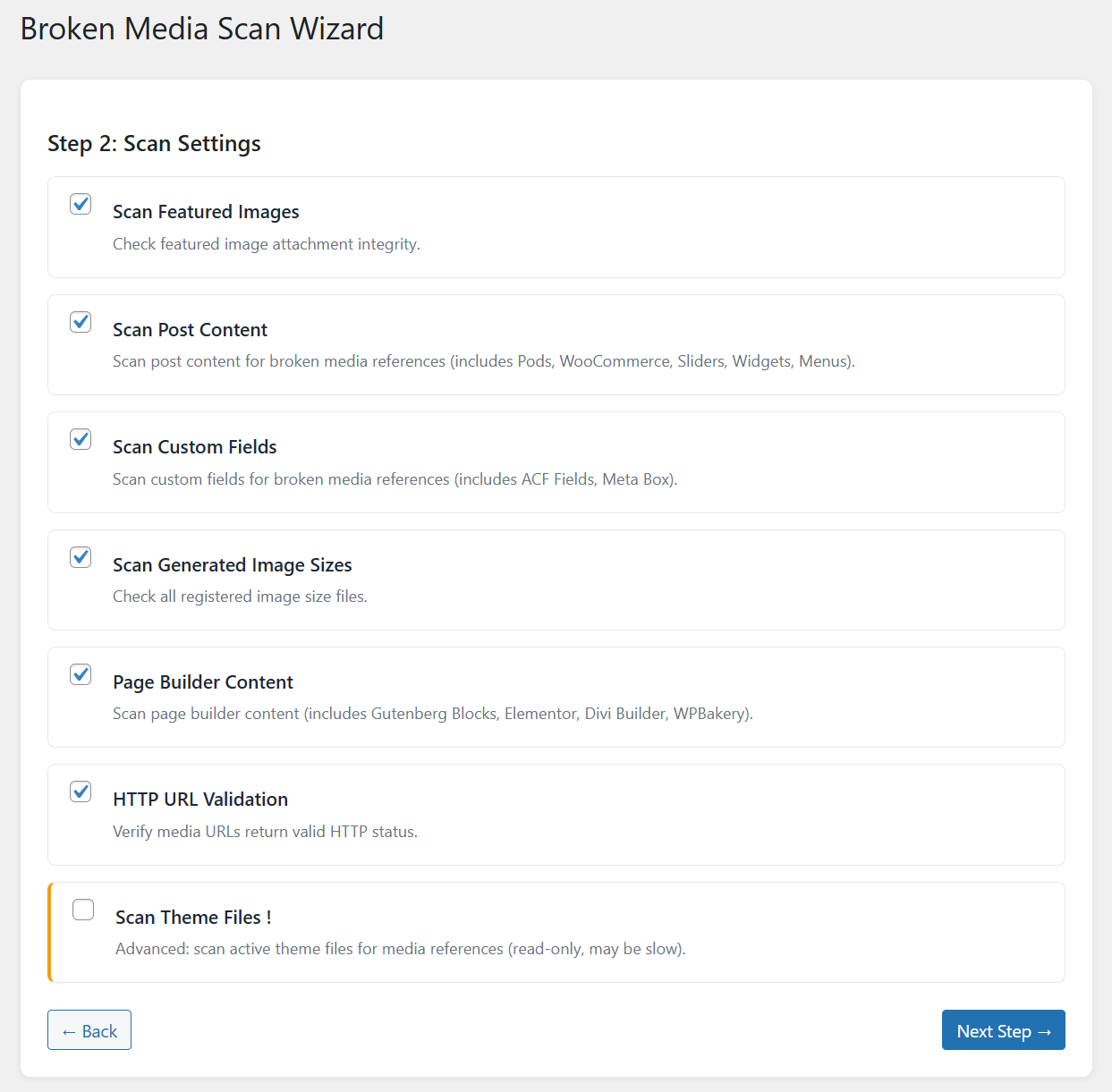
Broken Media Scan Wizard – Step 2: Configure broken media detection settings for accurate file validation.
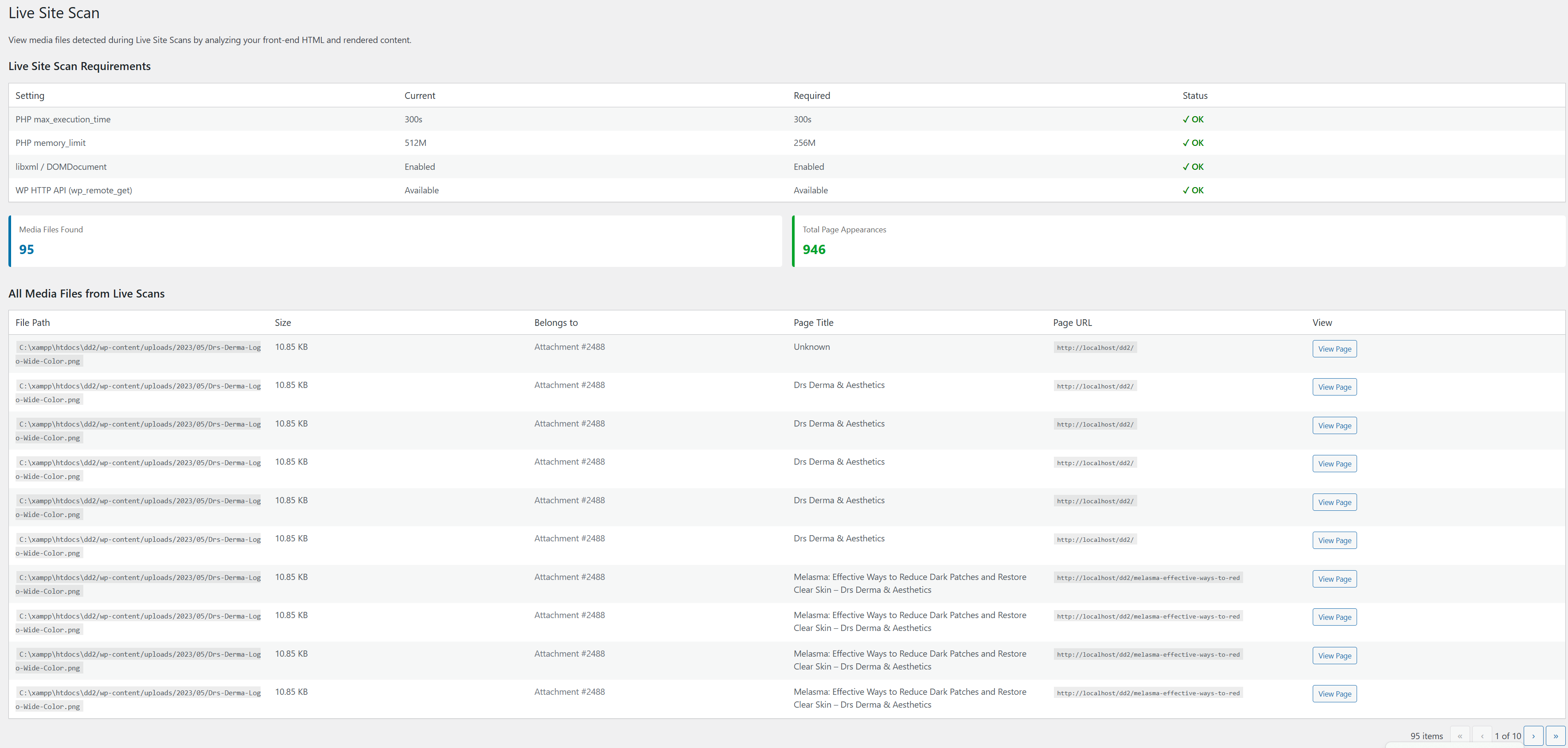
Live Site Scan – Perform secure media usage analysis on production WordPress environments.
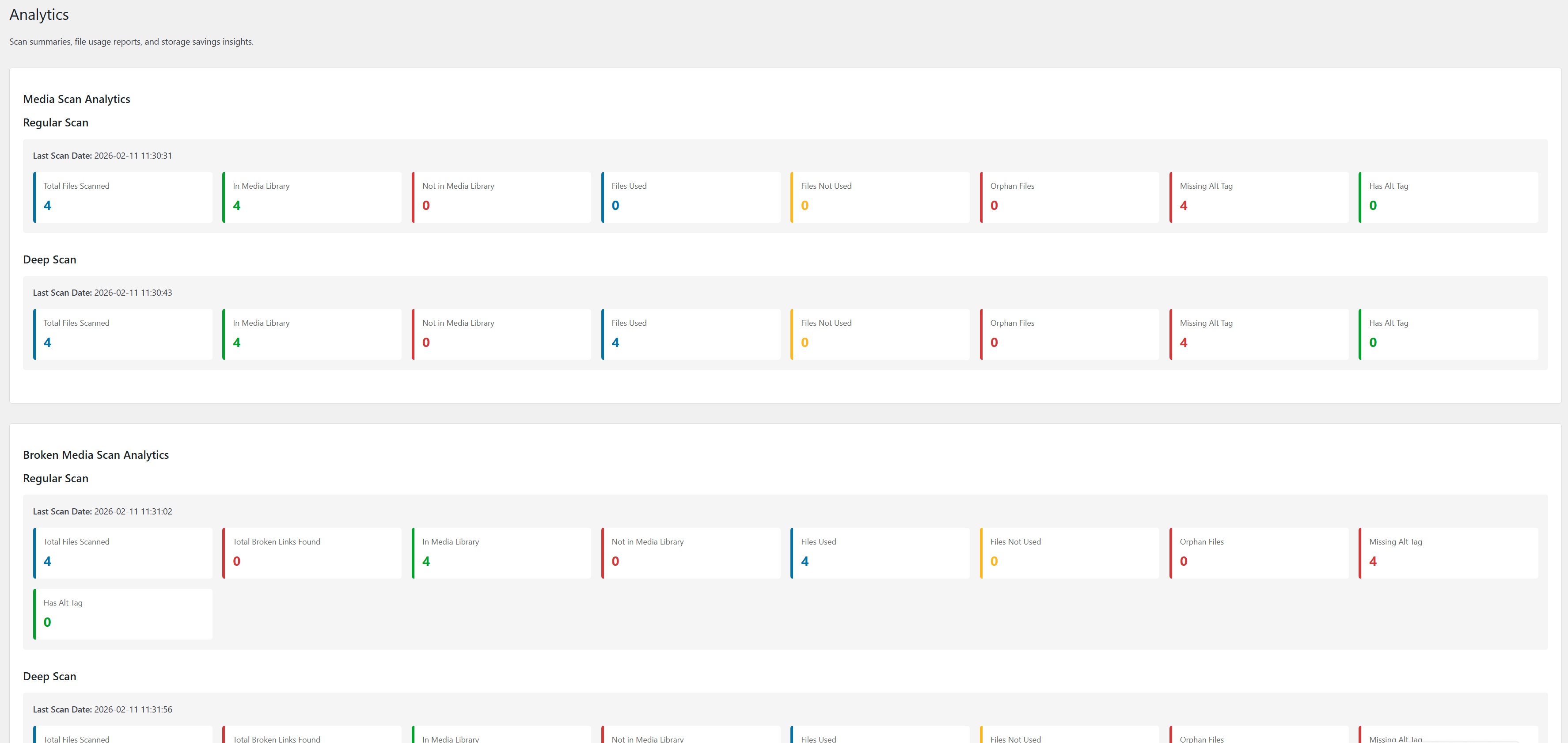
Analytics Dashboard – Scan summaries, file usage reports, media storage insights, and space savings visualization.
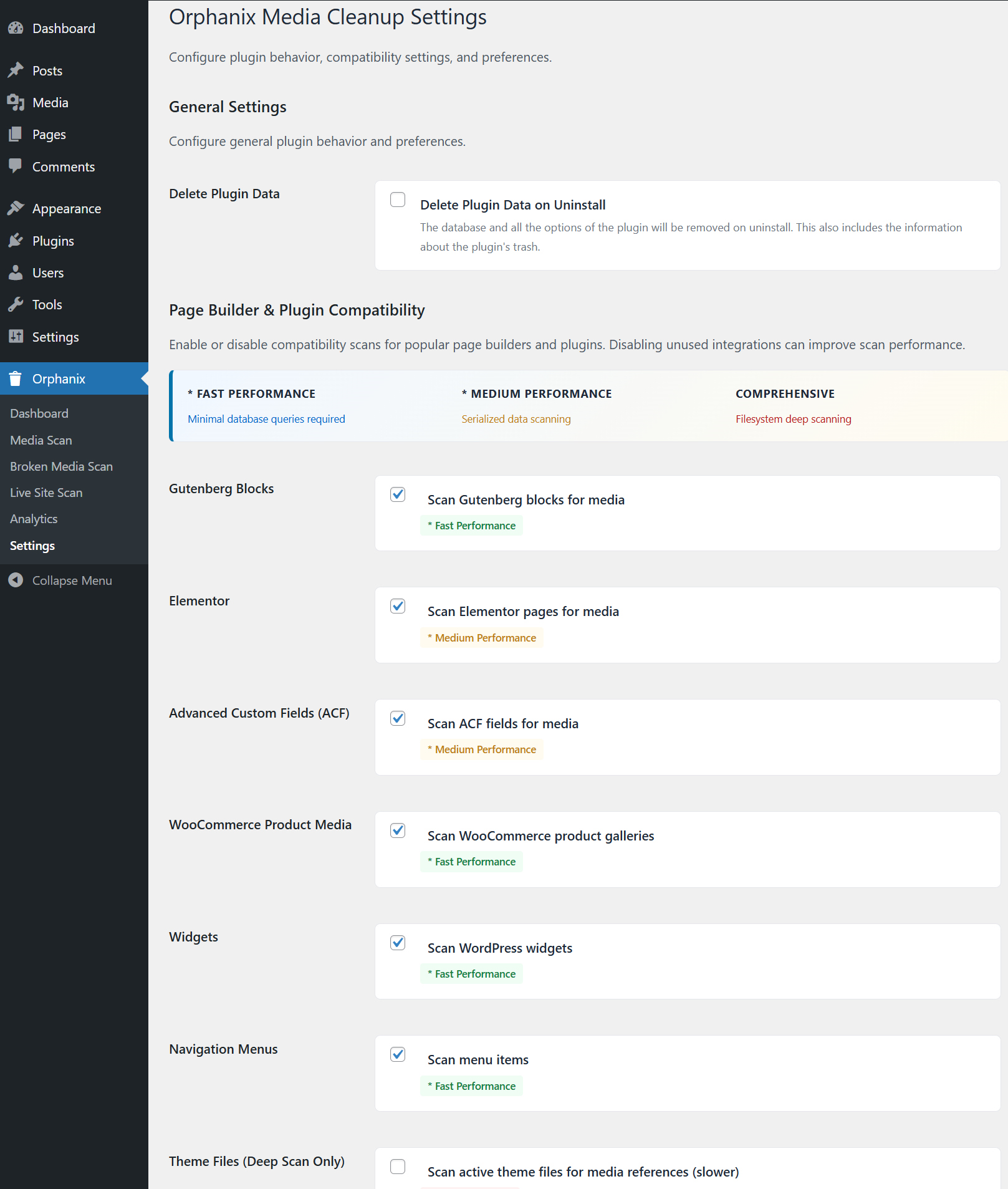
Orphanix Media Cleanup Settings – Configure scan behavior, safety options, and advanced cleanup controls.
Installation
- Upload the
orphanix-media-cleanupfolder to/wp-content/plugins/ - Activate the plugin via the WordPress Plugins menu
- Navigate to Orphanix in your WordPress admin dashboard
- Run your first scan and clean safely
FAQ
-
Is Orphanix Media Cleanup safe to use?
-
Yes. Files are first moved to a secure trash folder before permanent deletion.
-
What is an orphaned media file?
-
An orphaned media file exists in your uploads folder but is not used anywhere on your site.
-
What is the difference between unused and broken media?
-
Unused media is stored but not referenced. Broken media is referenced but the actual file is missing or inaccessible.
-
Does it delete image thumbnails as well?
-
Yes. All associated image sizes are removed when a media item is permanently deleted.
-
Will it work with Elementor or page builders?
-
Yes. It supports Gutenberg, Elementor, ACF, WooCommerce, widgets, menus, and theme file detection.
-
Can I restore deleted files?
-
Yes. Files moved to trash can be restored before final deletion.
-
Does it slow down my website?
-
No. The plugin uses a batch-based scanning system optimized for performance.
-
Is my data sent to external servers?
-
No. All processing runs locally on your server.
-
Can it handle large media libraries?
-
Yes. The scanning engine is optimized for high-volume sites.
-
Does it support custom post types?
-
Yes. Media references inside custom post types are detected.
-
What happens if I uninstall the plugin?
-
If delete-on-uninstall is enabled, plugin data will be removed. Media files are only deleted when you confirm deletion.
Reviews
There are no reviews for this plugin.
Contributors & Developers
“Orphanix Media Cleanup” is open source software. The following people have contributed to this plugin.
Contributors
Translate “Orphanix Media Cleanup” into your language.
Interested in development?
Browse the code, check out the SVN repository, or subscribe to the development log by RSS.
Changelog
1.0.0
- Initial stable release
- Media Scan, Broken Media Scan, Live Site Scan
- Safe trash and restore workflow
- Builder compatibility detection
- Bulk actions and filtering system