

Description
RATEC Contact Form is a modern, responsive WordPress contact form plugin designed for simplicity and elegance. Perfect for websites that need a professional way to collect visitor information and inquiries.
✨ Modern Design – Clean, minimal interface with smooth animations
📱 Responsive – Works perfectly on desktop, tablet, and mobile devices
🔒 Secure – Nonce verification and spam protection with honeypot
✅ Validation – Client-side and server-side form validation
📧 Email Notifications – Sends confirmation email to users
⚡ AJAX Submission – No page reload required
🎨 Beautiful UI – Modern gradient design with hover effects
♿ Accessible – Proper labels and ARIA attributes
Usage
Basic Shortcode
Add the contact form to any page or post using:
[ratec_contact_form]
Shortcode with Custom Attributes
[ratec_contact_form title="Contact Us" subtitle="We're here to help" submit_text="Send Now"]
Attributes
- title – Form title (default: “Get In Touch”)
- subtitle – Subtitle text (default: “We would love to hear from you”)
- submit_text – Submit button text (default: “Send Message”)
Form Fields
The contact form includes:
- Full Name (Required)
- Email Address (Required)
- Subject (Required)
- Message (Required)
Email Configuration
By default, form submissions are sent to your WordPress admin email. This is configured in:
Settings General Administrator Email Address
Customization
Change Admin Email
To send form submissions to a different email, use a WordPress filter in your theme’s functions.php:
add_filter('option_admin_email', function() { return 'your-email@example.com'; });<h3>Troubleshooting</h3>
* Form not sending emails? Check hosting provider permissions and admin email settings.
* Form not appearing? Verify the plugin is activated and the shortcode syntax is correct.
* Styling issues? Check for CSS conflicts and clear your browser cache.
Support
For issues or feature requests, please check the WordPress plugin directory reviews or developer documentation.
Screenshots
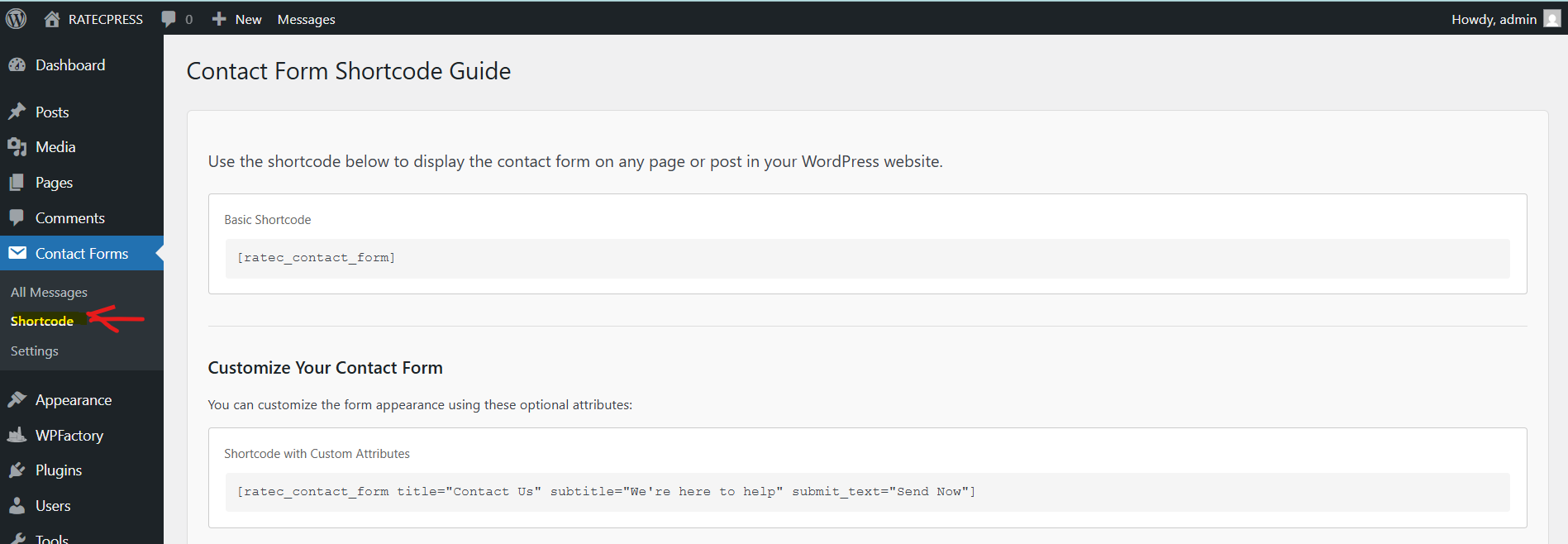
Basic Shortcode display of the RATEC Contact Form. 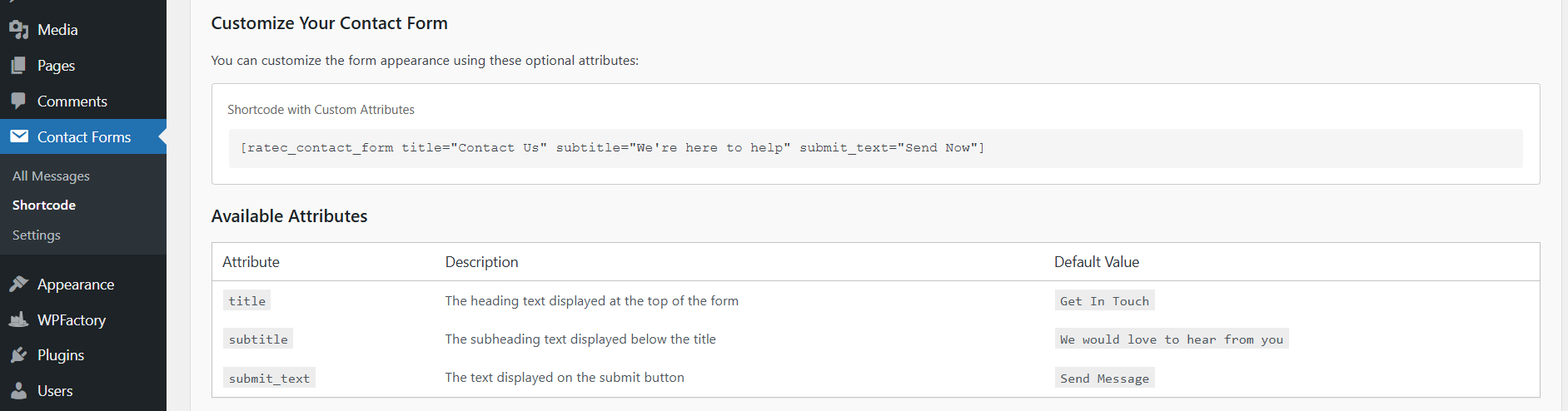
Custom attributes example with personalized titles. 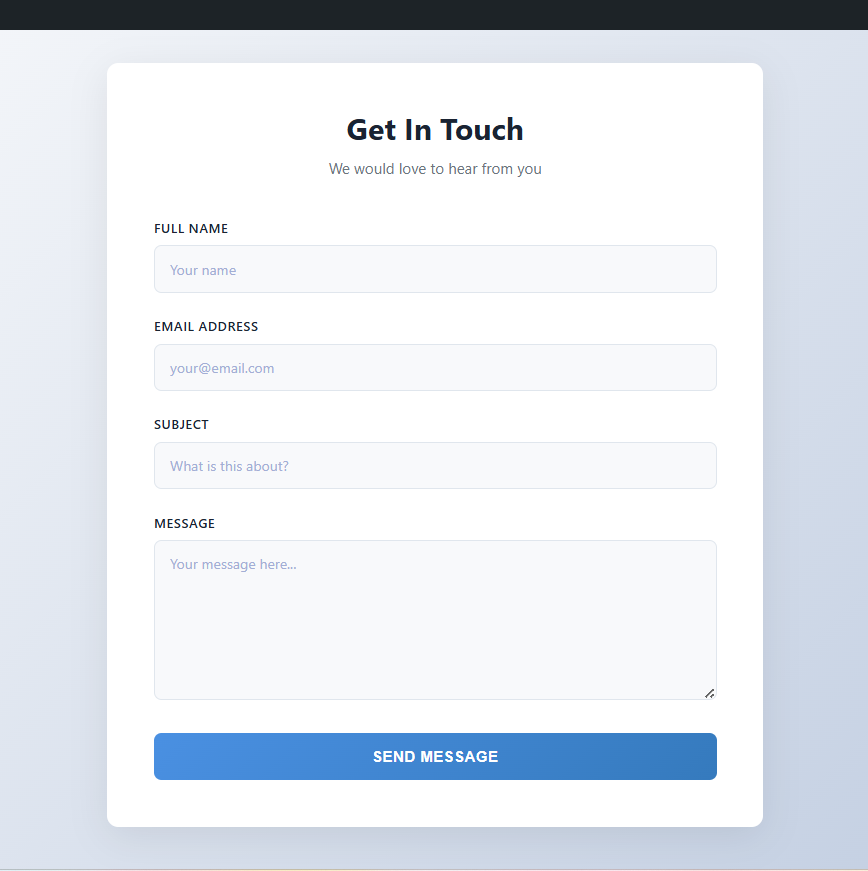
Overview of the available form fields.
Installation
- Extract the plugin folder to
/wp-content/plugins/ - Go to Plugins in WordPress admin dashboard
- Find RATEC Contact Form and click Activate
- A notification will appear confirming activation
Reviews
There are no reviews for this plugin.
Contributors & Developers
“RATEC Contact Form” is open source software. The following people have contributed to this plugin.
Contributors
Translate “RATEC Contact Form” into your language.
Interested in development?
Browse the code, check out the SVN repository, or subscribe to the development log by RSS.
Changelog
1.4.0
2026/10/03
* Adding note in email submission settings
* Stable Version
1.3.0
2026/22/02
* Recreating the contact form design
* Stable Version
1.2.0
2026/21/02
* Refining the contact form design
* Stable Version
1.1.0
2026/19/02
* Add Troubleshooting in contact form settings tab
* Stable Version
1.0.0
2026/17/02
* Initial release.