

Description
Did you know that every time you change a URL (slug), WordPress remembers the old one? It stores these in your database and automatically performs a 301 redirect to the new URL.
However, WordPress core has two major flaws:
1. It provides no way to see this history in the admin dashboard.
2. It often fails to record history for hierarchical Pages and certain Custom Post Types.
Slug Trace bridges this gap. It provides a simple, elegant interface to see every previous URL a post, page, or product has ever had. It also includes a “Universal Tracker” that forces WordPress to remember slug changes for Pages and Custom Post Types that are usually ignored by core.
- Universal Support: Works with Posts, Pages, and any public Custom Post Type (CPT) like WooCommerce Products, Portfolio items, and more.
- View Hidden Redirects: Instantly see which old URLs are still pointing to your current content.
- The “Page Fix”: Adds a custom engine to ensure WordPress actually records slug history for hierarchical Pages—a feature missing from standard WordPress.
- SEO Audit Tool: Perfect for checking if old backlinks are being redirected correctly after a site restructure.
- Ultra-Lightweight: Written in clean, optimized PHP. No extra database tables and zero impact on site performance.
Recommended Plugins
The following plugins are recommended for users:
-
WP Power Cache – A high-performance static page caching engine that generates HTML snapshots of your WordPress site for near-instant loading times.
-
Ultimate Twitter Feeds – A lightweight plugin to display Twitter feeds. Fetch profiles, lists, or single tweets with customizable size, language and theme.
-
Calculate Page Execution Time – Track page execution time easily. Just activate and view page source to see the loading time at the bottom. No configuration needed for WordPress.
-
Facebook Page Feeds Widget – With Facebook Page Feeds Widget, you can display your Facebook Page feeds on your website quickly.
Features
- Dynamic Detection: Automatically detects all public post types on your site.
- Automatic Recording: Starts tracking Page and CPT slug changes the moment you activate it.
- Clean UI: No cluttered settings pages. It integrates natively into the Gutenberg (Block Editor) and Classic Editor sidebars.
- Developer Friendly: Uses native
_wp_old_slugmeta keys for maximum compatibility.
Screenshots
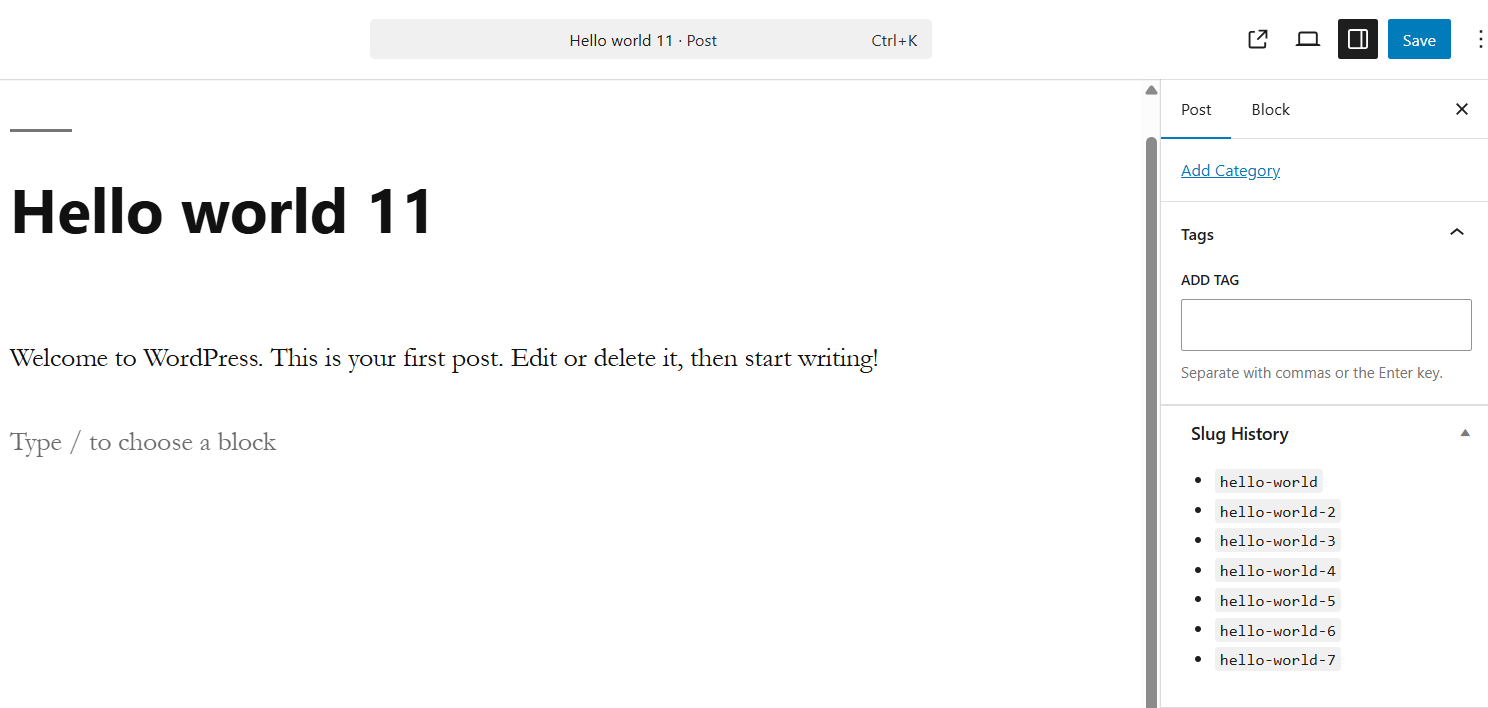
The Slug History meta box appearing in the editor sidebar, displaying previous URLs.
Installation
- Upload the
slugtracefolder to the/wp-content/plugins/directory. - Activate the plugin through the ‘Plugins’ menu in WordPress.
- Open any editor (Post, Page, or CPT) and look for the “Slug History” box in the sidebar.
FAQ
-
Does this plugin create redirects?
-
No. WordPress handles the actual redirection. This plugin ensures the history is recorded and makes it visible to you.
-
Does it support WooCommerce?
-
Yes! It will automatically show slug history for Products and other public custom post types.
-
Can I delete old slugs with this?
-
This version is “view-only” to keep it safe and lightweight.
Reviews
There are no reviews for this plugin.
Contributors & Developers
“Slug Trace” is open source software. The following people have contributed to this plugin.
Contributors
Translate “Slug Trace” into your language.
Interested in development?
Browse the code, check out the SVN repository, or subscribe to the development log by RSS.
Changelog
1.0
- Initial release with universal slug tracking for Posts, Pages, and other public Custom Post Types.