Plugin Tag: development
-
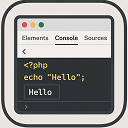
Echo Out Viewer
Short Description: A simple tool to output and inspect PHP variables directly in your browser for debugging purposes.
-

Super Interactive Image Placeholders
Display placeholder Lorem Picsum images to avoid chains of 404 requests caused by an incomplete uploads directory (while developing)
-

BM1 Frontend Image Replace
Replace images directly from the frontend. Upload a new image, and it replaces the old one in your content.
-

Development Environment
Whoops error handling, no password logins, template hints, no indexing, flush rewrites, everything a developer needs for their local development envir …
-

MailcatcherClient
Integrate your WordPress development environment with Mailcatcher to effortlessly capture and view outgoing emails during testing.
-
-

Prevent Indexing on Non-Live Sites
Prevent your WordPress website from being indexed by search engines when it's not on the live site.
-

Gridly Design Overlay
Adds a responsive grid overlay to help check WordPress layouts during development.
-

WP Dev Notice
A WordPress plugin that displays a notification if you are working in a development environment
-

Zodan Theme Switcher
Allow (certain) users(roles) to easily switch to another theme. Non-persistent, so regular users won't be bothered.
-

Access Code Lite
Restrict site access with a simple URL code parameter and grant access using private link sharing. Ideal for sites in development or maintenance.
-
-

Zhu Development Tools for WordPress
A WordPress plugin to provide general tools to assist with WordPress development and maintenance. Each tool within this collection is pluggable, allow …
-
-
-

LocalDev Switcher
Easily switch between version-controlled plugins/themes and local development versions by toggling in the Plugins and Themes screens.
-