

Description
The 9 Dollar URLnip is minimal, fast and reliable. Shortlinks live under your own domain, data is stored in a single JSON file — no database overhead, no bloat, no hassle.
Core Features
- Create, edit and delete shortlinks directly in the WordPress admin
- Automatic 301 redirects with unique 5-character alphanumeric slugs
- Click counter — every visit increments automatically
- Export all shortlinks as CSV or TXT (including click counts)
- Live search with real-time filtering and dynamic count display
- Sortable columns — Short URL, Clicks, Target URL, Description
- One-click copy to clipboard
- Bulk delete selected shortlinks
- Shortlinks are stored in a JSON file, faster than database queries — keeping the database clean
- Fully translatable and WordPress.org compliant
How It Works
- Install and activate the plugin
- Go to “URLnip” in your WordPress admin menu
- Enter a target URL and an optional description
- Get your shortlink instantly and track clicks from one place
Screenshots
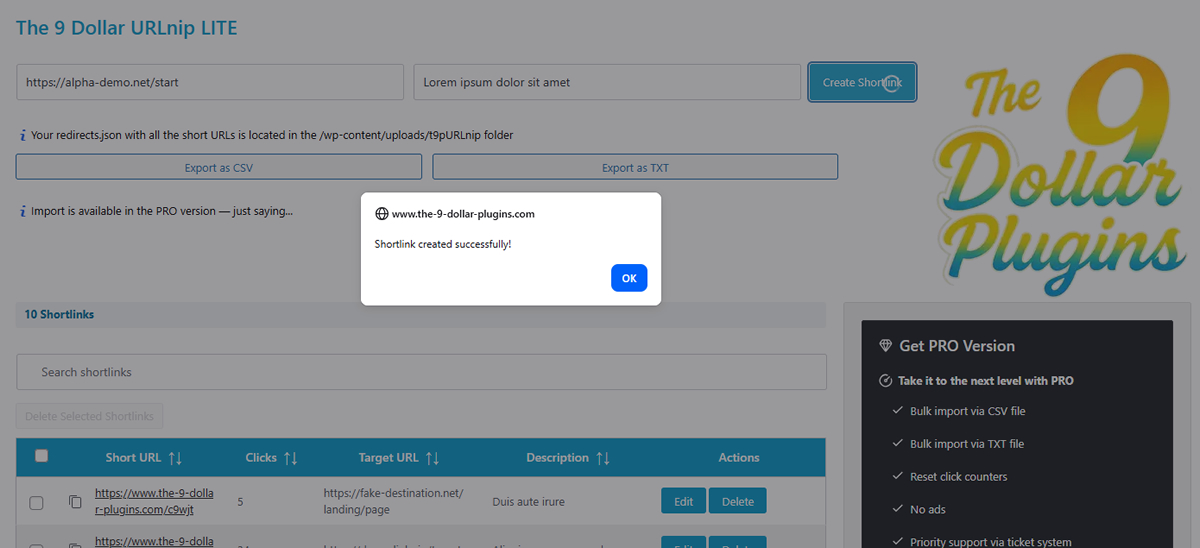
Create shortlinks directly inside WordPress 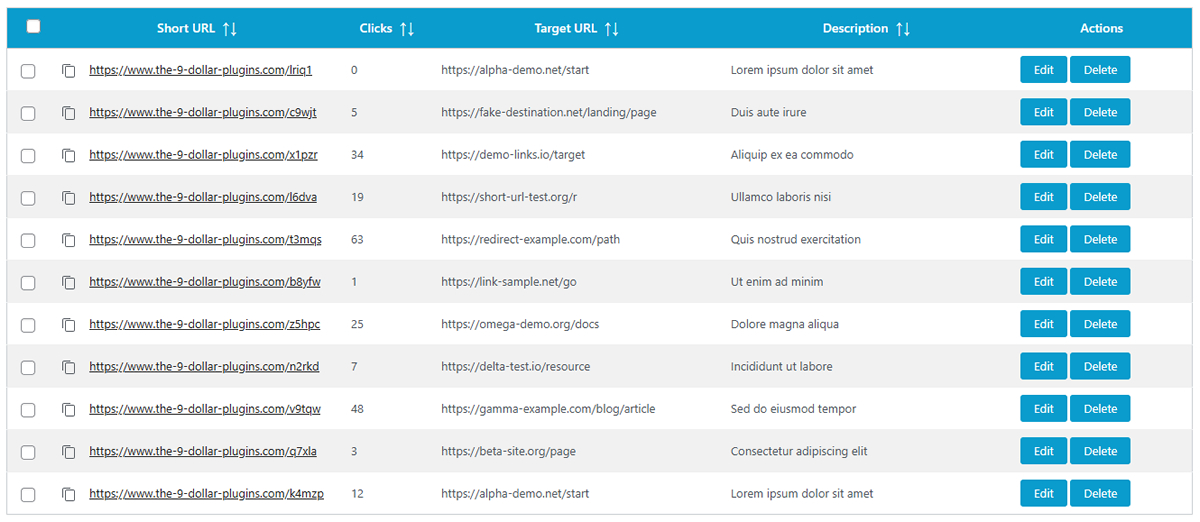
Manage all shortlinks in one place 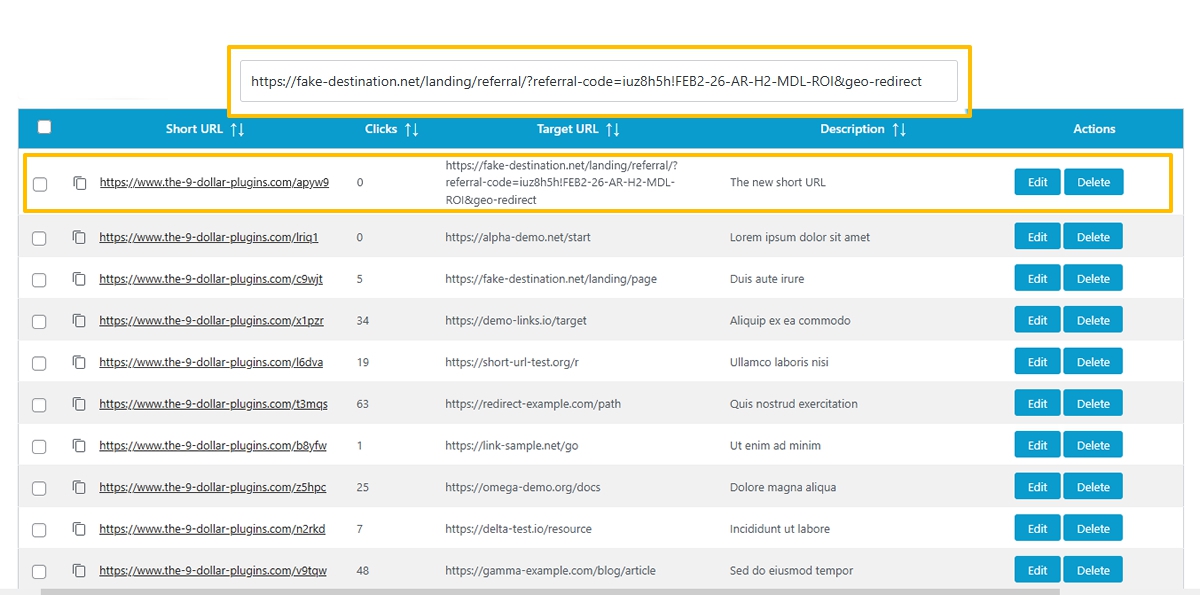
Clean short URLs for your website
Installation
- Upload the plugin to
/wp-content/plugins/or install it directly via the WordPress plugins screen. - Activate the plugin through the Plugins screen.
- Open the URLnip page in your WordPress admin menu.
- Add your target URL and get your shortlink instantly.
FAQ
-
What is the difference between LITE and PRO?
-
LITE covers all core features: create, edit, delete, export, live search, click counting and bulk delete. PRO adds bulk import via CSV/TXT, reset of click counters and priority support.
-
Can I customize the shortlink slug?
-
No, slugs are auto-generated. Each slug is a unique 5-character alphanumeric string.
-
Where are the links stored?
-
In a JSON file inside
/wp-content/uploads/t9pURLnip/. The directory is protected with .htaccess rules that block direct web access. -
Is this GDPR compliant?
-
Yes. The plugin stores only shortlink data (URLs, descriptions, click counts) on your own server. No personal user data, no cookies, no tracking.
-
Can I import existing shortlinks?
-
Yes — with PRO. Bulk import via CSV and TXT is supported. Invalid rows are automatically skipped and reported. Example files are available directly in the plugin admin page.
-
Can I reset the click counter?
-
Yes — with PRO. Reset individual counters or use the bulk action to reset multiple at once.
-
How many links can it handle?
-
The JSON format works well with 100,000+ links without performance issues.
-
What happens if I deactivate the plugin?
-
Shortlinks stop working, but your data file remains in
/wp-content/uploads/t9pURLnip/. Reactivate and everything is back instantly. -
Can I use this for affiliate links?
-
Yes, any valid URL works — including affiliate links.
Reviews
There are no reviews for this plugin.
Contributors & Developers
“The 9 Dollar URLnip” is open source software. The following people have contributed to this plugin.
Contributors
Translate “The 9 Dollar URLnip” into your language.
Interested in development?
Browse the code, check out the SVN repository, or subscribe to the development log by RSS.
Changelog
1.1 – 2026-03-11
- Fixed design issues
- Optimized code for better performance
- Added license information / license box
1.0 – 2026-02-22
Initial release. Full feature set including inline editing, click counter, live search, sortable columns, bulk delete and one-click copy.