Description
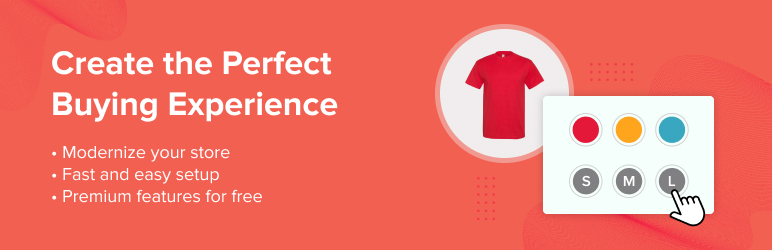
Variation Swatches for WooCommerce replaces boring product dropdowns with beautiful, clickable color swatches, image swatches, and size/label buttons, giving your shoppers an instant, visual way to pick product variations without confusion.
Trusted by 200,000+ active WooCommerce stores, this is the variation swatches plugin built by the team behind Brainstorm Force, the creators of Astra, Spectra, and CartFlows, trusted by millions of WordPress sites worldwide.
Stop losing sales to clunky dropdown menus. When customers can see their options at a glance, color swatches, image thumbnails, size buttons, they make decisions faster, feel more confident, and complete their purchase. It takes just minutes to set up and requires zero coding.
Why Your Store Needs Variation Swatches for WooCommerce
Most WooCommerce stores rely on plain dropdown menus to show product variations. But dropdowns are slow, hard to scan, and visually uninspiring, especially on mobile.
Variation Swatches for WooCommerce solves this instantly by converting every variation dropdown into a sleek, clickable swatch your customers will love.
✅ More conversions: Visual product options are faster to scan and easier to act on than dropdowns
✅ Better mobile shopping: Touch-friendly swatches work beautifully on phones and tablets
✅ Zero code required: Set up color swatches, image swatches, and size buttons from your admin panel in minutes
✅ Lightweight performance: Built for speed; won’t slow down your store or conflict with your theme
✅ Fully customizable: Control swatch shape, size, spacing, border, and tooltip display globally or per-product
Key Features
Color Swatches for WooCommerce
Replace color dropdown attributes with visual color swatches. Shoppers can see every available color option at a glance, no selecting blindly from a list. Supports solid colors, dual-color swatches, and custom hex values.
Image Swatches for WooCommerce
Upload custom images for each variation attribute, perfect for showcasing fabric textures, material finishes, print patterns, or any variation that’s better shown than described. When a customer hovers or selects an image swatch, the product image updates instantly.
Size & Label Swatches (Button Swatches)
Convert size dropdowns and text attributes into clean, clickable button swatches. Display sizes like S / M / L / XL as buttons customers can tap, far faster than opening a dropdown menu. Ideal for fashion, apparel, and any store with multiple size variants.
Auto-Convert Dropdowns to Swatches
The plugin automatically detects all variation dropdown fields and converts them to swatches based on your global settings, no manual setup per product required. Configure once, apply everywhere.
Global & Per-Product Swatch Control
Set default swatch styles for each attribute type globally across your entire store. Need different styling for one specific product? Override global settings per product with ease, giving you full flexibility without extra complexity.
Tooltips for Every Swatch
Enable hover tooltips on color swatches and image swatches so customers always know exactly what they’re selecting. Tooltips can display the attribute name, a thumbnail image, or both, reducing confusion and return rates.
Out-of-Stock Swatch Handling
Control how out-of-stock variation swatches are displayed: blur them, cross them out, or hide them entirely. Prevent customers from selecting unavailable options and reduce frustration at the cart stage.
Shop Page & Archive Page Swatches
Display color swatches and image swatches directly on your WooCommerce shop page, category pages, and archive pages, not just on single product pages. Customers can select product variations straight from the catalog, speeding up the path to purchase.
Swatch Shape & Size Customization
Choose between square and rounded swatch shapes. Control swatch dimensions, border width, border color, and spacing, all without writing any CSS. Match the swatch style exactly to your store’s branding.
Who Can Benefit from Variation Swatches for WooCommerce
Clothing & Fashion Stores
Show available colors and sizes as visual swatches instead of dropdowns. Make it easy for shoppers to find their size and pick their color, reducing hesitation and lowering return rates.
Handmade & Artisan Product Sellers
Showcase unique textures, patterns, and materials with image swatches. Let your craftsmanship speak visually, no plain text dropdown can do what a swatch thumbnail can.
Home Decor & Furniture Retailers
Display material options, finish choices, and fabric swatches as image thumbnails. Help customers visualize their purchase before they commit.
Electronics & Tech Stores
Use label swatches to present storage capacity, color options, and configuration variants as clean, clickable buttons. Simplify complex variation selections.
Any WooCommerce Store with Variable Products
If your store sells products with more than one variation, color, size, material, style, flavor, variation swatches will make the buying experience cleaner, faster, and more professional.
✅ Works Great With Your Favorite Themes
Variation Swatches for WooCommerce is compatible with all well-coded WooCommerce themes, including:
- Astra
- Spectra One
- Blocksy
- Kadence
- GeneratePress
- OceanWP
- Hello Elementor
- Storefront
- Flatsome
- Bricks Builder
- Hestia
- Neve
- Divi
- Avada
- And many more
🔌 Works Great With Your Favorite Plugins
Variation Swatches for WooCommerce integrates seamlessly with:
- CartFlows: Pair visual variation swatches with CartFlows’ optimized checkout funnels for a complete high-conversion WooCommerce experience
- Modern Cart: Display variation swatches alongside Modern Cart’s slide-out cart for a seamless, visual shopping experience from product selection to checkout
- Cart Abandonment Recovery for WooCommerce: Recover lost sales while giving shoppers the best possible variation selection experience
- Power Coupons: Combine variation swatches with Power Coupons to offer targeted discounts on specific product variations and drive more conversions
- Spectra: Build stunning product pages with Spectra blocks alongside visual swatches
- Elementor: Design custom product layouts with Elementor and display swatches natively
- Beaver Builder: Fully compatible with Beaver Builder page layouts
- Bricks Builder: Works seamlessly within Bricks Builder templates
- Gutenberg: Compatible with the native WordPress block editor
- Oxygen Builder: Tested and supported with Oxygen Builder
- OttoKit: Automate your WooCommerce workflows alongside variation swatches
- WooCommerce Subscriptions: Supports variable subscription products
- WooCommerce Product Add-ons: Compatible with product add-on configurations
- TutorLMS, LifterLMS, LearnDash, LearnPress: Supported for course-related variable products
- MemberPress: Compatible with variable membership products
- WPML & Polylang: Multilingual ready; swatch attributes translate correctly
🔒 Privacy & GDPR Compliance
Variation Swatches for WooCommerce does not collect, store, or transmit any personal data from your visitors or customers. The plugin is fully GDPR compliant and adds no tracking or analytics to your store.
Screenshots
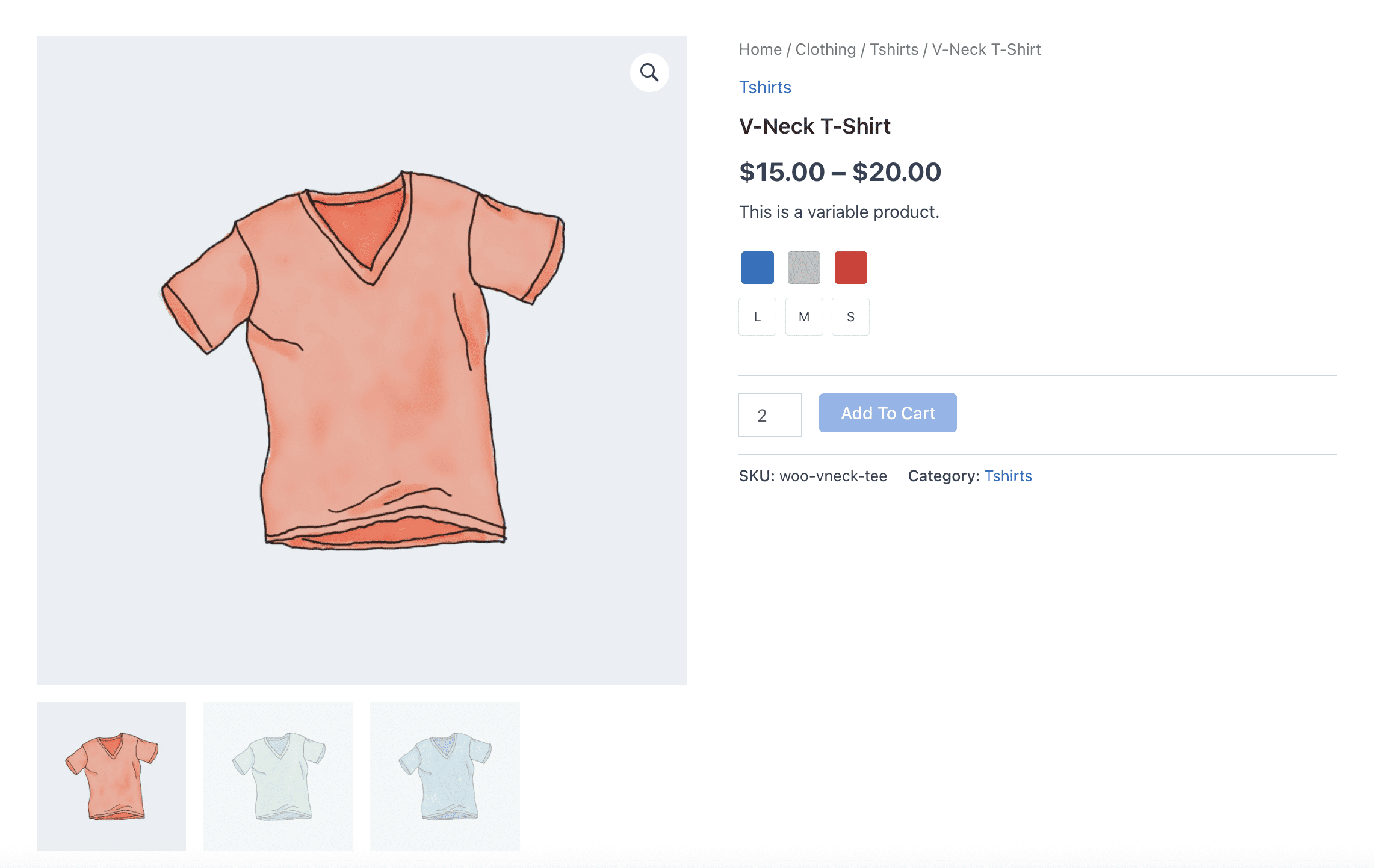
Color swatches replacing WooCommerce dropdowns on the product page. 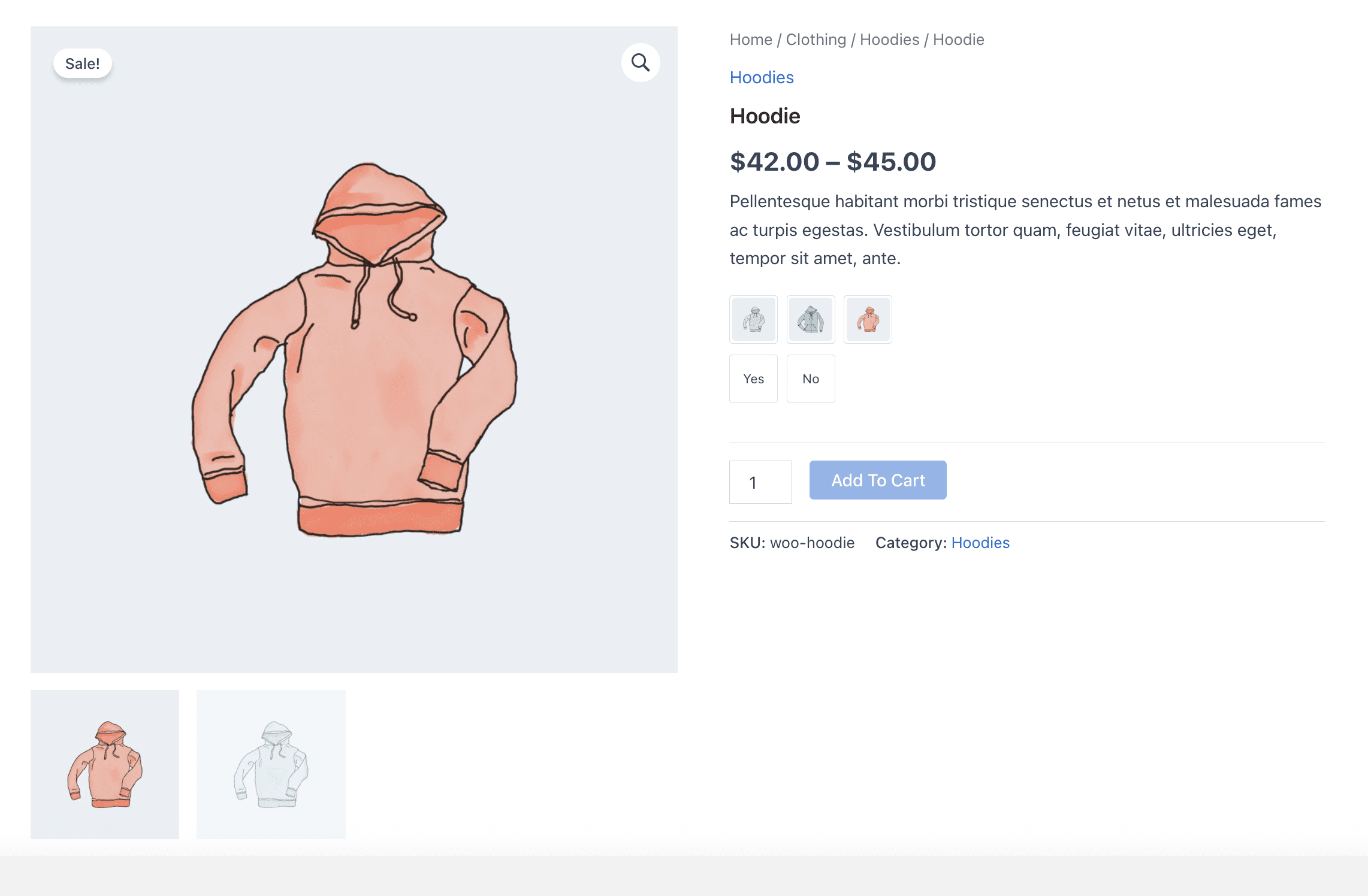
Image swatches showing fabric textures and material patterns. 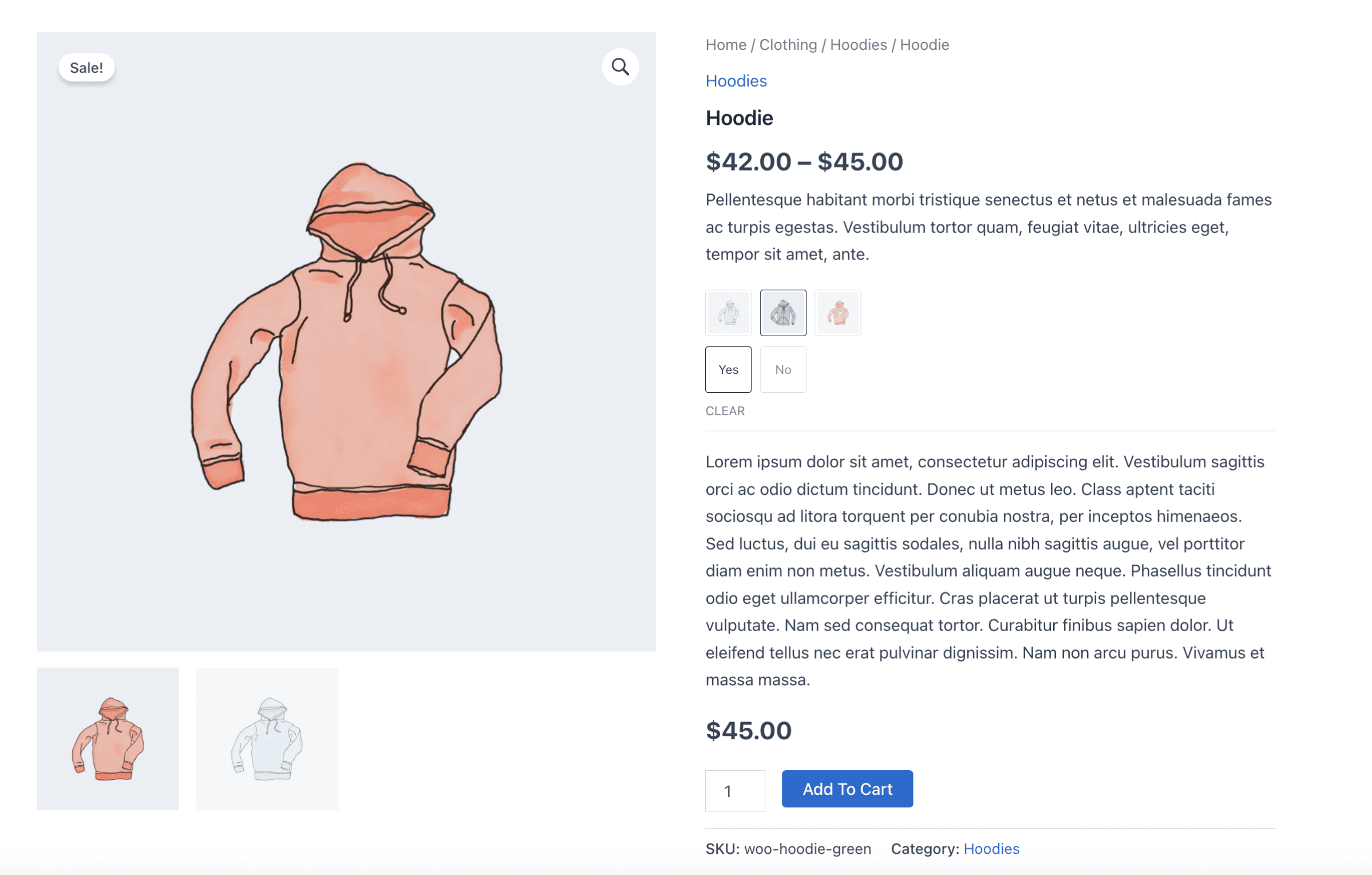
Size and label swatches converting dropdowns into clickable buttons. 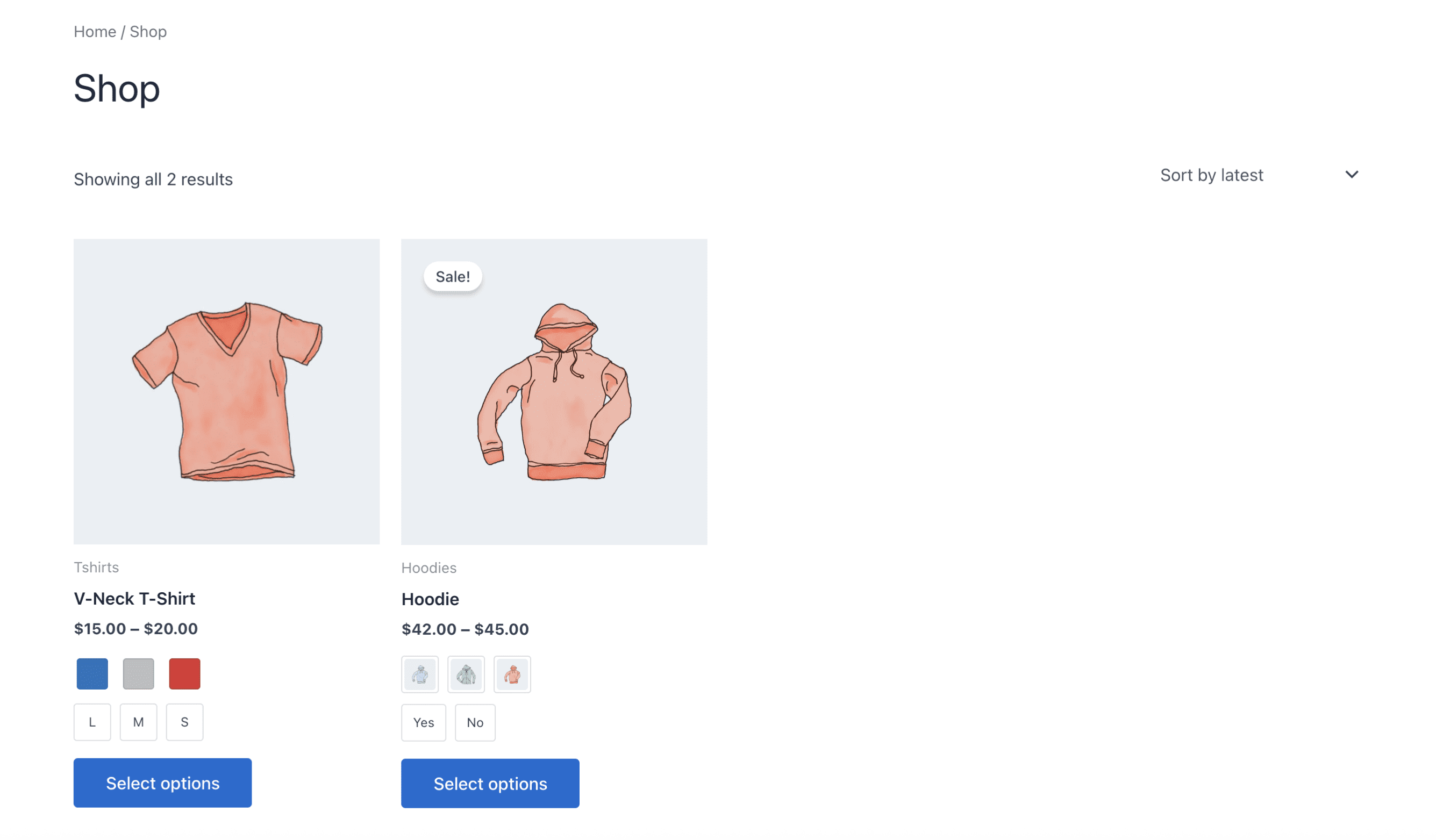
Variation swatches displayed on shop and category pages. 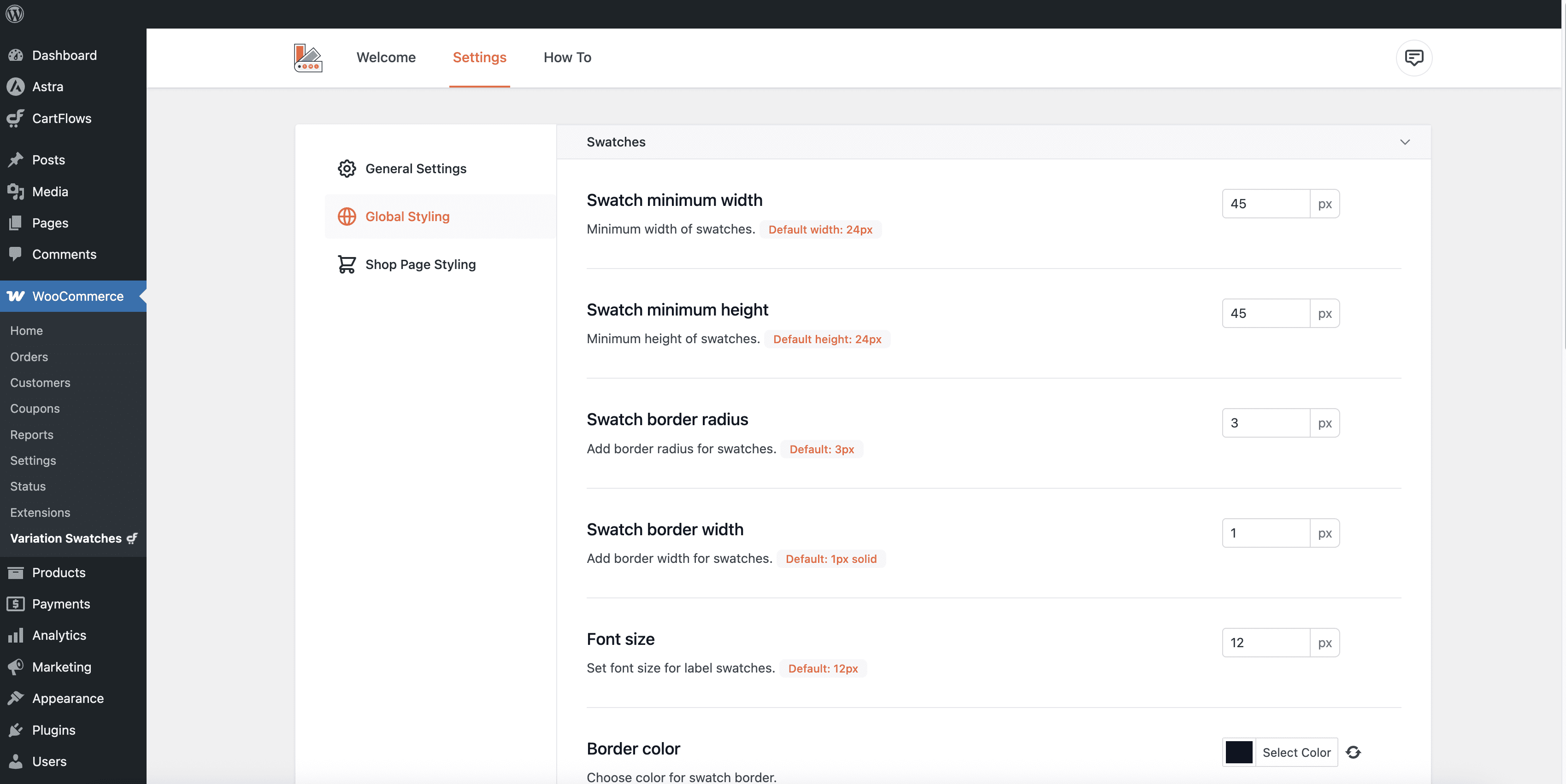
Global settings panel for swatch shape, size, tooltips, and stock behavior. 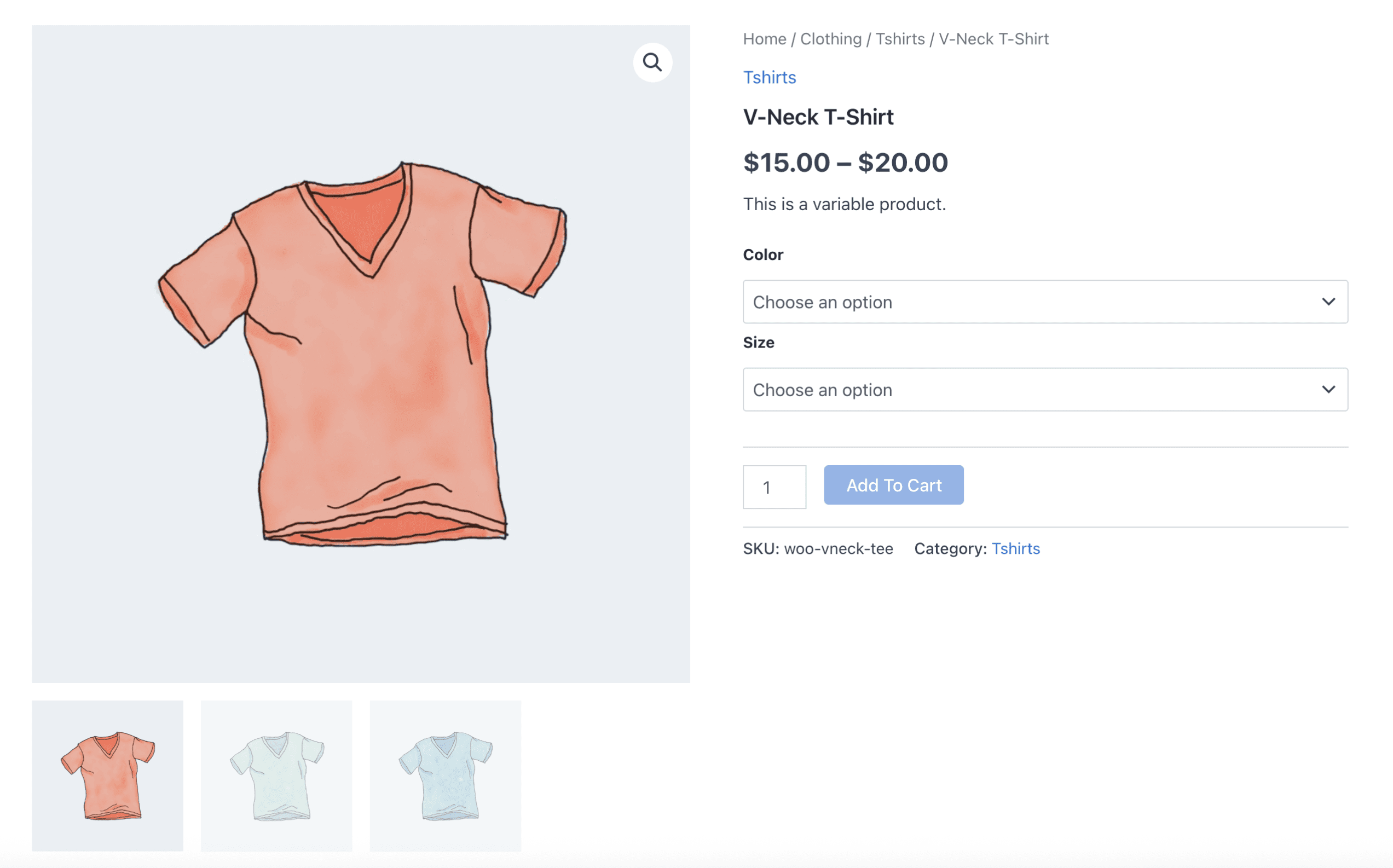
Per-product swatch customization options.
Installation
- Install the
Variation Swatches for WooCommerceeither via the WordPress plugin directory or by uploadingvariation-swatches-woo.zipto the/wp-content/plugins/directory - Activate the plugin through the ‘Plugins’ menu in WordPress
- Make sure to disable caching on your checkout and thank you steps
FAQ
-
What are variation swatches for WooCommerce?
-
Variation swatches are visual, clickable alternatives to the default WooCommerce dropdown menus on variable product pages. Instead of selecting a color or size from a plain text list, customers click a color swatch, image thumbnail, or labeled button. This makes the shopping experience faster, clearer, and more engaging.
-
How do I add color swatches to my WooCommerce products?
-
After installing and activating the plugin, go to Products Attributes in your WordPress dashboard. Edit any attribute such as “Color” and change its Type to Color Swatch. Then edit each attribute term and assign a hex color value. The plugin will automatically display color swatches on all products using that attribute. No per-product setup is required.
-
Can I show image swatches for WooCommerce product variations?
-
Yes. Set an attribute’s Type to Image Swatch under Products Attributes. Then upload a custom image to each attribute term. This works well for textures, patterns, and fabrics. You can also set the product variation’s featured image to auto-populate as an image swatch to save setup time.
-
Set your size attribute’s display type to Label or Button in the attribute settings. The plugin will automatically replace the dropdown with clickable size buttons such as S, M, L, and XL. You can control button shape, size, and styling globally from the plugin settings.
-
Do variation swatches display on the WooCommerce shop page and category pages?
-
Yes. The plugin supports displaying color, image, and label swatches directly on your shop page, category pages, and archive pages. Enable this from the global settings. Customers can select variations straight from the product catalog.
-
Will this plugin slow down my WooCommerce store?
-
No. The plugin is built with performance as the priority. It loads lightweight assets only on pages where swatches are displayed. It does not add unnecessary scripts or styles across your site. It also works well with major caching and performance optimization tools.
-
Does this work with my WooCommerce theme?
-
Yes. The plugin is compatible with well-coded WooCommerce themes including Astra, Flatsome, Divi, Avada, OceanWP, Kadence, GeneratePress, Storefront, Blocksy, and Neve. In rare cases with heavily customized themes, minor CSS adjustments may be needed.
-
Can I customize the shape and size of the swatches?
-
Yes. From the plugin settings, you can choose square or rounded shapes, control swatch width and height, set border width and color, adjust spacing, and enable or disable tooltips. No coding is required. You can also override these settings on individual products.
-
How do I handle out-of-stock variation swatches?
-
You can choose how out-of-stock variations appear. Options include blurring the swatch, displaying a cross or strikethrough, or hiding it completely. This prevents customers from selecting unavailable options and improves the shopping experience.
-
Does this plugin work with WooCommerce variable and bundled products?
-
Yes. The plugin works with standard WooCommerce variable products and supports variation swatches inside bundled product setups. If you face compatibility issues with specific bundle plugins, support is available.
-
Can I set different swatch styles for different products?
-
Yes. You can define a global swatch style for your entire store. You can also override settings on individual products and customize swatch type, shape, and display.
-
Is this plugin compatible with page builders like Elementor and Spectra?
-
Yes. The plugin works with Elementor, Spectra, Bricks Builder, Beaver Builder, Oxygen Builder, and Gutenberg. Swatches render correctly inside custom layouts and templates.
-
Does this plugin work with WPML or Polylang?
-
Yes. The plugin is compatible with WPML and Polylang. Swatch labels and attributes translate correctly across languages.
-
What is the difference between color, image, and label swatches?
-
Color swatches show a solid color or dual-color block for each variation. This is best for product colors.
Image swatches display custom thumbnail images. This works well for textures, patterns, and materials.
Label or button swatches display text values as clickable buttons. This is commonly used for sizes or text-based attributes.
You can mix different swatch types across attributes on the same product. -
Is Variation Swatches for WooCommerce free?
-
Yes. This plugin is completely free. Core functionality such as color, image, and label swatches, tooltips, shop page display, out-of-stock handling, and global or per-product customization is available without any paid upgrade. It is developed and maintained by Brainstorm Force.
-
Where can I get support or report a bug?
-
You can reach the support team at cartflows.com/support. For security issues, use the responsible disclosure process at brainstormforce.com/bug-bounty-program.
-
How do I configure WooCommerce attributes to use variation swatches?
-
Go to Products Attributes. Edit any attribute and change the Type from “Select” to Color, Image, or Label. Save the attribute. Then edit its terms and assign colors or images to each value.
-
How can I report a security bug?
-
We take plugin security extremely seriously. If you discover a security vulnerability, please report it in a safe and responsible manner.
You can report the issue through our Bug Bounty Program.
Reviews


Contributors & Developers
“Variation Swatches for WooCommerce – Color, Image & Size Swatches” is open source software. The following people have contributed to this plugin.
Contributors
“Variation Swatches for WooCommerce – Color, Image & Size Swatches” has been translated into 4 locales. Thank you to the translators for their contributions.
Translate “Variation Swatches for WooCommerce – Color, Image & Size Swatches” into your language.
Interested in development?
Browse the code, check out the SVN repository, or subscribe to the development log by RSS.
Changelog
1.0.13 – THURSDAY, 24th APRIL 2025
- New – Introduced a CartFlows info page to help users discover checkout optimization features.
- Improvement – Added filters cfvsw_is_required_screen_for_swatch_types and cfvsw_available_attributes for better customization.
- Fix – Swatches were not displaying for variation products when included in a bundled product.
1.0.12 – THURSDAY, 21st NOVEMBER 2024
- Fix – Fixed the conflict with ‘WooCommerce Load More Products’ plugin & disabled attributes of variations products.
- Fix – Fixed the conflict with Astra theme ‘Swap image on hover” feature not working when swatches are disabled from shop/archive pages
1.0.11 – MONDAY, 7th OCTOBER 2024
- Fix – Resolved the issue where the variation swatch selection did not function properly when jQuery Migrate was disabled in Bricks Builder.
- Fix – Resolved the issue where the “Out-of-Stock Disable” feature did not work correctly with pagination.
1.0.10 – THURSDAY, 15th AUGUST 2024
- Improvement: Updated the WooCommerce HPOS Compatibility.
1.0.9 – WEDNESDAY, 14th AUGUST 2024
- Fix – Resolved the issue of “Swipe images on hover” feature was not working when using the Astra theme.
- Fix – Removed error messages related to undefined variables that were appearing on the frontend.
- Fix – Updated the codebase to better handle both array and non-array values.
1.0.8 – THURSDAY, 28th MARCH 2024
- New: Introduced the border width option for the swatch. You can now set a custom border width to your swatches.
1.0.7 – WEDNESDAY, 22nd FEBRUARY 2023
- Improvement – Refactored some code to harden the security of the plugin.
1.0.6 – WEDNESDAY, 14th DECEMBER 2022
- Improvement – Added support for the taxonomy page.
- Improvement – Added support to populate swatches on ajax calls.
- Fixed – Wrong images were appearing on the swatches selection.
- Fixed – Plugin conflict with WP-Persian plugin.
- Fixed – Unable to save custom attribute data with the Cyrillic alphabet.
1.0.5 – TUESDAY, 18th OCTOBER 2022
- Fixed – Compatibility issues with WP Sheet Editor – Taxonomy Terms Pro.
- Fixed – Fatal error with Astra theme.
- Fixed – Variation price disappears on shop page.
1.0.4 – WEDNESDAY, 7th SEPTEMBER 2022
- Improvement – Supports WooCommerce shortcodes.
- Improvement – Astra’s swap mode working on disabling swatches on shop page.
- Improvement – Increased variation threshold to 200.
- Fixed – Admin UI breaking on edit product page.
- Fixed – Settings page UI issue on attribute edit.
1.0.3 – WEDNESDAY, 24th AUGUST 2022
- Feature – Disable out of stock terms.
- Feature – Catalog mode for shop page.
- Improvement – Admin UI improvements.
- Improvement – Supports Astra’s infinite scroll mode.
- Fixed – Issue selecting multiple options on shop page.
- Fixed – Thumbnail dimension on shop page.
1.0.2 – TUESDAY, 9th AUGUST 2022
- Feature – Customize variation swatches from the edit product page.
- Improvement – Updated swatches’ spacing.
- Improvement – Maintain swatches order on frontend as per settings.
- Improvement – Added RTL support for the settings page.
1.0.1 – THURSDAY, 21st JULY 2022
- Improvement – Support for Astra upsells on cart page.
1.0.0 – FRIDAY, 15th JULY 2022
- Initial release.