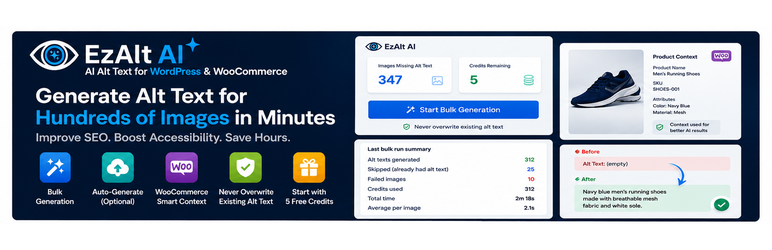

Description
Generate Alt Text for Hundreds of WordPress Images in Minutes
Have hundreds or thousands of WordPress images without proper alt text?
EzAlt AI automatically analyzes your images and generates descriptive, SEO-friendly, accessibility-focused alt text in bulk.
Stop editing image alt text one by one.
Why EzAlt AI?
- Generate alt text in bulk for hundreds of WordPress images.
- Automatically process images missing alt text from your Media Library.
- Generate alt text for new uploads when automatic generation is enabled.
- Context-aware descriptions for more relevant results.
- WooCommerce support using product context such as product name, SKU, and attributes.
- Never overwrite existing alt text by default.
- Optional review queue so you can approve or edit bulk results before they are saved.
- Background processing so large image libraries can be processed without one huge request.
- 1 credit = 1 image, with free starter credits so you can try EzAlt AI before purchasing additional credits.
Built for WordPress
EzAlt AI works directly with your WordPress Media Library.
Instead of opening hundreds of images and entering alt text manually, you can process missing alt text in bulk.
How it works
- Install and activate EzAlt AI.
- Open Media EzAlt AI.
- See how many images are missing alt text.
- Run bulk generation, or optionally enable automatic generation on upload.
- Review the results.
WooCommerce Support
Running a WooCommerce store with hundreds or thousands of product images?
EzAlt AI can use available product context to generate more relevant image descriptions.
Product context may include:
- Product name
- SKU
- Attributes
- Relevant product information
EzAlt uses relevant product context to generate descriptions that better match the product image.
Bulk Image Optimization
Have hundreds of images without alt text?
EzAlt AI lets you process them in bulk instead of editing every image manually.
Example
Before:
Alt Text: Empty
After:
Black men's running shoes displayed on a white background<h3>Safe by Default</h3>
EzAlt AI does not overwrite existing alt text by default.
Images that already have alt text are skipped.
Optional: enable Send bulk results to the review queue before saving to generate drafts first, then approve, edit, or reject them. Approving does not use another credit.
Free to Try
Start with the available free starter credits and see how EzAlt AI works with your WordPress site.
Additional credits can be purchased when you need to process more images.
Important
EzAlt AI is designed to help improve image accessibility and SEO workflows.
It does not guarantee accessibility compliance, WCAG compliance, ADA compliance, or specific search engine rankings.
By Lidor Asulin.
External Services
This plugin relies on external services to generate alt text. By activating or using this plugin, you agree to the terms and privacy policies listed below.
EzAlt Proxy API
The plugin sends requests to the EzAlt proxy API at https://ezalt.ez-site.com.
Used for: AI alt text generation, credit balance sync, and purchase-intent registration.
Data sent and when:
- On alt text generation (bulk, auto-upload, or Media Library): base64-encoded image content (HTTPS), filename, MIME type, site URL, Freemius install ID (when available), unique request ID, site language, and optional parent-post context (title, categories; for WooCommerce products also SKU and attribute values).
- On credit sync (admin dashboard load and periodic polling): site URL and Freemius install ID.
- On “Buy Credits” click only (before Freemius checkout opens): site URL, Freemius user ID, Freemius install ID (when available), and selected plan ID. No payment or card data is sent by the plugin.
- Only if you submit the in-plugin feedback form (“Not happy? Tell us why”): your typed message, the reply email you optionally provide, site URL, Freemius install ID (when available), and WordPress/PHP/plugin version — used solely to review your feedback and, if you left an email, to reply.
Service URL: https://ezalt.ez-site.com/ezalt-api/
Privacy Policy: https://ezalt.ez-site.com/privacy-policy
Terms of Service: https://ezalt.ez-site.com/terms
OpenRouter API (AI Image Analysis)
Image data received by the EzAlt proxy is forwarded to OpenRouter, which routes requests to vision AI models to produce descriptive alt text.
Data sent: Image content and generation parameters forwarded by the EzAlt proxy during alt text requests only.
Service URL: https://openrouter.ai
Privacy Policy: https://openrouter.ai/privacy
Terms of Service: https://openrouter.ai/terms
Freemius (Checkout for Optional Credit Packs)
Freemius handles checkout for optional one-time credit packs. Freemius is not required to use the free starter credits or built-in features.
Data sent: Standard Freemius licensing/checkout data when you interact with credit purchase flows.
Service URL: https://freemius.com
Privacy Policy: https://freemius.com/privacy/
Terms of Service: https://freemius.com/terms/
Screenshots


Installation
- Upload the plugin folder to
/wp-content/plugins/ezalt-ai-image-alt-text/ - Activate the plugin under Plugins
- Open Media EzAlt AI
- Run bulk generation, or optionally enable automatic generation on upload
FAQ
-
Is any feature locked behind a paid plan?
-
No. Bulk, auto-upload, and Media Library generation work with the free starter credits. Credit packs only add external AI service quota (WordPress.org Guideline 6 serviceware).
-
How many credits does one image use?
-
1 credit = 1 image. Each successful generation uses 1 credit from the EzAlt external AI service. New sites receive 5 free starter credits. Approving a review-queue draft does not use another credit. Regenerating does.
-
Can I review alt text before it is saved?
-
Yes. Enable “Send bulk results to the review queue before saving” under Media EzAlt AI. Bulk generation then creates drafts you can approve, edit, or reject. Auto-upload and Media Library generation still save immediately.
-
Does it overwrite existing alt text?
-
No. Images that already have alt text are skipped.
-
Can it generate alt text automatically on upload?
-
Yes. Enable “Enable automatic AI alt text generation on upload” under Media EzAlt AI.
-
Can I generate alt text for one image?
-
Yes. Open an image in the Media Library and use Generate alt text in the EzAlt AI field.
-
Does it work with WooCommerce?
-
Yes. When an image belongs to a WooCommerce product, EzAlt AI can use product context (such as name, SKU, and attributes) to generate more relevant alt text.
-
How do purchased credits reach my site?
-
Click a Buy Credits button on Media EzAlt AI before completing Freemius checkout. That registers a purchase intent so credits apply to the correct site.
-
Does bulk generation require Action Scheduler or WooCommerce?
-
No. EzAlt AI uses WordPress built-in cron. WooCommerce is optional and only used for richer product context when available.
-
Are images sent to an external server?
-
Yes. See the External Services section below.
Reviews
There are no reviews for this plugin.
Contributors & Developers
“EzAlt AI – Bulk AI Alt Text for WooCommerce” is open source software. The following people have contributed to this plugin.
Contributors
Translate “EzAlt AI – Bulk AI Alt Text for WooCommerce” into your language.
Interested in development?
Browse the code, check out the SVN repository, or subscribe to the development log by RSS.
Changelog
1.2.23
- Fix: Reject selected now refreshes the review table after rejecting (rows were staying on screen)
- New: per-row Reject in the review queue
- New: Reject all in the review queue (batched, same as Approve all)
- Improved: Regenerate asks the AI for different wording instead of repeating the previous draft
1.2.22
- New: optional bulk review queue — generate drafts, then approve, edit, or reject before saving live alt text
- New: payload viewer shows which image metadata and product context is sent to the AI (never image bytes or secret keys)
- Improved: credits explained in plain language (1 credit = 1 image, 5 free starter credits)
- Improved: Buy Credits stays visible while a balance remains; pack buttons show how many images each pack covers
- Security: review AJAX requires a dedicated nonce, per-attachment edit capability, and a 25-item batch limit
1.2.21
- Fix: lock the bulk queue so parallel cron workers cannot process the same image twice
- Fix: images that already have alt text are counted as skipped, not failed
- Changed: automatic generation on upload is off by default for new installs
- Changed: WooCommerce product price is no longer sent to the AI
- Improved: user-facing errors no longer show raw HTTP or cURL details
- Improved: dashboard CTA when credits are zero, and a success state when no images are missing alt text
1.2.20
- Changed: New sites receive 5 free starter credits (was 1) so merchants can properly try the product
1.2.19
- Fix: Rate EzAlt card always stays on the plugin page (testing a rating no longer hides it forever)
- Fix: WordPress.org review link uses the live slug
altmagic-ai-image-alt-text
1.2.18
- New: Credit Pack 5000 ($79.99) and Credit Pack 10000 ($129.99)
1.2.17
- New: Credit Pack 500 ($14.99) available in Buy Credits
1.2.16
- Improved: credit packs are driven from a single catalog (easier to add Freemius add-ons)
- Prepared slots for three new packs: 500 / 5000 / 10000 credits (activate after creating them in Freemius)
- Fix guidance: always install/upload the plugin folder as
ezalt-ai-image-alt-text(never include the version in the folder name — that causes false Plugin Check text-domain errors)
1.2.15
- New: interactive 1–5 star rating on the EzAlt admin page (and in the timed review notice) — 4–5 stars open WordPress.org to finish a public review; 1–3 stars open a private feedback form instead
- Improved: review ask is available anytime on the plugin page, not only as a reminder notice
1.2.14
- New: tasteful, dismissible review prompt shown after real usage (5+ successful generations, 3+ days active) — never nags on every screen
- New: “Not happy? Tell us why” in-plugin feedback form — sends suggestions or complaints straight to the developer instead of a public review
- Privacy: feedback is optional and anonymous unless you choose to add a reply email
1.2.13
- New: bulk generation report — images generated, failures, credits used, total time, and average time per image
- New: richer WooCommerce context — product price, SKU, and attributes are sent to the AI for more accurate product alt text
- Security: verify per-attachment edit permission and validate attachment type in Media Library AJAX generation
- Security: sanitize unexpected error details before returning them to the admin UI
- Fix: clear scheduled bulk cron workers on plugin deactivation and uninstall (previously left orphaned events)
- Code quality: full WordPress Coding Standards (WPCS 3.4) compliance — zero PHPCS errors and warnings
1.2.12
- Refresh readme for consistency with current features and WordPress.org packaging
- Align Stable tag with Version 1.2.12
- Clarify installation path:
ezalt-ai-image-alt-text
1.2.11
- Security: harden capability checks for generation and admin actions
- Security: tighten attachment handling and outbound request safety
- Security: improve credit/purchase binding so credits cannot be spoofed across sites
- Security: reduce abuse surfaces on auth and generation flows
1.2.10
- Improve bulk job reliability and progress handling
- Harden admin AJAX error paths
1.2.9
- Align plugin version with WordPress.org 1.2.x series
- Refresh and reorganize readme documentation
1.2.8
- Fix Freemius bootstrap: load start.php directly; require require.php in vendor-prefixed
- Guard Freemius calls when SDK is unavailable
1.2.7
- Fix fatal error on activation: include missing Freemius require.php in vendor-prefixed/
1.2.6
- Fix credit purchase when Freemius opt-in was skipped (checkout uses site URL)
- Document thank-you redirect URL for Freemius (ezalt.ez-site.com)
1.2.5
- Fix credit purchase when Freemius opt-in was skipped — checkout uses site URL
1.2.4
- Deferred Freemius and plugin bootstrap to plugins_loaded to prevent activation output warnings
1.2.3
- Freemius SDK managed via Composer and loaded from prefixed vendor-prefixed/ path
- Webhook handler: Freemius HMAC verification, idempotency, server-authoritative credit sync
- Privacy/Terms URLs verified at https://ezalt.ez-site.com
1.2.2
- Moved admin page under Media menu (WordPress admin hierarchy best practice)
- Removed inline CSS; all styles enqueued via admin.css
- Added Media Library per-image generation
- Clarified Guideline 6 serviceware model: all features included, credits are external service quota
- Expanded External Services documentation in readme
- Auto-upload enabled by default for new installs (uses free starter credits)
1.2.1
- Rebranded to EzAlt AI
- Fixed credit delivery after Freemius checkout
- Improved admin error messages and automatic credit sync
1.2.0
- Purchase intent + webhook credit sync
- REST endpoint for server-push cache invalidation
- HMAC webhook verification
1.1.1
- Fixed credit balance sync after bulk processing
1.1.0
- Improved queue handling and API validation
1.0.0
- Initial release