
Description
WooCommerce 10.0 introduced Shareable Checkout URLs — but there is no customer-facing button for shoppers to share their own cart. AutoraLab Cart Share for WooCommerce fills that gap.
This plugin adds a Share Cart button to your cart page. When a customer clicks it, a popup lets them:
- Copy the link to the clipboard and paste it anywhere.
- Share on social media — Facebook, X (Twitter), LinkedIn, WhatsApp, Telegram, Pinterest, Reddit, Email, SMS, Threads, Viber, or Snapchat.
When someone opens the shared link, the same products, quantities, and coupons are automatically added to their cart.
WooCommerce 10.0+ Integration
On WooCommerce 10.0 and newer, shared links use the native /checkout-link/ endpoint so recipients go straight to checkout — fewer steps, better conversions. On older WooCommerce versions, the plugin handles cart restoration itself with a seamless fallback.
You can control the destination (Checkout, Cart, or Auto) under WooCommerce Settings Cart Share.
Features
- Works with both the classic (shortcode) cart and the WooCommerce Cart block.
- 12 social media platforms — Facebook, X (Twitter), LinkedIn, WhatsApp, Telegram, Pinterest, Reddit, Email, SMS, Threads, Viber, and Snapchat. Enable or disable each from the settings.
- Admin Link Generator — Build shareable cart links from the admin panel by selecting products, quantities, and coupons (WooCommerce Settings Cart Share Link Generator).
- WooCommerce 10.0+ native integration — uses checkout-link URLs automatically.
- Lightweight — no external API calls, no database tables.
- Fully translatable and accessible (WCAG 2.1 AA).
- Supports WooCommerce HPOS (High-Performance Order Storage).
- Admin settings under WooCommerce Settings Cart Share to enable/disable social platforms and set link destination.
- Developer-friendly with filters and an extensible provider architecture.
Requirements
- WordPress 6.0 or higher
- WooCommerce 8.0 or higher (10.0+ recommended for native checkout-link support)
- PHP 7.4 or higher
Screenshots
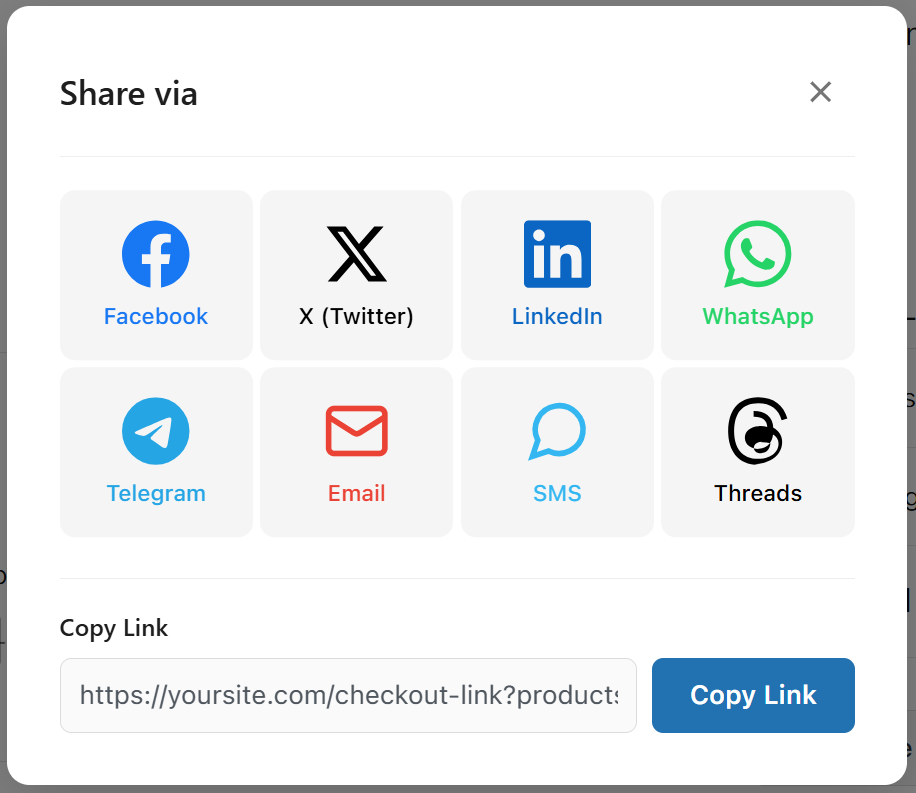
Share popup modal with all 12 social media platforms and a copy-link field. 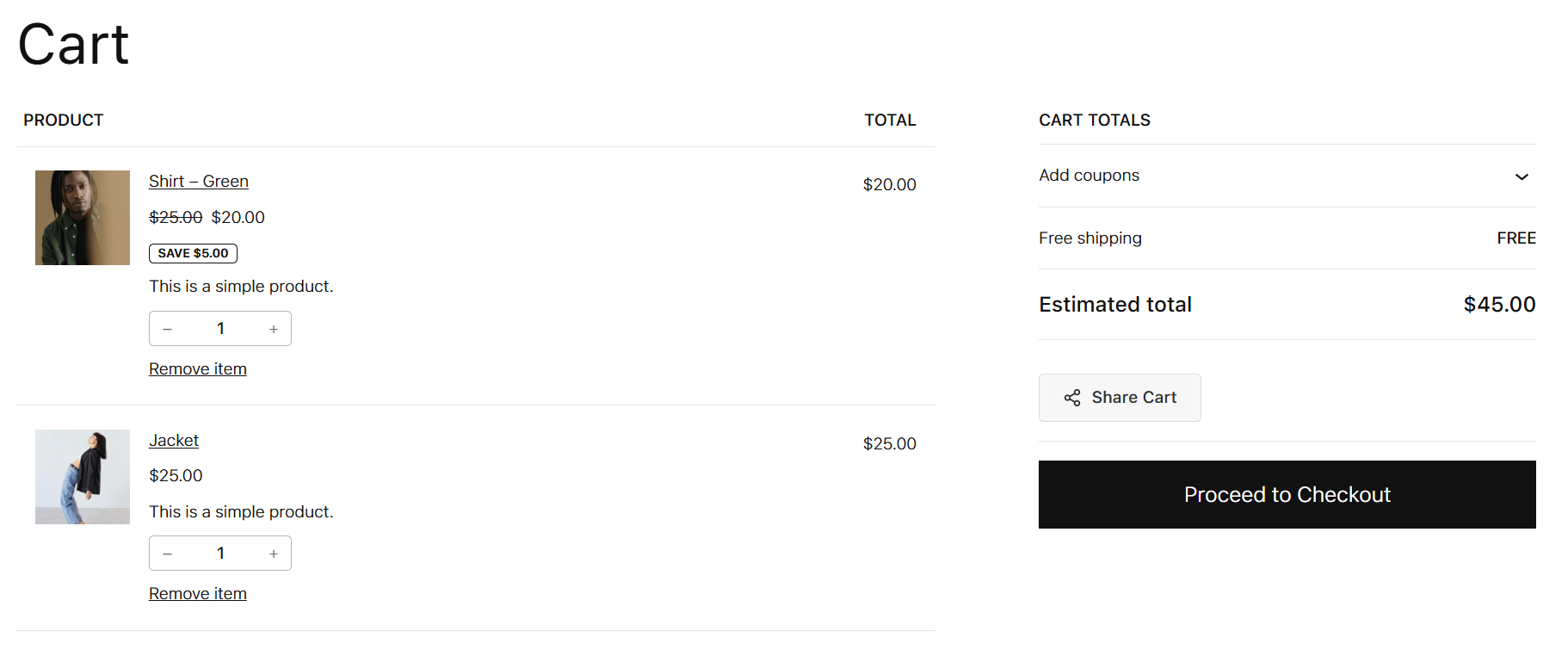
Generated checkout link ready to copy and share with customers. 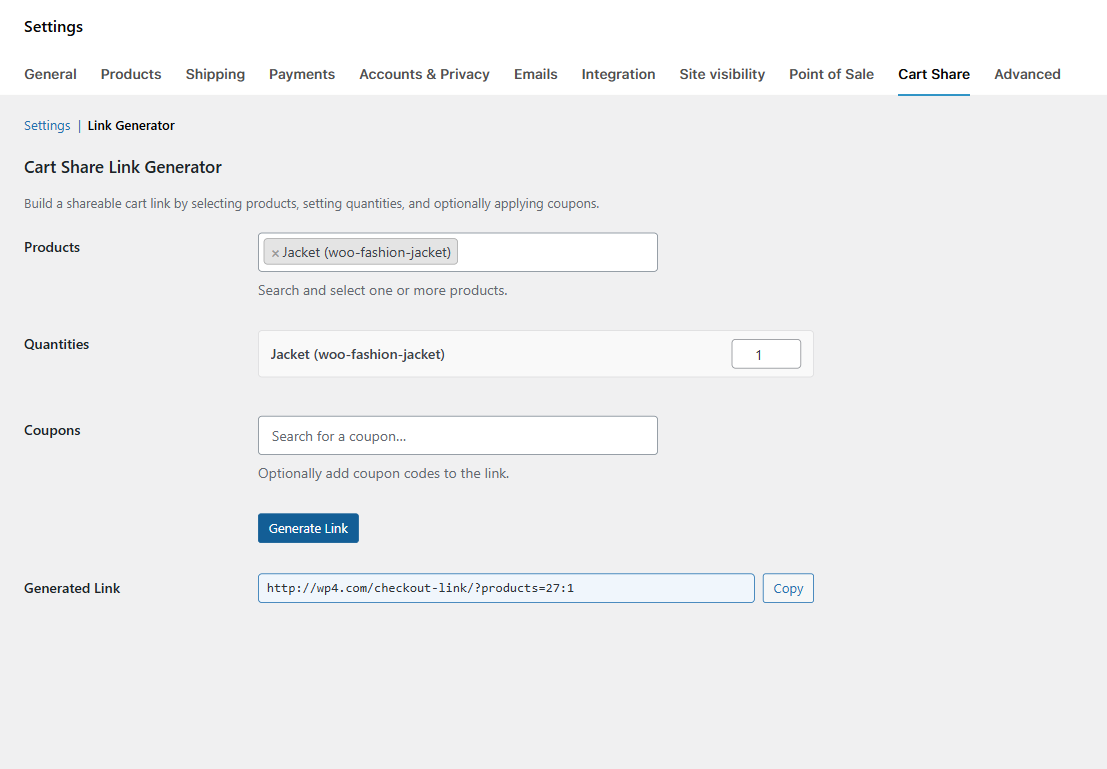
Admin Link Generator to build shareable cart links from the admin panel. 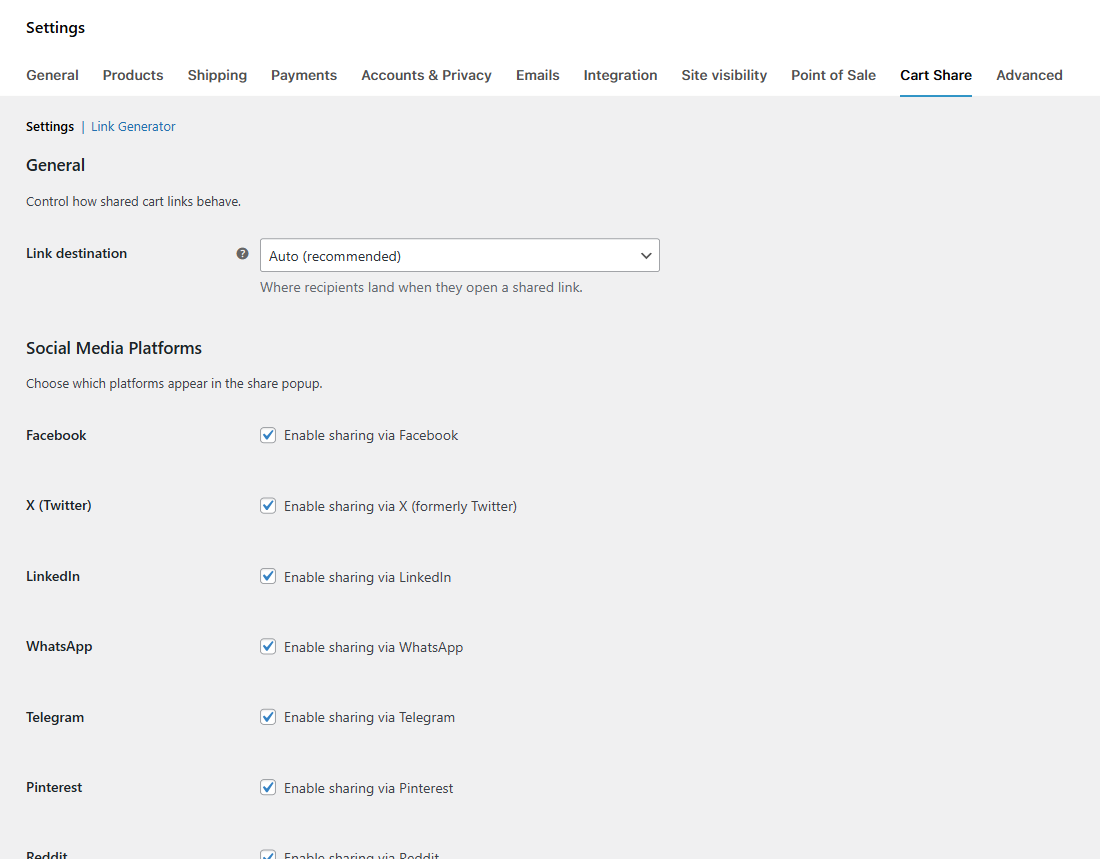
WooCommerce Settings Cart Share tab showing link destination and social platform toggles.
Installation
- Upload the
autoralab-cart-sharefolder to/wp-content/plugins/. - Activate the plugin through the Plugins screen in WordPress.
- Visit WooCommerce Settings Cart Share to configure link destination and social platforms.
FAQ
-
Does this work with the block-based cart?
-
Yes. The plugin detects whether your cart page uses the WooCommerce Cart block or the classic shortcode and adapts automatically.
-
WooCommerce 10.0 added a native
/checkout-link/endpoint that merchants can use to manually create pre-filled checkout URLs. However, WooCommerce does not provide a customer-facing share button or social media popup. This plugin adds that missing UI: a one-click Share Cart button with social sharing that automatically generates the right URL format. -
Yes. Use the
ShareProviderFactory::register()method to register a class that implements theShareProviderinterface. -
Nowhere — the product IDs, quantities, and coupon codes are encoded directly in the URL query string. No extra database tables are created.
-
Yes. Under WooCommerce Settings Cart Share, the “Link destination” setting lets you choose Auto (recommended), Checkout, or Cart. Auto uses WooCommerce’s native checkout-link on WC 10.0+ and falls back to cart on older versions.
Reviews
There are no reviews for this plugin.
Contributors & Developers
“AutoraLab Cart Share for WooCommerce” is open source software. The following people have contributed to this plugin.
Contributors
Translate “AutoraLab Cart Share for WooCommerce” into your language.
Interested in development?
Browse the code, check out the SVN repository, or subscribe to the development log by RSS.
Changelog
1.0.0
- Initial release.