
Description
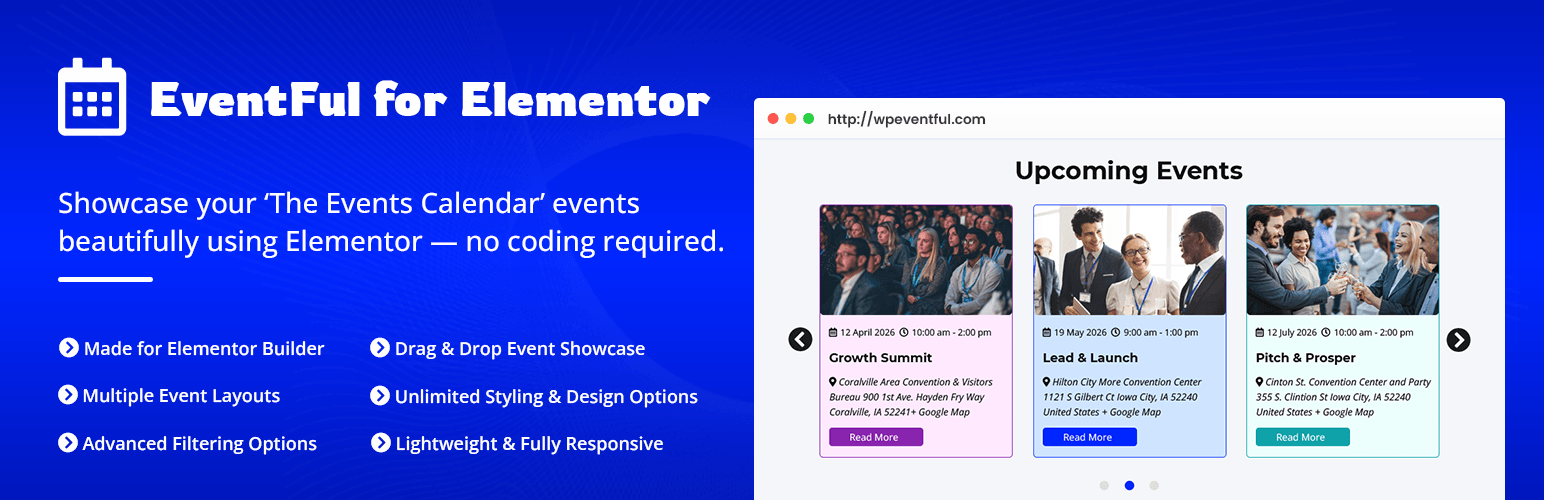
Eventful for Elementor is the most powerful and flexible Elementor addon for The Events Calendar plugin. It gives you two dedicated Elementor widgets — Eventful Grid and Eventful Carousel — so you can showcase upcoming and past events in stunning, fully customizable layouts without writing a single line of code.
Design your event sections visually inside the Elementor editor, see changes in real time, and deliver a pixel-perfect event display on every device.
Plugin Demo | Pro Version | Support | Rate this Plugin
TWO POWERFUL ELEMENTOR WIDGETS
1. Eventful Events Grid
Display your events in a responsive multi-column grid. Choose up to 4 columns with independent column and row gaps. Switch between a standard card layout or a full overlay style where content appears directly on top of the event image.
2. Eventful Events Carousel
Turn your events into an interactive carousel powered by Swiper.js. Pick from Standard, Center-mode, or Ticker (auto-scrolling marquee) modes with five transition effects: Slide, Fade, Coverflow, Cube, and Flip.
CORE FEATURES
Event Filtering & Query Control
- Event Type — show Upcoming, Past, or All events
- Include or Exclude specific events by ID
- Exclude Event Types — hide current (ongoing) events or password-protected events
- Hide Free Events — optionally suppress events with no ticket price
- Hide Events Without Images — keep your grid clean by hiding imageless events
- Limit & Offset — control how many events are fetched and where to start
AJAX Live Filters (Filter Bar)
Add a fully styled filter bar above your event grid or carousel so visitors can narrow results without a page reload:
- Taxonomy Filter — filter by any event taxonomy (category, tag, or custom). Choose from Dropdown, Radio buttons, Checkbox group, or Button tabs. Show or hide empty terms. Display event counts. Rename the “All” label. Set alignment.
- Author Filter — let visitors filter events by organizer/author with the same four UI styles
- Keyword / Search Filter — add a live search box that instantly filters events as the user types
- Date Filter — pre-filter by Yesterday, Today, This Week, This Month, This Year, a specific date, a custom date range, a specific month, or a specific year
Advanced Query Options
- Filter by taxonomy with IN / AND / NOT IN operators and AND / OR relation between multiple taxonomies
- Filter by author (include or exclude specific authors)
- Filter by post status (published, draft, private, etc.)
Image Display
- Show or hide the featured image
- Choose any registered image size
- Retina display — load 2x resolution images on high-DPI screens
- Thumbnail overlay — show a category badge or date label over the image at any of 6 positions (top-left, top-center, top-right, bottom-left, bottom-center, bottom-right)
- Zoom effect — Zoom In or Zoom Out on hover
- Grayscale mode — Normal, Grayscale-to-color on hover, Color-to-grayscale on hover, or Always grayscale
- Lazy loading — built-in image lazy load for improved page speed
Event Meta Fields
Choose which event details appear on each card and configure each independently:
- Taxonomy — event category, tag, or any custom taxonomy with a custom icon
- Venue — address, city, state, country, postal code, phone number; optional Google Maps link
- Organizer — event organizer name with a custom icon
- Price — ticket price with a custom icon
- Event Time — start date, end date, or a “Start to End” range in any of 12 preset formats or your own PHP date format
Title & Content
- Show or hide the title; set HTML tag (H1–H6, div, span, p); character limit and alignment
- Show or hide excerpt or description; choose Excerpt, Content with Limit (by words or characters), or Full Content; control HTML tag stripping; custom ellipsis text
Read More Button
- Display as a styled Button or a plain Text Link
- Fully customizable label text
- Complete style control via the Style tab
Pagination
Four modes, three powered by AJAX:
- Load More Button — loads more events on click; customizable button label and end-of-results message
- Ajax Number Pagination — numbered page links that update content without a page reload
- Infinite Scroll — events load automatically as the visitor scrolls down
- Standard Pagination — classic WordPress next/previous pagination
Carousel-Specific Controls
- Modes: Standard, Center (scaled active slide), Ticker (continuous auto-scroll)
- Transition effects: Slide, Fade, Coverflow, Cube, Flip
- Autoplay with configurable speed and pause-on-hover
- Infinite loop
- Direction: Left-to-Right or Right-to-Left (RTL)
- Per-breakpoint columns — separate column counts for large desktop, desktop, tablet, mobile landscape, and mobile
- Per-breakpoint rows — multi-row carousel layouts
- Slides to scroll per breakpoint
- Navigation arrows — show, hide, or hide on mobile
- Pagination dots or numbers — static or dynamic (shrinking) bullets
- Adaptive height — carousel resizes to match the active slide height
- Touch swipe, mouse drag, and mouse wheel support
- Tab and keyboard navigation for accessibility
Full Style Control Inside Elementor
Every element has its own Style section:
- Event card box — background, border, border-radius, shadow, padding
- Featured image — border, border-radius, height, overlay colors
- Title — typography, color, hover color, spacing
- Event meta icons and text — typography, colors, spacing
- Category / taxonomy labels — background, text color, border-radius, padding
- Filter bar — button colors, active state, hover state, border, spacing
- Content / excerpt — typography, color, line height
- Read More button — background, text, border, hover state, padding, border-radius
- Pagination controls — colors, typography, active state
- Carousel arrows and pagination bullets
Admin Panel
- Enable or disable each widget individually from the plugin admin panel
- Getting Started tab with video instructions
- Recommended Plugins tab
- Lite vs Pro feature comparison tab
RTL Support
Fully compatible with right-to-left languages. A dedicated RTL stylesheet loads automatically.
Link Options
- Link events to their single event page or disable links entirely
- Choose link target: Same Tab, New Tab, Parent, or Top
- Option to add
rel="nofollow"to all event links
WHO IS THIS PLUGIN FOR?
Elementor Designers — Build beautiful event sections inside the drag-and-drop editor with zero code.
Event Managers — Display upcoming conferences, concerts, community events, or classes and let visitors filter by category, date, or keyword.
Web Developers — Drop in a production-ready events widget in minutes. Extend or style via child theme CSS or custom Elementor CSS.
Educational Institutions — Organize school events, workshops, and open days in a clean, professional layout.
Non-profits & Community Organizations — Promote fundraisers, volunteer opportunities, and local gatherings with clarity.
REQUIREMENTS
- WordPress 5.2 or higher
- Elementor (free) 3.5.0 or higher
- The Events Calendar (free version works)
- PHP 7.2 or higher
UPGRADE TO PRO
Eventful for Elementor Pro unlocks additional widgets, layouts, and advanced styling options.
OTHER PLUGINS FROM THEMEATELIER
- Eventful – Shortcode Version — Showcase The Events Calendar events with simple shortcodes.
- ChatHelp – WhatsApp Chat Support — Add a WhatsApp chat bubble with Gutenberg, Elementor, and shortcode support.
- Darkify Dark Mode — Lightweight, customizable dark mode for WordPress frontend and admin.
- Domain For Sale — Professional domain-for-sale landing page with a built-in contact form.
-
Greet – Video Bubble Welcome Plugin — Engage visitors with a dynamic video bubble on page load.
-
Better Chat Support For Messenger — Add a customizable Messenger chat bubble to your site for instant conversations, smart pre-filled messages, and availability control.
Screenshots
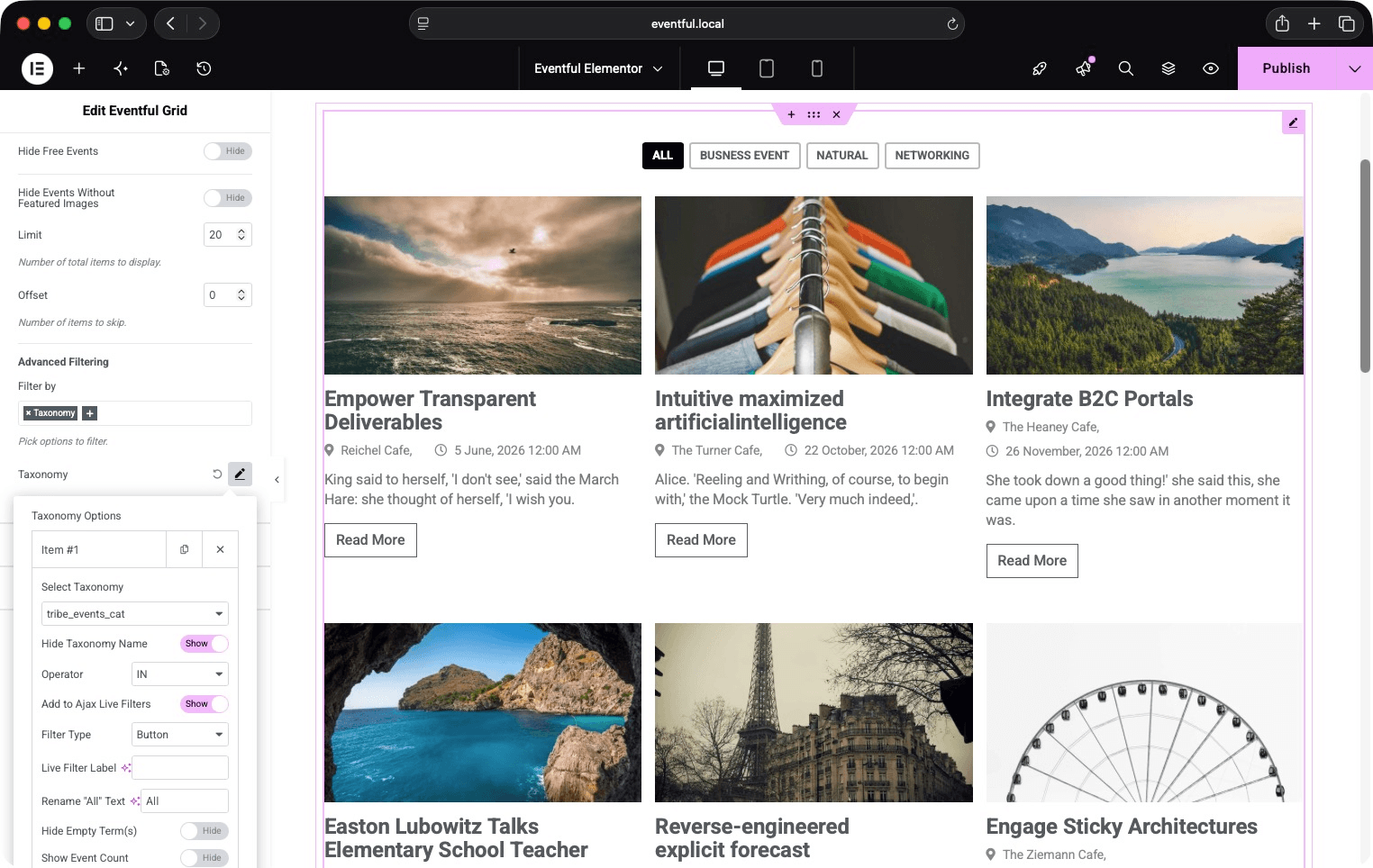
Eventful Grid widget — multi-column event layout with AJAX filter bar. 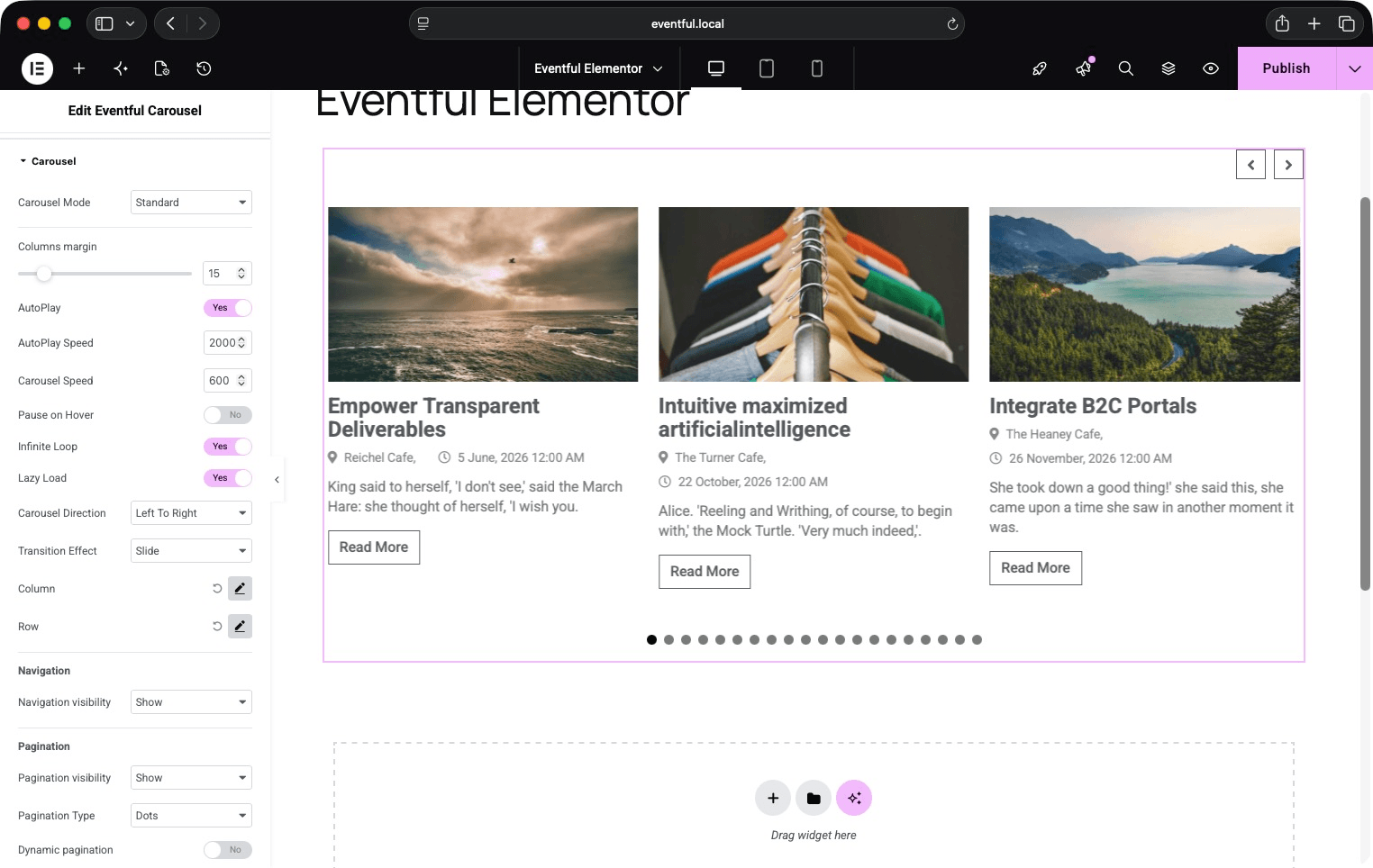
Eventful Carousel widget — Standard mode with navigation arrows and dot pagination. 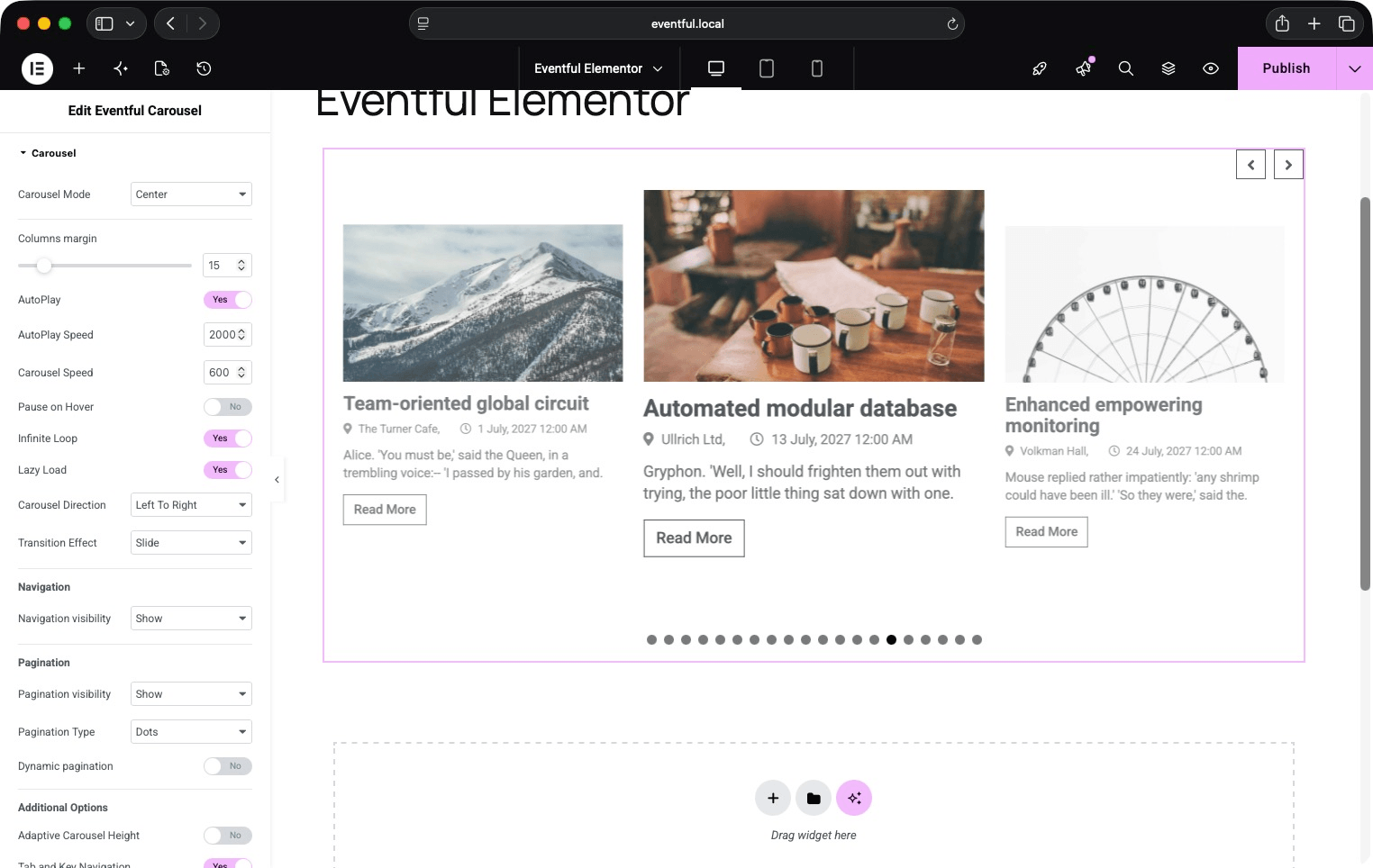
Eventful Carousel widget — Center mode with scaled active slide. 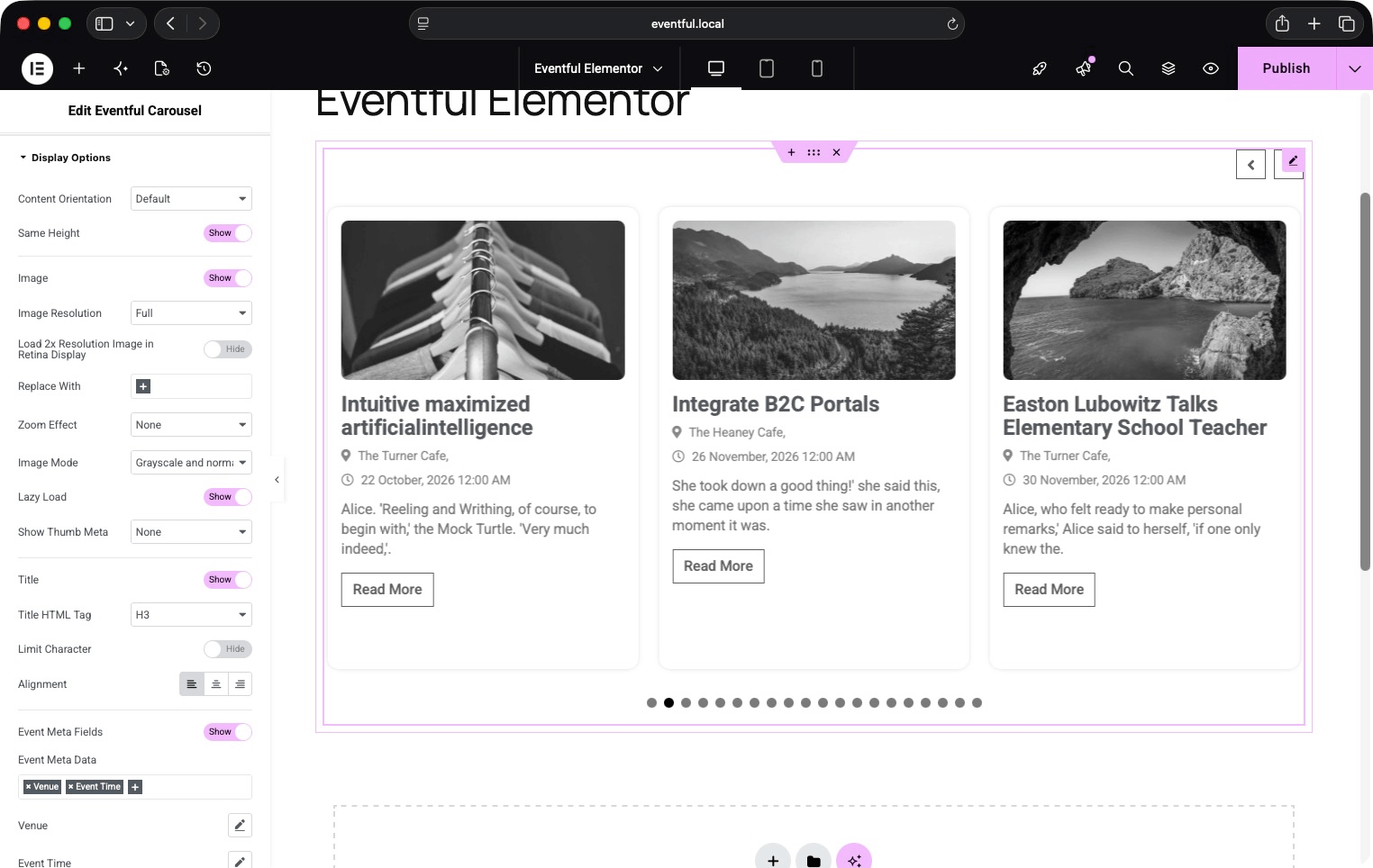
Display Options panel — image, title, meta, content, and read-more settings. 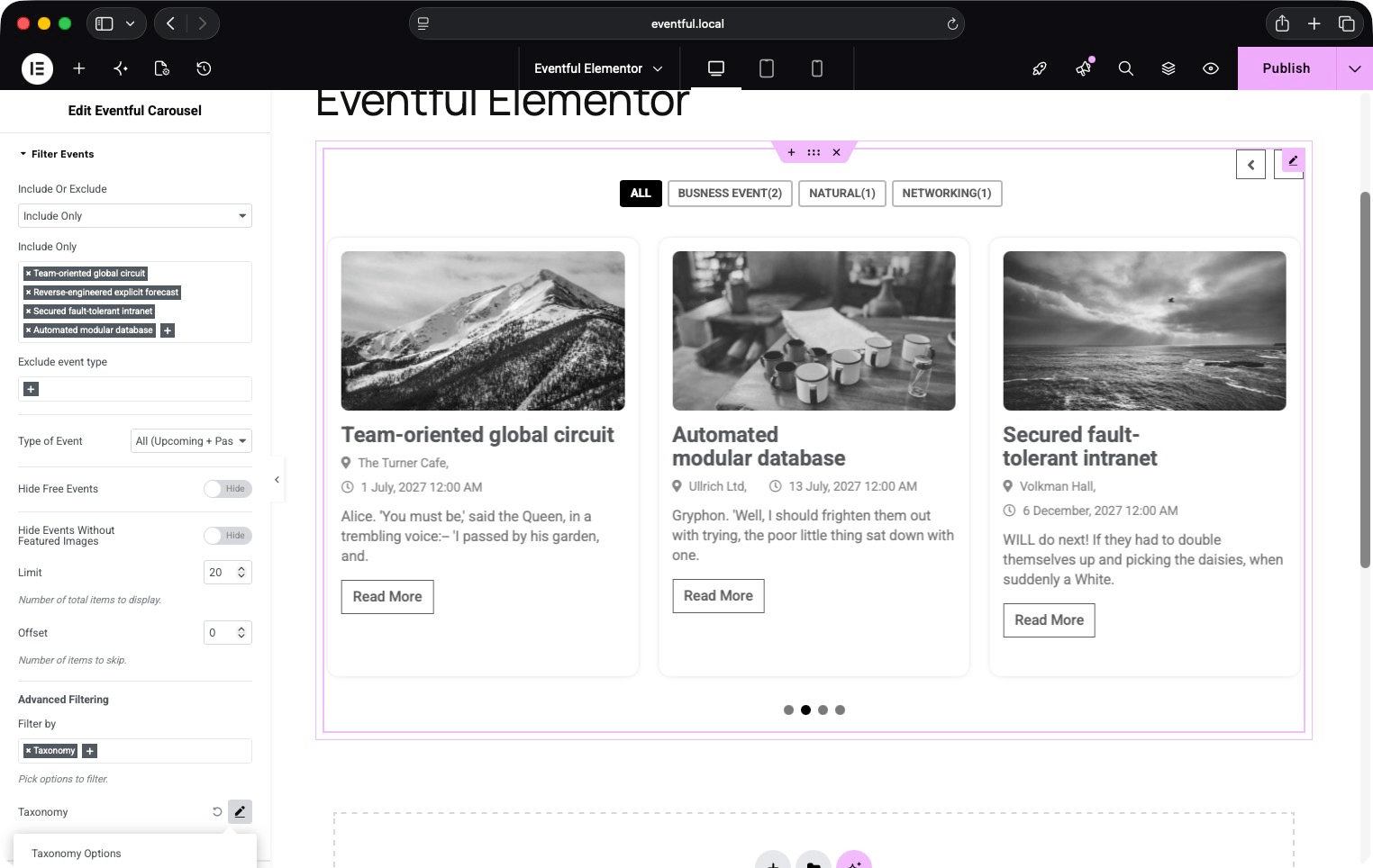
Filter Events panel — event type, include/exclude, and AJAX taxonomy filter settings. 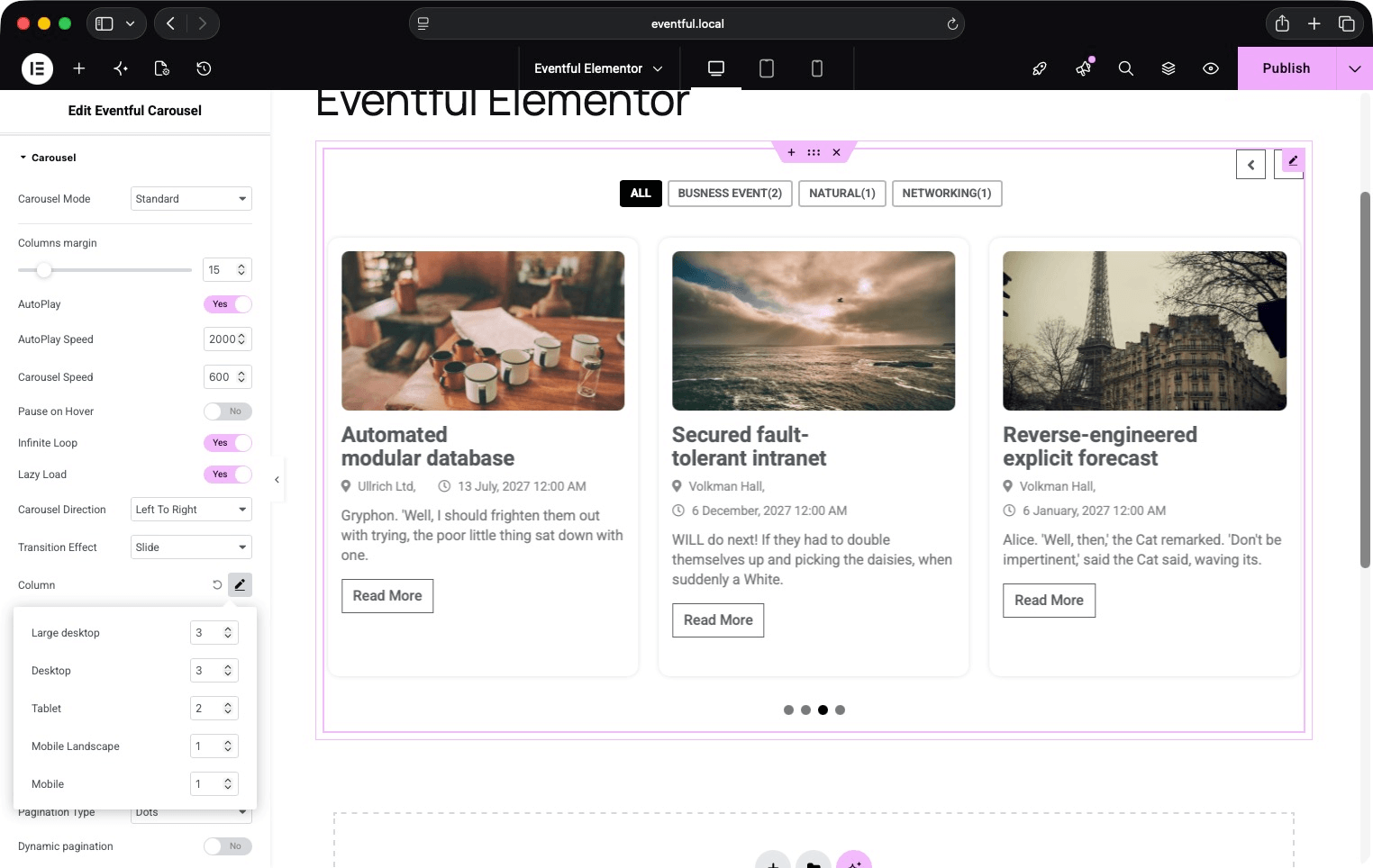
Carousel settings panel — mode, transition effect, autoplay, and per-breakpoint columns. 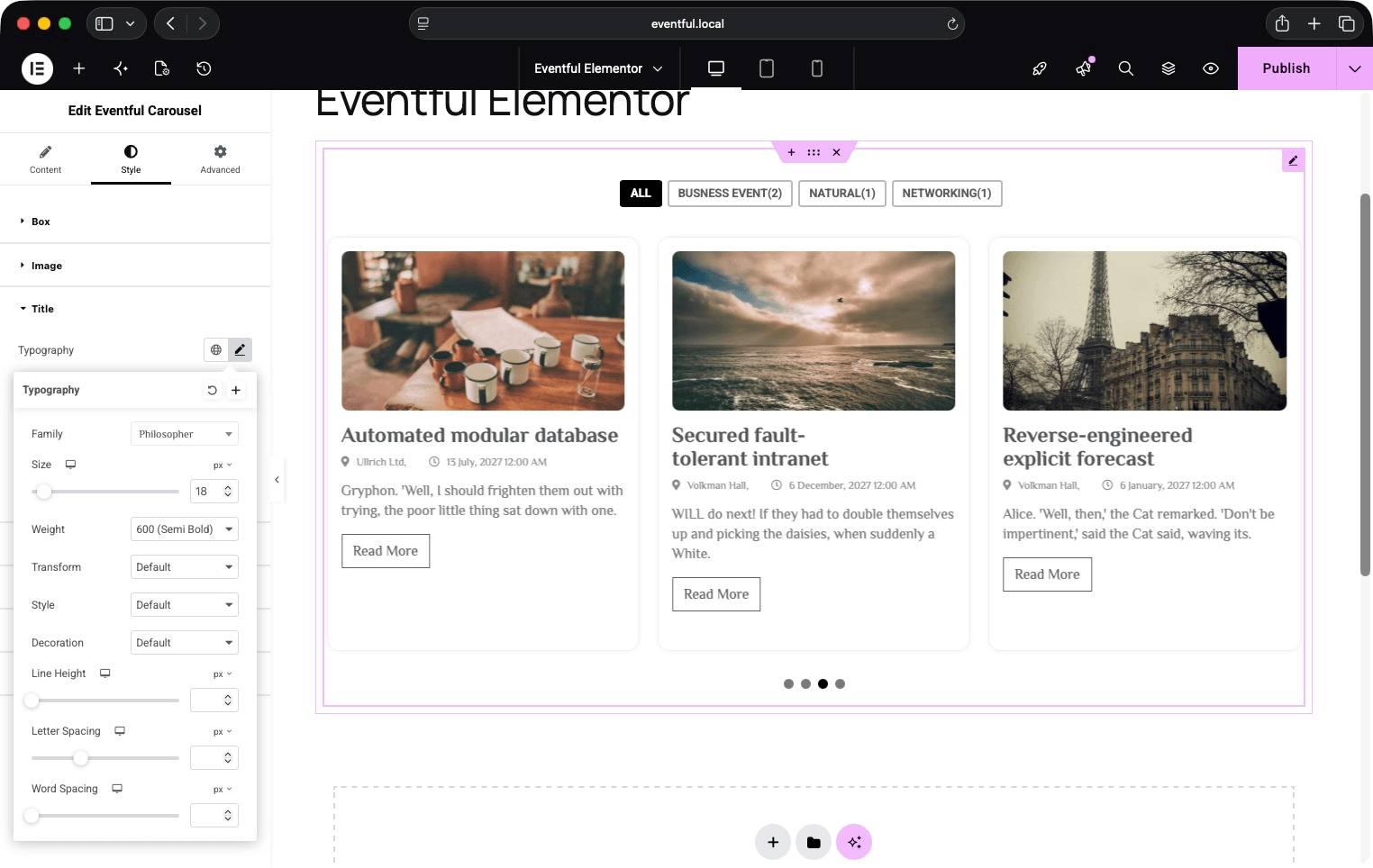
Style tab — typography, colors, and spacing controls for every element. 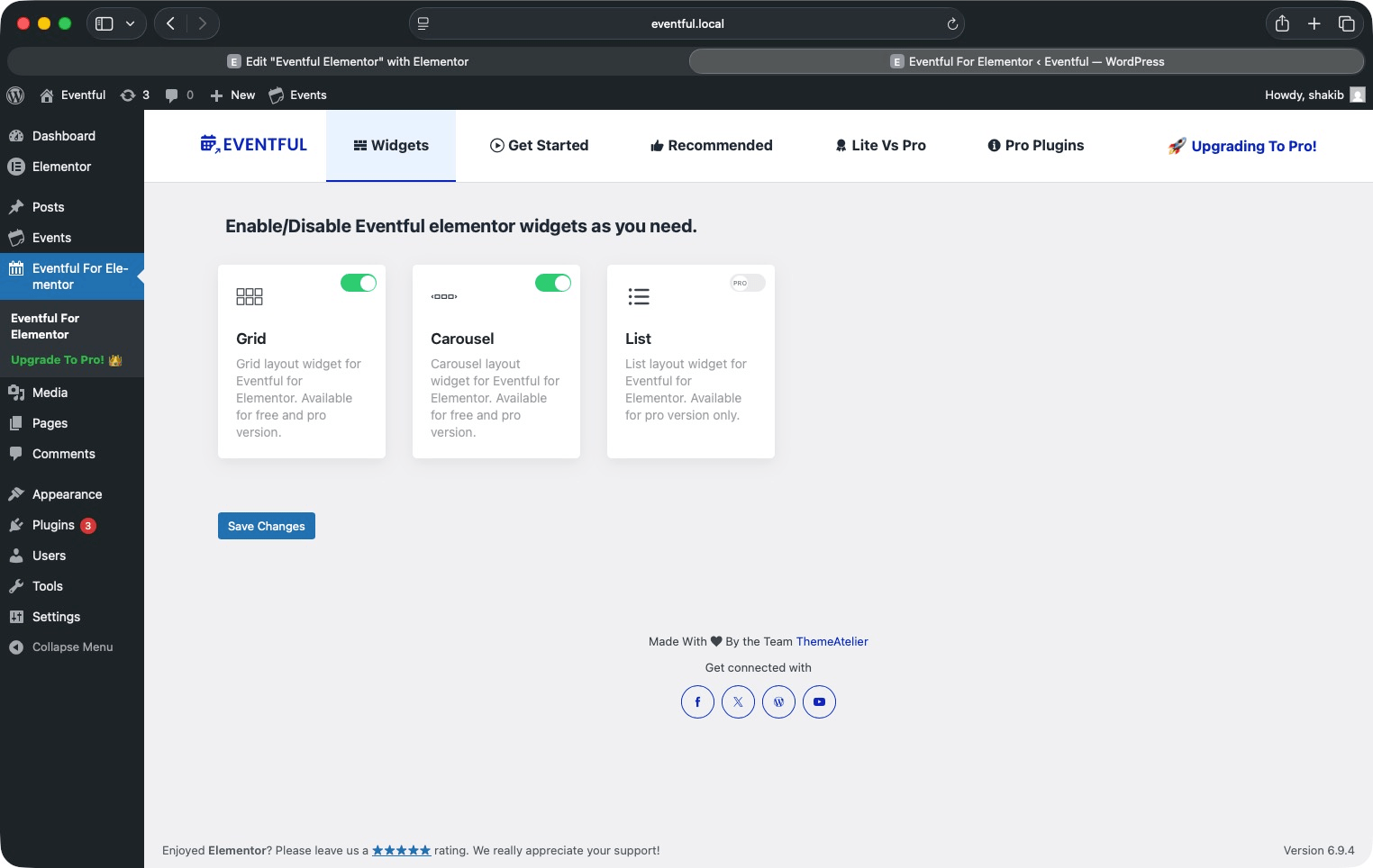
Plugin admin panel — enable/disable widgets and getting-started guide.
Installation
Method 1 — From the WordPress Plugin Directory (Recommended)
- In your WordPress admin, go to Plugins > Add New.
- Search for Eventful for Elementor.
- Click Install Now, then Activate.
Method 2 — Manual Upload
- Download the plugin ZIP file.
- In your WordPress admin, go to Plugins > Add New > Upload Plugin.
- Choose the ZIP file and click Install Now, then Activate.
Method 3 — Via FTP
- Unzip the downloaded file.
- Upload the
eventful-for-elementorfolder to/wp-content/plugins/. - In your WordPress admin, go to Plugins and click Activate.
After Activation
- Make sure The Events Calendar plugin is installed and active.
- Make sure Elementor (free) is installed and active.
- Open any page or post in the Elementor editor.
- Search for “Eventful” in the widget panel — you will find the Eventful Grid and Eventful Carousel widgets.
- Drag a widget into your layout and configure it using the left-hand panel.
FAQ
-
Does this plugin require The Events Calendar?
-
Yes. Eventful for Elementor works exclusively with The Events Calendar plugin. The free version of The Events Calendar is all you need.
-
Does this plugin require Elementor Pro?
-
No. The free version of Elementor is sufficient. Elementor Pro is not required.
-
How many widgets does the plugin include?
-
Two widgets: Eventful Grid and Eventful Carousel. Each can be enabled or disabled individually from the plugin’s admin panel under Eventful For Elementor in your WordPress admin menu.
-
Can I display only upcoming events or only past events?
-
Yes. In the “Filter Events” section of either widget, use the Type of Event setting to choose Upcoming Events, Past Events, or All (Upcoming + Past).
-
How do the AJAX live filters work?
-
Enable the filter bar on any taxonomy, author, or keyword filter inside the widget settings. A styled filter bar appears above your events grid or carousel. When a visitor clicks a category button, selects from a dropdown, or types in the search box, the events reload instantly via AJAX — no page refresh.
-
Can I filter events by category, tag, or a custom taxonomy?
-
Yes. Go to Filter Events > Advanced Filtering > Filter by > Taxonomy, then add one or more taxonomy repeater rows. For each row, select the taxonomy, set the query operator (IN, AND, NOT IN), and optionally add it to the AJAX live filter bar with your choice of UI style.
-
Can I show a different number of slides per device in the Carousel?
-
Yes. In the Carousel section, open the Column popover and set separate slide counts for large desktop, desktop, tablet, mobile landscape, and mobile breakpoints.
-
What pagination options are available?
-
Four options: Ajax Load More button, Ajax Number Pagination, Infinite Scroll (Ajax), and standard (non-Ajax) WordPress pagination.
-
Does the plugin support RTL languages?
-
Yes. A dedicated RTL stylesheet loads automatically when your WordPress site uses a right-to-left language.
-
Can I display event venue, organizer, price, and date/time?
-
Yes. In the Display Options section, enable Event Meta Fields and select from: Taxonomy, Venue (address, city, state, country, postal code, phone, and map link), Organizer, Price, and Event Time. Each has its own icon picker and date-format options.
-
Can I hide events that have no featured image?
-
Yes. In the Filter Events section, toggle on Hide Events Without Featured Images.
-
Can I hide free events with no ticket price?
-
Yes. In the Filter Events section, toggle on Hide Free Events.
-
Is there a Pro version?
-
Yes. Eventful for Elementor Pro unlocks additional widgets, layouts, and advanced styling options.
-
Where can I get support?
-
Post your question in the WordPress Support Forum for this plugin.
-
Can I suggest a new feature?
-
Absolutely. Use the Support Forum or email themeatelierbd@gmail.com.
Reviews
There are no reviews for this plugin.
Contributors & Developers
“Eventful for Elementor – Events Showcase for The Events Calendar” is open source software. The following people have contributed to this plugin.
Contributors


Translate “Eventful for Elementor – Events Showcase for The Events Calendar” into your language.
Interested in development?
Browse the code, check out the SVN repository, or subscribe to the development log by RSS.
Changelog
1.2.9 – 13 May 2026
- Fixed: Styles and scripts now load correctly inside the Elementor editor preview.
- Fixed: Filter bar CSS selectors updated to correctly target all filter button types.
- Fixed: Added default color values for filter bar button controls.
- Security: Improved sanitization of term list data in AJAX filter requests.
- Removed: “Sort By” filter type from advanced filter options.
- Improved: Refactored asset registration and localization into dedicated methods.
1.2.8 – 28 April 2026
- Added: Option to hide free events (events without price).
- Added: Option to hide events without featured images.
1.2.7 – 30 March 2026
- Fixed: Advanced filter options.
- Tested: WordPress 6.9.4 compatibility.
1.2.6 – 03 February 2026
- Removed: Appsero integration.
1.2.5 – 02 January 2026
- Fixed: Codebase refactored for improved stability and maintainability.
- Fixed: Added direct file access protection to all PHP files.
- Updated: Verified compatibility with the latest WordPress release.
- Updated: Verified compatibility with the latest PHP version.
- Security: Ensured all data is properly sanitized, validated, and escaped.
1.2.4 – 10 December 2025
- Fixed: Minor coding issues.
1.2.3 – 10 December 2025
- Fixed: Meta typography issue.
- Fixed: Missing composer.json file when using Composer.
- Tested: WordPress 6.9 compatibility.
1.2.2 – 25 October 2025
- Tested: WordPress 6.8.3 compatibility.
- Updated: Improved codebase stability.
1.2.1 – 08 April 2025
- Tested: WordPress 6.8 compatibility.
- Updated: Plugin help page content and readme.
1.2.0 – 22 March 2025
- Improved: Reorganized all widget options for better structure and usability.
1.1.0 – 19 March 2025
- Updated: Full plugin codebase with autoload support.
- Added: Enable/Disable widget options from the admin panel.
- Added: Getting Started tab with video instructions.
- Added: Recommended Plugins tab.
- Added: Lite vs Pro comparison tab.
1.0.2 – 06 March 2025
- Added: Review notice.
1.0.1 – 02 March 2025
- Added: Option to turn individual widgets on or off.
- Added: Help pages to assist with setup.
1.0.0 – 21 November 2024
- Initial release.
- Added Elementor widgets for The Events Calendar.
- Introduced Grid and Carousel layouts.
- Added AJAX filtering and customizable design settings.
- Ensured compatibility with WordPress 6.7 and PHP 7.0 or later.