

Description
Open for Agents lets you decide what compatible AI agents can discover and use on your WordPress site. It finds eligible public content and supported workflows, lets an administrator review them, and publishes only what the administrator approves. Nothing is exposed merely because you activated the plugin.
For AI agents for WordPress, the plugin provides one governed catalog for WordPress MCP, WebMCP for WordPress pages, and other AI agent discovery formats.
What you can do
- Publish reviewed WordPress tools for AI agents without exposing private or unapproved actions.
- Make public content, navigation, search, supported forms, and WooCommerce tools for AI agents easier for compatible clients to discover.
- Provide a bounded read-only MCP endpoint, optional browser WebMCP, and the same reviewed catalog through
llms.txt, API Catalog, MCP Server Card, Agent Skills, and optional Agentic Resource Discovery output. - Keep write actions disabled until individually enabled, with trusted, argument-bound visitor approval before supported changes.
- Verify published capabilities through the same public routes agents use.
No AI API key or Open for Agents account is required. Core does not send site content or scan results to Open for Agents, and every included capability is available without a paid upgrade or license key.
See it and get started
- Visit the Open for Agents website
- Follow the getting started guide
- Read the documentation
- Try the live WordPress demonstration
Safe by default
Open for Agents does not turn every detected form or endpoint into a public tool. Publishing and the browser runtime are disabled by default. Public exports exclude private, sensitive, dangerous, or unapproved actions. Transactional tools add approval attestation, replay protection, budgets, and audit history; checkout, payment, order placement, and account changes remain excluded.
How it works
- Setup: Enable built-in tools and choose what the plugin may inspect.
- Review: Check capabilities, visibility, risk, and execution policy.
- Publish & verify: Publish Safe Public and verify its delivery path.
Supported discovery and controls
- Read-only tools for public WordPress content, navigation, search, and WooCommerce discovery.
- Scanning for WordPress core, Contact Form 7, WPForms Lite, WooCommerce, and selected REST or AJAX surfaces.
- AI crawler controls for
robots.txt, plus JSON export, validation, readiness, diagnostics, and scan history.
Optional integrations
The separately distributed Open for Agents Assistant is optional and is not included in this WordPress.org package. It is available only for approved deployments, not general public download. Core works without it.
Form integration status
- WooCommerce 10.5.1 and 10.9.4: tested discovery, session-bound cart inspection, visitor-approved reversible cart tools, and declared HPOS compatibility.
- Contact Form 7 6.1.5 and 6.1.6: tested detection, reviewed publication, and certified execution for supported single-page contact and choice fields.
- WPForms Lite 1.9.9.2 and 1.10.2.1: tested detection, reviewed publication, and certified execution for supported single-page contact, number, choice, name, and address fields.
Executable forms exclude captcha, consent, payment, upload, account, signature, calculation, and multi-page workflows. Generic REST and AJAX mining is lower-confidence discovery for administrator review, not native provider support. Detection never means automatic publication; execution requires framework enablement, exact per-form opt-in, and a trusted approval verifier.
External services
The core plugin does not contact an external service operated by Enoki Limited or another provider.
Published MCP Server Card and Agent Skills documents contain $schema identifiers at static.modelcontextprotocol.io and schemas.agentskills.io. The plugin does not request those URLs, transmit data to them, or require them to be available.
Deep scan is an optional developer integration point, not a bundled service. When enabled, the plugin passes a page URL and non-secret request settings only to locally installed code attached to open_for_agents_deep_scan_report; it never passes authentication cookies, authorization headers, or WordPress nonces. A developer who connects an external renderer must disclose that separate service, its data, terms, and privacy policy. Without an integration, the plugin uses its same-site static scan and sends nothing externally.
Privacy
Core does not create an Enoki Limited account, load remote tracking code, or transmit site data to an Open for Agents service.
Normal scanning and verification make HTTP requests to the WordPress site’s own public or administrator-authorized same-origin URLs. Authenticated scan cookies are used only for same-origin requests during that scan and are never included in public output.
Any configured third-party renderer may process page URLs, request context, or rendered content and must be governed separately.
Privacy policy: Open for Agents privacy policy
Terms: Open for Agents terms
Screenshots
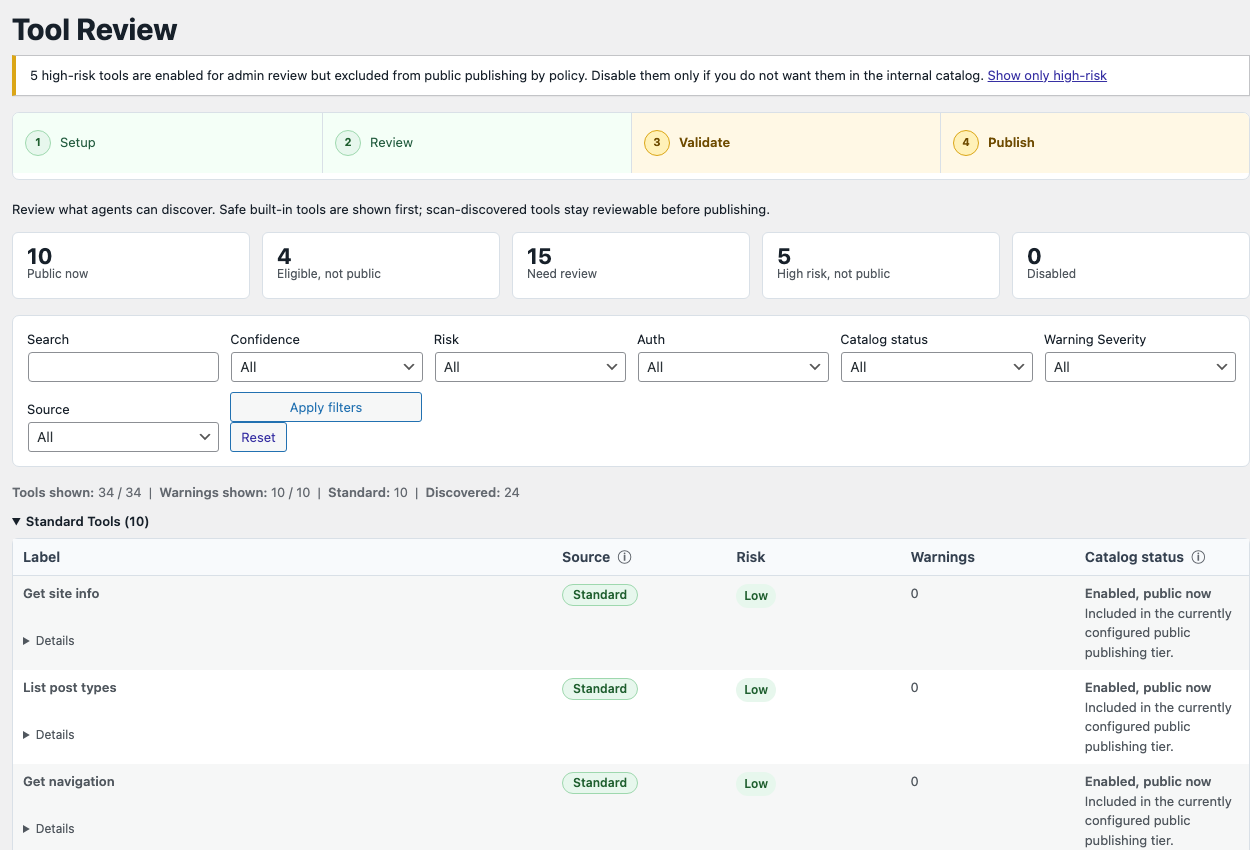
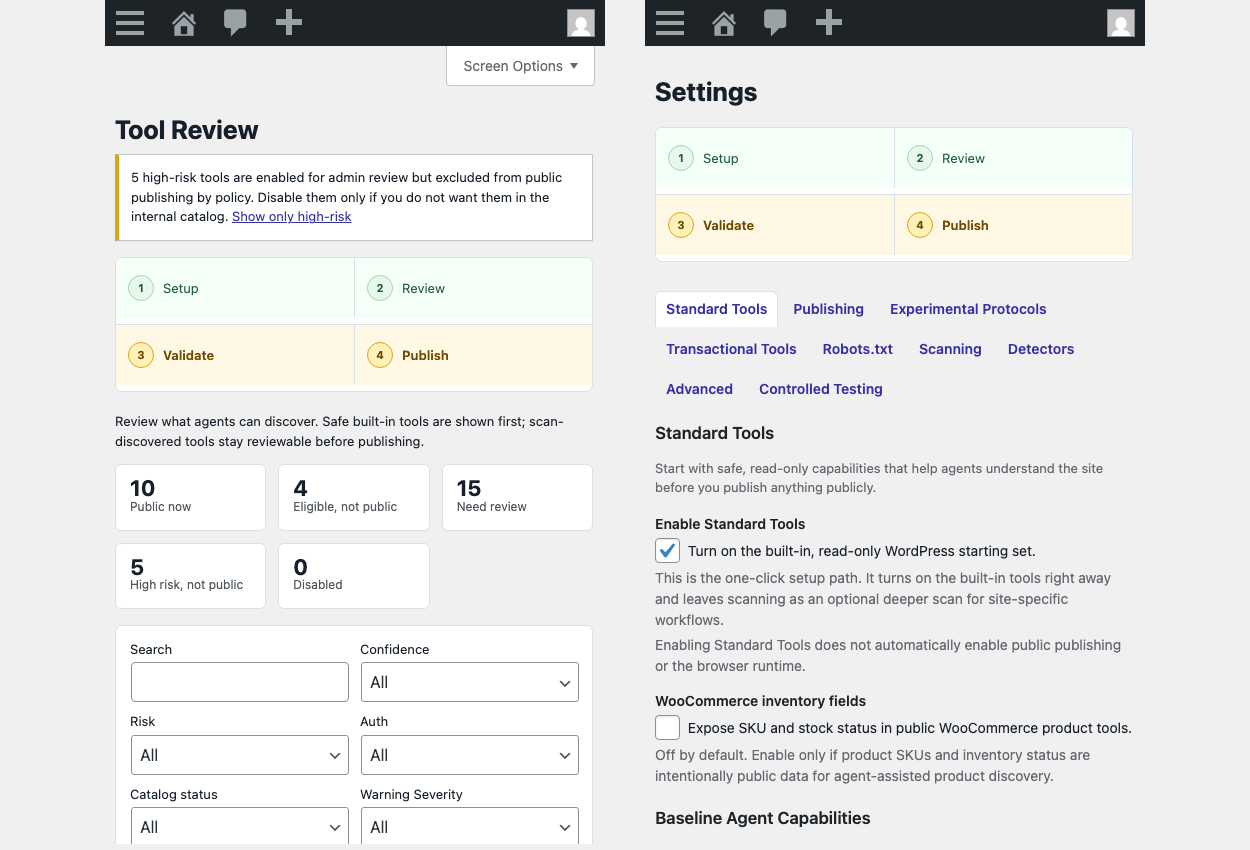
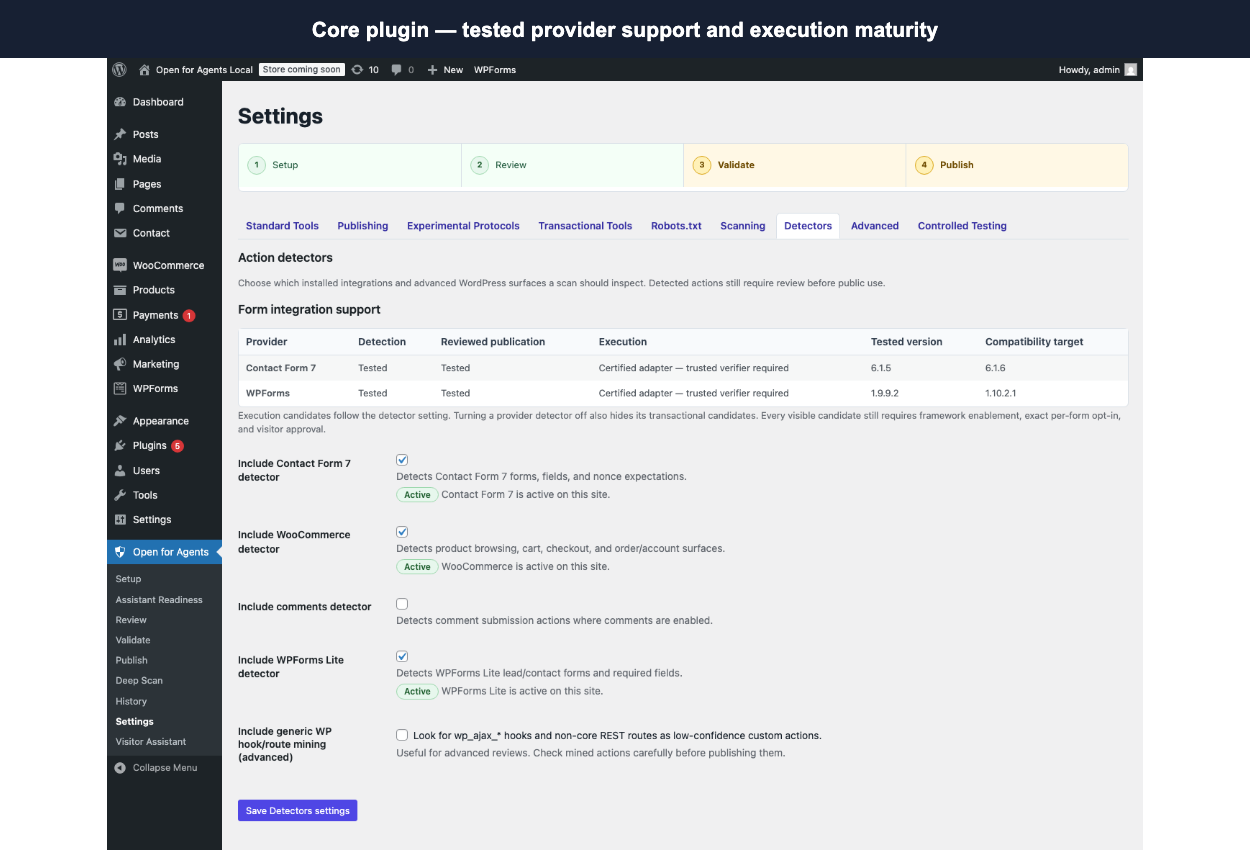
Installation
- Install and activate Open for Agents.
- Open Open for Agents > Setup and enable Standard Tools.
- Optionally scan for site-specific workflows.
- Review proposed actions, visibility, risk, and execution policy.
- Review the Safe Public selection, then choose Publish Safe Public and verify to check, publish, and verify it.
Upgrading preserves existing settings, reviewed actions, scan history, and publication state.
FAQ
-
Does activation immediately expose my site to agents?
-
No. Public publishing and the browser runtime are disabled by default. An administrator must review and enable them.
-
Does the plugin send my content or credentials to Open for Agents?
-
No. Core sends no site content, credentials, scan results, or visitor data to Enoki Limited or Open for Agents. A separately configured deep-scan renderer controls its own data handling.
-
Do I need an AI API key?
-
No. Scanning, review, validation, publication, discovery endpoints, MCP, and WebMCP runtime support do not require a model API key.
-
Which integrations are supported?
-
The scanner supports WordPress core, WooCommerce core, Contact Form 7, and WPForms Lite. Selected custom REST and AJAX surfaces appear as lower-confidence review candidates.
-
Can an agent place an order or make a payment?
-
No. Checkout, payment, order placement, and account changes are excluded. Transactional browser tools are disabled by default and require administrator opt-in plus trusted, argument-bound visitor-approval attestation.
-
What is published?
-
Only the administrator-approved public catalog and enabled discovery formats. Private scan evidence, cookies, credentials, nonces, logs, and admin-only data are not published.
-
Is there a live demo?
Reviews
There are no reviews for this plugin.
Contributors & Developers
“Open for Agents: AI Toolkit with MCP” is open source software. The following people have contributed to this plugin.
Contributors
Translate “Open for Agents: AI Toolkit with MCP” into your language.
Interested in development?
Browse the code, check out the SVN repository, or subscribe to the development log by RSS.
Changelog
0.3.31
- Add a minimized, administrator-initiated Agent Readiness Baseline download for optional agency assessments.
- Keep scan content, selectors, form values, request data, credentials, and raw HTML out of the baseline file.
0.3.30
- Harden transaction persistence, idempotency, and uncertain-outcome handling.
- Bind publishing checks to the exact selected tier and preserve the last successful scan.
- Improve MCP and WebMCP lifecycle correctness and administrator workflows.