
Description
Simple X Buttons adds X (Twitter) buttons to your WordPress posts and pages — the right way.
Why not use X’s official embed buttons?
X’s embed infrastructure (platform.twitter.com/widgets.js) has been unreliable since 2023, hitting HTTP 429 rate limits at scale and causing embeds to fail silently or load slowly. X has not committed to fixing this.
This plugin takes a different approach entirely.
What are X Web Intents?
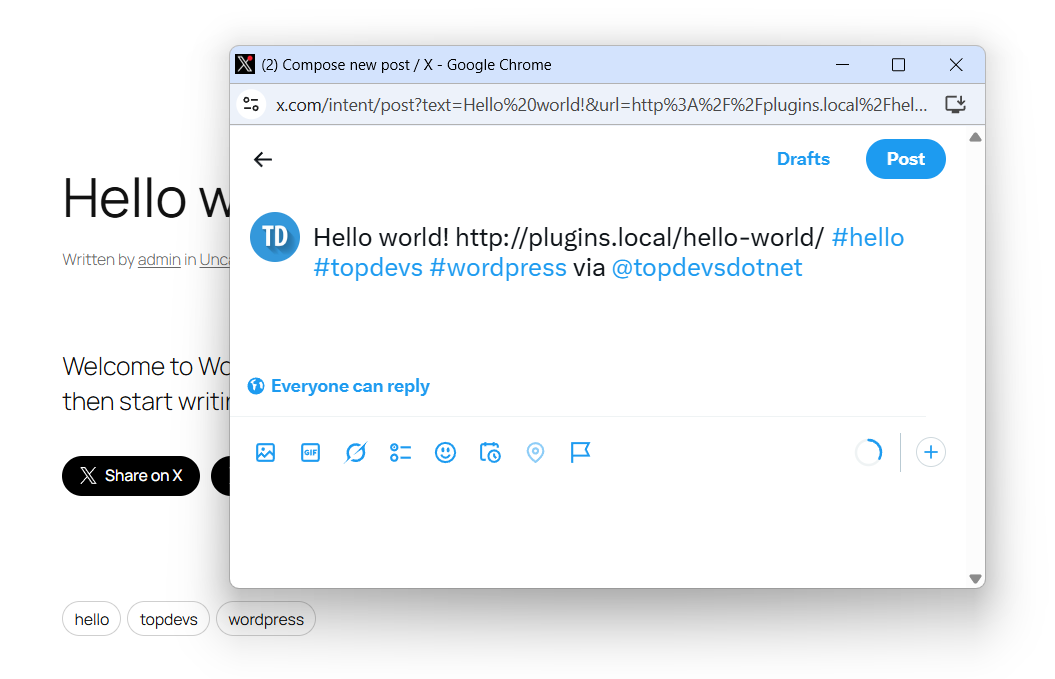
Web Intents are plain URLs provided by X for sharing, following, mentioning, and more. They open a lightweight native X popup — no JavaScript SDK, no third-party cookies, no external scripts loaded on page load. You click, a popup opens, done.
That means:
- No API key required — zero setup friction
- No external scripts — nothing loads until the user clicks
- No rate limits — static URLs, no API calls
- GDPR-friendly — no cookies or tracking on page load
- Fast — the plugin CSS is ~1 KB, loaded only when a button is on the page
Four button types
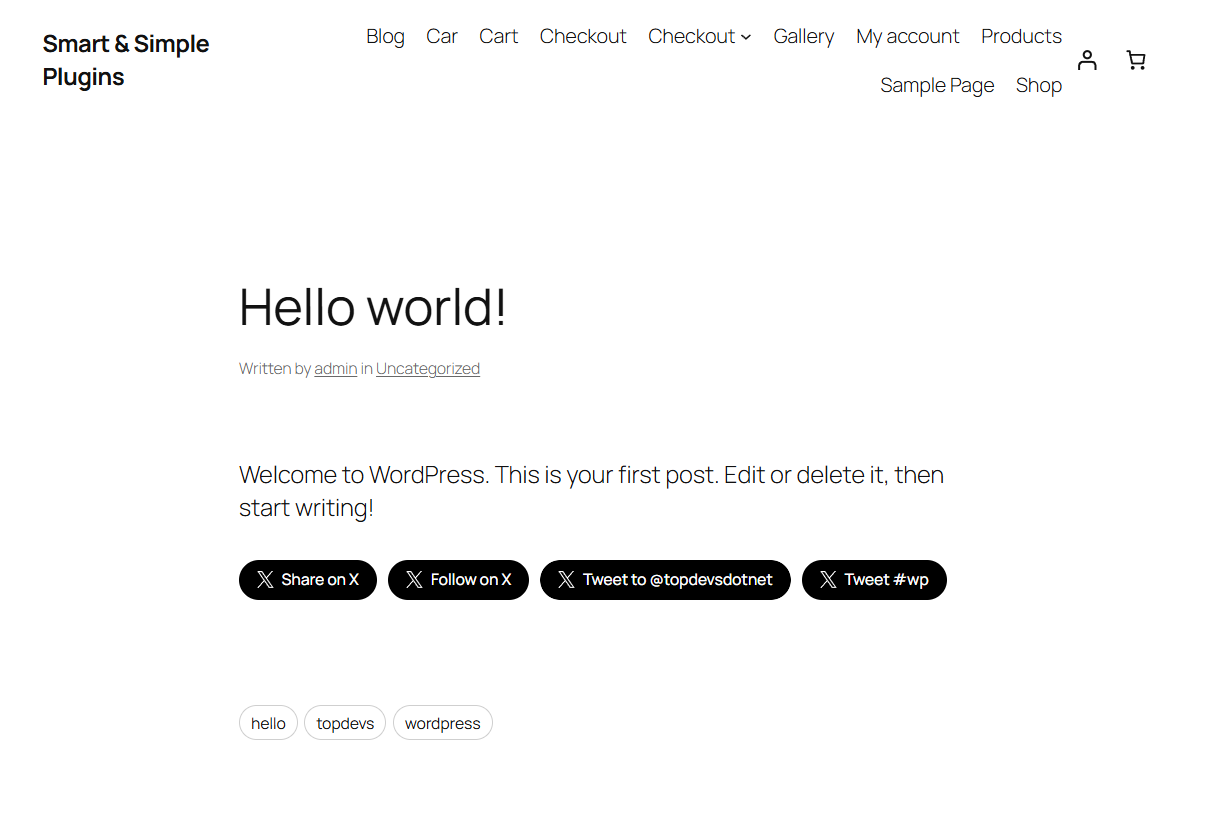
- Share — opens X compose pre-filled with the post title, permalink, hashtags, and via handle
- Follow — opens X’s native follow dialog for your account
- Mention — opens X compose pre-filled with @yourhandle so visitors can tweet at you
- Hashtag — opens X compose pre-filled with #yourtag; optionally pulls in the post’s own tags automatically
Features
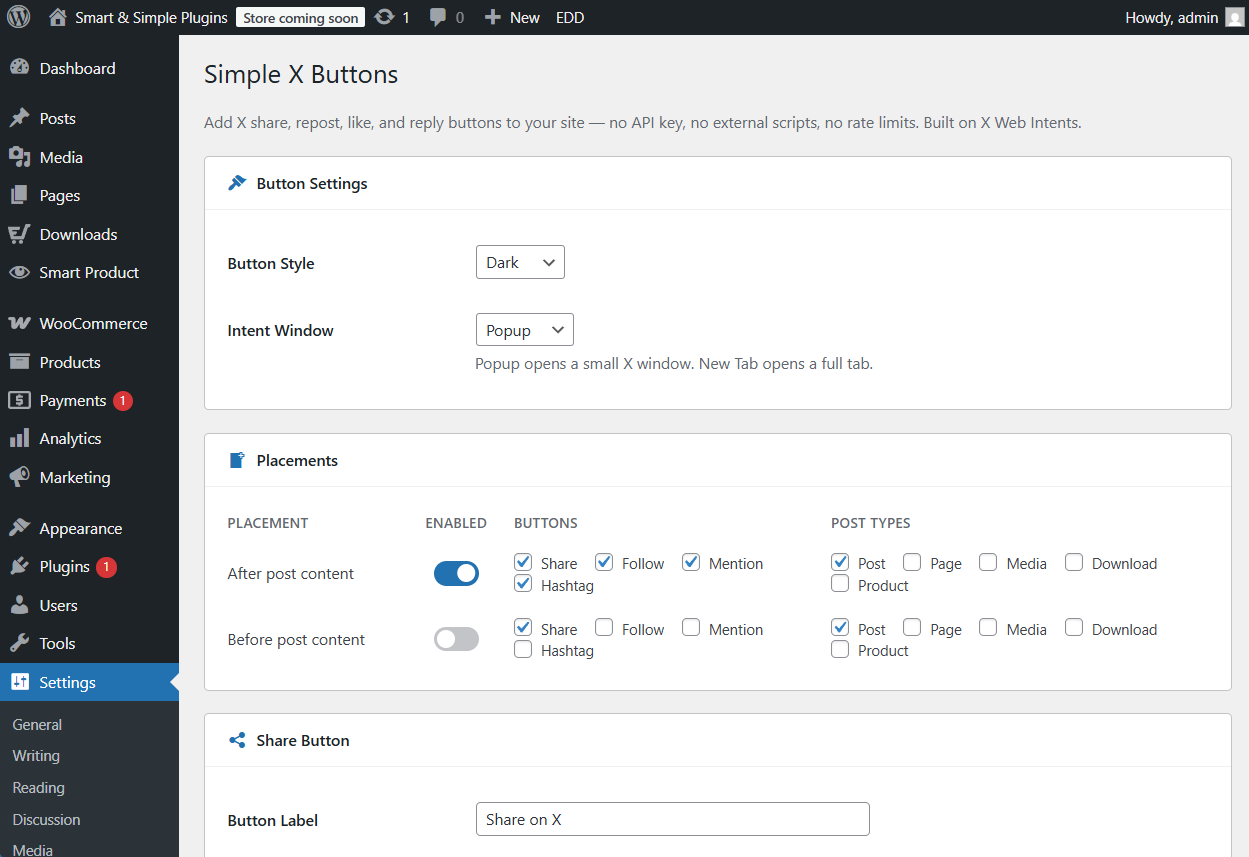
- Auto-insert before and/or after post content — choose which buttons and which post types per placement
- Per-placement button control — show Share on all posts, Follow only on certain post types, etc.
- Post tags as hashtags — Share and Hashtag buttons can automatically pull the post’s tags (capped at 5 to keep tweets writable)
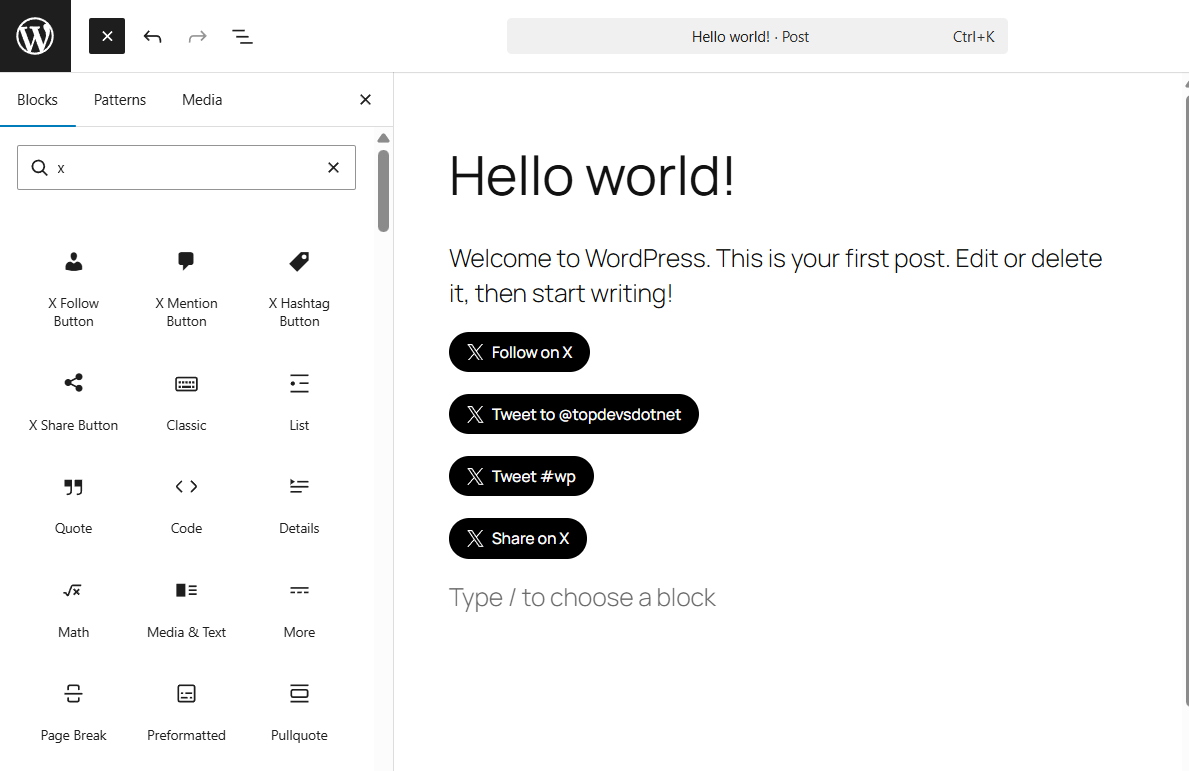
- 4 Gutenberg blocks — X Share, Follow, Mention, and Hashtag blocks with live editor previews
- 4 Shortcodes —
[sxb-share],[sxb-follow],[sxb-mention],[sxb-hashtag] - Template tags —
sxb_share_button()andsxb_button_bar()for theme developers - Three button styles — Dark, Outline, Ghost
- Popup or new-tab intent window
Integration
Four ways to add buttons to your site:
- Auto-insert (recommended): Enable a placement in Settings Simple X Buttons. Buttons appear automatically on every matching post type.
- Shortcode:
[sxb-share],[sxb-follow handle="yourhandle"],[sxb-mention handle="yourhandle"],[sxb-hashtag tag="travel"]anywhere in content. - Block: Search for “X Share Button”, “X Follow Button”, “X Mention Button”, or “X Hashtag Button” in the Gutenberg block inserter.
- Template tag:
<?php sxb_share_button(); ?>or<?php sxb_button_bar(); ?>in theme templates.
Compatibility
- WordPress 5.8 or higher
- PHP 7.2 or higher
- No API key required
- No external JavaScript loaded on page load
- Works with any theme
Screenshots
Blocks
This plugin provides 4 blocks.
- X Hashtag Button Let visitors tweet with a pre-filled hashtag. No API key required.
- X Follow Button Add a Follow button that opens the X follow intent. No API key required.
- X Share Button Share the current post on X with a single click. No API key required.
- X Mention Button Let visitors tweet to a specific X handle with one click. No API key required.
Installation
- Upload the
simple-x-buttonsfolder to/wp-content/plugins/ - Activate the plugin in Plugins Installed Plugins
- Go to Settings Simple X Buttons
- Enable a placement and choose which buttons to show
- Configure each button type (handle, hashtag, label) in the sections below
- That’s it
FAQ
-
Does this load Twitter/X scripts on my pages?
-
No. The plugin loads only its own ~1 KB stylesheet, and only on pages where a button appears. No external scripts are loaded at any point unless a user clicks a button and the intent popup opens.
-
Does this need an API key?
-
No. X Web Intents are plain URLs — no authentication, no app registration required.
-
X’s
widgets.jsSDK has been intermittently rate-limited since 2023, causing buttons to fail to render or show HTTP 429 errors. Web Intents are unaffected because they are static URLs, not API calls. -
Is this GDPR-friendly?
-
Yes. No external scripts, cookies, or tracking occur on page load. X’s servers are only contacted when a user actively clicks a button and the intent popup opens — the same as clicking any external link.
-
What is the difference between “Popup” and “New Tab” intent window?
-
Popup opens a small 600×360 window centered on the screen — the standard X intent experience. New Tab opens the intent URL in a new browser tab. If JavaScript is disabled, popup falls back gracefully to a new tab.
-
Yes. In the Placements section you can enable any public post type registered on your site, per placement.
-
When multiple tags are merged (e.g. #travel, #wordpress, #seo), displaying all of them in the button label would look cluttered. The label falls back to “Tweet” so the button stays clean regardless of how many tags the post has.
-
Does this work with page builders?
-
Shortcodes work in any context that processes WordPress shortcodes. The Gutenberg blocks work in the block editor. For Elementor, Bricks, or other builders, use the shortcode widget.
-
Can I change the hashtag limit?
-
Yes. The default cap is 5 post tags. Developers can adjust it with:
add_filter( ‘sxb_hashtag_limit’, fn() => 3 );
Reviews
There are no reviews for this plugin.
Contributors & Developers
“Simple X Buttons – Share, Follow, Mention & Hashtag for WordPress” is open source software. The following people have contributed to this plugin.
Contributors
Translate “Simple X Buttons – Share, Follow, Mention & Hashtag for WordPress” into your language.
Interested in development?
Browse the code, check out the SVN repository, or subscribe to the development log by RSS.
Changelog
2.0.0
- Complete rewrite — X Web Intents architecture, no API dependencies
- Four button types: Share, Follow, Mention, Hashtag
- Four Gutenberg blocks with live editor previews
- Four shortcodes: [sxb-share], [sxb-follow], [sxb-mention], [sxb-hashtag]
- Per-placement button selection (choose which buttons appear before/after content)
- Post tags as hashtags for Share and Hashtag buttons (capped at 5)
- Three button styles: Dark, Outline, Ghost
- Popup or new-tab intent window
- GDPR-friendly: zero cookies or external scripts on page load