Description
Tanvir Block adds three custom blocks to the WordPress block editor (Gutenberg) and Site Editor:
My Icon/Image Block
Insert any SVG icon or image into your content with full controls. Includes all 296+ native WordPress icons and social logos. Features include:
- 296+ built-in WordPress SVG icons, including social logos
- Use any custom SVG icon or graphic
- Insert images from the Media Library
- Controls for size, link, rotate, flip, alignment, color, border, padding, and margin
- Display an optional text description alongside the icon
- Fully compatible with the Site Editor
- No external library required
My CTA (Call To Action) Block
A simple, customizable Call To Action block with a title, description, button text, and optional background image. All content is editable directly in the editor.
My Contact Block
A Contact block with a customizable title, description, and button. Ideal for use on contact pages or sidebars.
All three blocks are built using native WordPress components, support full color, spacing, and typography controls, and work seamlessly in both the post editor and the Site Editor.
No data is collected or sent to any external service. All block content is stored in your WordPress database only.
Screenshots
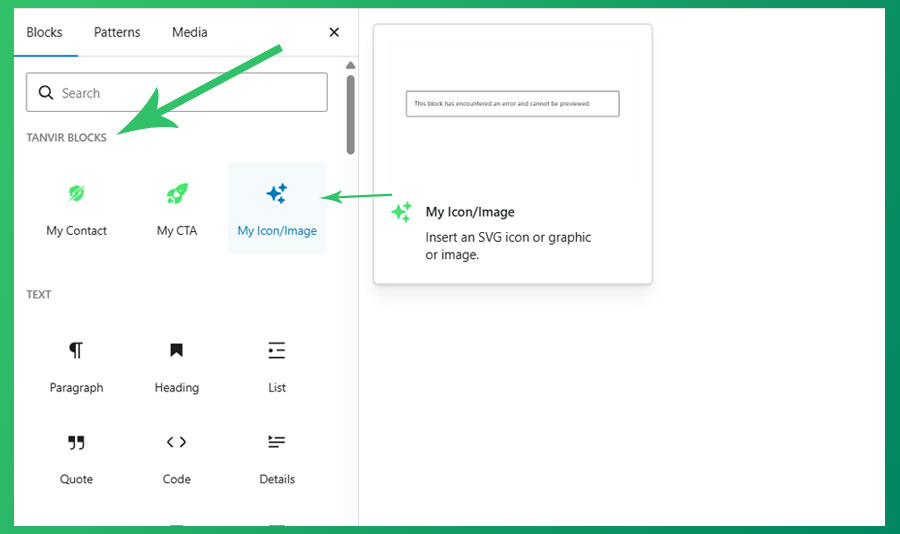
The My Icon/Image block in the editor, showing the icon picker and controls. 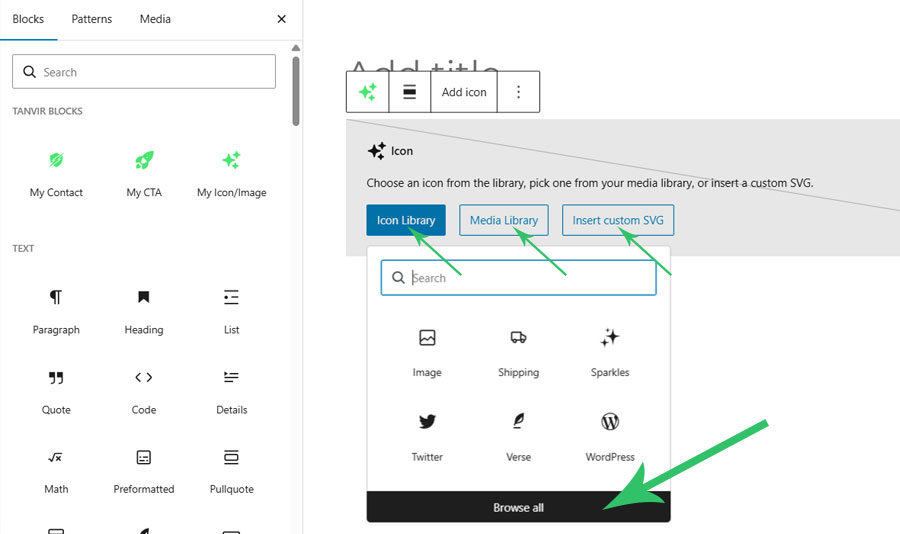
The My CTA block with editable title, description, and button. 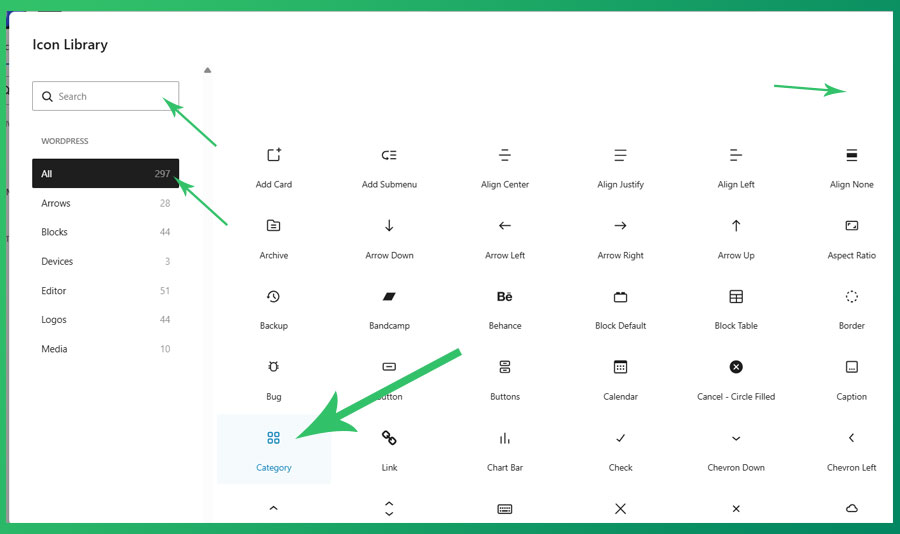
The My Contact block on a contact page. 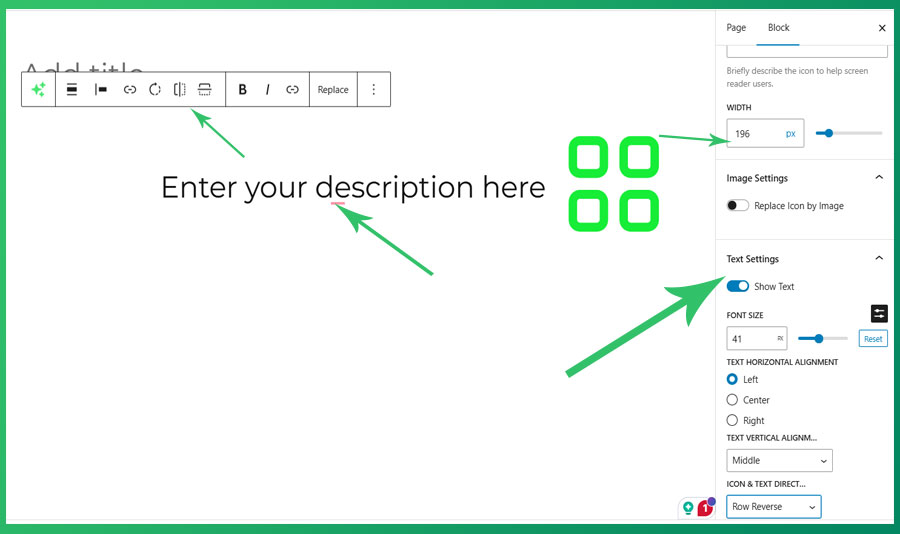
Blocks
This plugin provides 3 blocks.
- My CTA My CTA is Call To Action block scaffolded with Create Block tool.
- My Contact My Contact is Contact block scaffolded with Create Block tool.
- My Icon/Image Insert an SVG icon or graphic or image.
Installation
- Upload the plugin files to the
/wp-content/plugins/tanvir-blockdirectory, or install the plugin through the WordPress Plugins screen directly. - Activate the plugin through the Plugins screen in WordPress.
- Open any post, page, or the Site Editor and search for “Icon”, “CTA”, or “Contact” in the block inserter.
FAQ
-
Does this plugin collect any user data?
-
No. This plugin does not collect, store, or transmit any user data to external services.
-
Does this plugin require any third-party services?
-
No. All icons are bundled with the plugin. No external API calls are made.
-
Which WordPress versions are supported?
-
WordPress 6.5 and later. Requires PHP 7.4 or later.
-
Can I use this plugin with the Site Editor (full site editing)?
-
Yes. All three blocks are fully compatible with the Site Editor.
-
Where can I report bugs or request features?
-
Please use the plugin support forum on WordPress.org.
Reviews
There are no reviews for this plugin.
Contributors & Developers
“Tanvir Block” is open source software. The following people have contributed to this plugin.
Contributors
Translate “Tanvir Block” into your language.
Interested in development?
Browse the code, check out the SVN repository, or subscribe to the development log by RSS.
Changelog
0.1.0
- Initial release. Includes My Icon/Image, My CTA, and My Contact blocks.