

Description
Webyapp: RSS News Grid is a powerful WordPress plugin to display external content on your website. Whether you want to curate industry news, showcase podcast episodes, or display a portfolio from another platform, this plugin turns any standard RSS feed into a fully responsive grid.
With an intuitive visual configuration panel, you can design modern grids without touching a single line of CSS. Just paste your RSS feed URL, tweak the colors, and drop the shortcode anywhere on your site.
🔥 CORE FEATURES (FREE VERSION)
- Unlimited Posts: Display as many items as you want.
- Unlimited Grids: Create as many different RSS feeds as you need.
- Classic Card Layout: Display up to 4 external posts per grid in clean, responsive cards.
- Essential Style Builder: Control over card background colors, borders, and title typography.
- Smart Image Extraction: Automatically extracts images from
<enclosure>tags or post content. - Shortcode Powered: Easily embed your feed anywhere using our simple shortcode widget.
🚀 PREMIUM FEATURES (PRO VERSION)
Upgrade to PRO to unlock the full potential of your news grids:
* AJAX “Load More”: Add a sleek button with Skeleton loading animations to fetch older items dynamically.
* Live Search (AJAX): Instantly filter and search through loaded feed posts without reloading the page.
* Advanced Layouts: Unlock the beautiful “Edge-to-Edge” and “Magazine” grid designs.
* Full Typography & Design Control: Customize HTML tags, margins, font weights, hover shadows, and image object-fit.
* Metadata Toggles: Hide or show dates, authors, and excerpts.
Screenshots
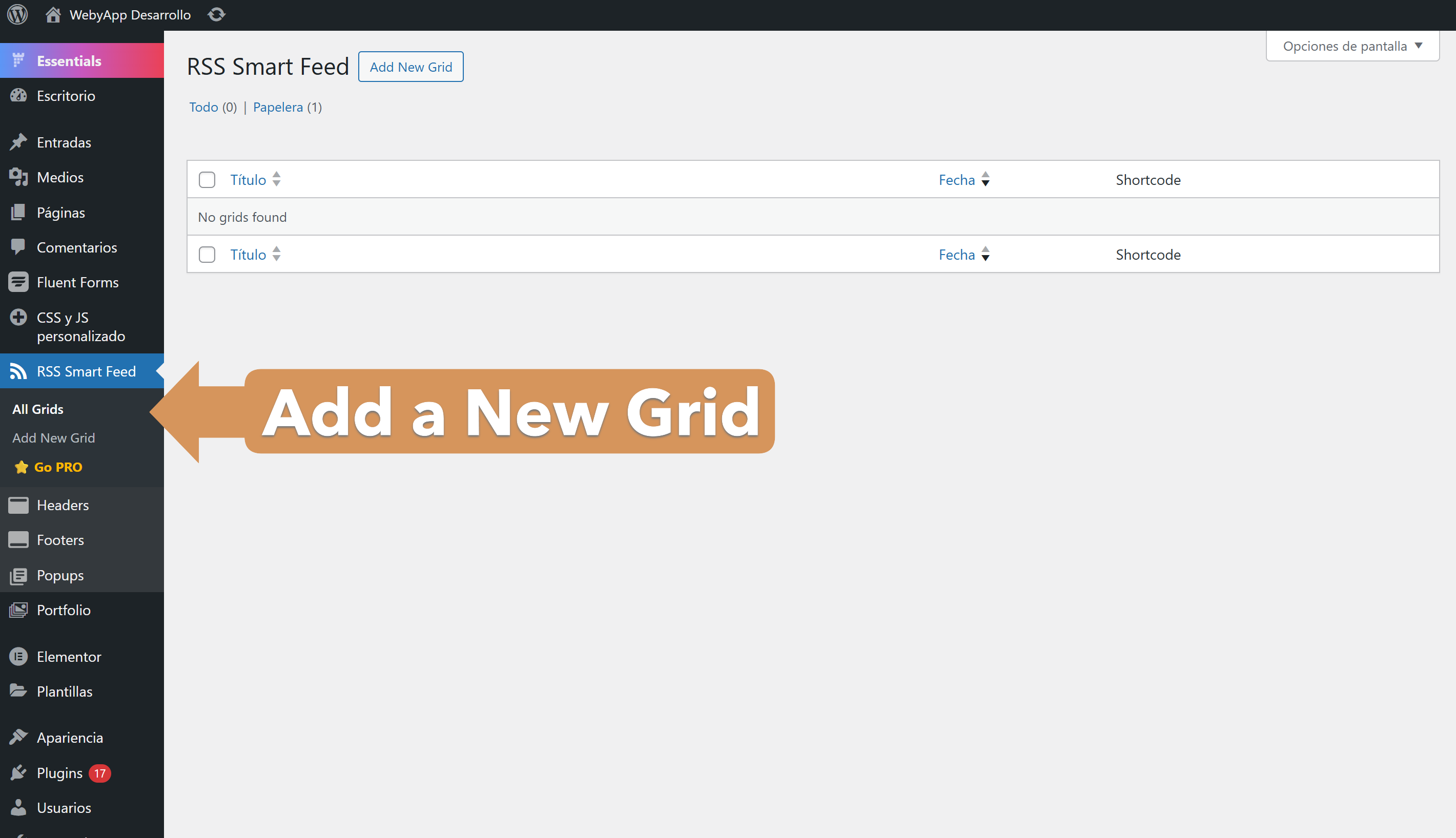
Visual Configuration: Customize visual aspects easily. 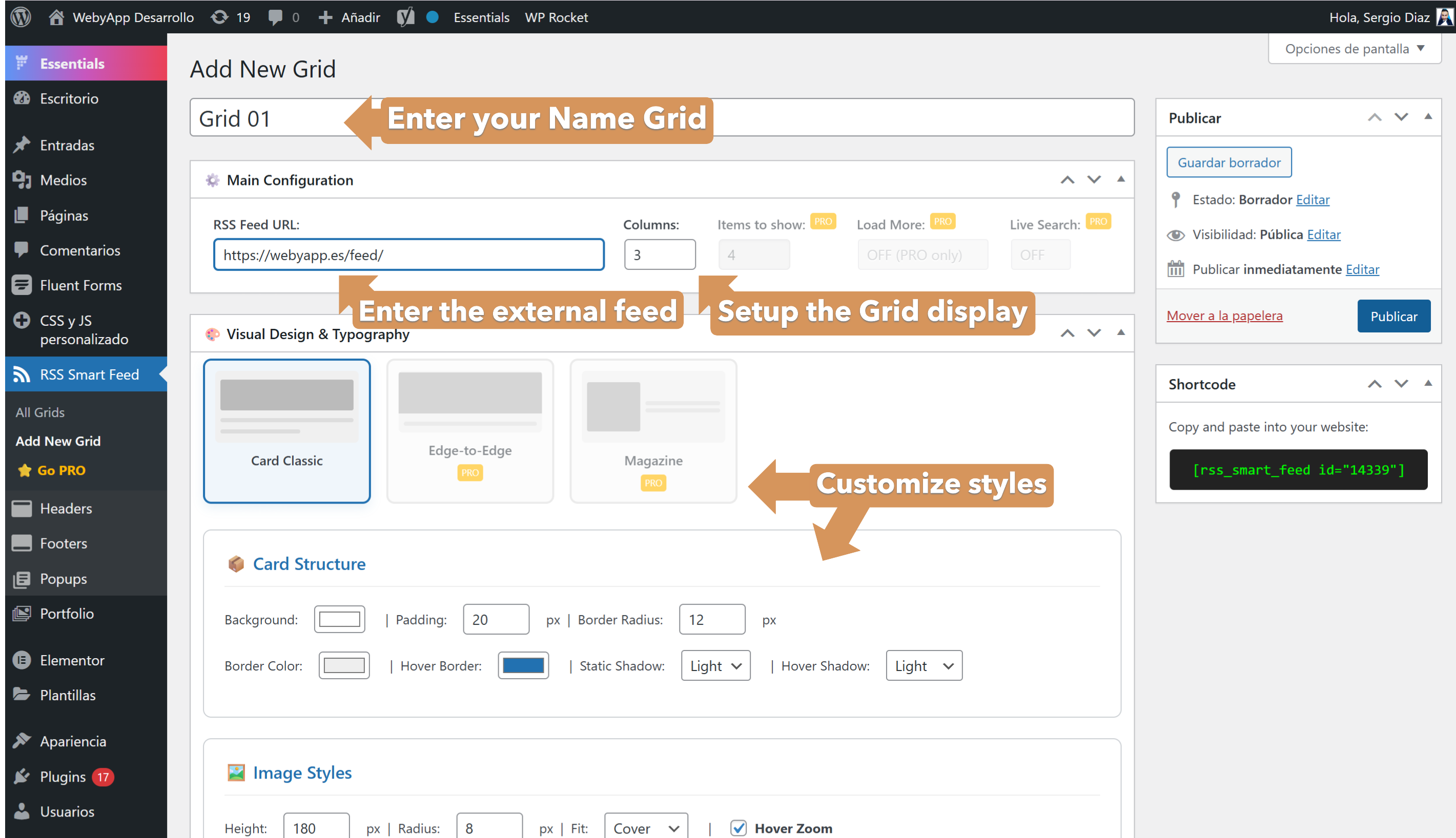
Premium Layouts Preview: See what you can unlock. 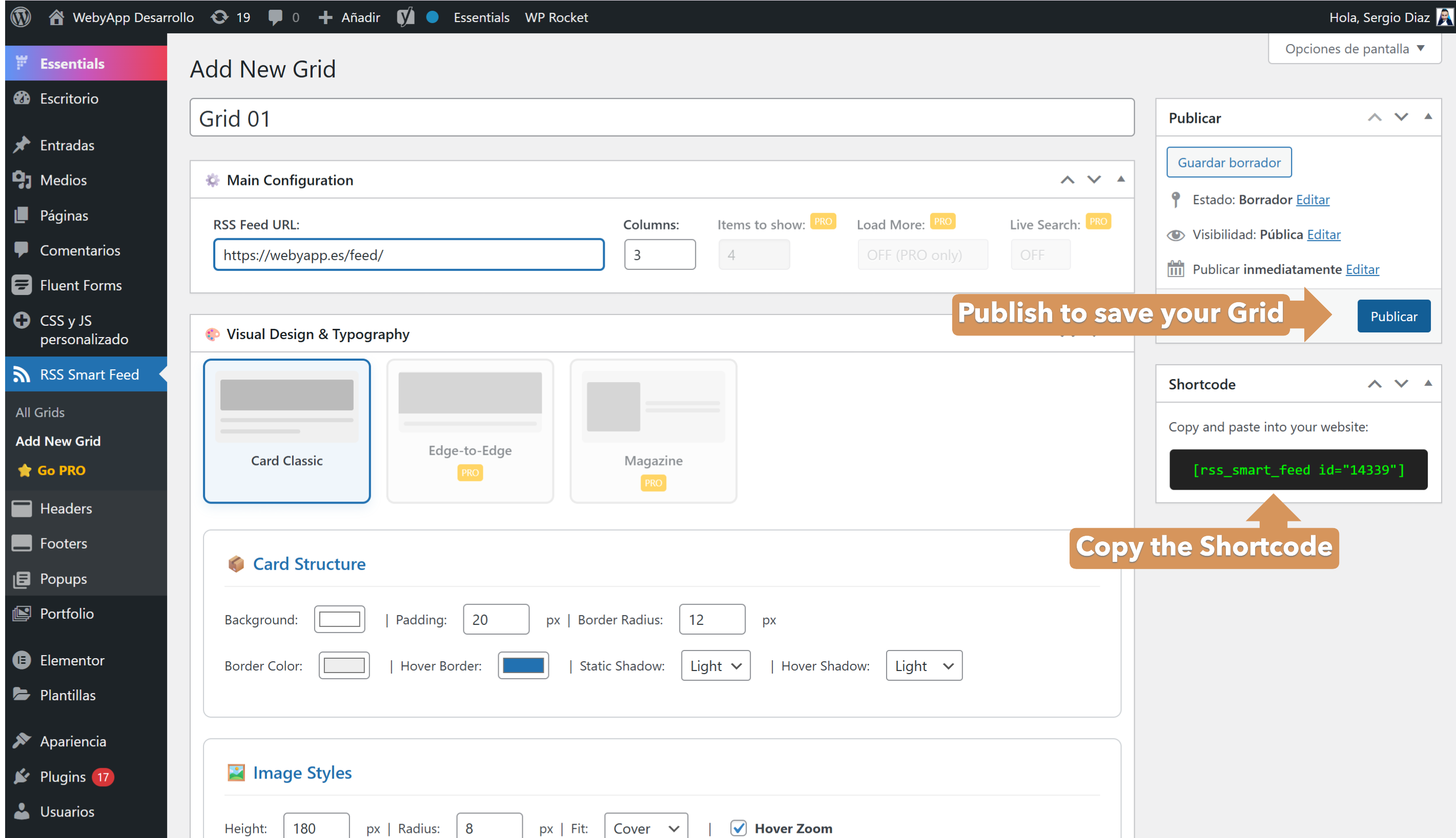
Easy Shortcode: Get your shortcode directly from the sidebar. 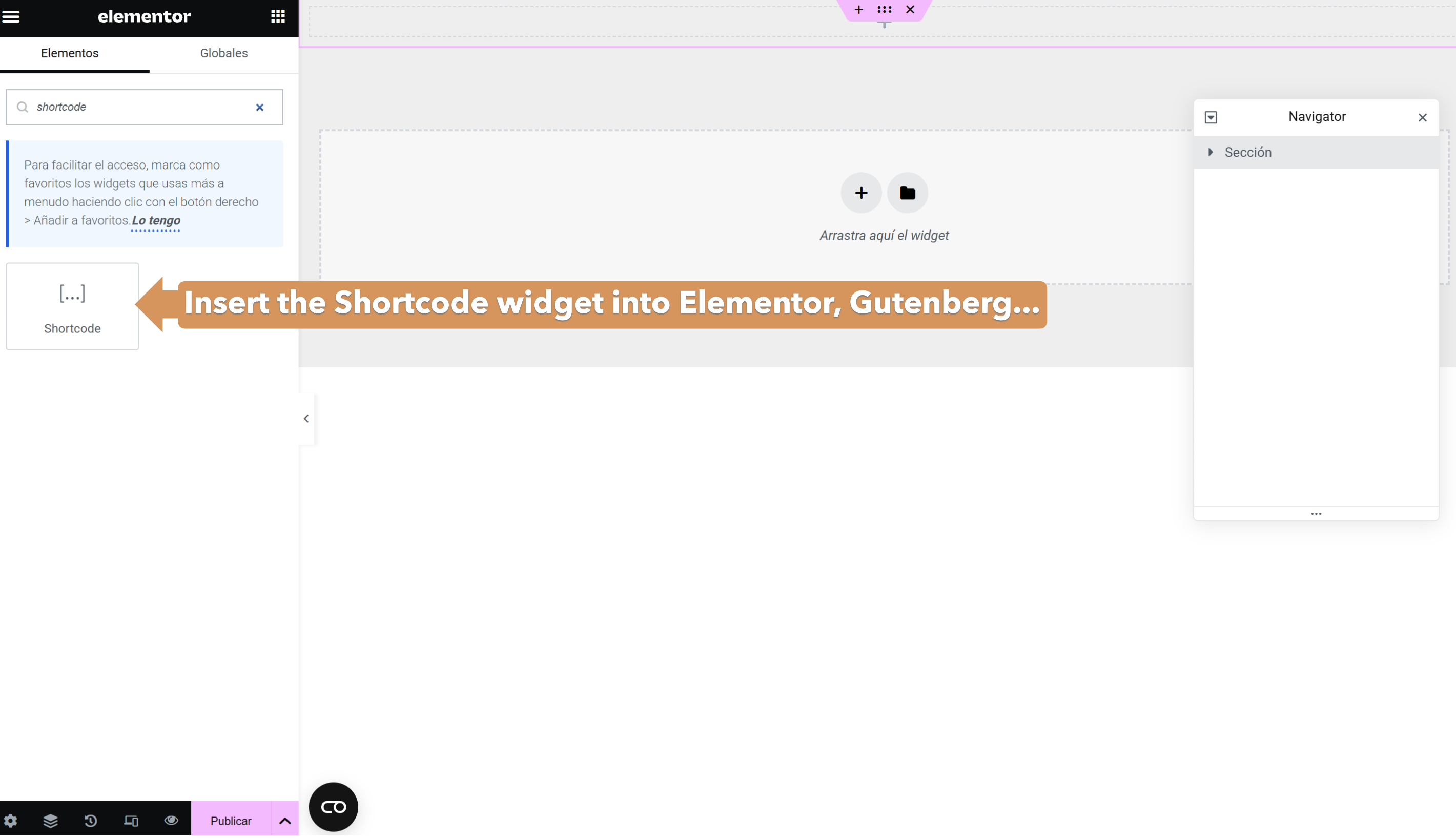
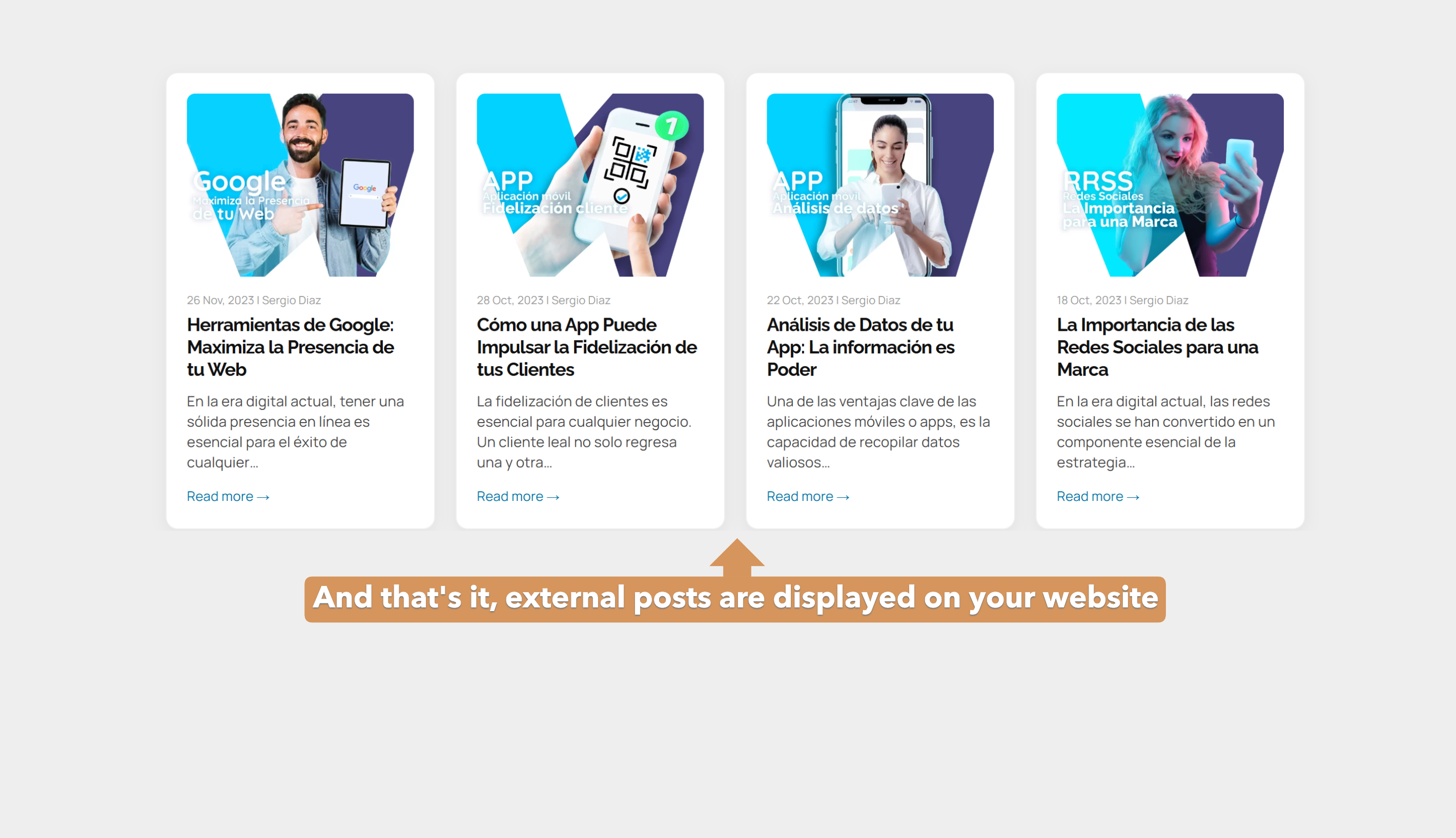
Frontend Result: Beautiful, responsive news cards on your site. 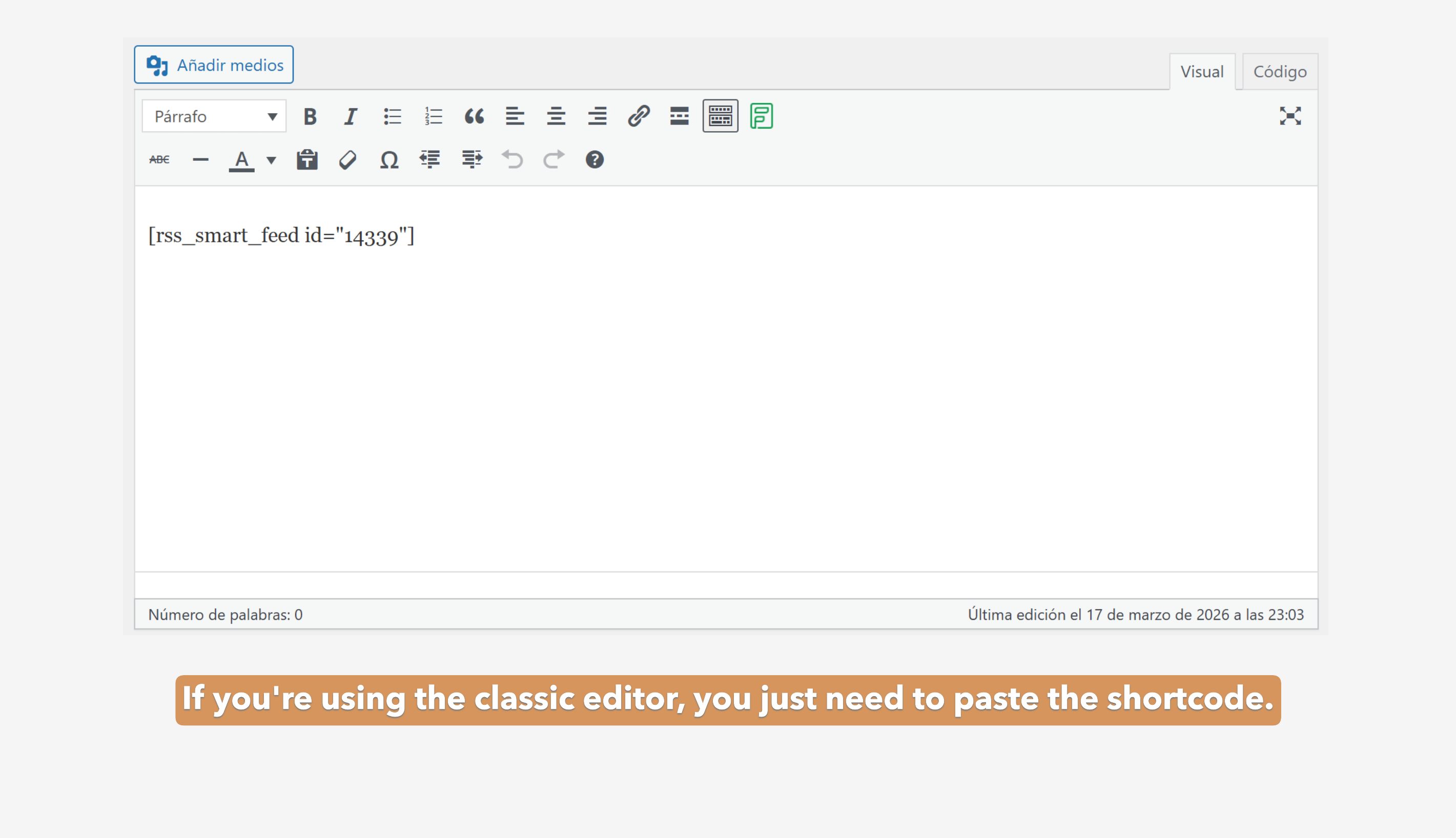
Installation
- Upload the plugin folder to the
/wp-content/plugins/directory, or install the plugin through the WordPress plugins screen directly. - Activate the plugin through the ‘Plugins’ screen in WordPress.
- Go to RSS News Grid > Add New Grid to create your first feed.
- Paste your RSS URL, customize the colors, and publish.
- Copy the shortcode
[webyapp_grid id="X"]and paste it on any page, post, or widget.
FAQ
-
Can I use it with Elementor or Gutenberg?
-
Absolutely! It generates a standard shortcode that works perfectly with any page builder (Elementor, Divi, Gutenberg, etc.).
-
Does it affect site performance?
-
No. The plugin fetches content using native WordPress caching mechanisms to ensure fast loading times.
-
Why are some layout options disabled?
-
The Free version includes the Classic Card layout. Advanced layouts (Magazine, Edge-to-Edge) and AJAX features (Load More, Live Search) are part of the PRO version.
Reviews
There are no reviews for this plugin.
Contributors & Developers
“Webyapp: RSS News Grid” is open source software. The following people have contributed to this plugin.
Contributors
Translate “Webyapp: RSS News Grid” into your language.
Interested in development?
Browse the code, check out the SVN repository, or subscribe to the development log by RSS.
Changelog
1.0.0
- Initial release.
- Added Classic Card Layout.
- Added visual style builder (colors, typography).
- Freemius SDK integration.